

Optimize the timing to nudge users toward subscribing to a paid plan. Automatically offer power users a premium experience trial to help them build a habit and consider upgrading to a premium plan.
About the Growth Play
Optimizing the timing and approach for nudging users toward subscribing to a paid plan is crucial for increasing conversion rates. Offering engaged users a premium experience trial can help them build a habit and incentivize upgrading to a premium plan.
This use case focuses on creating a personalization campaign that offers a reverse trial if the user matches the "Power user" criteria.
Good to know
A reverse trial means that if the user does not upgrade, it reverts to the Free plan after the trial period ends.
Benefits
Increased conversion rates. Offering targeted trial experiences can effectively nudge power users to subscribe to the Premium plan.
Enhanced user experience. Tailoring the trial experience based on user behavior provides a more personalized and engaging experience.
Higher user retention. Providing a taste of the Premium features can help build user habits and increase long-term retention.
Data-driven optimization. Leveraging user behavior data to optimize trial offers ensures a more effective conversion strategy.
How It Works
Step 1. Set up tracking for user activity
Install Intempt's iOS SDK:
Integrate Intempt's iOS SDK into your mobile app to start tracking user activities. Follow the iOS SDK integration guide to ensure proper setup.
Step 2. Define key user events
Identify key events:
Track user activities such as listening to songs and visiting the subscription page. For example, song_listened and subscription_page_viewed.
Set up event tracking:
Configure these events by adding the "track" or "record" methods in your iOS app. Refer to the iOS SDK guide for a complete event tracking guide.
Step 3. Create segments based on user behavior
Create segments in Intempt:
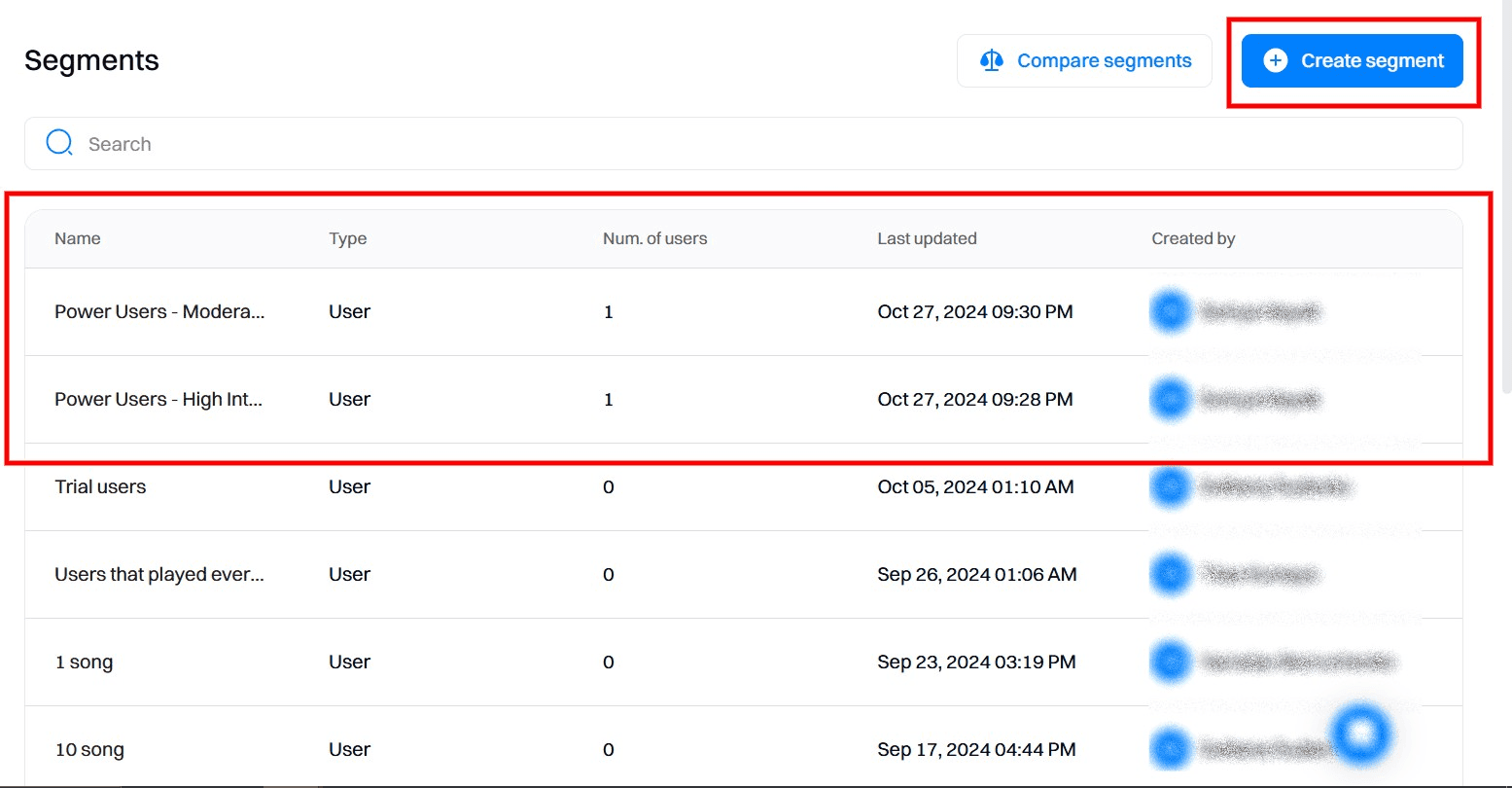
Navigate to the Segments section and create new segments based on the tracked events. For instance:
- Power Users - High Interest: Users who signed up in the last 7 days, listened to more than 100 songs, and visited the subscription page more than 5 times.
- Power Users - Moderate Interest: Users who signed up in the last 7 days, listened to more than 100 songs, and visited the subscription page less than 5 times.
Step 4. Set up server-side personalization
Personalization allows you to deliver targeted content to users based on their behavior. We will create multiple experiences tailored to different user segments in this case.
Create a new personalization campaign:
Go to the Personalizations section and create a new server-side personalization campaign named "Reverse Trials & Paywalls".
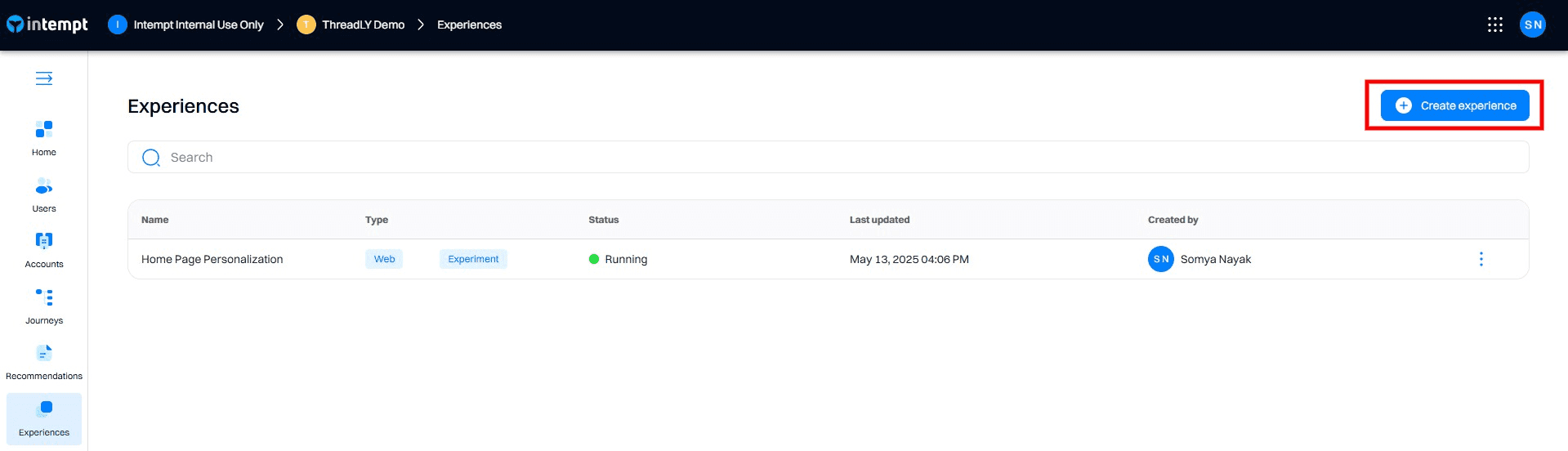
Add experiences for each user segment:
Create experiences within the campaign, each targeting a different segment using the code editor. Ensure that targeting conditions are based on the user behavior attributes.
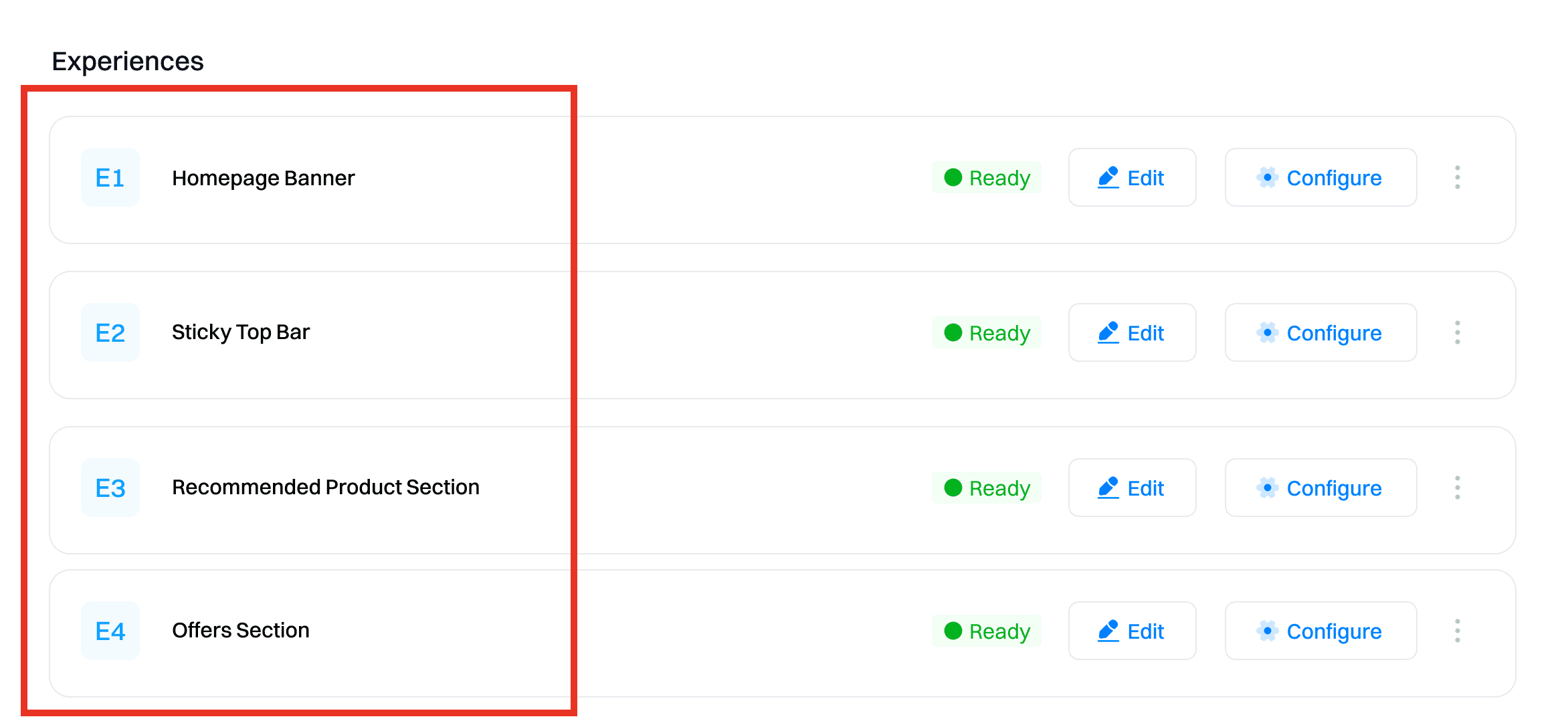
Experiences
3-day Premium Trial:
Targeting: Users that belong to Power Users - High Interest segment.
Changes:
Title: Limited offer for unlimited access. Get a 3-day Premium trial.
Body:
- Ad-free music listening
- Download to listen offline
- Unlimited skips
- On-demand playback
Steps to configure:
- Open Code Editor: Select the experience for Power Users - High Interest and open the code editor.
- Edit Content: Use the JSON payload to define the personalized content.
{
  "title": "Limited offer for unlimited access. Get 3-day Premium trial",
  "body": {
    "features": [
      "Ad-free music listening",
      "Download to listen offline",
      "Unlimited skips",
      "On-demand playback"
    ]
  }
}
Explanation: This experience targets users who have shown high interest in subscribing by frequently visiting the subscription page. Offering a shorter 3-day trial leverages their high intent to convert them quickly.
Experience for 5-day Premium Trial:
Targeting: Users that belong to Power Users - Moderate Interest segment.
Changes:
Title: Limited offer for unlimited access. Get 5-day Premium trial
Body:
- Ad-free music listening
- Download to listen offline
- Unlimited skips
- On-demand playback
Steps to configure:
- Open Code Editor: Select the experience for Power Users - Moderate Interest and open the code editor.
- Edit Content: Use the JSON payload to define the personalized content.
{
  "title": "Limited offer for unlimited access. Get 5-day Premium trial",
  "body": {
    "features": [
      "Ad-free music listening",
      "Download to listen offline",
      "Unlimited skips",
      "On-demand playback"
    ]
  }
}
Explanation: This experience targets users who have shown moderate interest in subscribing by visiting the subscription page fewer times. Offering a longer 5-day trial provides more time to experience the Premium features and incentivizes them to subscribe.
Step 5. Configure targeting and display settings
Set targeting conditions:
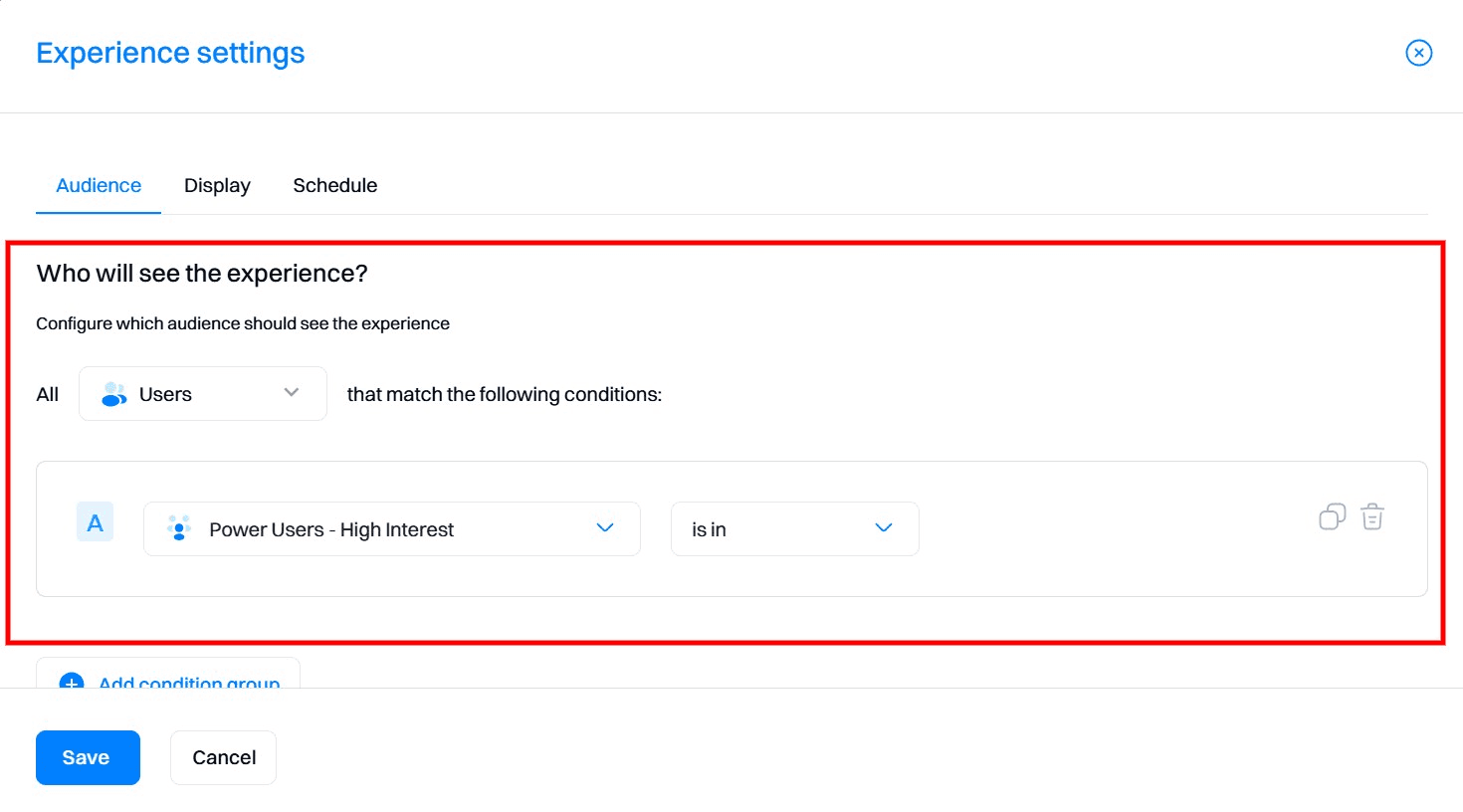
For each experience, configure the audience targeting based on the relevant behavior. Ensure that the conditions match the specified criteria for each segment.
- 3-day Premium Trial: Users who belong to Power Users - High Interest segment (signed up in the last 7 days, listened to more than 100 songs, and visited the subscription page more than 5 times).
- 5-day Premium Trial: Users who belong to Power Users - Moderate Interest segment (signed up in the last 7 days, listened to more than 100 songs, and visited the subscription page less than 5 times).
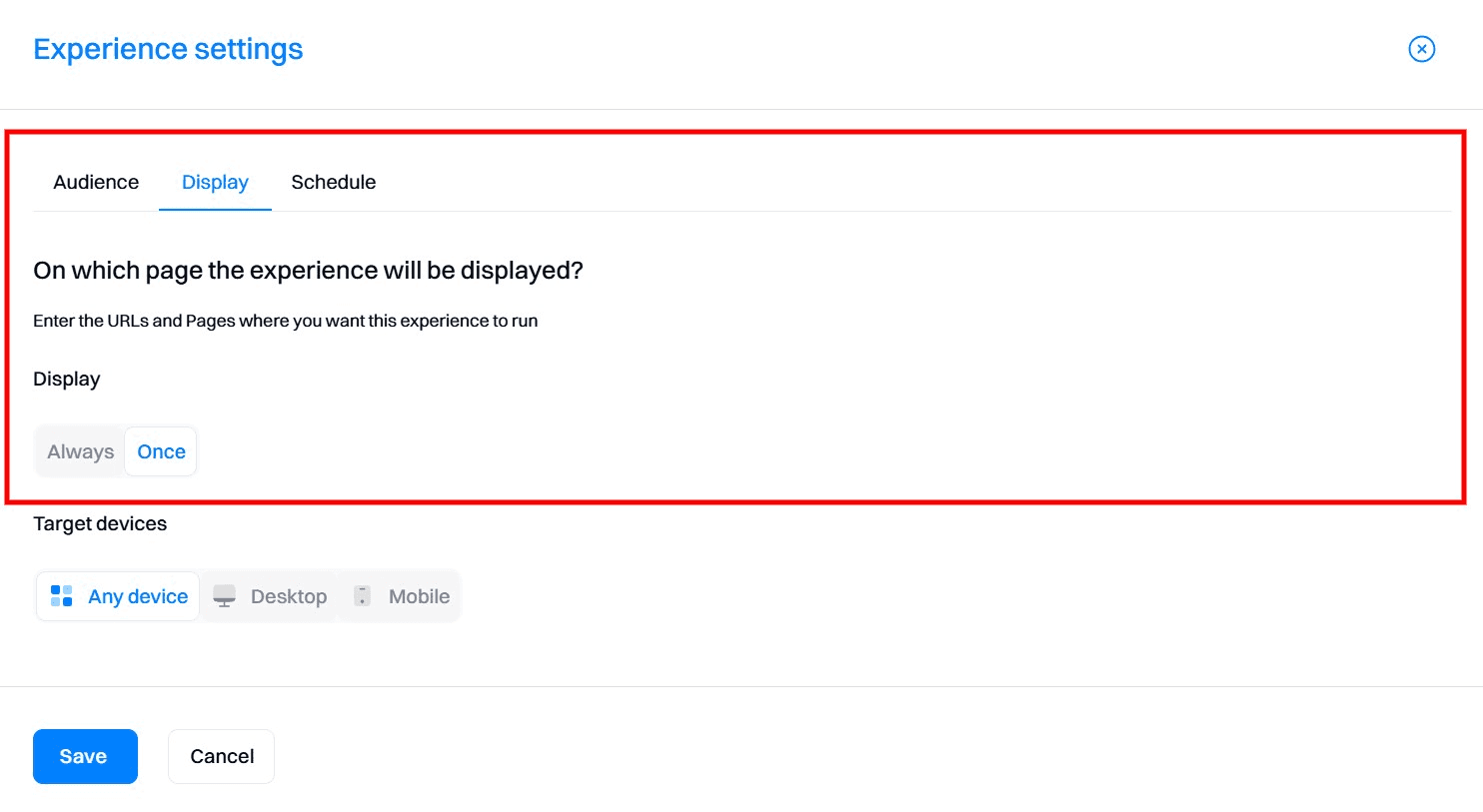
Define display rules:
Set the display frequency to ensure the personalized content is shown only once per session.
Step 6. Launch and monitor the personalization campaign
Start the personalization campaign:
Once all experiences are set up and configured, start the personalization campaign in Intempt.
Monitor performance:
Use Intempt's Personalization Analytics to track the performance of each experience. Key metrics to monitor include:
- Unique views: Number of users who viewed the personalized content.
- Conversion: Number of users who completed the desired action, such as subscribing to the Premium plan.
- Conversion %: Percentage of users who converted based on the total audience targeted.
- Lift: Improvement in conversion rate compared to the control group.
Adjust and optimize:
Based on the analytics data, make necessary adjustments to the experiences to improve performance. For example: refine targeting criteria, test different trial durations (e.g., 7-day trial), enhance trial features, run A/B tests, or add personalized follow-ups.