

Focus on the right accounts at the right moment, with enough context to start a real conversation.
About the Growth Play
Most lists tell you who to contact. What reps need is when and why now. This growbook shows how to use GrowthOS to turn product behavior and fit criteria into clear, living queues for outreach. You'll enrich just the fields you actually use, qualify leads with simple, transparent rules, and act on signals quickly without juggling tools.
We'll use Otto (a demo SaaS platform) to illustrate the approach.
TL;DR – GrowthOS for Sales Reps
Import leads from your sources and enrich only what helps outreach (role, tech stack, company type).
Use a Qualification Agent to score Sales Readiness with Fit + Activity.
Build sales-ready segments (e.g., High Fit + High Activity) that update in real time.
Launch a Journey for those segments: short sequences, sensible delays, and behavior-based routing.
Personalize with Smart Snippets that pull from research fields automatically.
Alert reps on key actions (reply, meeting booked) and auto-create Tasks for follow-through.
Track replies, meetings, and pipeline impact in Journey Analytics and Dashboards.
Result: Fewer cold touches, more timely conversations.
Benefits
Prospect where intent is fresh. Work the accounts showing meaningful, recent behavior.
One definition of "ready." Fit and intent live in one place, so Marketing and Sales share the same thresholds.
Arrive with context. Recent actions and role info are attached to the record you're working.
Reduce swivel-chair time. Research, scoring, outreach, alerts, and measurement run in one system.
Measure what moves deals. See which signals correlate with meetings and wins, then tune the rules.
How It Works
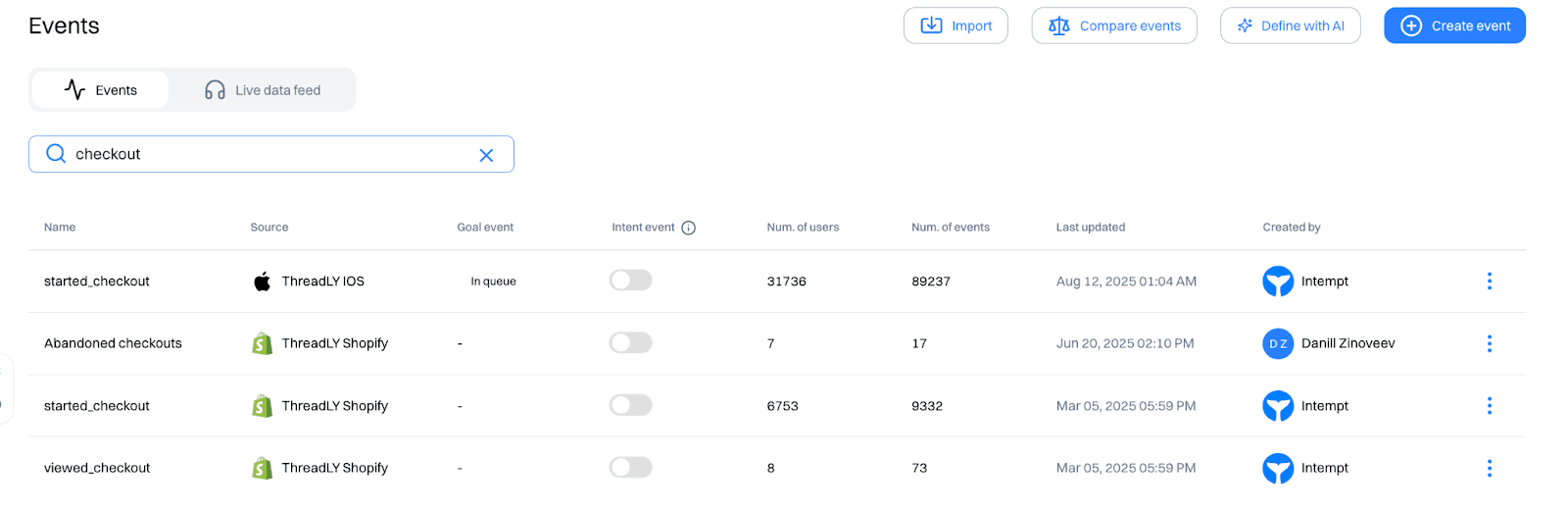
Step 1: Define and track Goal Events
Check or define key Events to confirm the following are tracked: 'added to cart', 'clicked on product', 'started checkout' and create new events If any events are not readily available from 'create event'.
Step 2: Bring in leads and add only useful context
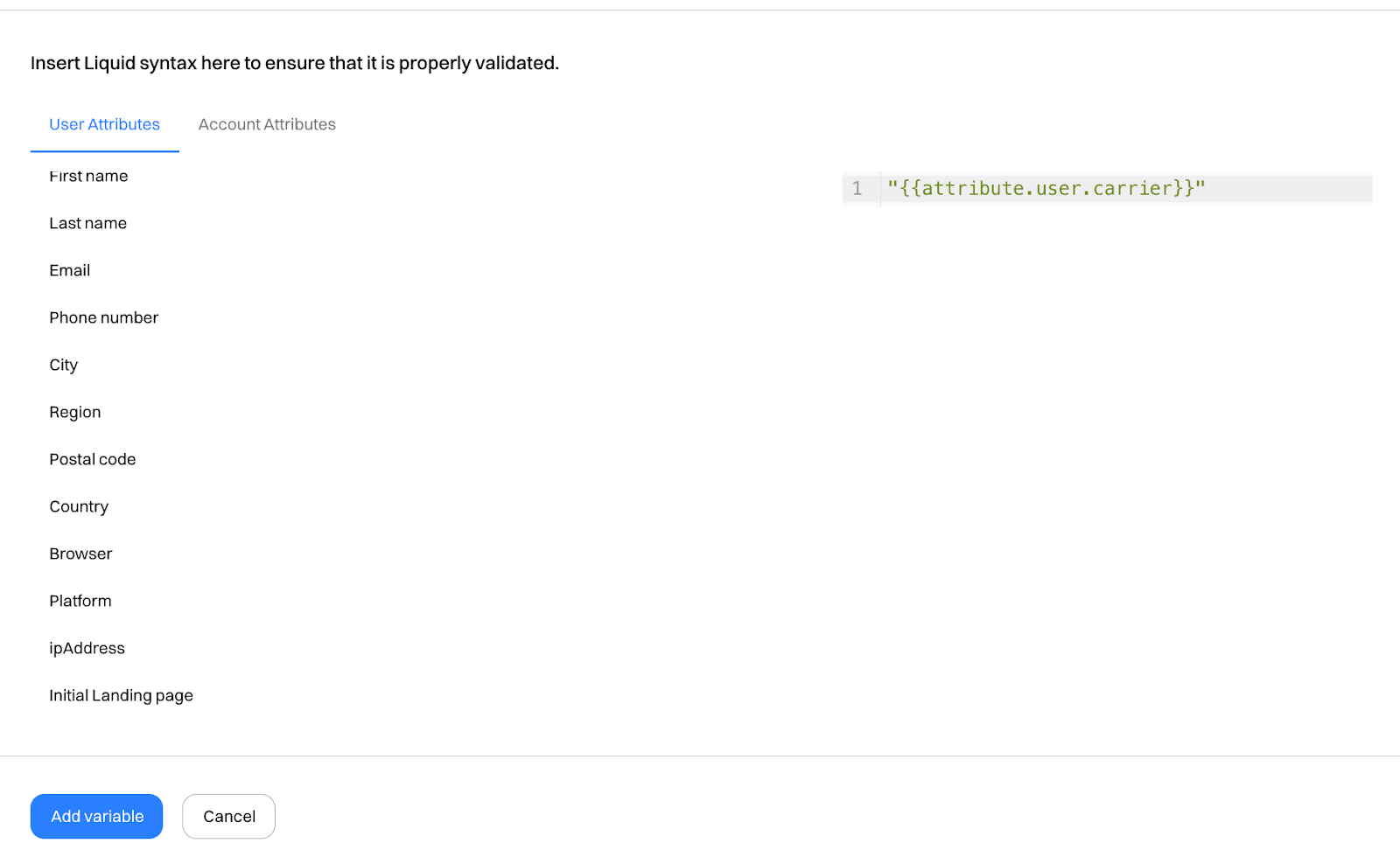
Import users/accounts from your list or connected sources. Use a Research Agent to enrich the few fields that change how you write or route (role, seniority, tech stack, industry). If contact details are missing, fill just what you need for the first touch.
Step 3: Define "ready" with Fit + Activity
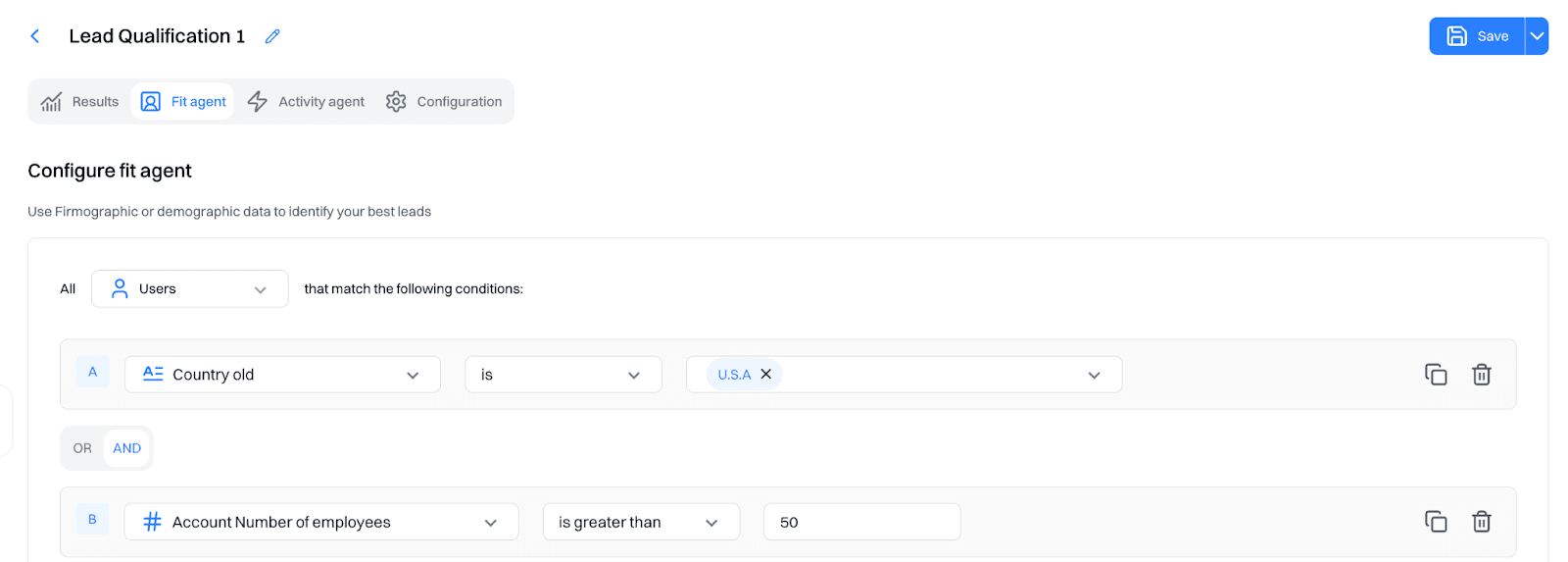
Create a Qualification Agent that scores Sales Readiness using:
Fit: firmographics and ICP traits (company size, industry, stack match).
Activity: recent, high-signal behavior (e.g., viewed pricing, invited teammates, hit usage thresholds).
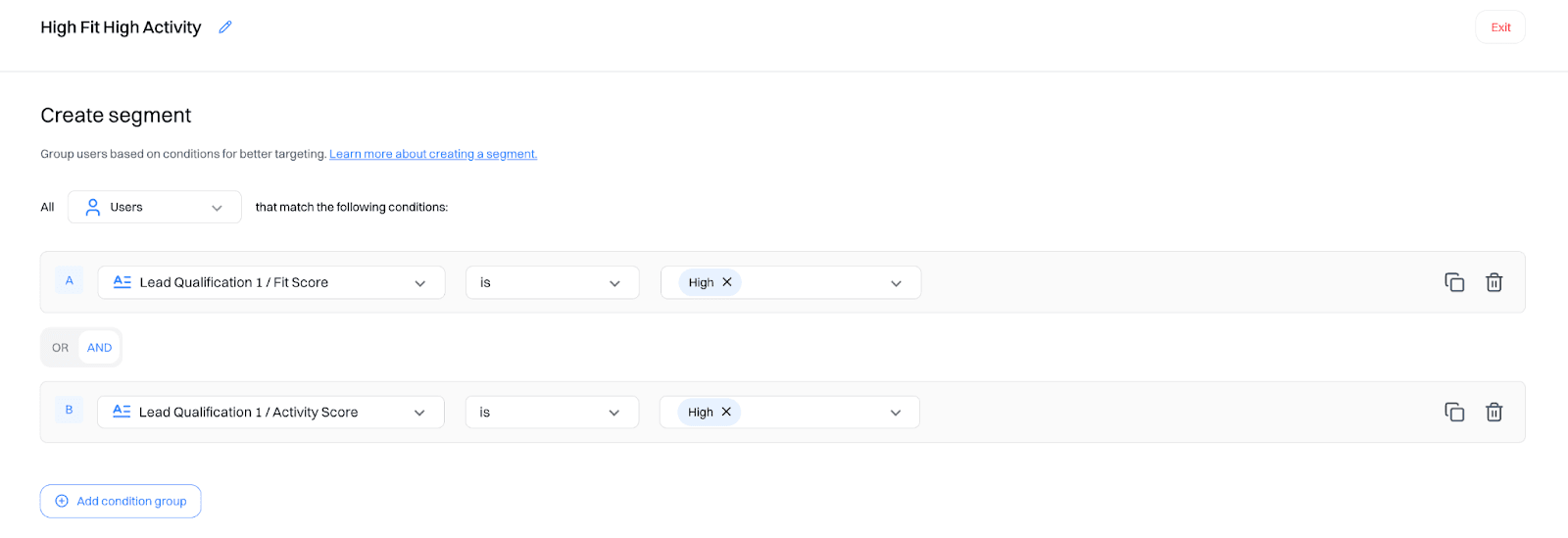
Step 4: Build sales-ready segments
Create segments like 'High Fit + High Activity', 'High Fit + Medium Activity'.
Step 5: Turn signals into outreach with Journeys
Launch a Journey for your top segment. Keep it short: two or three steps with natural spacing.
Branch on behavior: if they engage, move them forward; if they don't, slow down or re-score.
Use Smart Snippets: pull research fields into the message so it reads like you wrote it.
Notify the human: send a lightweight alert on replies or meeting bookings.
Step 6: Measure and tighten the loop
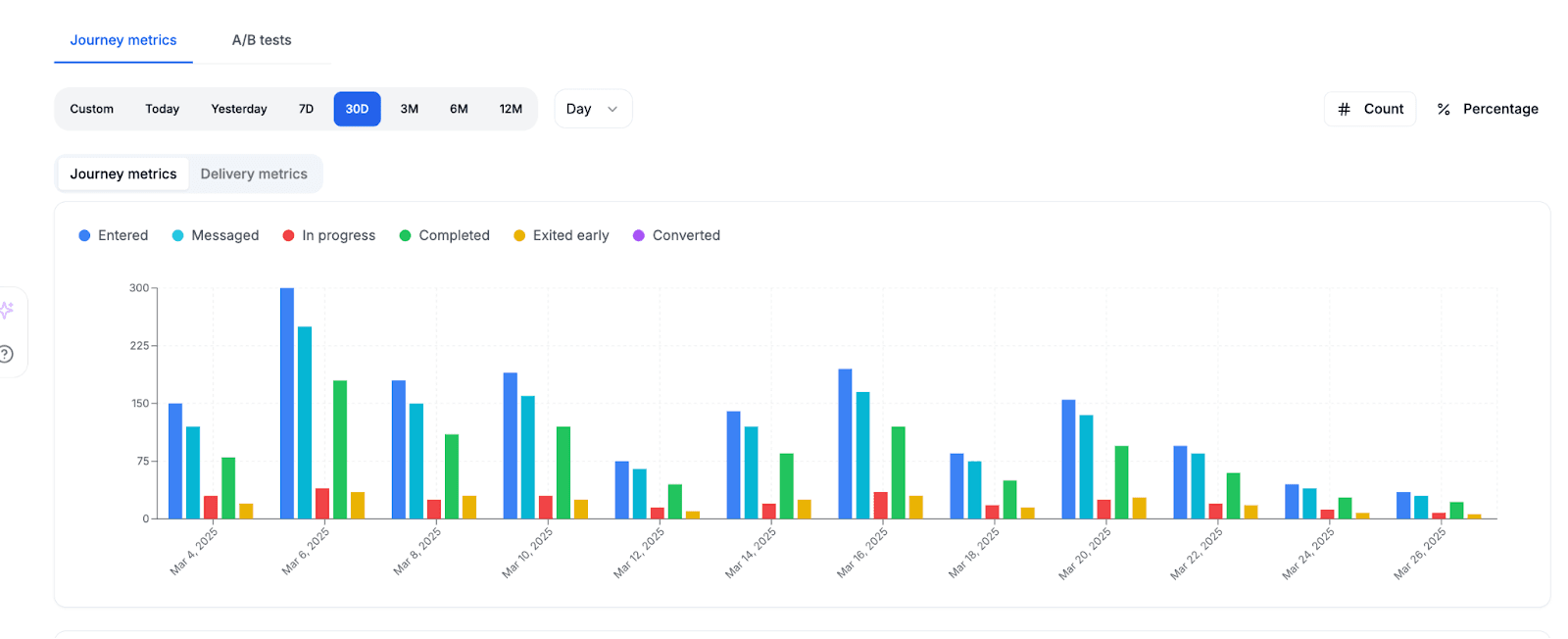
In Journey Analytics and Dashboards, look at: replies, meetings created, cycle time, and opportunities/wins by readiness level. Notice which signals show up most often before a meeting, and adjust your Agent weights or segment rules accordingly.
Good to Know
Keep the score simple. Clear levels beat opaque formulas; reps should know the "why" at a glance.
Fewer signals, stronger signal. Two or three reliable intent events usually outperform long lists.
Auto-create Tasks for reps when key actions fire: call, email, LinkedIn, or a quick prep checklist. If Deals are part of your workspace, create or update them when a meeting is booked or a stage changes.