
Identifying Users Across Sessions
Call identify() as soon as you know a visitor's real identity so their prior anonymous activity, and every session after, ties to the same profile.
Overview
Every visitor starts anonymous. Autocaptured events (page views, clicks, form activity, sessions) start recording the moment your JavaScript, iOS, or Android source is connected, with no identity attached yet. Call identify() as soon as you know who a visitor actually is, typically at login or sign-up, and Intempt links their prior anonymous activity to that identity. Call it again with the same userId on every later visit, and each new session ties to the same profile instead of starting a new one.
How it works
Each SDK exposes the same two methods for this:
identify(params)links user actions to a specific identity. It takes a requireduserId, and optionally aneventTitleanduserAttributesif you want to record identification as its own event with details attached.alias(params)links two distinct user identifiers together. Use it when a user was already tracked under one ID (for example, a temporary ID your own code assigned) and you need to connect that history to their real ID.
// identify(): tie future (and past anonymous) activity to a known identity
intempt.identify({
  userId: 'user123',
  eventTitle: 'User Registration',
  userAttributes: {
    email: 'user@example.com',
    name: 'John Doe',
    plan: 'premium'
  }
});

// alias(): merge a temporary identifier into the real one
intempt.alias({
  userId: 'anonymous_123',
  anotherUserId: 'authenticated_user456'
});
identify() and alias() exist on all three client SDKs: JavaScript, iOS, and Android, with the same parameter shape. Calling identify() with the same userId from any of them ties activity from that source to the one profile.
Session Management's logOut() is the other half of this: it clears the current session's identity data, so the next person on a shared device doesn't inherit the previous user's identity.
Getting started
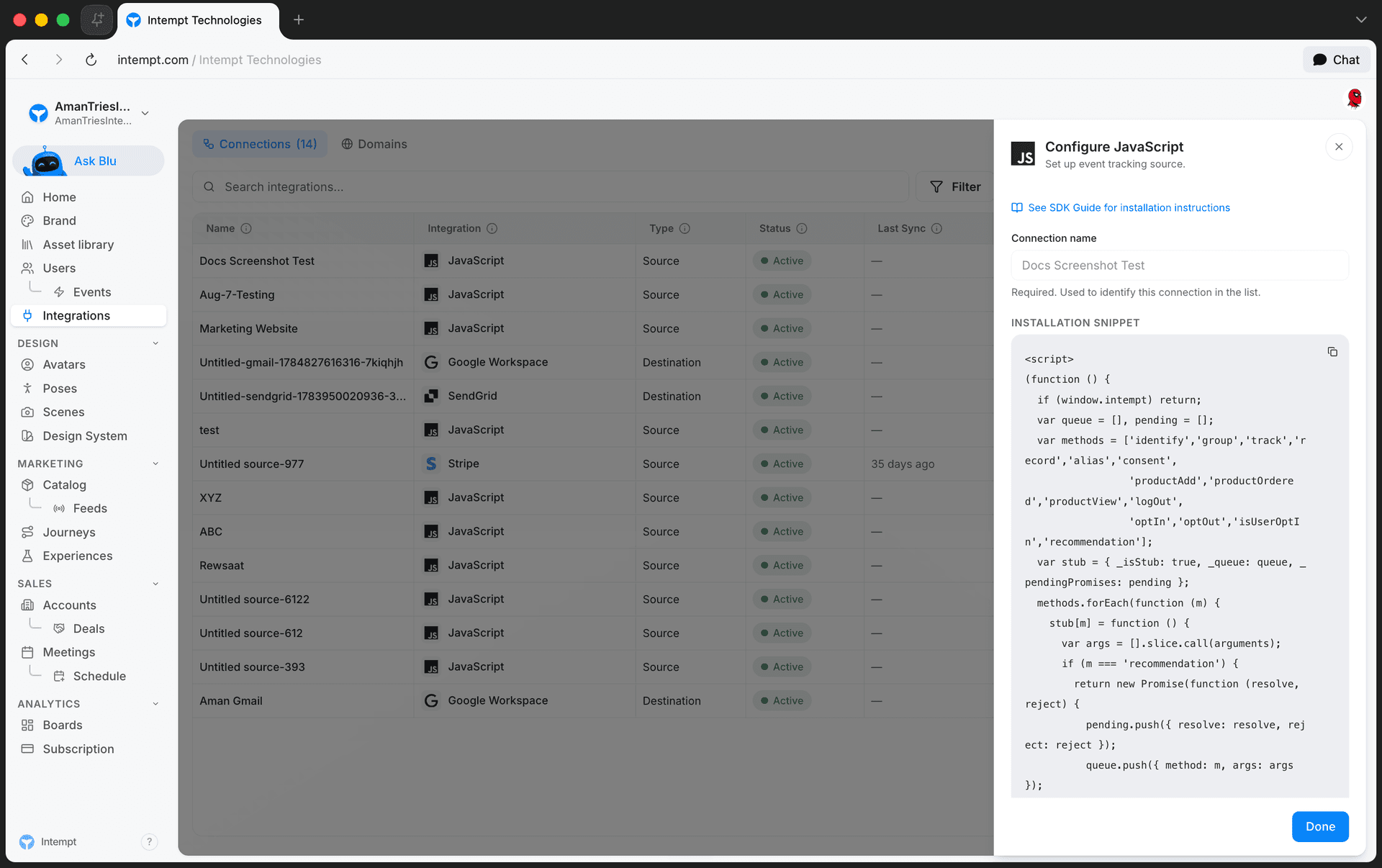
- Connect a source that includes the SDK snippet, if you haven't already. Go to Integrations, click Add Integration, and under Sources connect JavaScript (or iOS/Android). The installation snippet queues
identify,alias,track, and the rest of the SDK methods until the SDK finishes loading, so you can call them anywhere on the page without waiting.
- Call
identify()at the moment a visitor becomes known: sign-up, login, or any form where they give you an identifying detail like an email.
function loginRequest(user) {
  return authUser(user).then((authorizedUser) => {
    intempt.identify({ userId: user.email });
  });
}- If you tracked the visitor under a temporary ID before this point, call
alias()once to connect that ID to the real one, so the anonymous events aren't orphaned:
intempt.alias({
  userId: 'anonymous_123',
  anotherUserId: user.email
});-
Call
identify()again on every later login with the sameuserId. Each call re-attaches that session to the existing profile instead of starting a new one. -
On shared or kiosk devices, call
logOut()when a session ends, so the next visitor's activity doesn't get attributed to whoever used the device before them:
intempt.logOut();📘 Good to know
Only userId is required on identify(). If you also pass userAttributes to carry details like email, name, or plan, you must set eventTitle too, identify() throws if userAttributes is present without it.
Use cases
-
Anonymous browsing to sign-up. A visitor browses your site anonymously, then signs up. Call
identify()at sign-up so their earlier session's activity attaches to the new profile. -
Migrating a temporary ID. Your own code assigns a placeholder ID to track a visitor before they're known. Once they log in, call
alias()to connect that placeholder to their realuserId. -
Cross-device recognition. The same person visits from a browser and later from your mobile app. Calling
identify()with the sameuserIdon both the JavaScript and native SDKs ties both sessions to one profile. -
Returning users. A user logs out and back in days later. Calling
identify()again with their sameuserIdre-attaches the new session to their existing profile instead of creating a duplicate. -
Recording identity details at the moment of sign-up. Pass
userAttributes(email, name, plan) with theidentify()call so the profile has that context from the moment it's created, not just the bare ID. -
Shared devices. A kiosk or shared computer is used by multiple people in the same day. Calling
logOut()between sessions keeps each person's activity from bleeding into the next person's profile.
Where to go next
- JavaScript SDK reference for the full
identify()/alias()parameter tables and error handling. - iOS SDK reference and Android SDK reference for the native equivalents.
- Basic Intempt installation for connecting a source and sending your first events.
- Complete guide to event tracking for how identify fits alongside autocapture and custom events.
- Users & Accounts for how identified activity becomes a user profile.
Complete guide to event tracking
A step-by-step walkthrough of Intempt event tracking: installing autocapture, sending custom events with the SDK, verifying data, and turning raw events into named events.
Cookie Consent Banner Setup
Wire your own cookie consent banner to the JavaScript SDK: hold tracking until a visitor responds, then log their decision with the consent method.