
Custom Domains
Connect and verify domains you own for booking pages, click tracking, the privacy center, and email sending.
Overview
Custom domains let you replace generic Intempt-hosted URLs with a domain you own. Verify a root domain once at the organization level, then assign it to individual projects for the capability you need.
Each domain can be enabled for one or more of these:
| Capability | Used for |
|---|---|
| Booking | Public booking pages served under your domain |
| Click tracking | Link tracking in emails and SMS |
| Privacy center | Your customer-facing consent/preference pages |
| Email sending | Authenticates the domain you send email from |
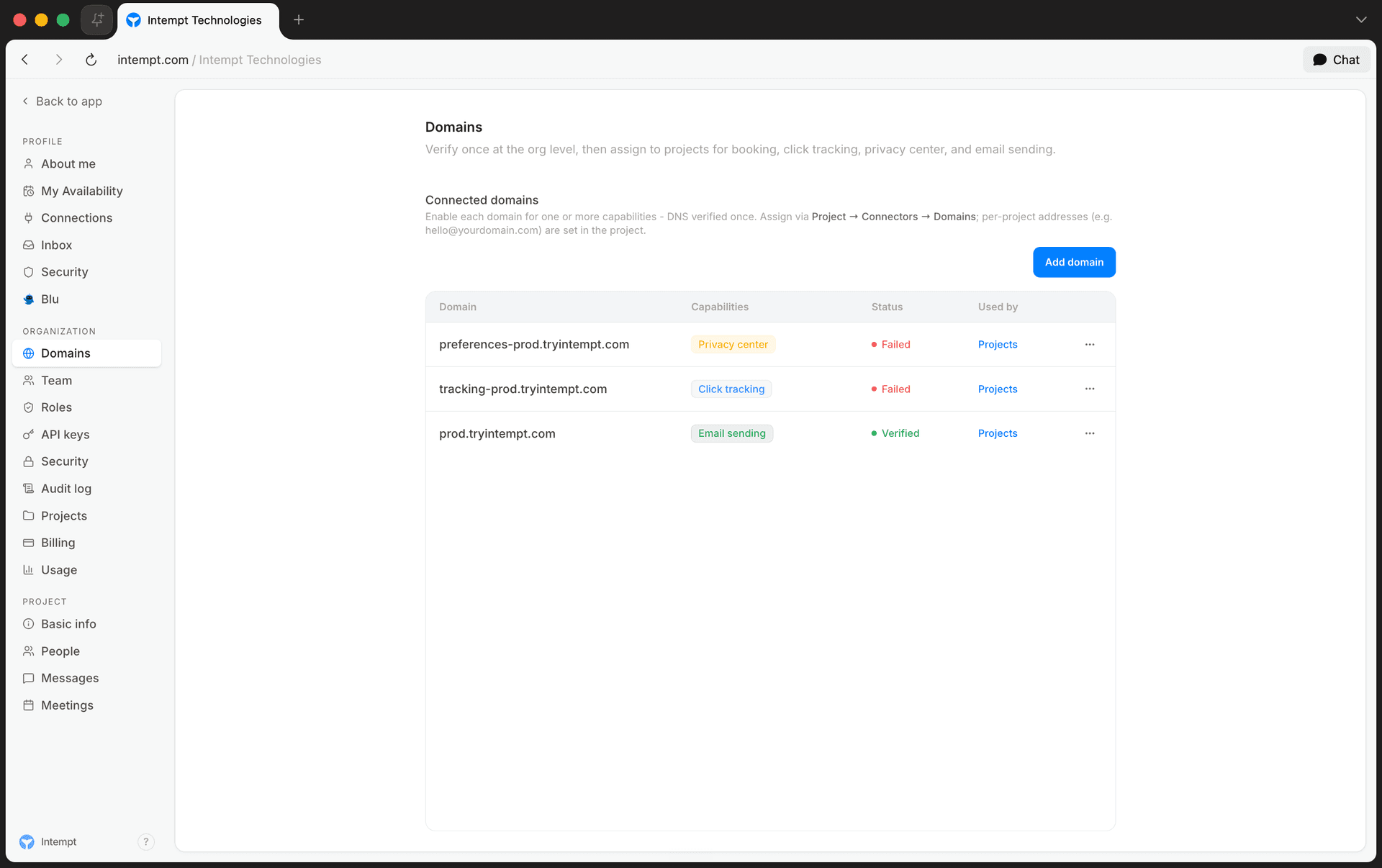
Adding a domain
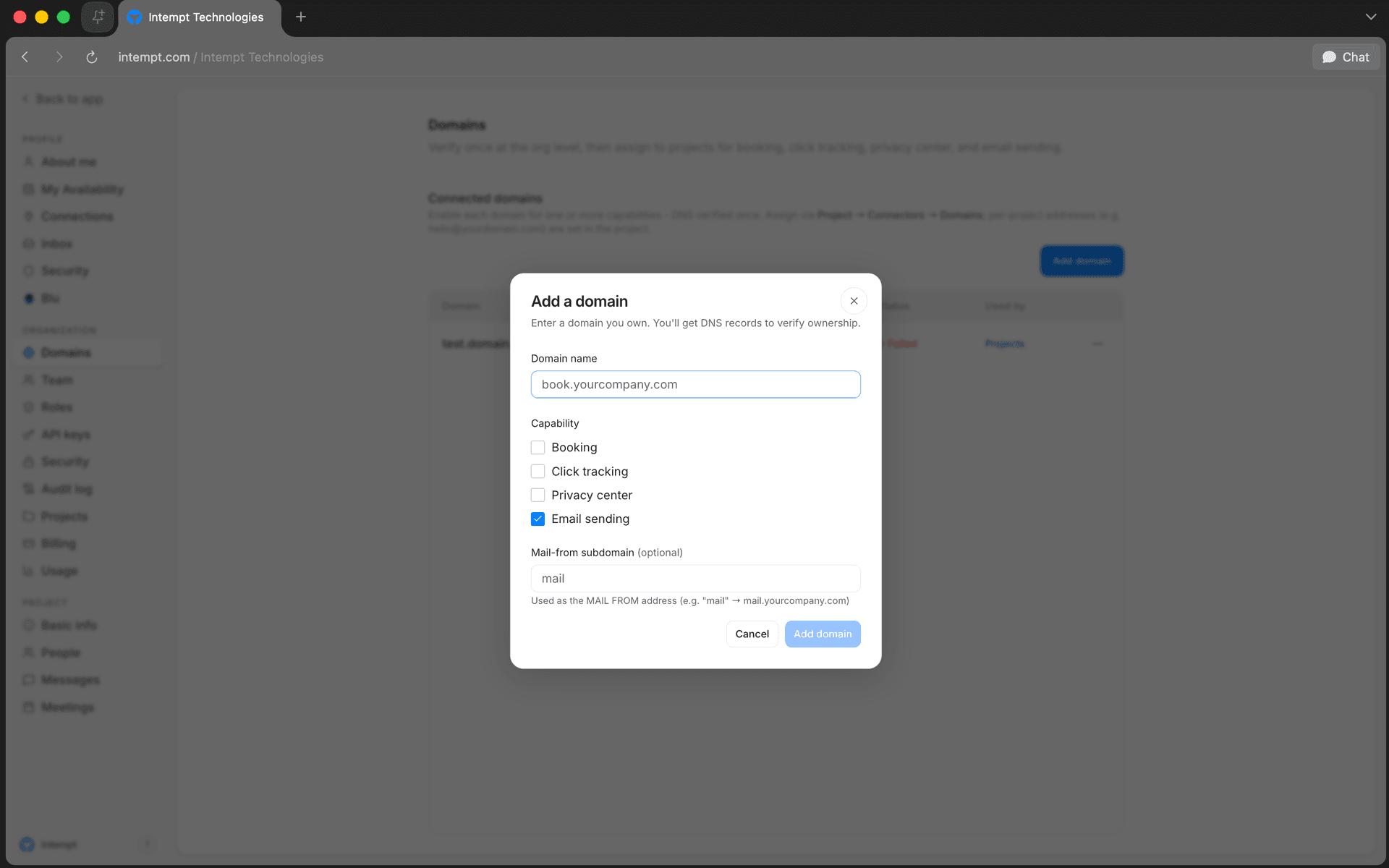
Open the org/project selector at the top of the sidebar, select Settings, then go to the Domains tab. Select Add domain.
- Domain name. Enter a domain you own (e.g.
book.yourcompany.com). It must be a valid domain; a plain top-level name likeyourcompanywon't validate. - Capability. Choose one: Booking, Click tracking, Privacy center, or Email sending.
- Mail-from subdomain (Email sending only, optional). Sets the address your emails send from. For example, entering
mailsends frommail.yourcompany.com.
📘 Good to know
Adding a domain doesn't activate it immediately. You still need to verify DNS ownership before it's usable.
Verifying DNS
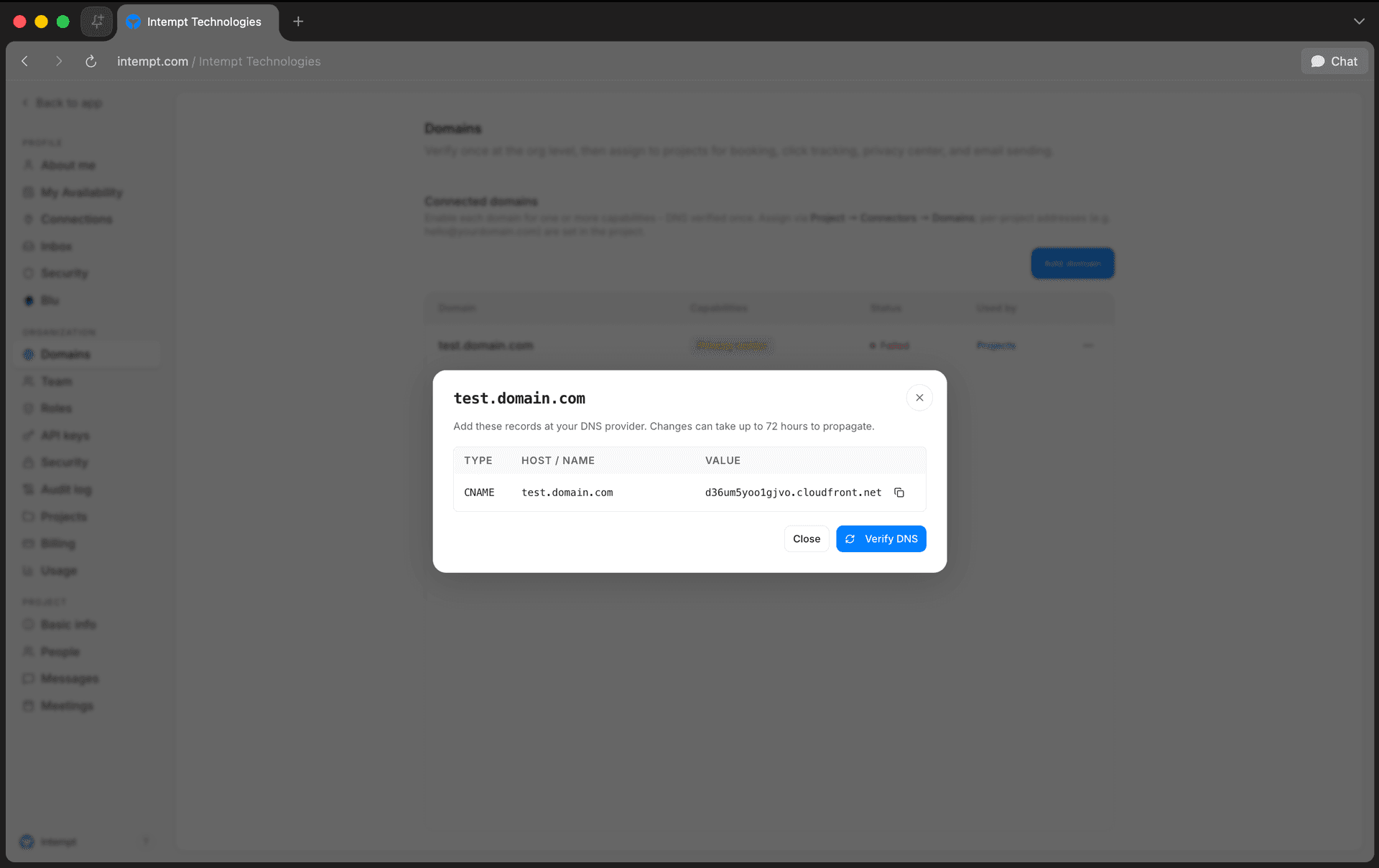
After you add a domain, its DNS records dialog opens automatically. You can reopen it any time from the domain's menu (View DNS records).
Add the listed records at your DNS provider, then select Verify DNS. DNS changes can take up to 72 hours to propagate, so a domain can sit at Pending DNS for a while even after you've added the records correctly. That's expected, not a failure.
Domain status
| Status | Meaning |
|---|---|
| Pending DNS | Domain added, DNS records not yet detected. Default status for a new domain. |
| Verified | DNS records confirmed. The domain is active for its assigned capability. |
| Failed | DNS verification attempted and did not succeed. Check your DNS records and re-verify. |
| Suspended | Domain disabled. |
Managing project access
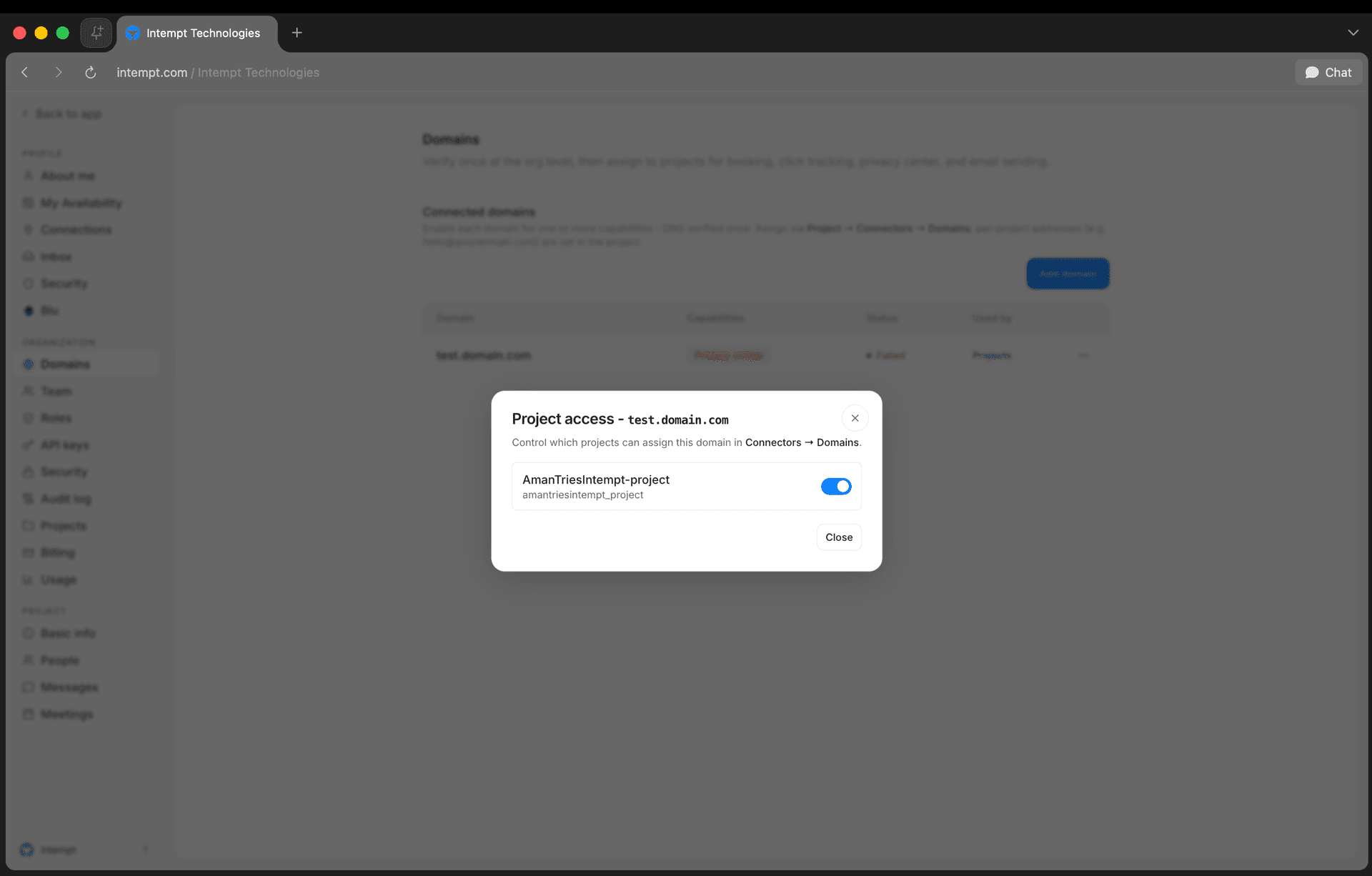
A verified domain isn't automatically available to every project. From the domain's Projects button, choose which projects in your organization can assign it.
📘 Good to know
Granting project access doesn't assign the domain by itself. A project admin still has to pick it from Project → Connectors → Domains. Per-project email addresses (e.g. hello@yourdomain.com) are configured at the project level, not here.
Removing a domain
From the domain's menu, select Remove domain and confirm. This disables all traffic routing for that domain immediately.
Use cases
- Booking pages under your own brand. Assign
book.yourcompany.comas a Booking domain so prospects never see an intempt.com URL. - Branded click tracking. Use a tracking subdomain so links in your marketing emails resolve under your own domain instead of a shared one.
- A dedicated privacy center URL. Point
privacy.yourcompany.comat Intempt's hosted consent/preference pages. - Improving email deliverability. Verify a sending domain with a mail-from subdomain so outbound email authenticates against your own DNS instead of a shared default.
- Multi-project domain reuse. Verify a domain once at the org level, then grant access to only the specific projects that should be able to assign it. Useful when one org runs several customer-facing projects that shouldn't share a domain by default.
Where to go next
See Organizations & Projects for how projects relate to your organization, and API Keys for other org-level settings.
Brand Kit
The Brand Kit centralizes all brand assets and identity elements in one place. It helps teams maintain brand consistency across every channel — messages, experiences, visual editor, and analytics. ...
Organizations & projects
How organizations and projects structure data access and isolation in Intempt, and how to manage both from Org Settings.