
Consent Management Overview
Consent management tracks what each customer agreed to and controls who your messages reach. It's real, and it's distributed by design across the Users tab and the Journey builder, not one settings screen.
Covered in the Academy. Intempt Academy covers privacy and consent step by step.
Overview
Consent management lets you track what each customer agreed to, comply with regulations like GDPR and CCPA, and control who receives your messages based on that record. There's no single "Consent Management" screen to open. Consent is distributed by design: you view and manage it per customer on the Users tab, and you gate who a journey can message by category in the Journey builder.
📘 Good to know
This page covers where consent lives across the product. For the full category taxonomy, the event-attribute reference, and SDK code samples, see Managing consents.
Where consent lives
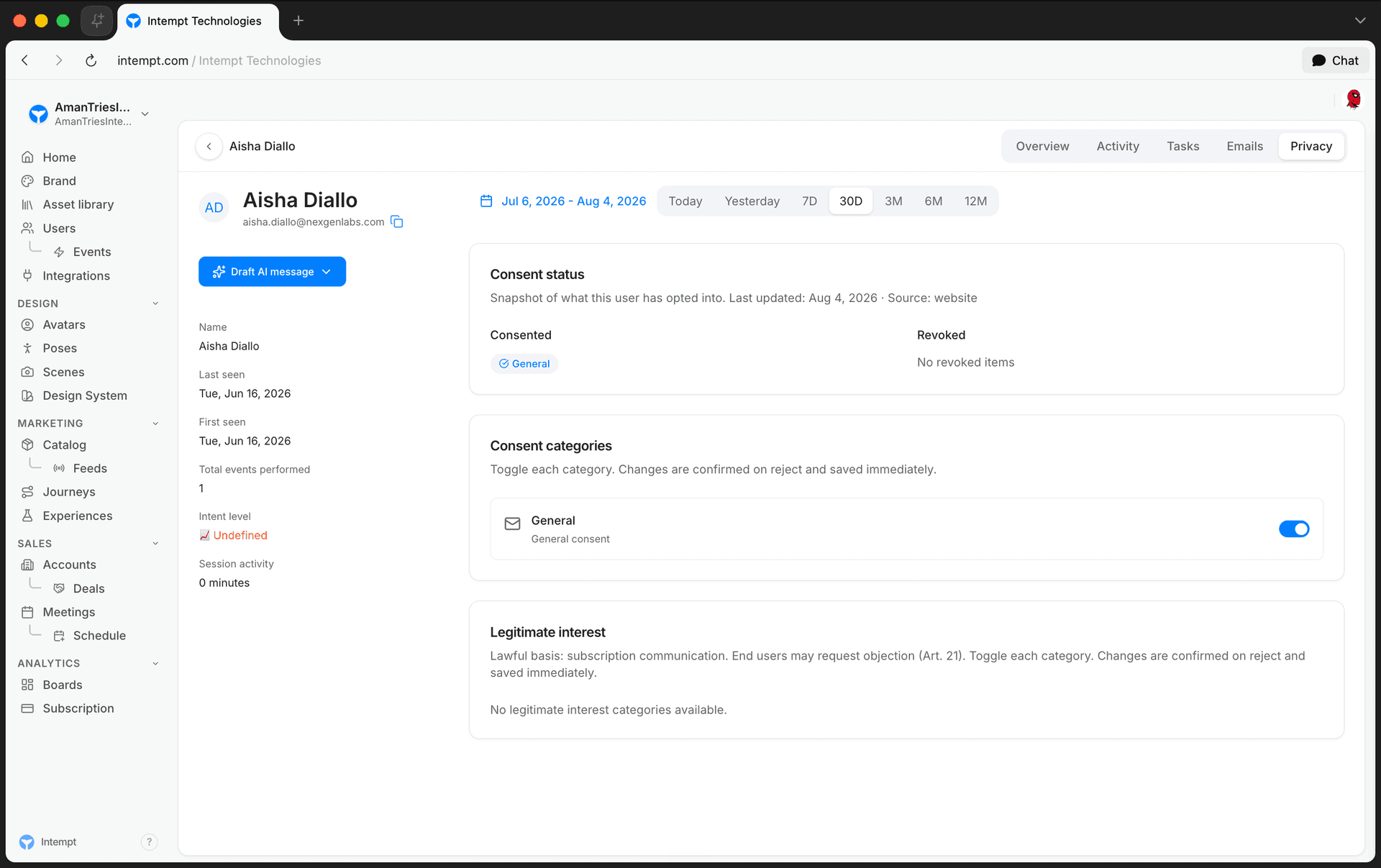
Per-user, on the Users tab
Every customer's Privacy tab on their user details page shows:
- Consent status for each category, at its current state.
- Consent categories, toggled on or off. Toggling a category on grants consent immediately. Toggling it off asks for confirmation before revoking.
- Legitimate interest categories, shown in their own section, separate from opt-in consent.
Category gating, in the Journey builder
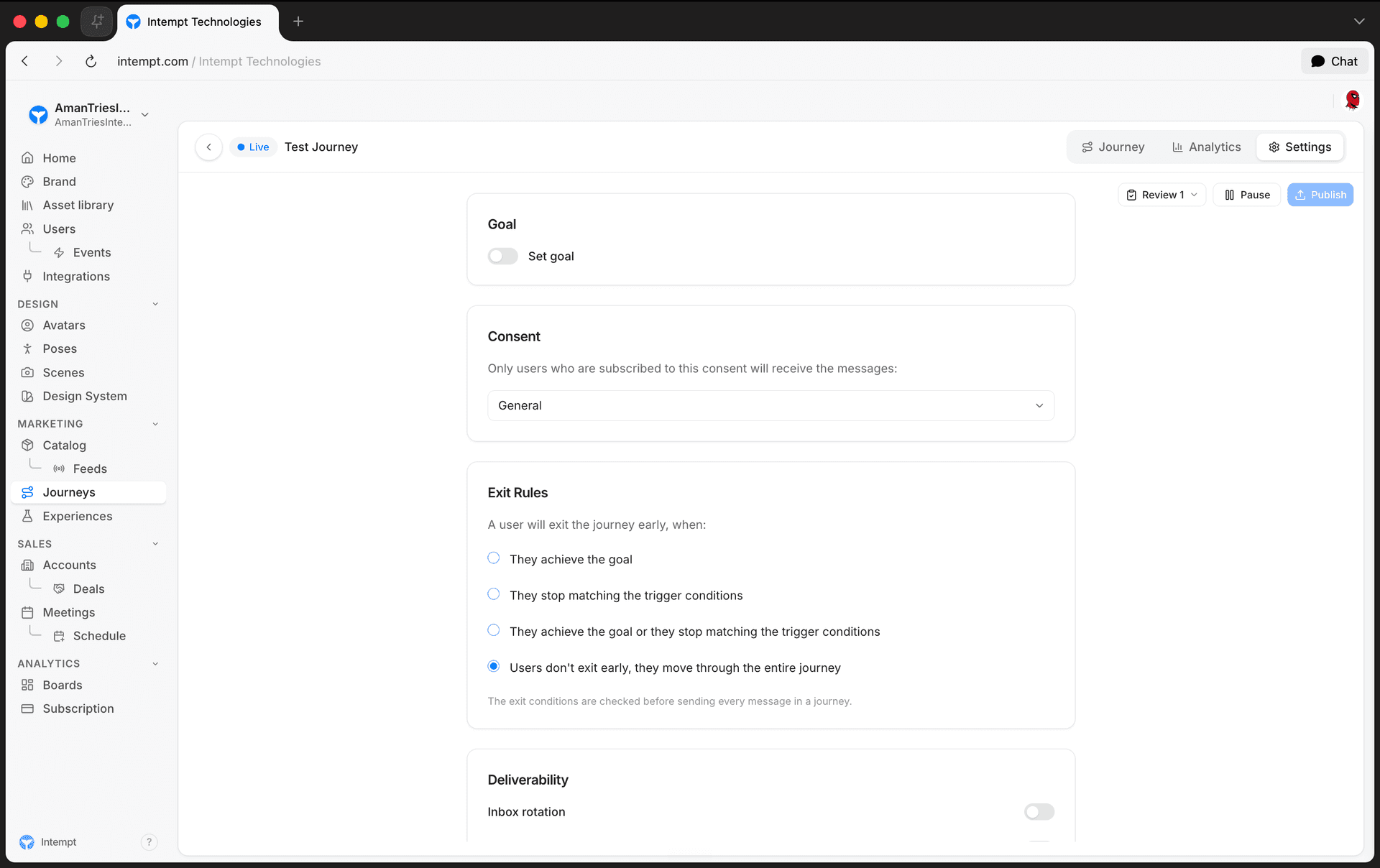
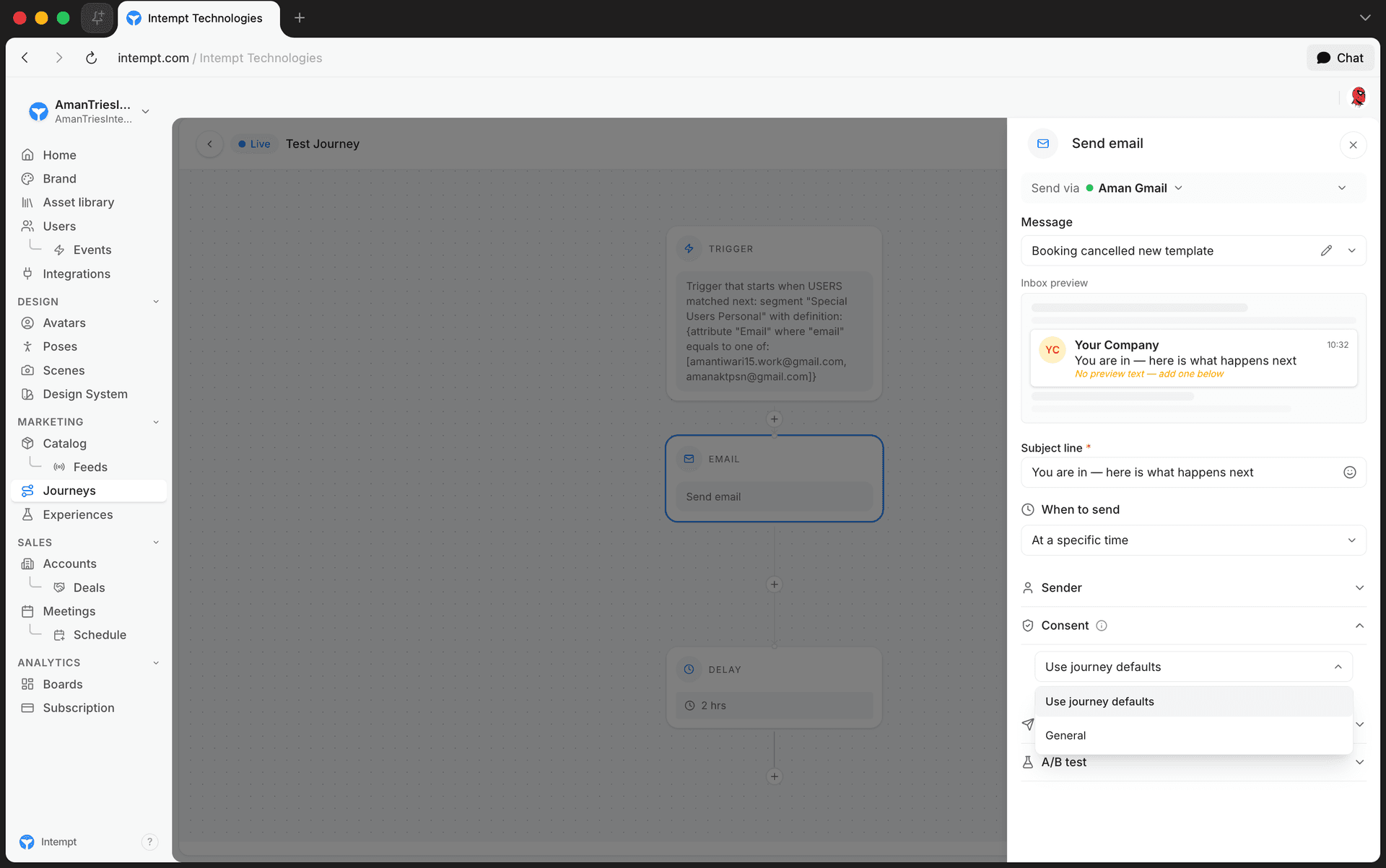
Journeys use consent categories to decide who a message can reach:
- Journey-level default. Journey Settings has a Consent card: pick a category, and only customers subscribed to it receive the journey's messages.
- Per-step override. Any message step (email, SMS) can override the journey default and pick its own consent category, or fall back to "Use journey defaults."
Consent categories
Intempt groups consent into three types: general consent, consent, and legitimate interest. See Managing consents for the full definitions and how to configure each one.
Tracking consent
Consent isn't tracked automatically. You track it as an event from wherever you collect it (a signup form, a preference center, an in-app toggle) using the SDK's consent() method:
intempt.consent({
  action: 'accept',
  validUntil: Date.now() + (365 * 24 * 60 * 60 * 1000),
  email: 'user@example.com',
  category: 'analytics'
});
See the JavaScript SDK reference for the full parameter table.
Use cases
- Define consent categories that customers can subscribe to, and track which ones each customer accepted or rejected.
- Comply with GDPR and CCPA by keeping a record of who gave or withdrew consent, when, and from where.
- Set up a legitimate interest group for customers you can message without asking for active consent.
- Look up a single customer's full consent history on their Privacy tab before messaging them manually.
- Gate an entire journey so it only messages customers subscribed to a specific category.
- Override a single step in a journey to use a different consent category than the journey default.
Where to go next
Masking and hashing
Three places to control a sensitive field in Intempt: block, mask or hash it as it arrives, mask it in the console, or hash it in your own code before you send it.
Managing consents
Consent management allows you to manage your subscription policies and track any changes to consents for every customer. The main features of consent management in Intempt are: