

Build AI-powered, omnichannel workflows that convert

With AI Coach, build omnichannel journeys on the fly. From onboarding to re-engagement, design and launch adaptive campaigns that personalize in real time and drive conversions.

Book a meeting with a growth specialist
Right blue arrow

Simplify the way AI-powered customer journeys are created, optimized, and scaled

Personalized actions at scale

Auto-generate email, SMS, and in-app experiences with AI-genereated content and timing.

AI-detected triggers

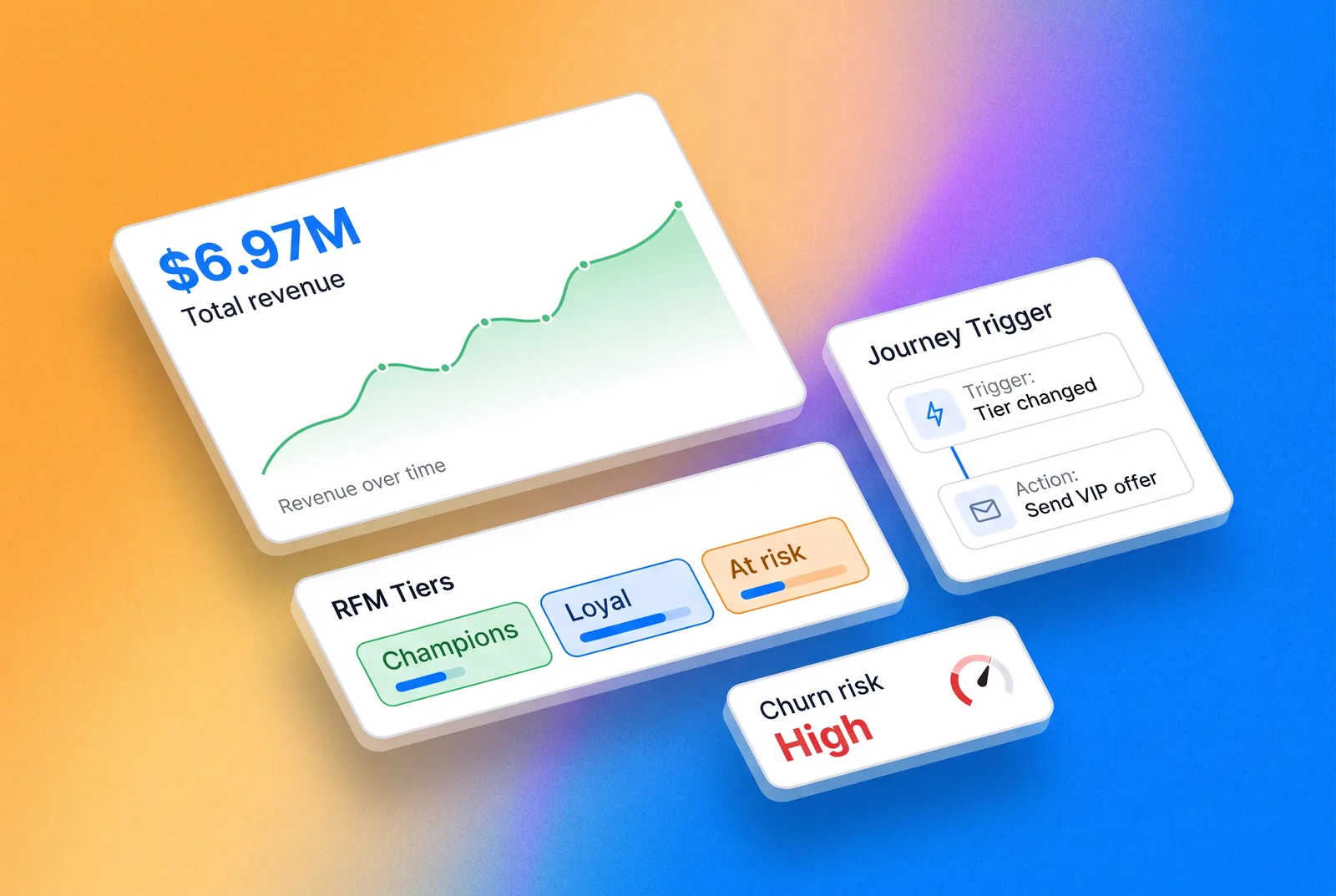
Identify churn risk, purchase intent, or lifecycle stage automatically — no manual rules needed.

Charts icons

Continuous optimization

Journeys learn from performance data and adjust dynamically — always getting smarter over time.

Design journeys with precision

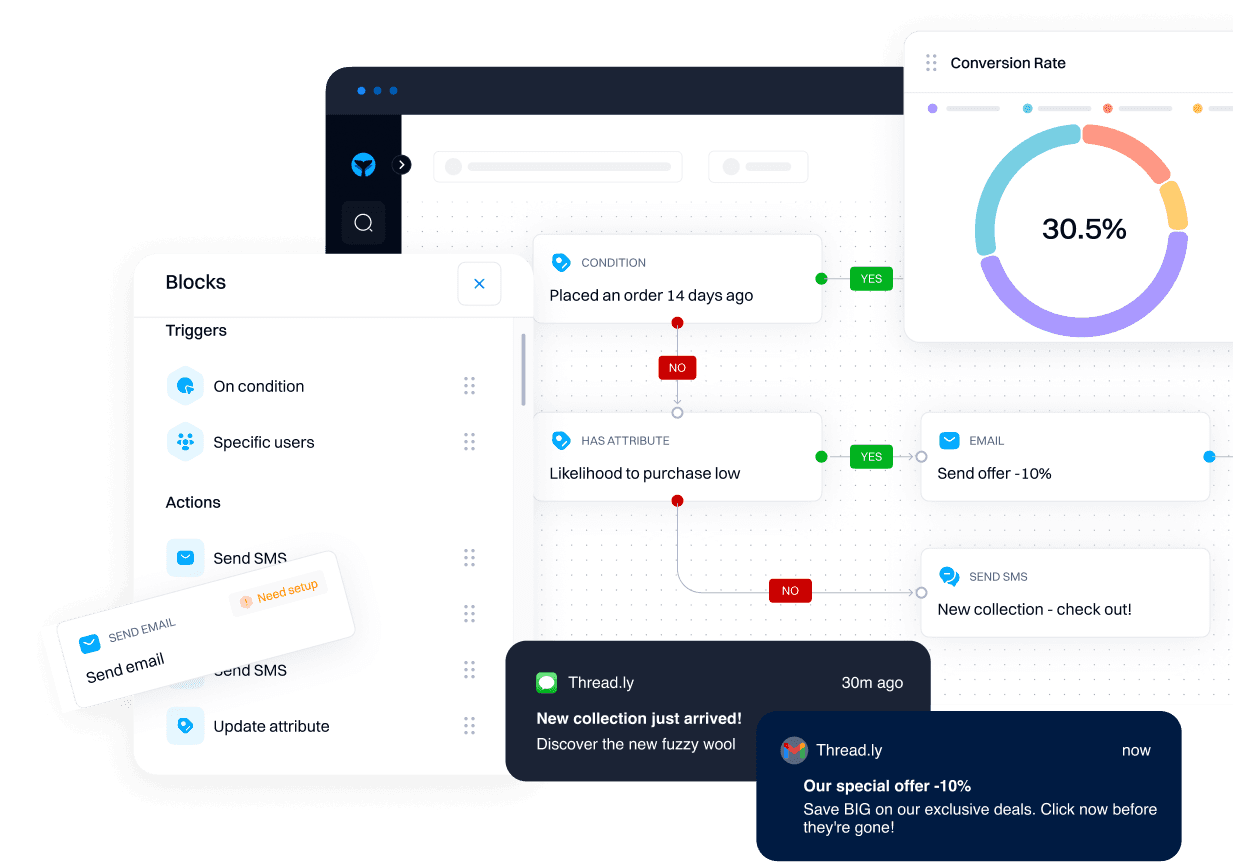
Build workflows with full control over triggers, branching, and logic.

Visual builder

Design journeys fast with an intuitive drag-and-drop canvas, with support for journey A/B testing.

Filter icon

Flexible triggers

Start flows based on behaviors, attributes, or agent signals, including agent-triggered enrichment blocks and research workflows.

Smart branching

Create multi-state paths that adapt to each user's actions in real time.

Automate with advanced controls

Control timing, logic, and sales routing with precision.

Time pause icon

Time & wait controls

Delay steps or wait until users meet specific conditions, with configurable deliverability windows and fallback timing rules.

Mouse square icon

Lead routing

Pause journeys until users meet specific criteria, like completing a purchase or opening an email.

User list icon

Exit logic

Automatically remove users when they meet journey goals, even across A/B variants and dynamically scored goal completions.

Use AI agents to enrich, assign, and sync based on behavior

Segment activity block 2
Activity icon

Agent-powered actions

Trigger tasks, research, or lead qualification based on user signals

Chart icon 2

CRM and attribute updates

Update CRM fields or enrich profiles mid-journey automatically using agent-collected data, enrichment fields, and behavior scoring.

Notification circle

Webhooks & data sync

Send data to external tools or trigger backend actions in real time.

Engage users across channels

Deliver contextual messages wherever users are active.

Driver icon

Omnichannel messaging

Send email, SMS, Slack, push notifications, or trigger webhooks – all in one flow, with built-in editors.

Dynamic personalization

Use AI snippets and real-time variables, enriched with Research Agent fields and updated CRM data (new).

Multi-touch campaigns

Combine channels to build consistent, cross-platform journeys that adapt dynamically using enrichment and deliverability intelligence.

Optimize performance with analytics

Measure impact and refine your journeys with real-time data.

Presentation chart icon

Journey analytics

Track entry, completion, and drop-off rates across steps, including detailed A/B analytics by journey variant and block performance.

Define target icon

Goal tracking

Monitor conversion events like purchases, upgrades, or demos booked across variant paths.

Block-level insights

Identify bottlenecks or underperforming journey blocks instantly.

Smarter workflows, better customer experiences

Journeys equips you with the tools to create, automate, and optimize workflows that adapt to every customer’s behavior.

Edit icon

AI Coach auto-build

Describe what you want in plain language—AI Coach instantly creates the whole sequence with the personalized content.

Visual workflow builder

Drag and drop actions, triggers, and conditions into a canvas to build journeys quickly and intuitively.

Mouse square icon

AI-powered triggers

Let AI detect churn risk, purchase intent, or lifecycle stage and auto-start journeys at the right moment.

User list icon

Agent-powered actions

Trigger tasks, research, or lead qualification automatically based on real-time user signals.

Predictive branching

Go beyond static Yes/No splits with AI that routes users based on likelihood to convert, upgrade, or churn.

Integrated messaging

Send emails, SMS, or notifications through connected platforms like SendGrid, Gmail, and Twilio.

Time pause icon

CRM & attribute updates

Enrich profiles or update CRM fields mid-journey with agent-collected data, enrichment sources, and scoring.

Real-time optimization

Journeys continuously improve as AI analyzes performance data and adjusts timing, content, and paths dynamically.

Analytics dashboard

Monitor journey performance in real time, with detailed metrics on entry, progress, and conversion rates.

Visual workflow builder

Drag and drop actions, triggers, and conditions into a canvas to build journeys quickly and intuitively.

Mouse square icon

AI Coach auto-build

Describe what you want in plain language—AI Coach instantly creates the segment, triggers, and workflow.

Predictive branching

Go beyond static Yes/No splits with AI that routes users based on likelihood to convert, upgrade, or churn.

Integrated messaging

Send emails, SMS, or notifications through connected platforms like SendGrid, Gmail, and Twilio.

Time pause icon

Agent-powered actions

Trigger tasks, research, or lead qualification automatically based on real-time user signals.

User list icon

CRM & attribute updates

Enrich profiles or update CRM fields mid-journey with agent-collected data, enrichment sources, and scoring.

Real-time optimization

Journeys continuously improve as AI analyzes performance data and adjusts timing, content, and paths dynamically.

Analytics dashboard

Monitor journey performance in real time, with detailed metrics on entry, progress, and conversion rates.

Edit icon

AI-powered triggers

Let AI detect churn risk, purchase intent, or lifecycle stage and auto-start journeys at the right moment.

Data sources and flows 2

Unlock advanced growth tactics

Dive into a curated directory of use cases tailored to your industry. Filter by product, team, and lifecycle stage to discover advanced tactics that drive growth with GrowthOS.

VIEW Templates
Right blue arrow

You don’t need an army of marketers.

You need GrowthOS and Blu, your AI Co-Marketer.

FAQs

What channels can I use within a single journey in Intempt?

Email, SMS, push notifications, Slack, in-app messages, and webhooks, all in one flow. You're not building separate campaigns for each channel. One journey can start with an email, follow up with SMS if they don't open, then trigger a Slack notification to your sales team if they hit a certain threshold.

What's "predictive branching," and how is it different from regular Yes/No splits?

Traditional branching is binary: did they open the email or not? Predictive branching routes users based on AI predictions: likelihood to convert, upgrade potential, churn risk. So you can send high-intent users down a fast-track sales path while nurturing lower-intent users with more touchpoints. It's smarter than just reacting to what already happened.

Can journeys update my CRM or enrich user profiles automatically?

Yes. Mid-journey, you can trigger actions that update CRM fields, add enrichment data from external sources, or adjust behavior scores, all automatically. So by the time a lead reaches your sales team, their profile is already filled in with everything the journey has learned along the way.

How do I control timing and delays without things getting complicated?

There are built-in time and wait controls. You can delay steps by hours or days, wait until users meet specific conditions (like opening an email or visiting a page), set deliverability windows (only send SMS between 9 am - 6 pm), and add fallback timing if conditions aren't met. Flexible, but not overwhelming.

Can I A/B test different journey paths, not just individual messages?

Yep. You can test entire journey variants against each other, different sequences, different timing, different channels, and see which path performs better. The analytics break down performance by variant so you know exactly what's working.

How do I know which steps in a journey are underperforming?

Block-level insights show you exactly where people are dropping off or getting stuck. You'll see entry rates, completion rates, and conversion at each step. If step 3 is losing half your users, you'll know, and you can fix it without guessing.