
CRM Integration
Connect HubSpot to sync contacts, companies, and deals into Intempt, map fields in both directions, and keep your Sales pipeline current automatically.
Overview
Intempt connects to your CRM so the records your sales team already works in show up as users, accounts, and deal data in Intempt, with no manual export. HubSpot is the CRM integration available today; more CRM connections may be added over time.
How it works
A HubSpot connection is a Source: it authorizes over OAuth, then lets you configure how records sync in both directions.
- Merge options control whether Intempt creates new users and accounts from HubSpot records it hasn't seen before, or only updates records that already exist.
- Event mapping links HubSpot events to Intempt's product event types, for teams using Recommend.
- Attribute mapping links a HubSpot property (like
emailor a custom contact field) to an Intempt user or account attribute.
HubSpot pushes changes to Intempt through a dedicated webhook, so updates made directly in HubSpot, like a contact's email changing or a deal moving to a new stage, reach Intempt without a manual refresh.
Getting started
Connect HubSpot
Open the HubSpot connection screen from Integrations. Before you've connected, it shows a Not Connected status and this description:
Connect your HubSpot account to sync CRM data, contacts, companies, and deals automatically.
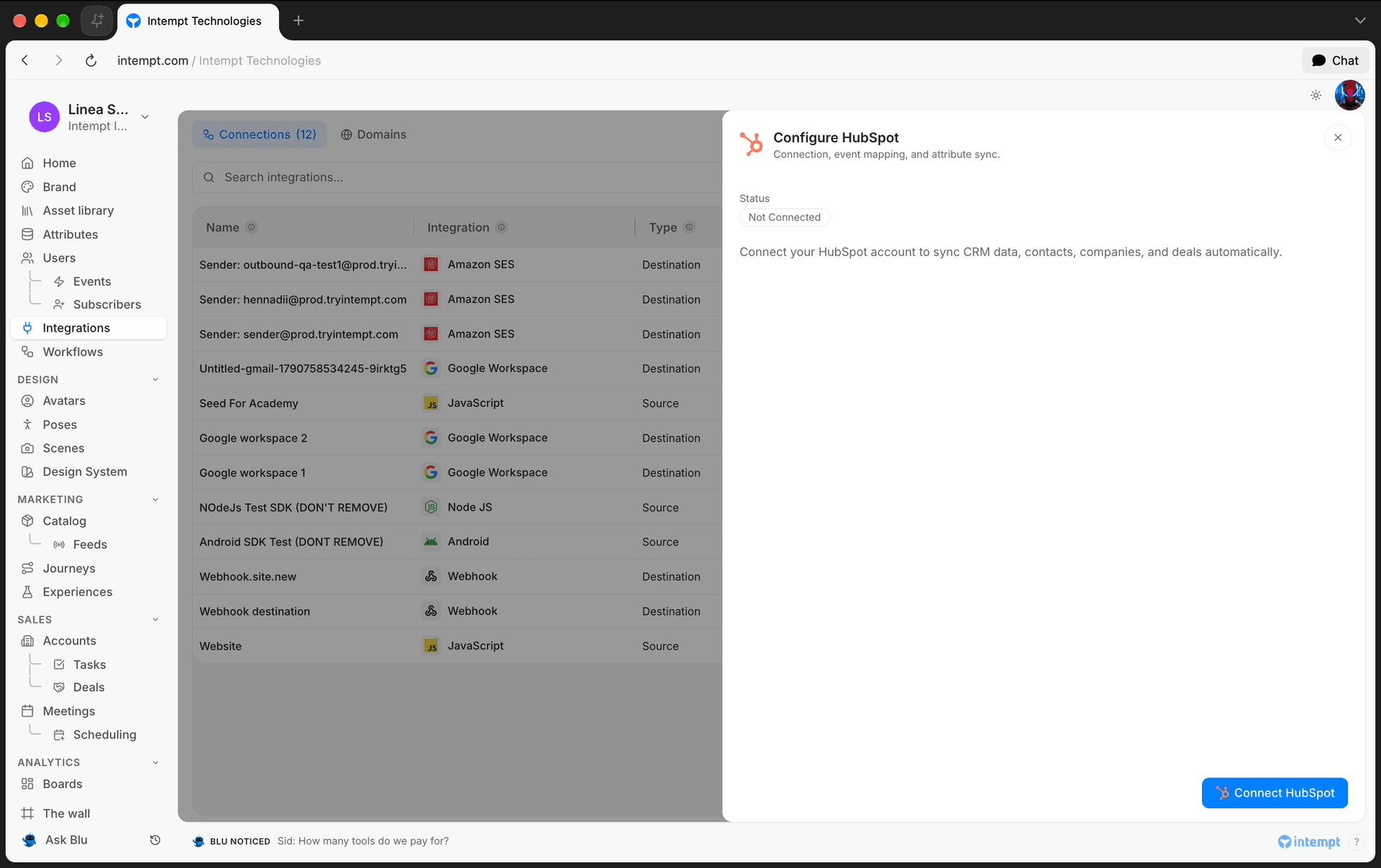
Click Connect HubSpot and authorize with your HubSpot account. Intempt creates the Source automatically once authorized, no manual setup, and takes you straight to the configuration screen.
Choose merge options
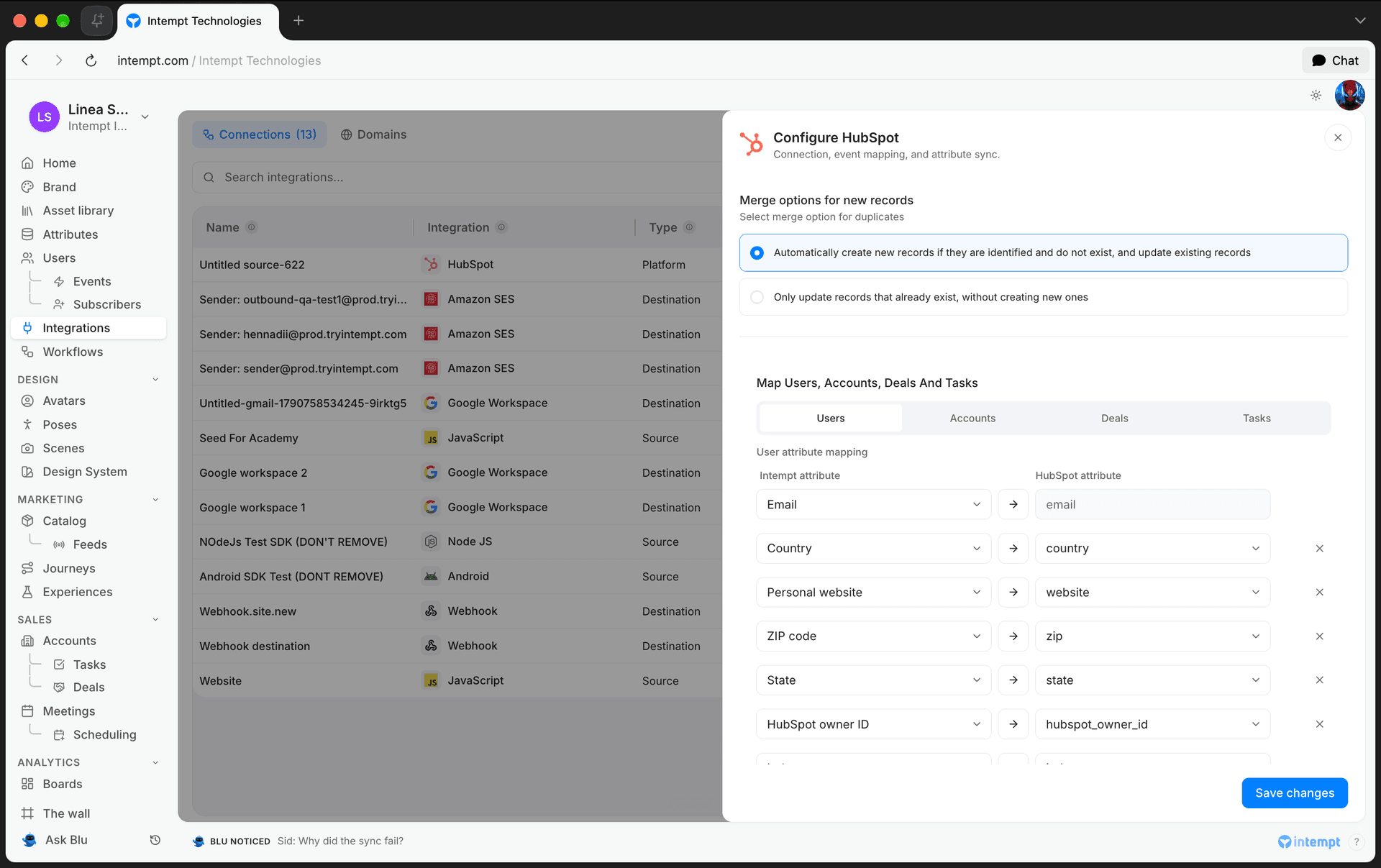
Pick how Intempt should handle HubSpot records it syncs for the first time:
- Automatically create new records if they are identified and do not exist, and update existing records – the default. New HubSpot contacts and companies become new Intempt users and accounts; existing ones get updated.
- Only update records that already exist, without creating new ones – Intempt only updates users and accounts it already has; it never creates new ones from HubSpot data.
Map events (optional)
If your team uses Recommend, map HubSpot events to Intempt's product event types, Product ordered, Product Viewed, Added to Cart, Removed from cart, and choose which field in the event identifies the product. Skip this step if you're only syncing contacts, companies, and deals.
Map users and accounts
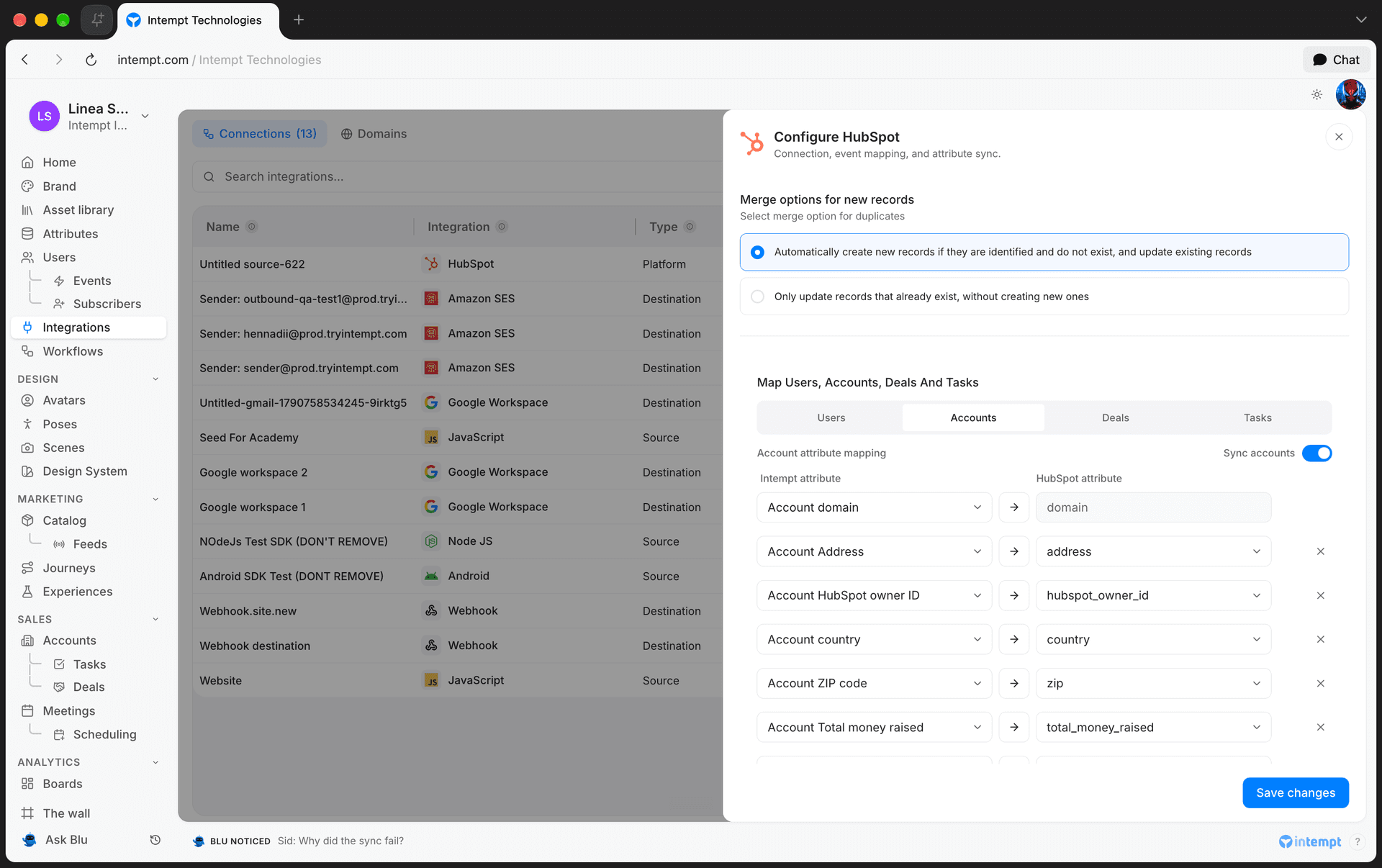
Under Map Users And Accounts, switch between the Users and Accounts tabs. Each row pairs a HubSpot property with an Intempt attribute.
Two fields are mandatory and can't be removed: email on the Users tab, and domain on the Accounts tab, since Intempt uses them to identify which HubSpot contact or company a record belongs to.
Account mapping is optional. Turn off the Sync accounts toggle on the Accounts tab if you only want to sync contacts, not companies.
Intempt only offers HubSpot properties that are compatible with the Intempt attribute type you picked, for example, a HubSpot date or datetime property only pairs with an Intempt timestamp attribute. If a pairing becomes incompatible, saving is blocked until you fix it.
Save your configuration
Click Save changes. Intempt validates your mappings before saving; if a pairing is invalid, it blocks the save and names the row that needs fixing.
Managing an existing connection
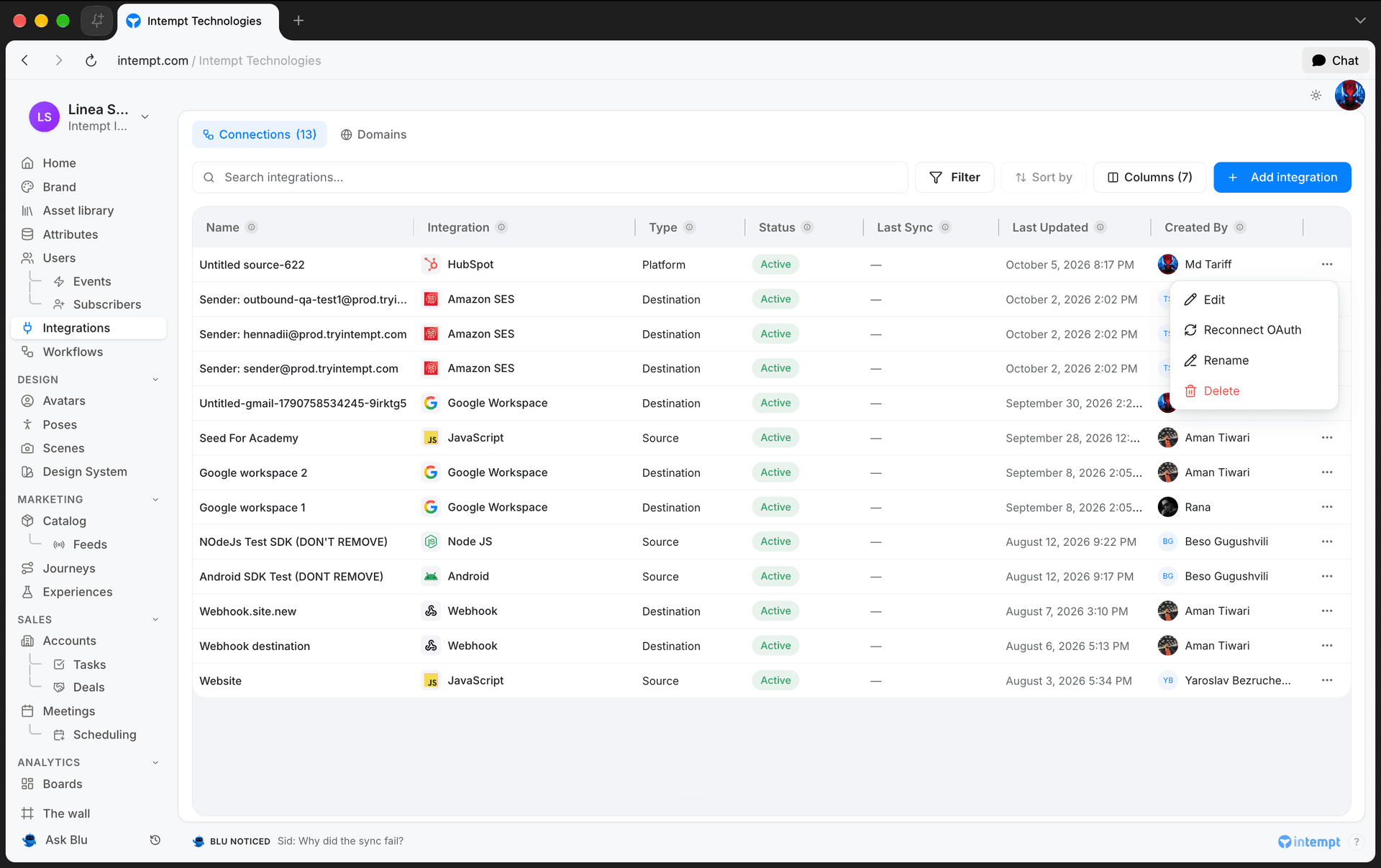
Once HubSpot is connected, it shows up in the Connected Integrations table with its status, last sync time, and who created it. From the row's action menu you can:
- Edit – reopen the configuration screen to change merge options or mappings.
- Reconnect OAuth – re-authorize if HubSpot access was revoked or expired.
- Rename – change the connection's display name.
- Delete – disconnect HubSpot and stop syncing.
Use cases
- Bringing CRM contacts into Intempt. Sync HubSpot contacts and companies into Intempt as users and accounts so you can target them with journeys and segments.
- Keeping deal data current for Pipeline. Sync HubSpot deals so your Pipeline reflects the same stage and value your sales team sees in HubSpot.
- Avoiding duplicate records. Switch merge options to only update existing records when you don't want new HubSpot contacts or companies to create brand-new Intempt users and accounts.
- Feeding Recommend from HubSpot events. Map HubSpot deal or product events to Intempt's event types so Recommend can use that activity for recommendations.
- Syncing contacts without companies. Turn off Sync accounts if you only want HubSpot contacts as Intempt users, not companies as accounts.
- Recovering from a revoked HubSpot token. Use Reconnect OAuth to restore the connection without losing your existing mappings.
Where to go next
- HubSpot attribute reference – full field-by-field reference for contact, company, and deal attributes.
- Pipeline Overview – how synced deals and accounts show up in your Sales pipeline.
- Setting Up Your Pipeline – configure deal stages before your CRM data starts flowing in.
- Sources – where HubSpot fits among Intempt's other data sources.
Task Management (within Accounts/Deals)
How tasks surface and get managed directly inside Account and Deal records, from the AI-assisted Deal Tasks tab to bulk actions on the Account Tasks tab.
Scheduling
Scheduling is Intempt's booking-link system: create a meeting type on the Schedule page and Intempt turns it into a public booking page and embeddable widgets prospects use to book time with you.