
Pipeline Overview
Intempt has no single Pipeline page. Your pipeline is Deals and Accounts working together to track revenue opportunities from first contact to close.
Overview
There's no page in Intempt called "Pipeline." Instead, your pipeline is two features working together:
- Deals – individual revenue opportunities, each moving through project-level stages (for example, Contacted → Proposal Sent → Won or Lost).
- Accounts – the companies those deals belong to, holding the shared history, users, and context around every deal tied to that company.
Together, Deals and Accounts give your team one place to track a revenue opportunity from first contact to close, with the account context that explains why it's moving (or stalling).
How it works
Deals move through stages
Every deal sits in one stage at a time. Stages are configured at the project level, so every deal in a project follows the same list, and each stage has a probability (0-100%) that estimates how likely a deal at that stage is to close. Two probability values are reserved for outcomes: Won (100%) and Lost (0%).
The Deals page has three views for working with them:
- Table – a sortable, filterable list of every deal, with columns for account, stage, value, owner, type, priority, and close date.
- Board – a Kanban view grouped by stage (or another attribute), where you drag a deal card to move it forward.
- Analytics – performance metrics and charts, including value won against forecast, filterable by owner and date range.
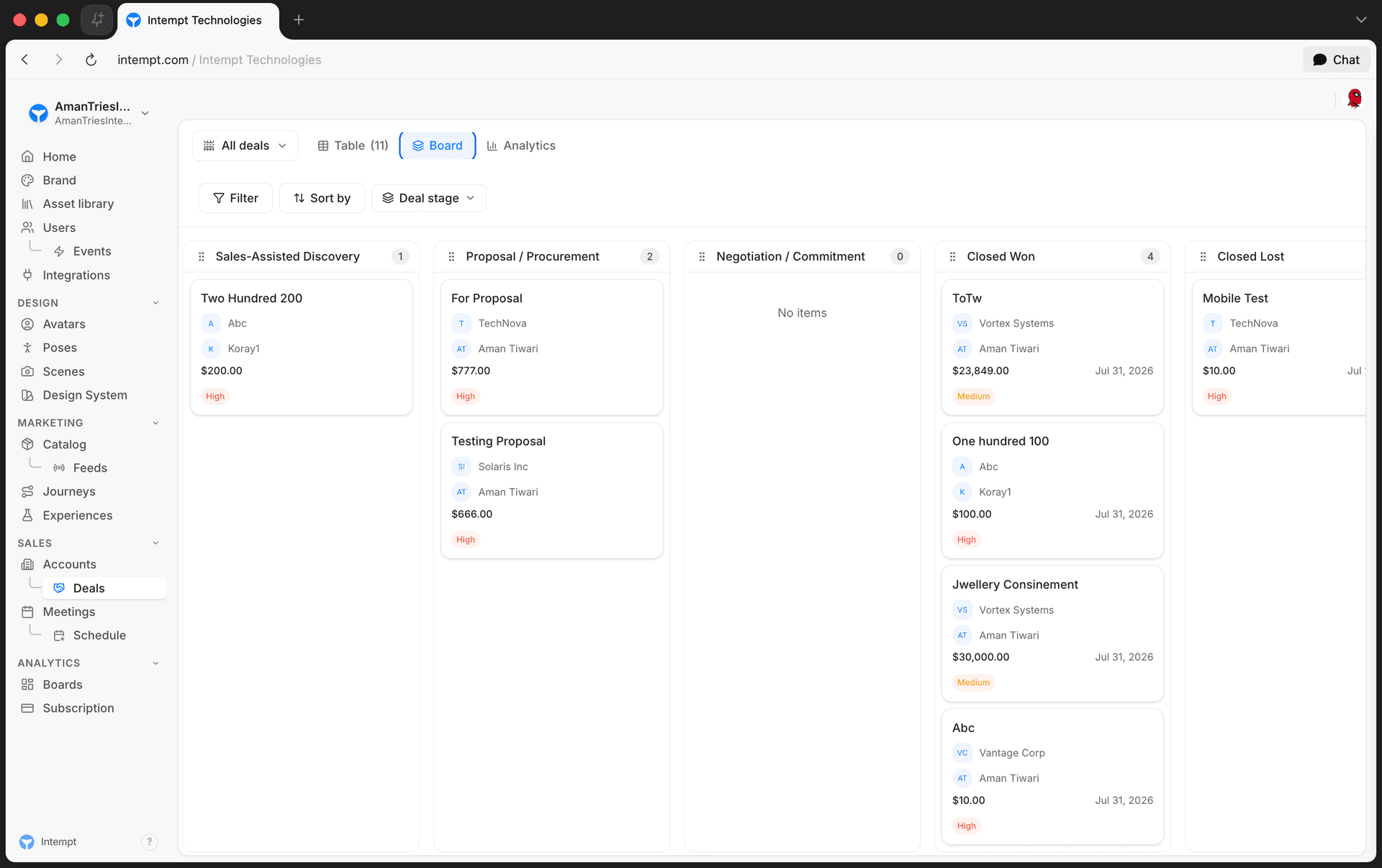
A segment selector next to the page title switches between All deals, Won deals, Lost deals, and Open deals.
Accounts hold the company context
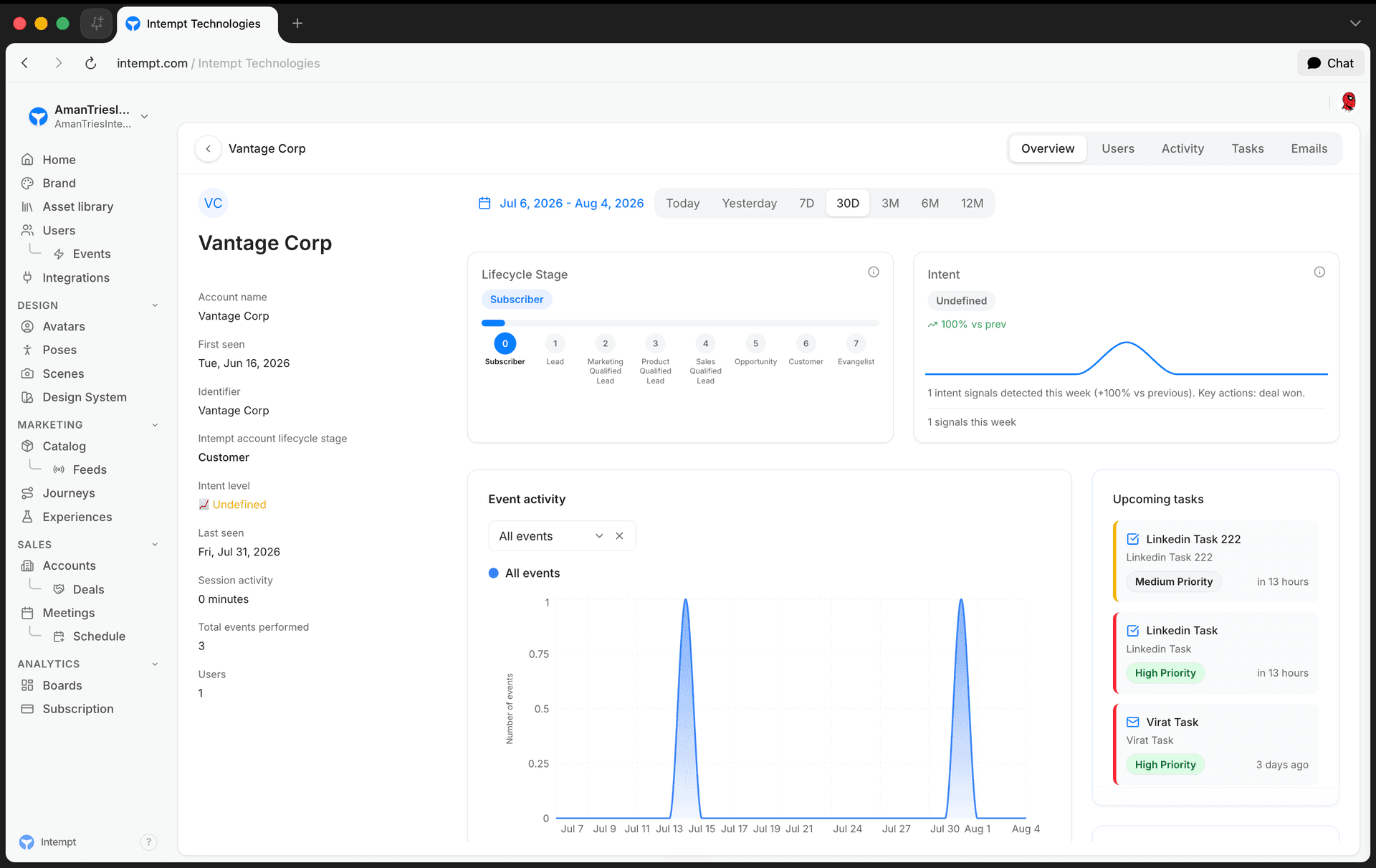
Opening an account's Overview tab surfaces:
- A Lifecycle Stage card showing where the account sits in your configured lifecycle stages.
- An Intent card showing the account's current intent level.
- Recent activity, daily active users, and the account's power users.
- The account's open tasks.
Deal details keep the full history in one place
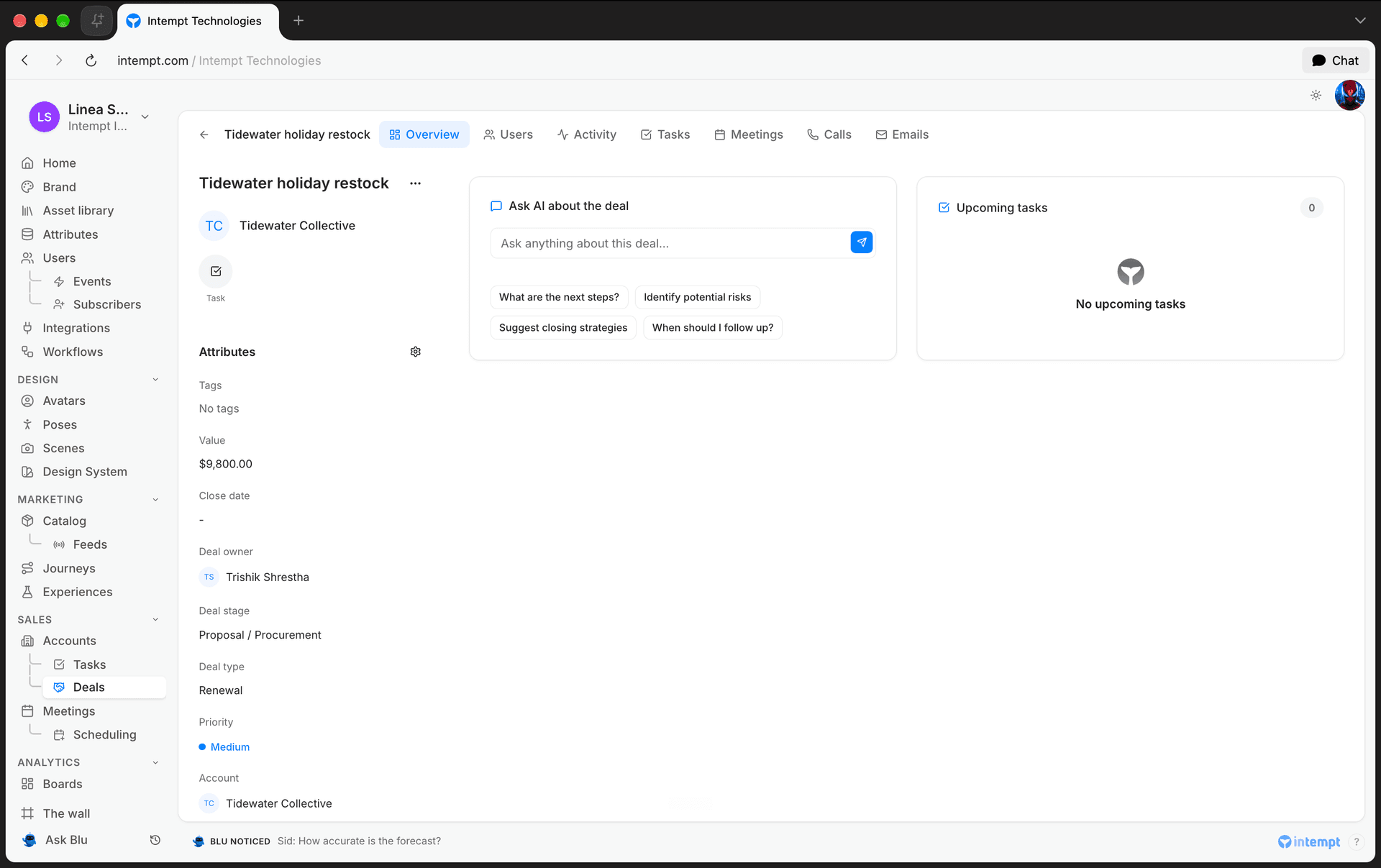
Opening a deal shows a sidebar with its core attributes (value, owner, stage, type, priority, currency, tags, and the associated account) next to seven tabs: Overview (a snapshot of the deal's stage, intent, and health, plus an AI summary, upcoming tasks, and associated users), Activity, Calls, Emails, Meetings, Tasks, and Users. Each tab scopes its data to that one deal, so a rep can see everything relevant to closing it without leaving the record.
Use cases
- Tracking a single deal end to end. Follow one opportunity from Contacted through Won or Lost, with every call, email, meeting, and task attached to the same record.
- Working the pipeline as a rep. Use the Board view to see which deals need attention today, grouped by stage.
- Forecasting revenue as a manager. Use the Analytics view to compare value won against forecast for a date range, filtered by owner.
- Understanding why a deal is stuck. Check the associated account's Lifecycle Stage and Intent cards for context the deal record alone doesn't show.
- Prioritizing renewals and upsells. Filter the Deals table by type (Renewal, Upsell, Cross Sell) to focus on a specific kind of opportunity.
- Reviewing team performance. Filter deals or analytics by owner to see who's carrying which opportunities.
- Isolating outcomes. Use the Won deals and Lost deals segments to review closed business without open deals in the way.
Where to go next
- Setting Up Your Pipeline – configure your deal stages and create your first deal.
- Deals – full reference for the Deal object, Kanban board, and deal detail tabs.
- User & Account details page – how account and user detail pages work.
- Tasks – attach follow-up tasks to a deal or account.
Twilio webhook
Collect SMS, MMS and WhatsApp delivery, replies and opt-outs from your own Twilio account. Twilio is already an Intempt destination; this page is the source direction.
Setting Up Your Pipeline
Configure your deal stages and create your first deal so your team can track revenue opportunities from first contact to close.