
July 10, 2026
A redesigned Settings experience and new meeting notification controls headline this week, alongside HTML template imports in Blu Chat and fixes to Email Editor stability, Blu Chat item creation, and the Create Journey button.
What's New
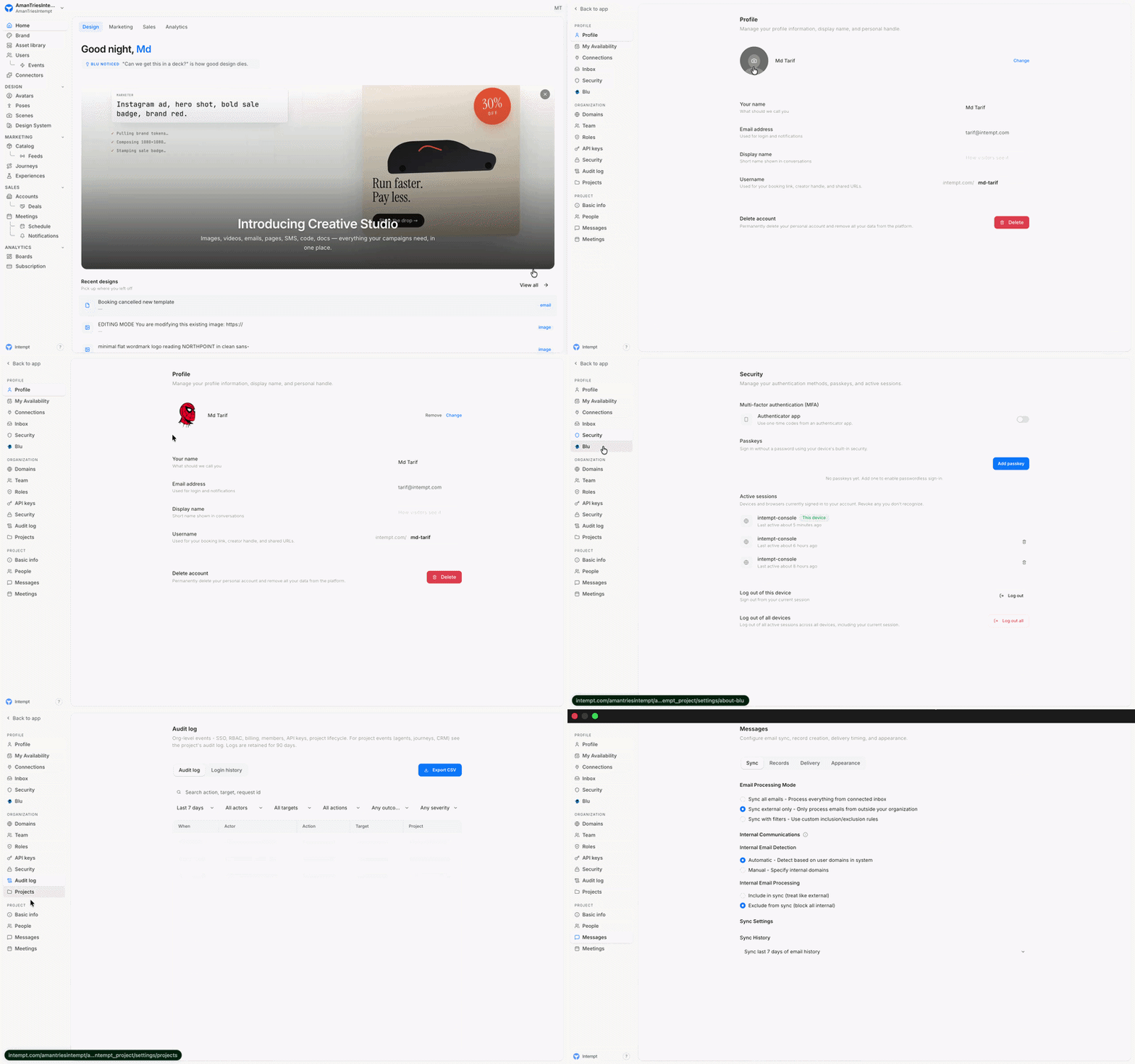
Redesigned Settings
Settings has been redesigned with a clearer, organized navigation so it's easier to find what you're looking for. Options are now grouped by Profile, Organization, and Project, covering everything from your profile and availability to team roles, API keys, and security in one consistent place.
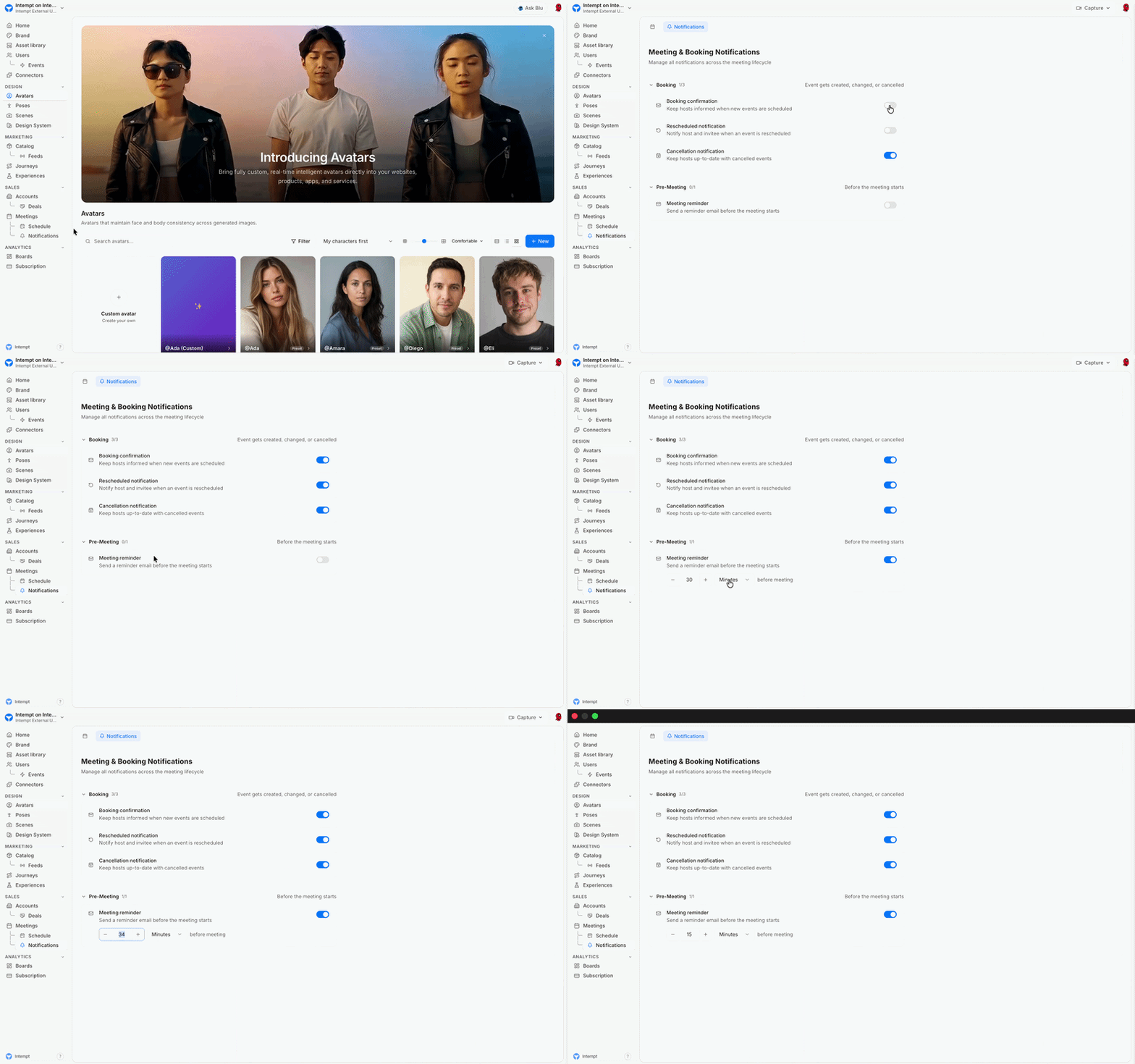
Meeting Notifications
You can now control notifications for every stage of a meeting from Meetings > Notifications. Turn on confirmations for new bookings, reschedules, and cancellations, plus a pre-meeting reminder with a custom lead time, so hosts and invitees always stay in the loop.
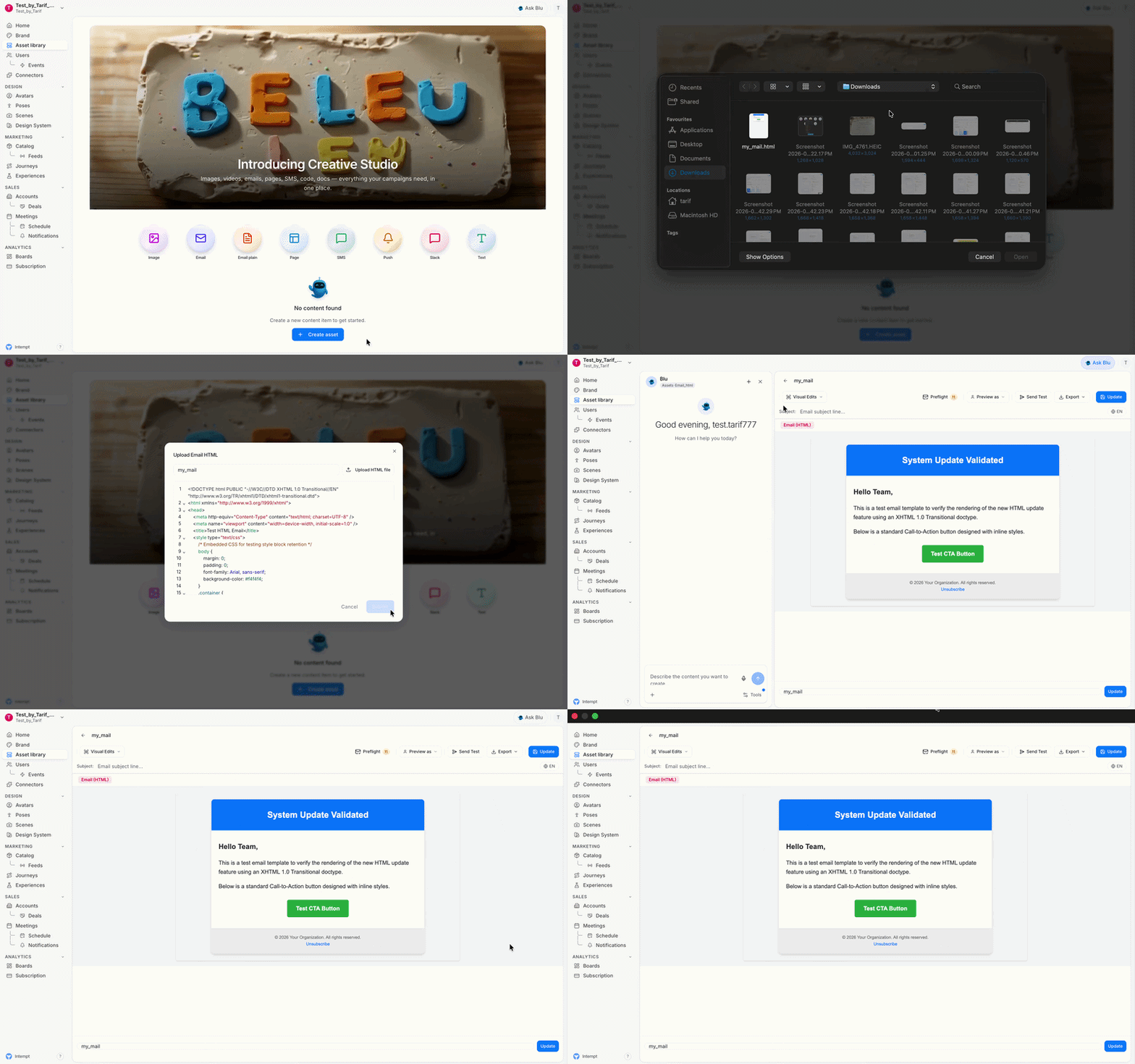
Import HTML Templates via Blu Chat
You can now import existing email templates by uploading .html files through Blu Chat, in addition to images. This makes it faster to bring your own designs in without having to rebuild them from scratch, and existing image uploads continue to work as before.
Improvements
- Faster Template Pasting: Email Editor now offers a way to jump straight to a blank Code Edits view, so you can paste in an existing template directly without first generating a placeholder email.
Bug Fixes
Email Editor:
- Code Edits Stability: Fixed an issue where clearing all content in Code Edits caused the editor to collapse, so it now stays stable and ready for new input no matter how the content is cleared.
- Email Type Preserved: Fixed an issue where creating items from Blu Chat could switch your selected email type, so your chosen format (Plain or HTML) now stays consistent throughout creation.
Journeys:
- Button Styling Fixed: Fixed a styling glitch on the "Create Journey" button that caused broken corners and an unexpected color overlay on click.
July 17, 2026
This week's release is focused on bug fixes: Android SDK setup, identity merge processing, destination retry delivery, and project invite permissions.
July 3, 2026
This week brings live stream enhancements and new filter controls for the Events page, duplicate connection prevention for Integrations, direct email editing from Journeys, and broad bug fixes across Email, Events, Experiences, and Journeys.