
Setting Up Company Knowledge
Configure the outreach methodology and reply grounding data Blu draws on to represent your company across outreach and replies.
Overview
Blu is Intempt's AI sales agent. Before Blu can write outreach or draft replies on your behalf, it needs to know which methodology it follows and where to find accurate answers about your product. You configure both from the About Blu tab on your profile.
Getting started
Go to your profile and select the About Blu tab. It has two sections: Outreach and Replies. A green checkmark appears on a tab once it's configured.
Outreach: methodology
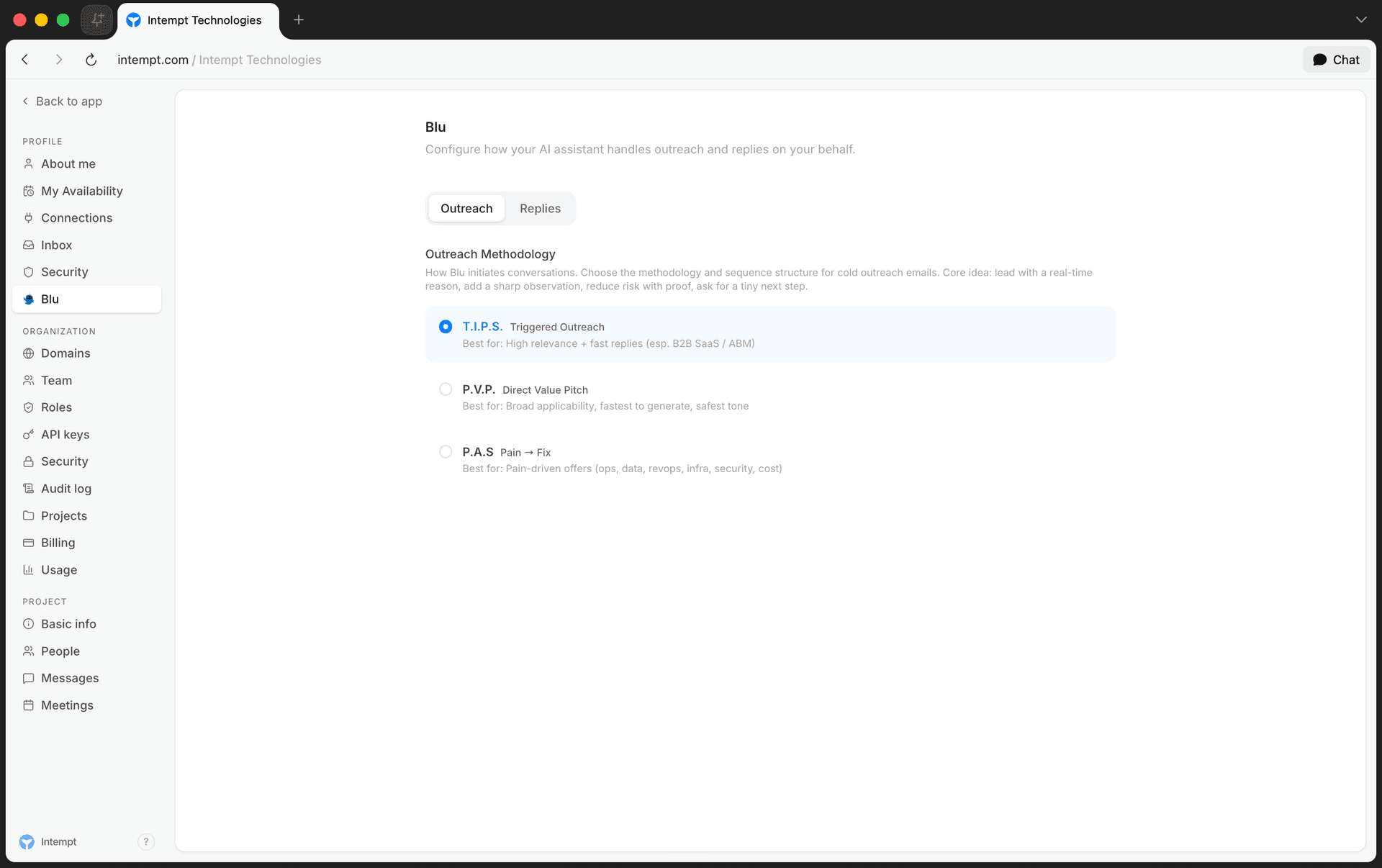
The Outreach tab sets the framework Blu follows when it drafts cold outreach emails. Three methodologies are available:
| Methodology | Best for |
|---|---|
| T.I.P.S. | High relevance and fast replies, especially B2B SaaS and account-based outreach. |
| P.V.P. | Broad applicability, the fastest to generate, and the safest tone. |
| P.A.S. | Pain-driven offers, such as ops, data, revops, infra, security, or cost. |
Selecting a methodology highlights it as your active choice.
Replies: grounding data and draft behavior
This is where you give Blu the company knowledge it needs to draft accurate replies, rather than generic ones.
Reply methodology
The Replies tab opens with the reply methodology Blu follows, A.C.E.: Acknowledge the question, Clarify with context, Engage with a next step. Click through the three steps to see the guidance and a sample line for each.
Reply grounding data
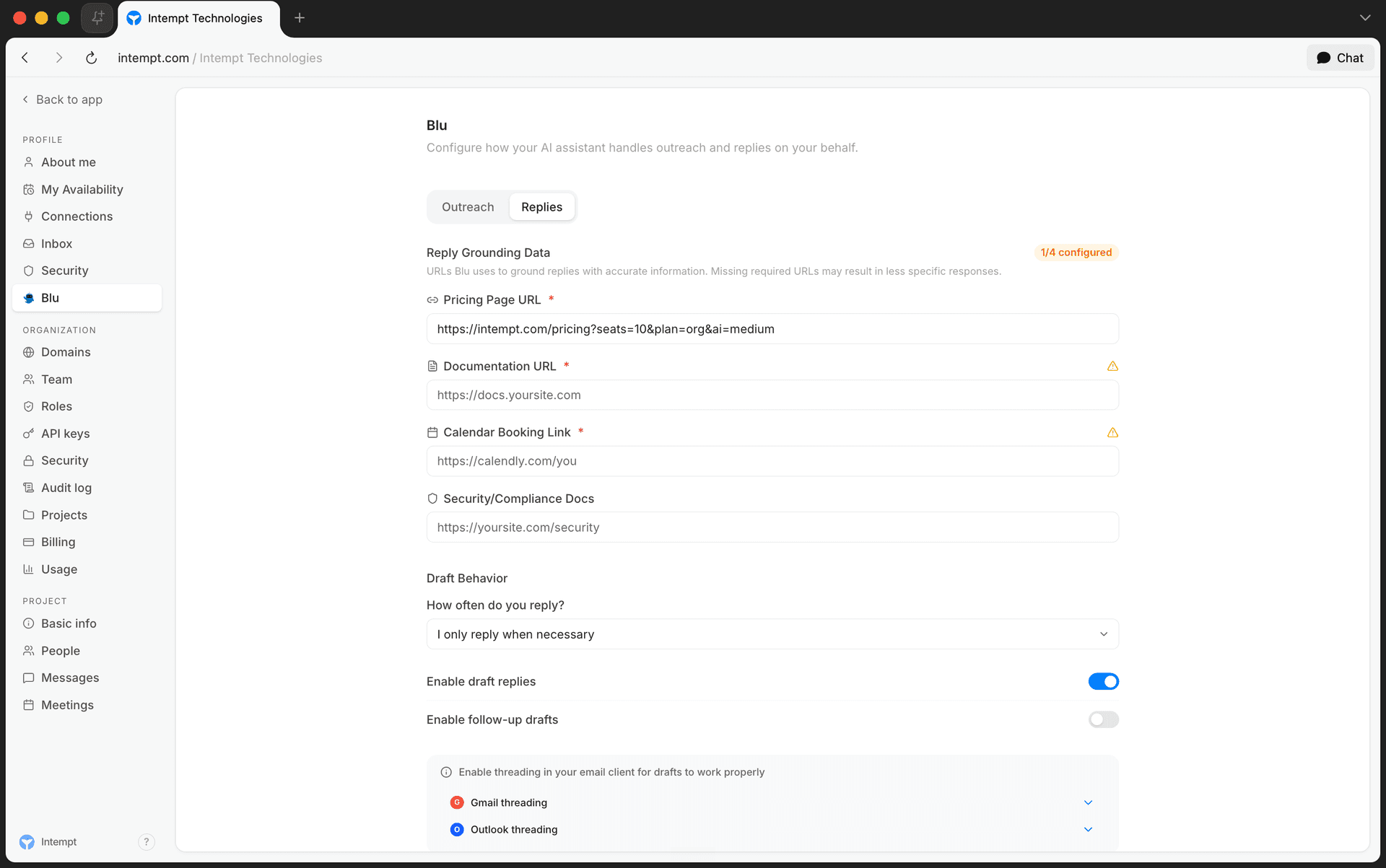
Blu uses four URLs to ground its replies in real information about your business:
| Field | Required | What it's for |
|---|---|---|
| Pricing Page URL | Yes | URL to your pricing information |
| Documentation URL | Yes | URL to your documentation or help center |
| Calendar Booking Link | Yes | URL to your calendar booking tool |
| Security/Compliance Docs | No | URL to security and compliance documentation |
A counter at the top of the card shows how many of the four fields are filled in. Each field validates as a URL as you type.
💡 Good to know
Missing a required URL doesn't block anything, but it does mean Blu has less to work with. It may fall back to a vaguer answer instead of pointing to your actual pricing page, docs, or booking link.
Draft behavior
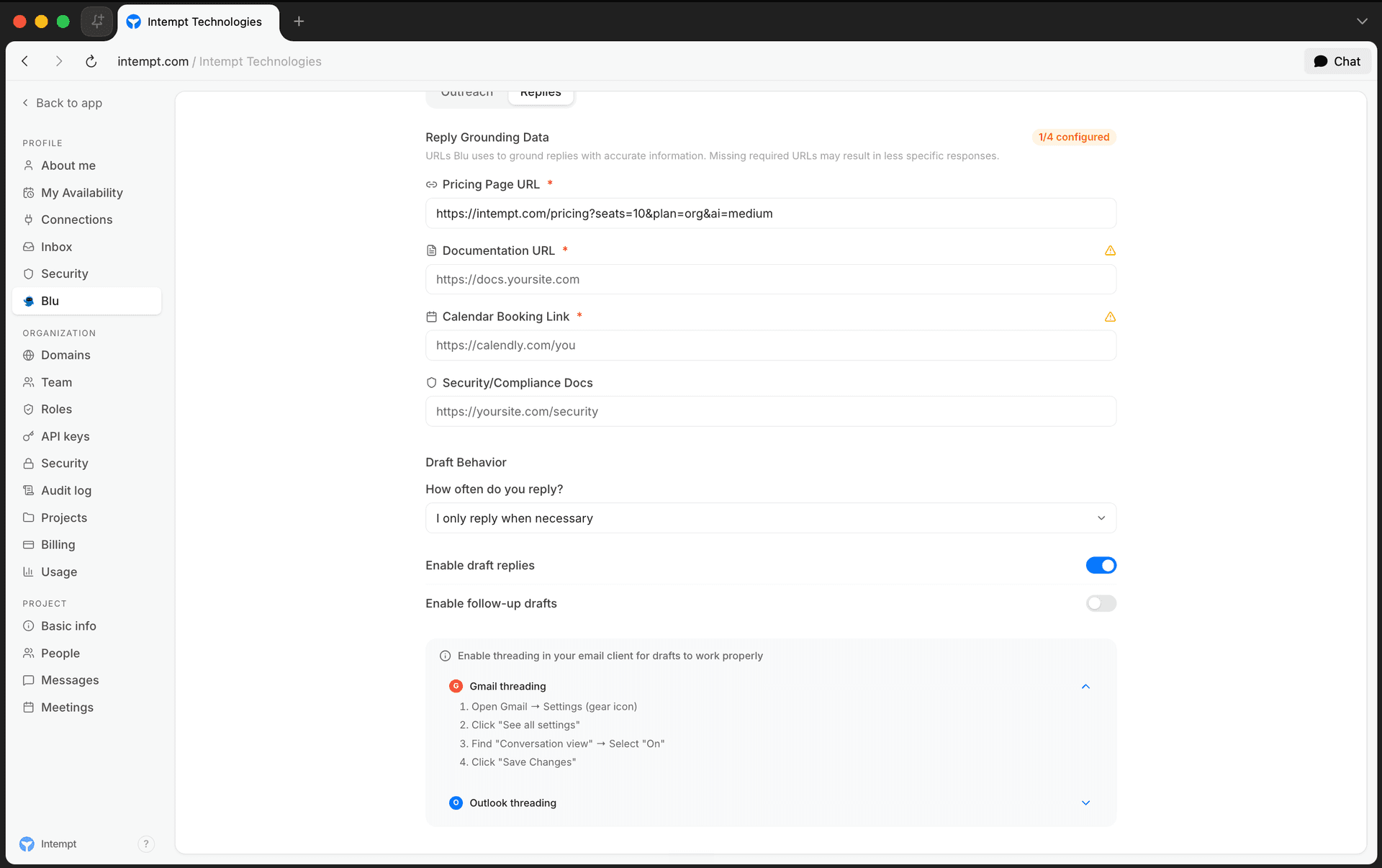
Draft Behavior controls how Blu handles incoming replies:
-
How often do you reply? Choose the frequency that matches your habits: replying to almost everything, only when necessary, rarely, or preferring brief responses.
-
Enable draft replies. Turns on Blu drafting a reply for you to review. Turning this off also disables follow-up drafts.
-
Enable follow-up drafts. Lets Blu draft a follow-up if a thread goes quiet. Only available when draft replies are enabled.
For drafts to attach correctly to the right email thread, turn on conversation threading in your email client. The card includes setup steps for both Gmail and Outlook.
Where to go next
Understanding Blu Chat
Blu Chat is Intempt's conversational agent, reachable from anywhere in the console. Describe what you want, and it works out the steps instead of you clicking through forms.
Using the Asset Library
How Blu drafts and edits every Asset library item: images, HTML and plain-text email, SMS, Push, Slack, and JSON, and fixes emails from their preflight report.