.svg)


How to Use Product Recommendations That Drive First Purchase
Most first-time visitors are actively comparing, not committing. They bounce between PDPs, size/fit charts, shipping/returns, and discount pages, and leave without giving you an email or cookie you can rely on. Treating your product recommendations as an “afterthought carousel” means you miss the exact micro-moments when guided discovery would tip them into the cart.


Expected results
- Detect first-purchase intent across key touchpoints (homepage, Product details page, cart page, or category page)
- Launch cold-start-proof recommendation blocks that don’t require prior user history
- Build real-time, multi-channel messages(onsite, email, SMS, push) tied to first-purchase behaviors
- Measure lift in add-to-cart, revenue-per-visitor (RPV), and first-order conversion with clean A/B testing
The problem with invisible consideration - you can’t help who you can’t see
Most first-time visitors are actively comparing, not committing. They bounce between PDPs, size/fit charts, shipping/returns, and discount pages, and leave without giving you an email or cookie you can rely on.
Treating your product recommendations as an “afterthought carousel” means you miss the exact micro-moments when guided discovery would tip them into the cart. Playbooks from revenue leaders show that well-executed personalization is now a baseline expectation and a revenue lever (10–15% typical lifts when executed well).
Why first-time shoppers research before buying?
- Risk reduction: They probe shipping/returns, reviews, and comparisons before trusting a new brand.
- Goal clarity: They scan for size, use-case, budget, look and feel of products. We all do and its natural when you’re buying for the first time.
- Cognitive load: Too many choices stall action; they’re just overloaded with products and categories if they don’t have the exact idea of what they want to buy.
Modern recommendation systems address this by blending signals, popularity, and real-time context, not just past-user look-alikes. So even brand-new visitors see relevant options.
What first-purchase signals actually mean?
Think of “signals” as the little breadcrumbs shoppers leave behind - it can be what they click, how long they linger on a page, and where they head next. Clusters of those crumbs tell you how serious they are (just browsing vs. ready to buy) so you can show the right module at the right moment. Some of the purchase signals include:
- Multiple PDP views within a category (e.g., “white sneakers”)
- Time spent on shipping/returns and size guide pages
- Adding to cart after viewing reviews/ratings
- Viewing “compare” or bundle pages
- Homepage scrolls + one PDP view
- Viewing new arrivals or bestsellers without cart activity
These signals map cleanly to high-performing product recommendations like Similar/“You might also like”, Complete the look/Pair with, Frequently bought together, and Bestsellers/Trending.
How to Implement Product Recommendations With Intempt?
Step 1: Nail your data foundation
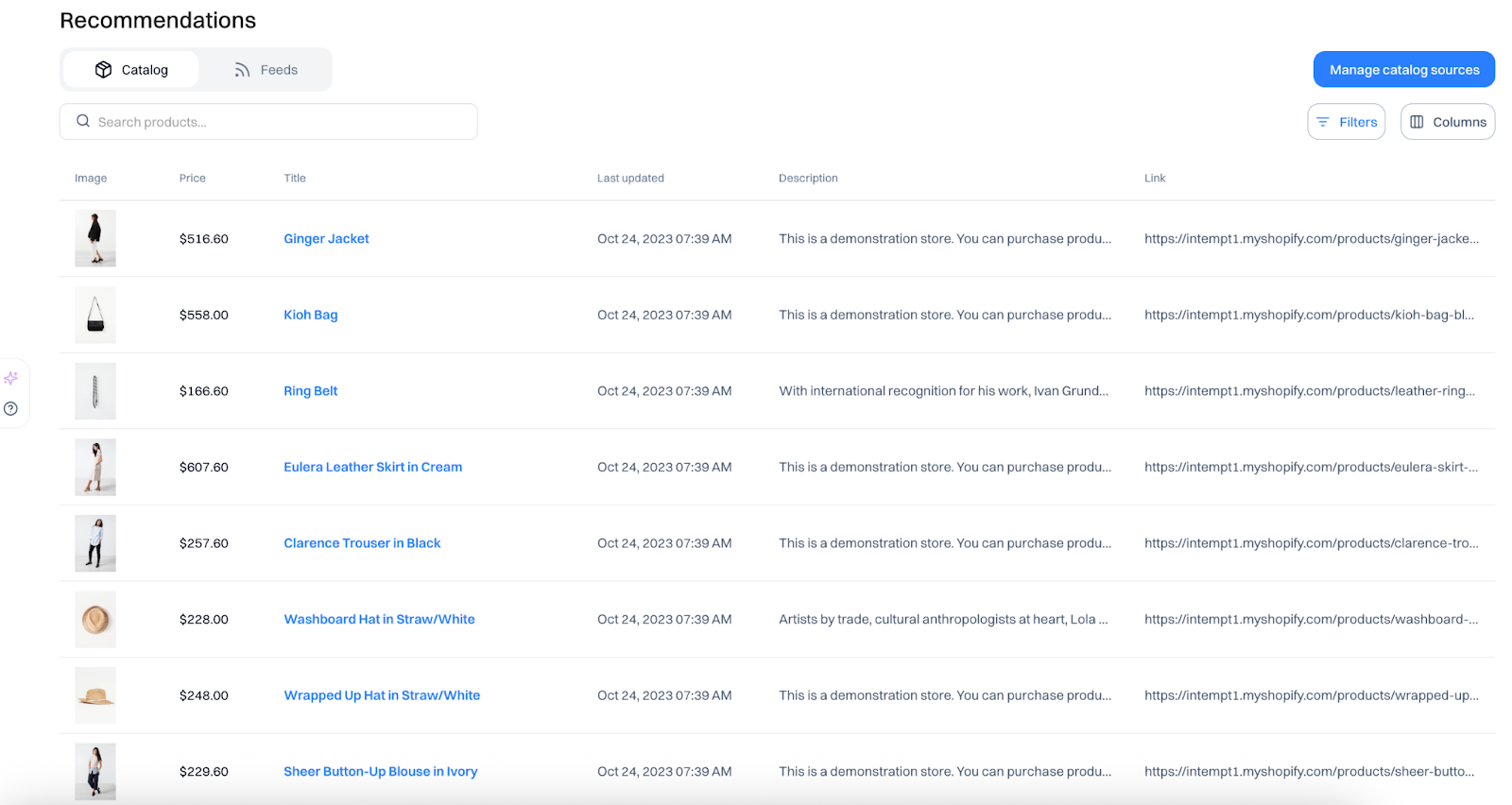
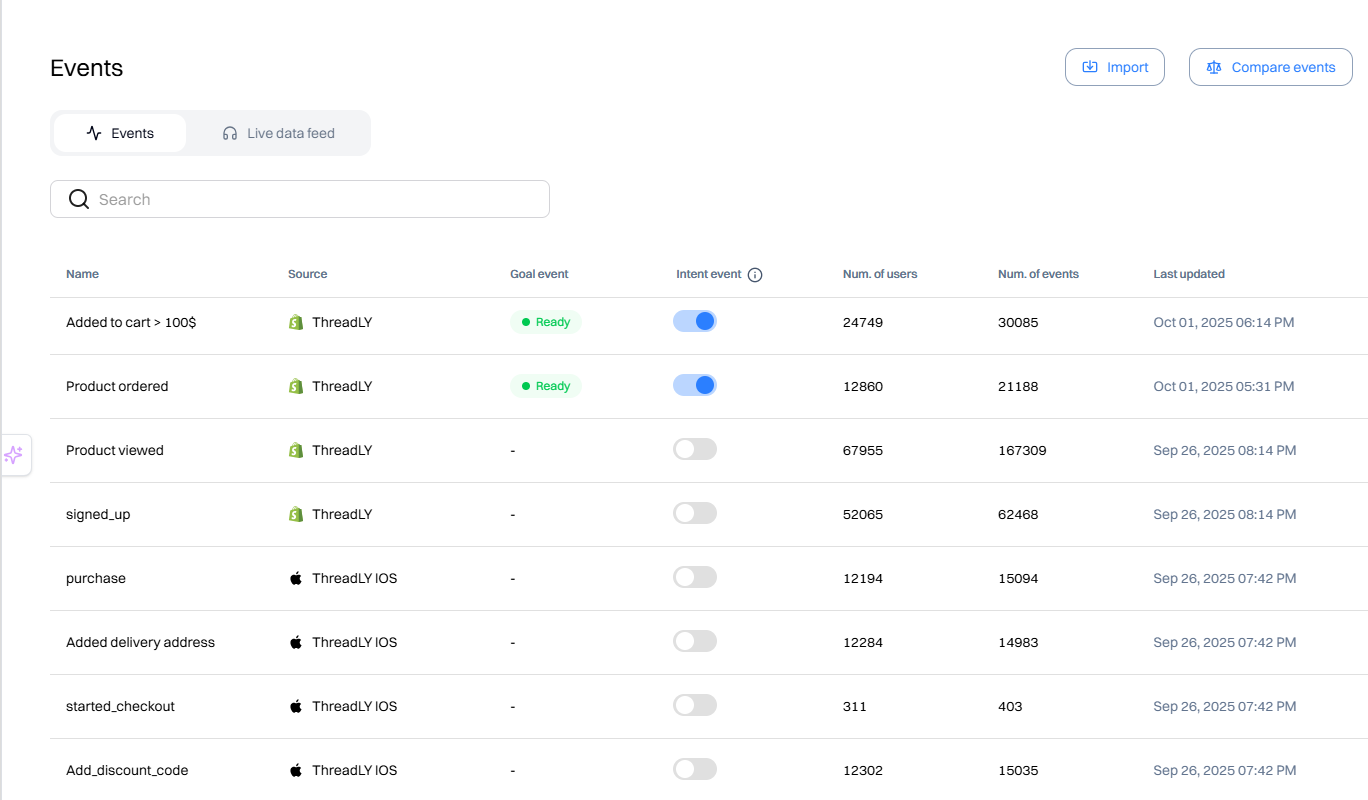
Have your Product catalog and user events (page_view, product_view, add_to_cart, view_size_chart, view_shipping, begin_checkout) sorted. This ensures all your SKUs and events on your website/app are tracked properly inside one system.
Connect your catalog(btw we’re Shopify native), website, and app data to Intempt so we see all of your products and user events inside one platform.
Step 2: Pick algorithms that work without history
For first-time visitors, avoid relying solely on collaborative filtering (it needs user history). Use a hybrid approach:
- Content-based (match attributes: category, brand, color, price band)
- Popularity & trend (bestsellers, new arrivals, seasonal)
- Contextual rules (inventory, availability, region)
Use Intempt’s built-in recommendations logic or create your own product feeds.
Step 3: Place product recommendations(How Amazon Perfected Product Placement)
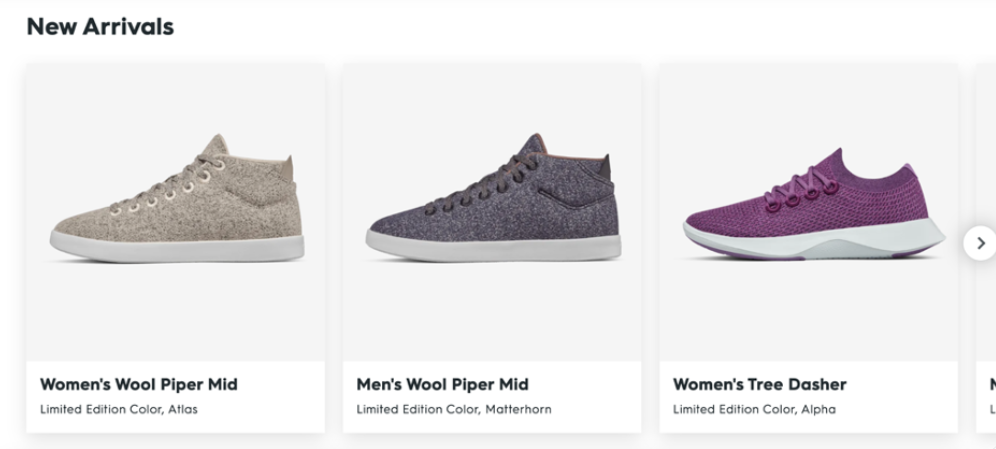
- Homepage (new or anonymous): “Trending Now,” “Bestsellers,” “New In” (fast discovery without choice overload).
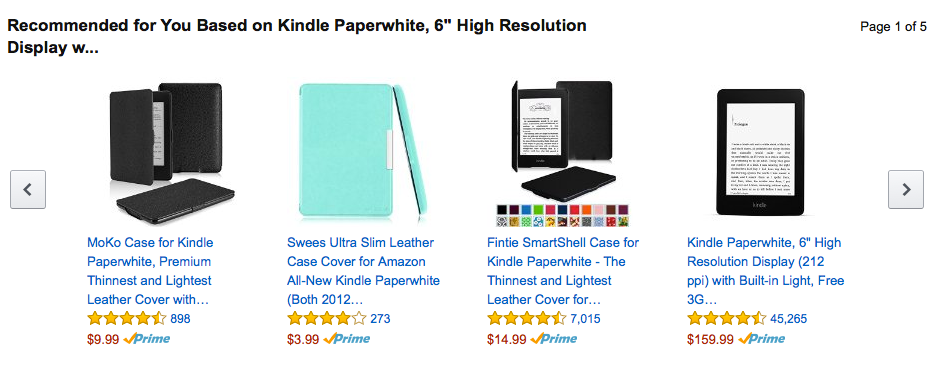
- PDP: “Similar items,” “Complete the look/Pair well with,” “Frequently bought together,” and “Top rated in this category”. These follow Amazon’s collaborative filtering playbook - recommending based on co-views and co-purchases that signal buying intent.

- Cart/Checkout: Low-AOV accessories, on-sale complements, and “Add ₹X for free shipping” nudges. Avoid recommending near-duplicates that risk choice paralysis.
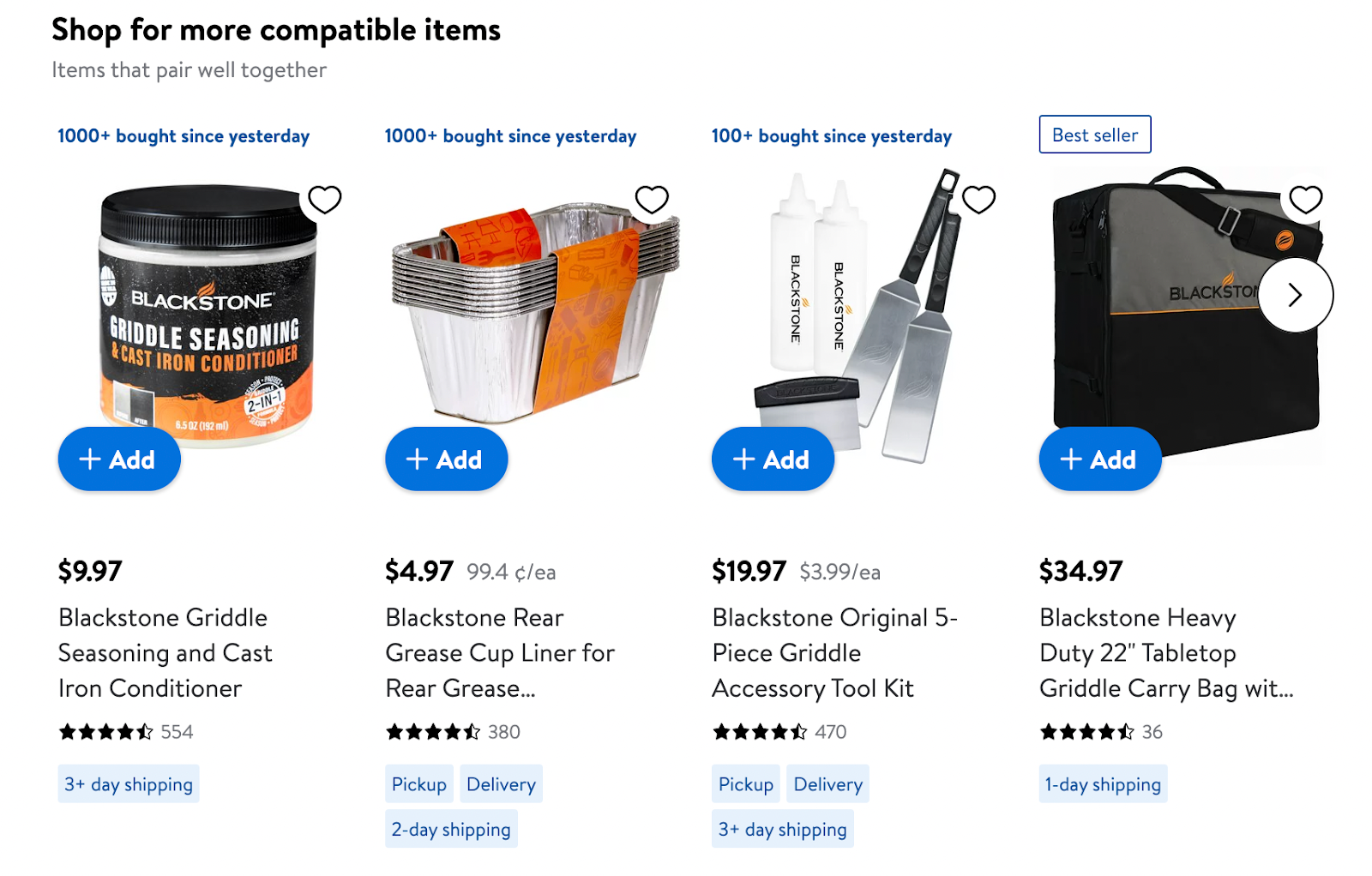
- Category: top sellers and trending within the current category.
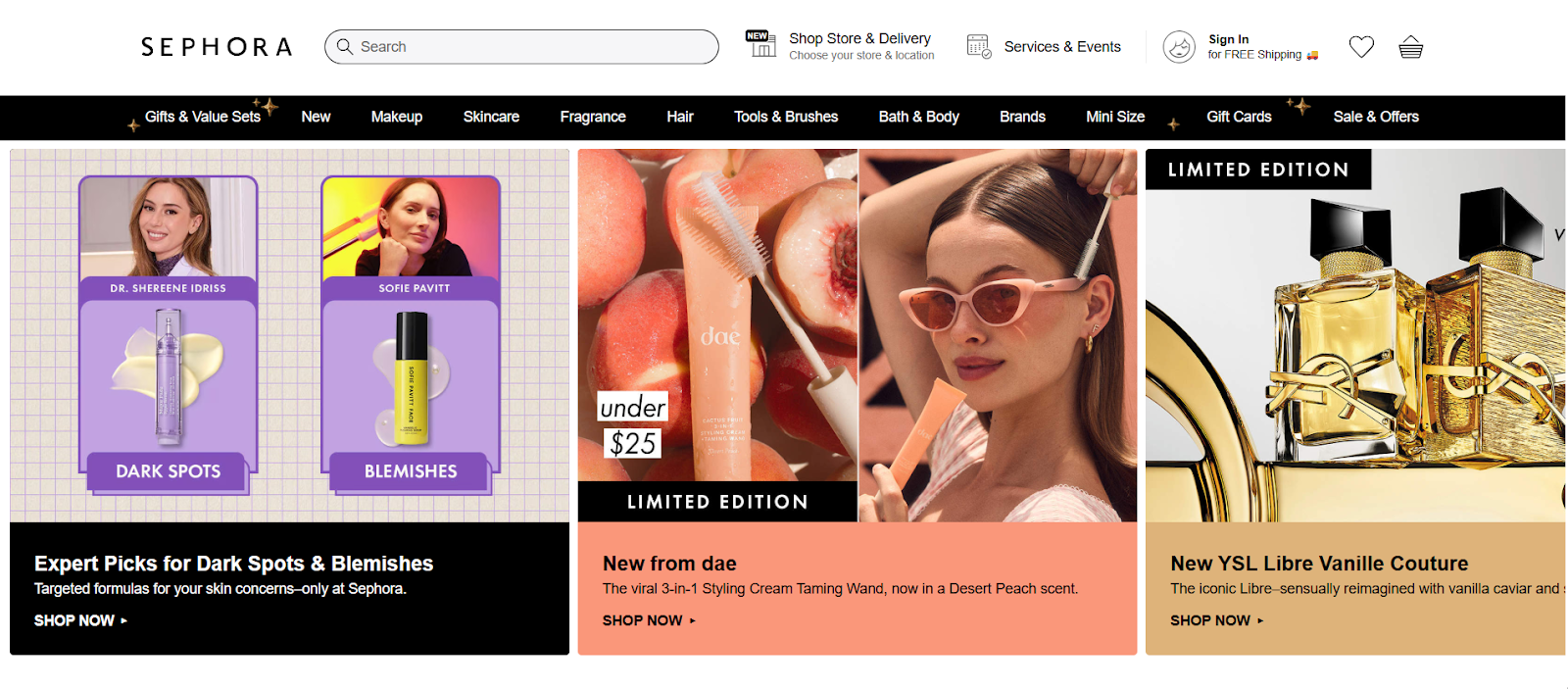
- Collaborative filtering (the Amazon classic): When a visitor has a few interactions, switch on item-to-item collaborative filtering. Instead of finding “similar users,” you compute “similar items” based on co-views and co-purchases and recommend near neighbors of the item they’re viewing or added to cart. Keep your hybrid: start with content/popularity for cold start, then blend in item-to-item as signal density grows. (This is how Amazon scaled relevance with low latency.)
Start Personalization campaign inside Intempt and edit your web/app recommendations logic with our Visual editor. Place the recommendation blocks where they matter. Customize layout and run A/B tests.

Step 4: Real-time triggers across channels
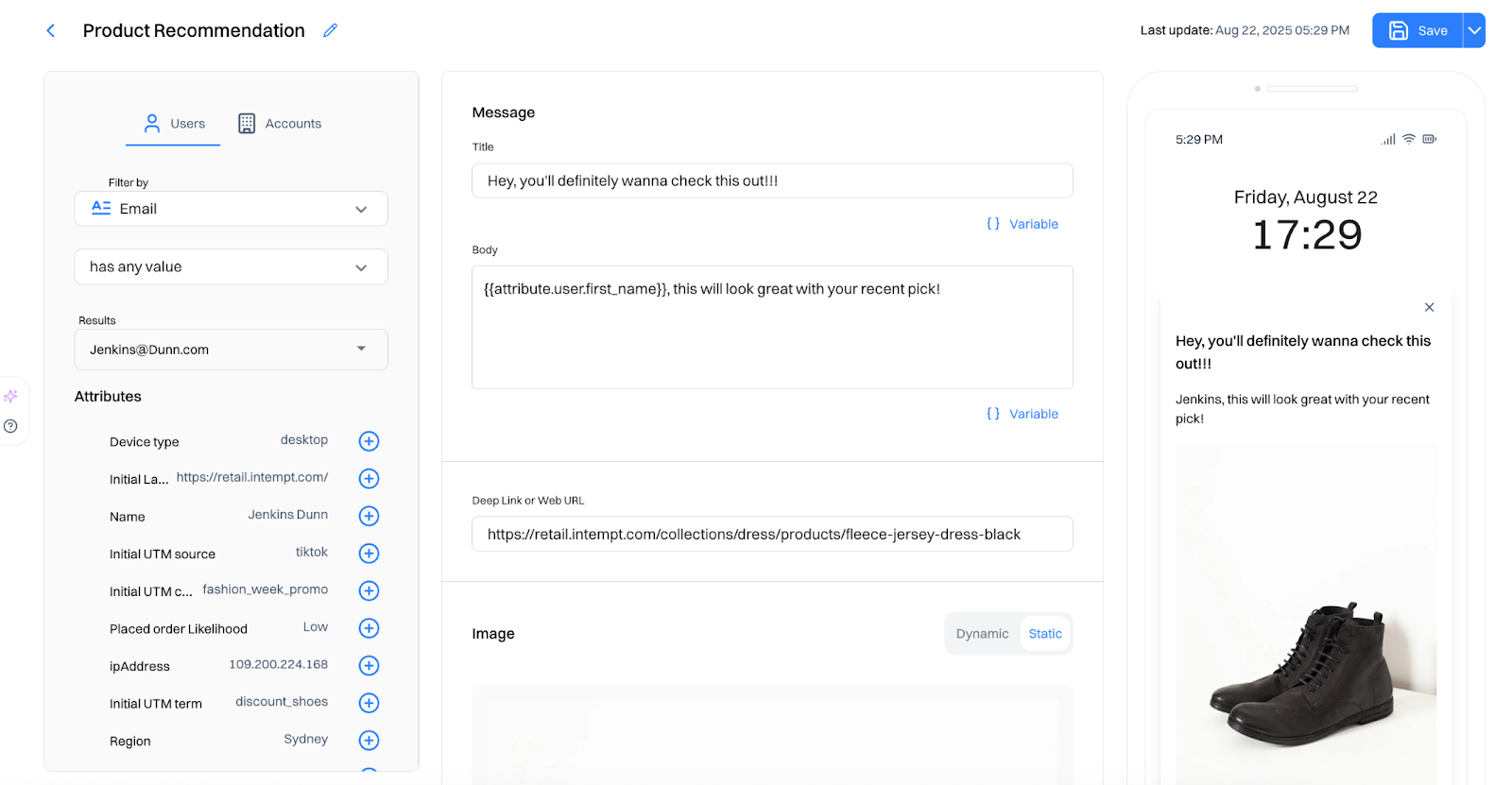
Turn onsite behaviors into instant nudges: “Size M is in stock - pair it with…,” “Add care kit for 10% off bundle,” or “Only 3 left” paired with a relevant accessory. You can start a new personalization campaign and add pop-ups/visual cues/tips to your web/app.
When someone views PDPs but doesn’t add to cart, send a quick browse-abandon email within 2-4 hours that mirrors onsite carousels: “Because you viewed [Product], here are top-rated/FBT picks.” Personalize the hero by last-viewed item; keep 4-6 recs max; add a trust nudge (delivery/returns). This pattern is widely used in retail and consistently outperforms generic reminders.

Create to email/SMS/Push notifications inside Intempt with the same logic - just ensure frequency caps and opt-in compliance.
Step 5: Test for incrementality, not just CTR
Use campaign and experience analytics to compare variants and confirm lift. Keep what wins and tweak what's not working.
- Measure CTR, Add-to-Cart rate, Checkout start rate, or First-order conversion rates.
- Revenue per session/visitor (RPV) and attach rate for FBT/looks
Run controlled A/Bs (or bandits) with clean holdouts and don’t judge success on clicks alone. You can check out our in-depth growth play on how to set up recommendations inside Intempt here.

Two quick plays you can ship this week
Play A: New visitor conversion
- Homepage hero: New arrivals + bestsellers
- PDP: “Complete the look” + “Top rated in category”
- Cart: “Add ₹300 to get free shipping” + two low-AOV care items
- On-site message: “Unsure on size? Most first-time buyers pick M - see our fit guide”
Why it works: removes friction, curates choices, and nudges value without overwhelming.
Play B: Confidence to check out
- PDP: “Frequently bought together” and “Similar, under ₹X”
- Checkout sidebar: “On-sale add-ons” under ₹999
- Transactional email: “Thanks! 3 quick picks that pair perfectly with your order”
Why it works: complements the core buy, increases attachment rate, and uses post-purchase momentum.
What you should expect?
Teams that adopt hybrid recommendations with strong placement and testing protocols generally see double-digit revenue lifts(execution varies by sector and maturity). Early wins often show up as a higher attach rate and RPV before headline conversion moves. Here, iterating based on proper data is the key to win.
TL;DR
- Send catalog + key events (product_view, add_to_cart, size/returns views) into one platform.
- Pick cold-start logic: Use hybrid recs - content-based + popularity + simple context (inventory, region, price band).
- Place modules smartly: Homepage (Trending/New/Bestsellers), PDP (Similar/Complete the look/FBT), Cart (low-AOV add-ons + free-shipping nudges).
- Trigger in real time: Onsite cues (stock/size tips, bundle offers) and mirrored email/SMS/push with frequency caps.
- Test for lift and iterate: A/B with holdouts; optimize ATC, checkout starts, first-order CVR, RPV.
FAQs
1) How do I solve the “cold start” problem for brand-new visitors or SKUs?
Use a hybrid approach that blends content similarity (attributes), popularity/trend, and contextual rules (inventory, price band, geo). Fall back gracefully: if product attributes are not frequent, bias to bestsellers/new arrivals in the same category.
2) Where do recommendations make most sense for a first purchase?
PDP “Similar/Complete the look/FBT,” plus cart/checkout low-AOV complements and free-shipping thresholds. These positions resolve doubt and increase attachment without derailing the core intent.
3) How do I keep recommendations fast and SEO-safe?
Render on website where possible, lazy-load below-the-fold carousels, and cap response payloads. Avoid blocking resources and important areas of your website.
4) What’s a realistic revenue shift I should target?
McKinsey reports 10–15% revenue lifts from personalization (range 5–25% by sector/quality).
5) How should I prioritize pages if engineering time is scarce?
PDP (Similar/Complete the look/FBT) → 2) Cart/Checkout (accessories, on-sale adds, free-shipping nudges) → 3) Homepage (bestsellers/new)
6) What about privacy and consent of users?
Limit to necessary signals (page/product context, session actions). Respect opt-outs and regional rules (GDPR/CCPA), and document data flows in your DPIA. Many implementation guides stress consent-aware pipelines.
7) Can recommendations hurt margins?
Yes, recs can hurt margins if they optimize for clicks or revenue and skew toward low-price, low-margin items. Make margin a first-class feature: rank by predicted profit and enforce price bands vs. the seed product. Measure success with incremental gross profit per session, not CTR/AOV.
FAQs
Can I trial Webflow before pa

Sure! You can test out Webflow on our free plan where you can experiment with 2 projects. Your unhosted projects will have a two-page limit, but you can purchase a site plan on a per-project basis to unlock up to 100 static pages and additional CMS pages.
What is a project?
A project is a website that you build in Webflow. You can publish projects to a webflow.io staging subdomain for free, export the code on a paid plan, or add a site plan to connect your custom domain and unlock hosting features.
What can I white label?
Pro accounts can add their own logo to Client Billing forms and the Editor. Pro accounts can also remove references to Webflow in the source code and form submission emails, and hide the Webflow badge from their staging sites.
How much traffic can the hosting handle?
Webflow hosting scales automatically to handle millions of concurrent visits. All site plans serve sites through our Amazon's Cloudfront CDN and accelerated using Fastly, loading sites in milliseconds.
What kind of support does Webflow provide?
We offer fast email support to paid accounts and prioritized help for team accounts. Community support (forum.webflow.com) is available to free accounts.
How long does it take to learn Webflow?
If you're new to building websites, our video tutorials will get up and running quickly. If you already know concepts behind CSS and the box model, you will feel at home in Webflow.
Check out Growth Play Library ➡️
Get started free on GrowthOS ➡️
Book a growth call ➡️
.svg)
Sid Chaudhary
Founder & CEO


Looking for ways to grow faster?
Discover marketing workspace where you turn audiences into revenue.
Learn about IntemptReceive Monthly Insights
Get expert insights & news on the latest promotion trends in our monthly newsletter.
Sid Chaudhary
CEO & Founder

Lifecycle automation tips
Industry tips
Case Studies
You might also like...
%20In-Depth%20Comparison.png)
Intempt vs Customer.io (2025): In-Depth Comparison
Customer journeys are most effective when they evolve with user behavior. But most automation tools still rely on static flows that remain unchanged until a marketer updates them manually. Customer.io delivers strong messaging automation and excellent segmentation. It can move users in and out of segments in real time based on events, attributes, and behavior, which makes targeting very powerful. Intempt takes a different approach. It uses AI to orchestrate journeys that adjust themselves in real time, predict user intent, and connect every step to analytics and revenue attribution, turning your lifecycle into a system that learns and improves automatically. In this comparison, we break down Intempt vs. Customer.io so you can understand which platform delivers truly adaptive lifecycle orchestration in 2025.

%20In-Depth%20Comparison.png)
Intempt v/s Clerk.io (2025): In-Depth Comparison
Every marketer knows the frustration: you work hard to acquire a customer… and then generic journeys send them straight to a competitor. A recommendation engine alone isn’t enough anymore. Clerk.io has long been one of the most popular tools for smart product recommendations, search, and on-site personalization. But in 2025, teams want more than a recommendation engine that reacts. They want to personalize the whole customer journey across email, sms, onsite, and in-app, and get for ltv our customers That is exactly where Intempt steps in. Intempt doesn’t behave like another vendor for product recommendations. It thinks ahead, runs personalized experiments, orchestrates journeys across every channel, and recommendations into one intelligent system that grows smarter with every user interaction. In this comparison, we’re putting Intempt vs Clerk.io under the microscope to help you identify which platform is the more future-ready growth engine for your brand.
%20In-Depth%20Comparison.png)
Intempt v/s Klaviyo (2025): In-Depth Comparison
Marketers want seamless customer journeys, not a maze of rules and manual triggers. If the system feels like work, it’s not automation, it’s stress in a shiny UI. Klaviyo has long been the go-to for e-commerce platforms, powering email, SMS, and now even WhatsApp automation. But 2025 teams want more than AI that writes better subject lines; they want an AI comarketer that thinks ahead. In this comparison, we’ll explore Intempt v/s Klaviyo with a sharp focus on their Journeys to help you find out which one delivers true AI-powered orchestration rather than just automated messaging.
Subscribe to The Full Stack Marketer 📈
Zero theory or mindset discussions here; just actionable marketing tactics that will grow revenue today.

Web A/B testing
Use front-end A/B and multi-page experimentation product built for any business size. Run multiple experiments on the same page.

Targeting & personalization
Deliver targeted messaging, personalized offers and recommend the most relevant content for your users.

Visual editor
Empower your team to collaborate with an easy-to-use visual editor without using developer time to get things up and running.

Analytics
Gain insight into the impact of your experiments with statistically valid results. No complex statistical analysis required.

Server & client-side testing
Go beyond client-side testing and deploy experiments on the server-side. Test and optimize content changes and even complete re-brands.

Flexible goal selection
Select the right goal for each personalization and experimentation campaign to ensure you’re optimizing towards the right objectives.
.svg)

.svg)


.svg)
.svg)