.svg)


Encourage Upgrades Based on What Users Do
Adjust CTA buttons or messages on the website and in-app based on the user’s lifecycle stage, encouraging them to take the next step in their journey.
.svg)
Introduction to Executive Dashboard:
The Executive Dashboard SuccessBLOC allows you to:
What's Included?
Goals & KPIs
About the Growth Play
Most expansion strategies rely on sales triggers or usage thresholds, but the real signals are already in front of you, buried in everyday product usage behavior.
This Growbook shows you how to use GrowthOS to track those behaviors, segment users by lifecycle stage, and tailor CTAs or UI messages that move each user to the next logical step: from free to paid, basic to premium, or inactive to reactivated.
We’ll use Otto, a demo SaaS platform for project management, to illustrate the approach.
TL;DR
- Track real product behaviors like views, logins, and feature usage to identify upgrade intent.
- Create real-time segments such as “Upgrade Curious” or “Low Usage Paid Users.”
- Adapt website and in-app CTAs and Banners to each user’s lifecycle stage using Experiences.
- Trigger expansion journeys with personalized messages, offers, or walkthroughs.
- Measure conversion and lift using Experience and Journey Analytics to optimize over time.
- Result: A dynamic upgrade system that adjusts to user behavior and increases expansion revenue.
Benefits
- Expand revenue without adding friction: Encourage upgrades and usage nudges right inside the product.
- Show the right CTA to the right user: No more one-size-fits-all upsell banners.
- Use real behavior as a trigger: Target based on what users do, not who you think they are.
- Boost retention through deeper usage: Expansion and engagement go hand in hand.
How It Works
Step 1: Track product user engagement
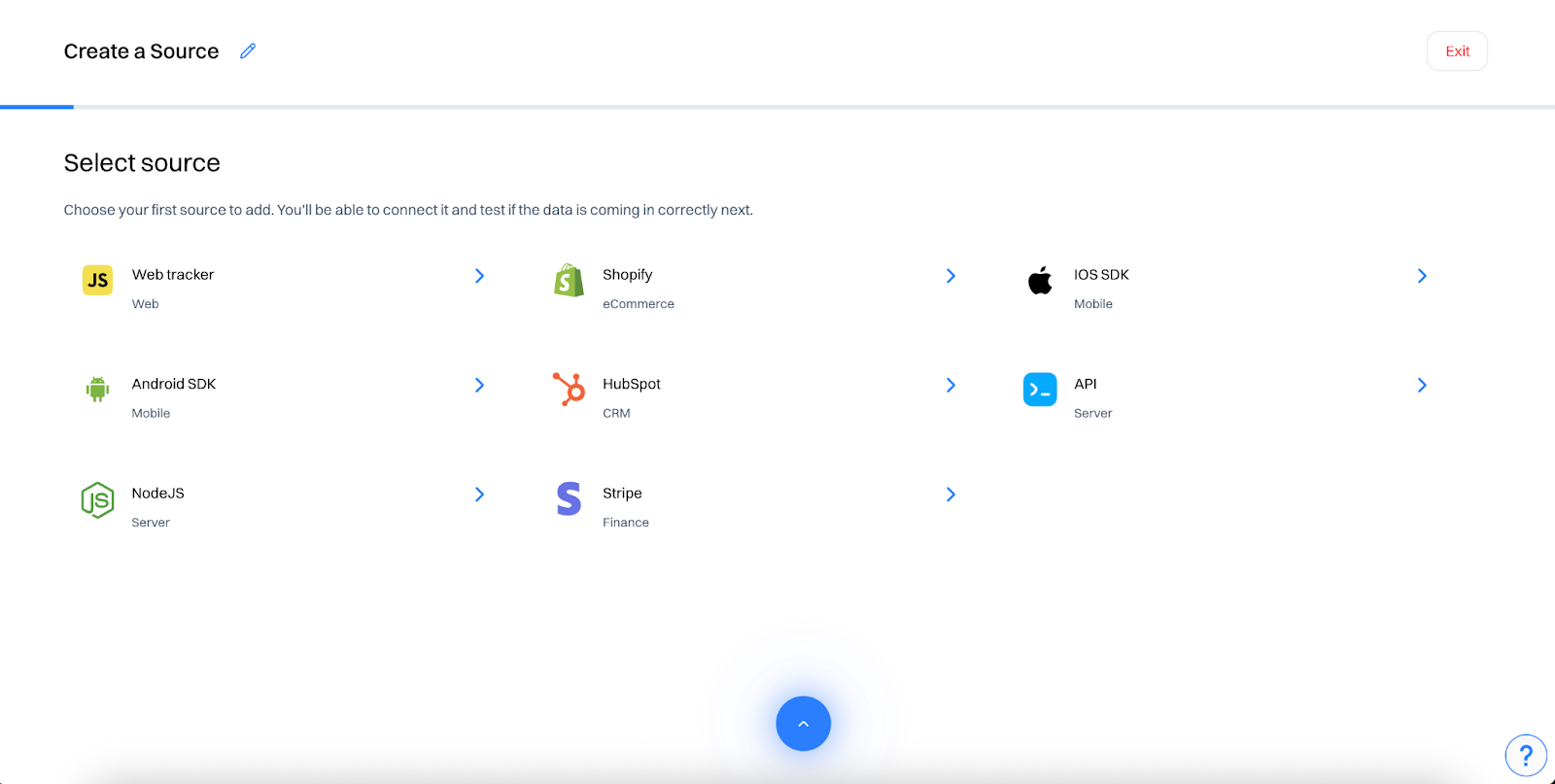
- Install Intempt’s JavaScript SDK: Begin tracking user and account activity across your app or site.
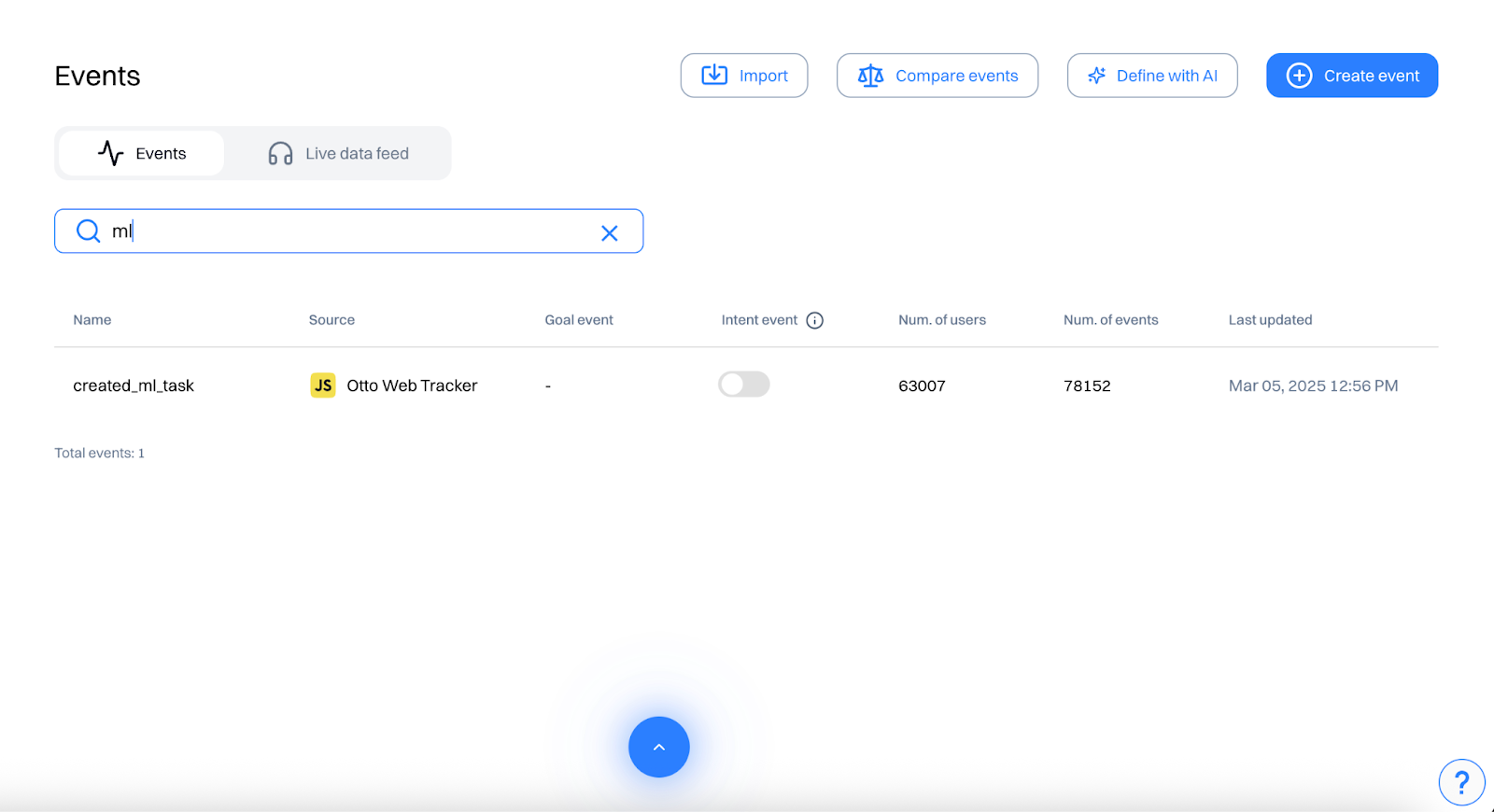
- Check or define key Events: confirm the following are tracked- ‘login’, ‘created ml task’, ‘invited team member’, 'exported report’, ‘subscribed to premium plan’, ‘viewed upgrade plan’, ‘subscribed newsletter, book demo’, ‘product viewed’..
- Create additional events: If any events are not readily available, go to create event and set conditions to create the needed event.
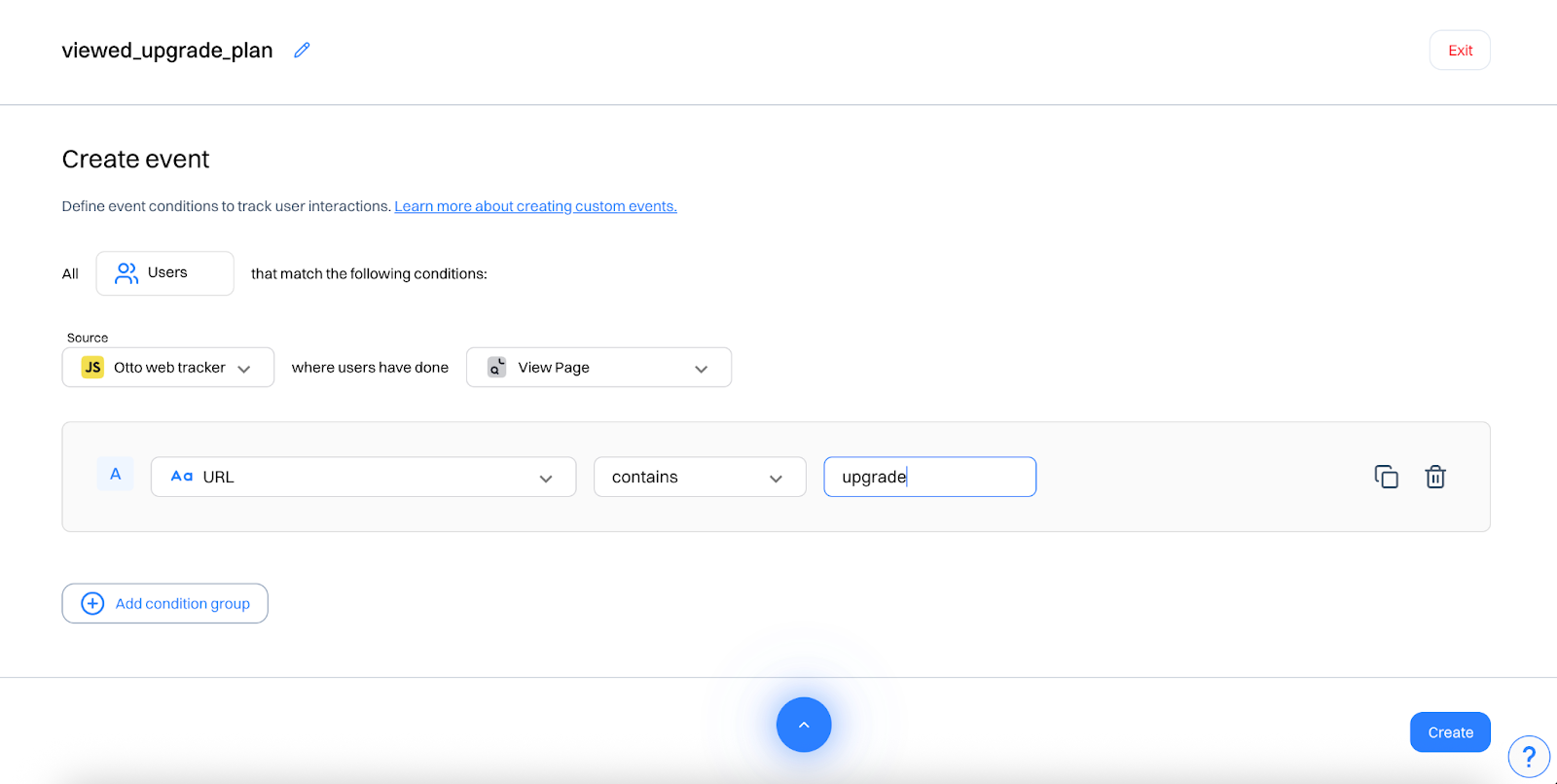
These events help capture activation, collaboration, reporting, and upgrade intent — all key indicators of expansion potential.
Step 2: Segment users by behavior
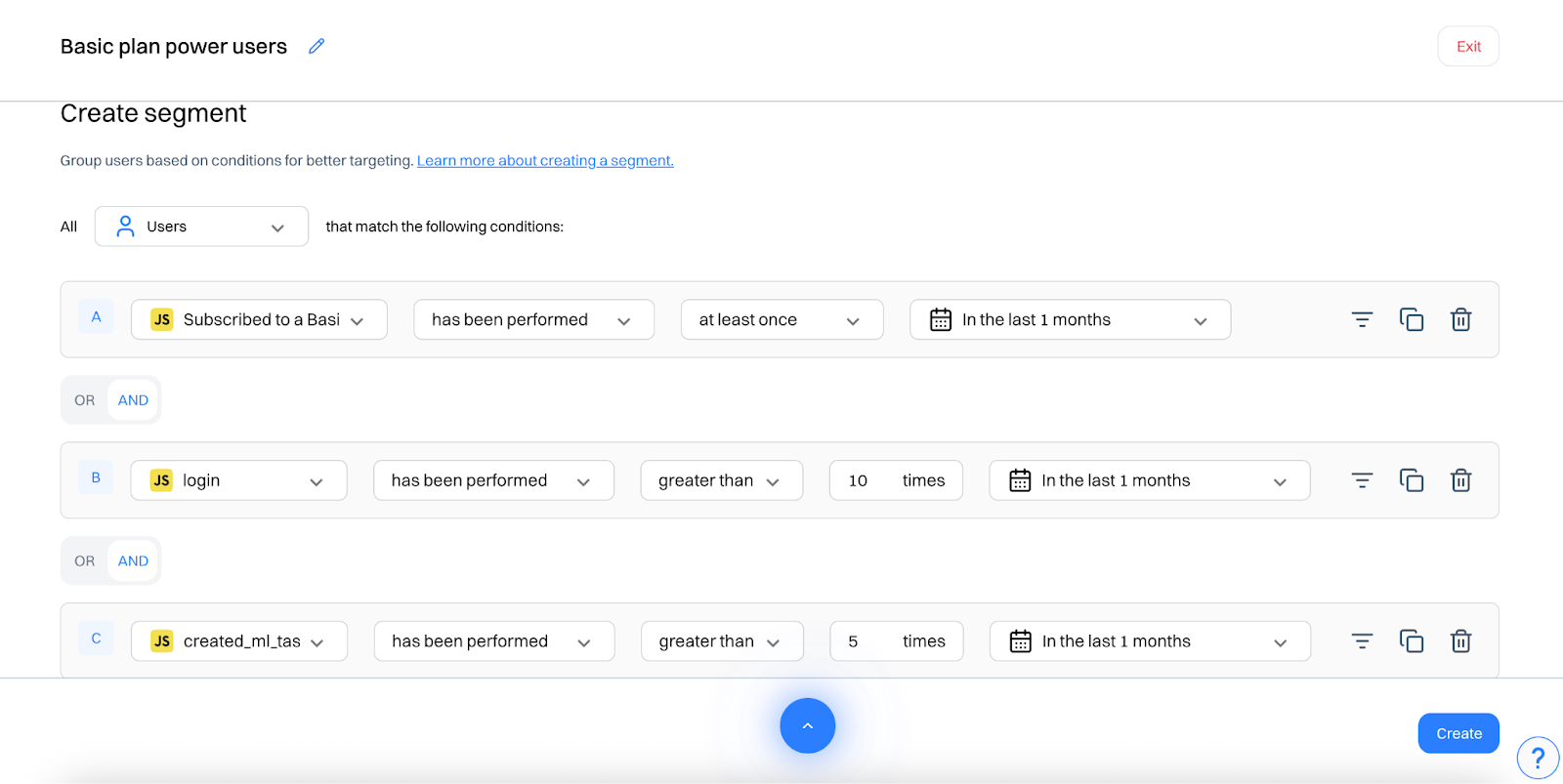
Go to segments and create real-time segments like:
“Basic plan power users”: Users who have subscribed to basic plan, viewed product, logged in at least 10 times in the last 1 month and created ml task at 5 times in the last 1 month
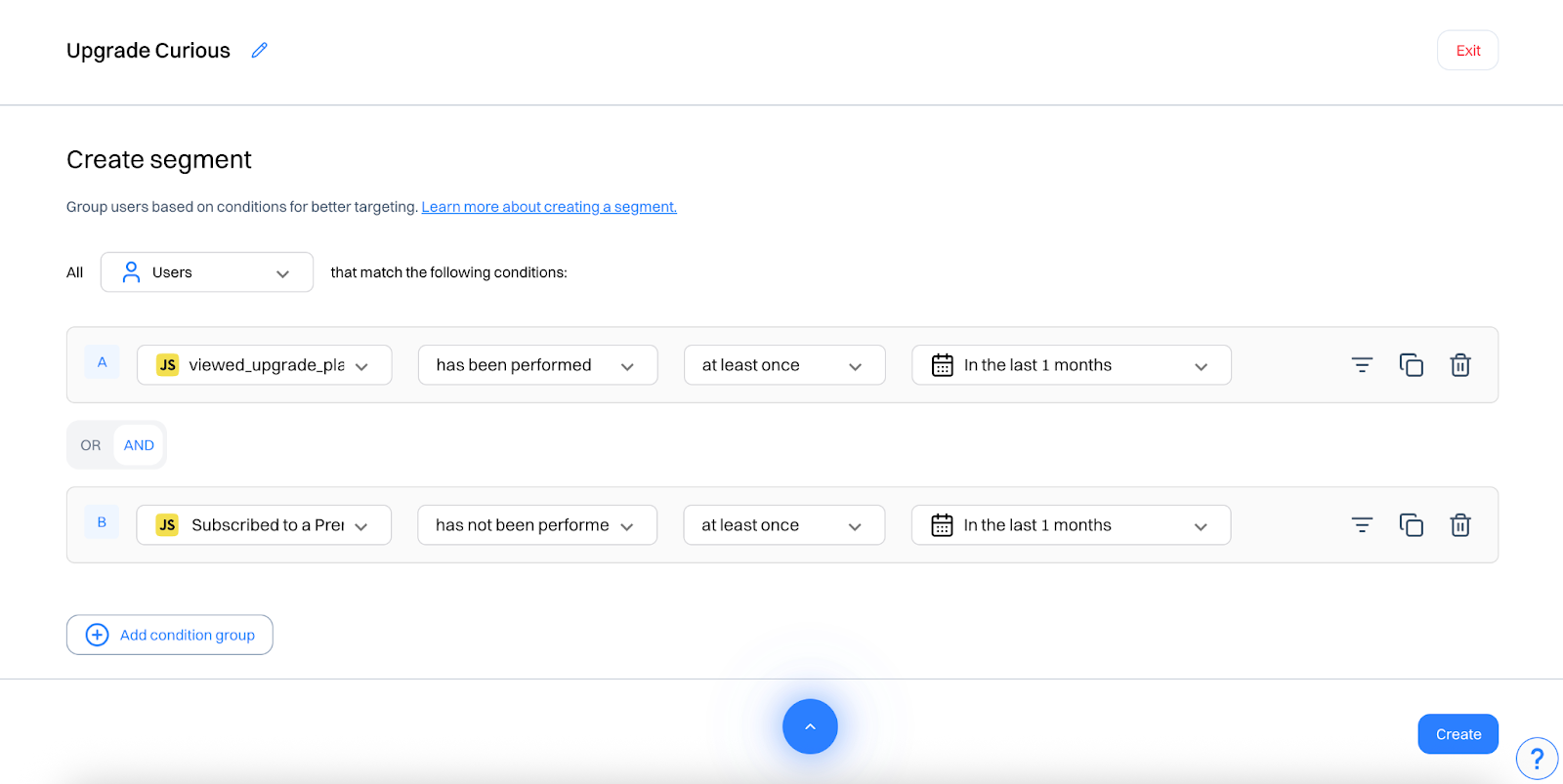
“Upgrade curious”: Users who have viewed upgrade plan at least once in the last 5 days, subscribed newsletter and has not subscribed to premium plan.
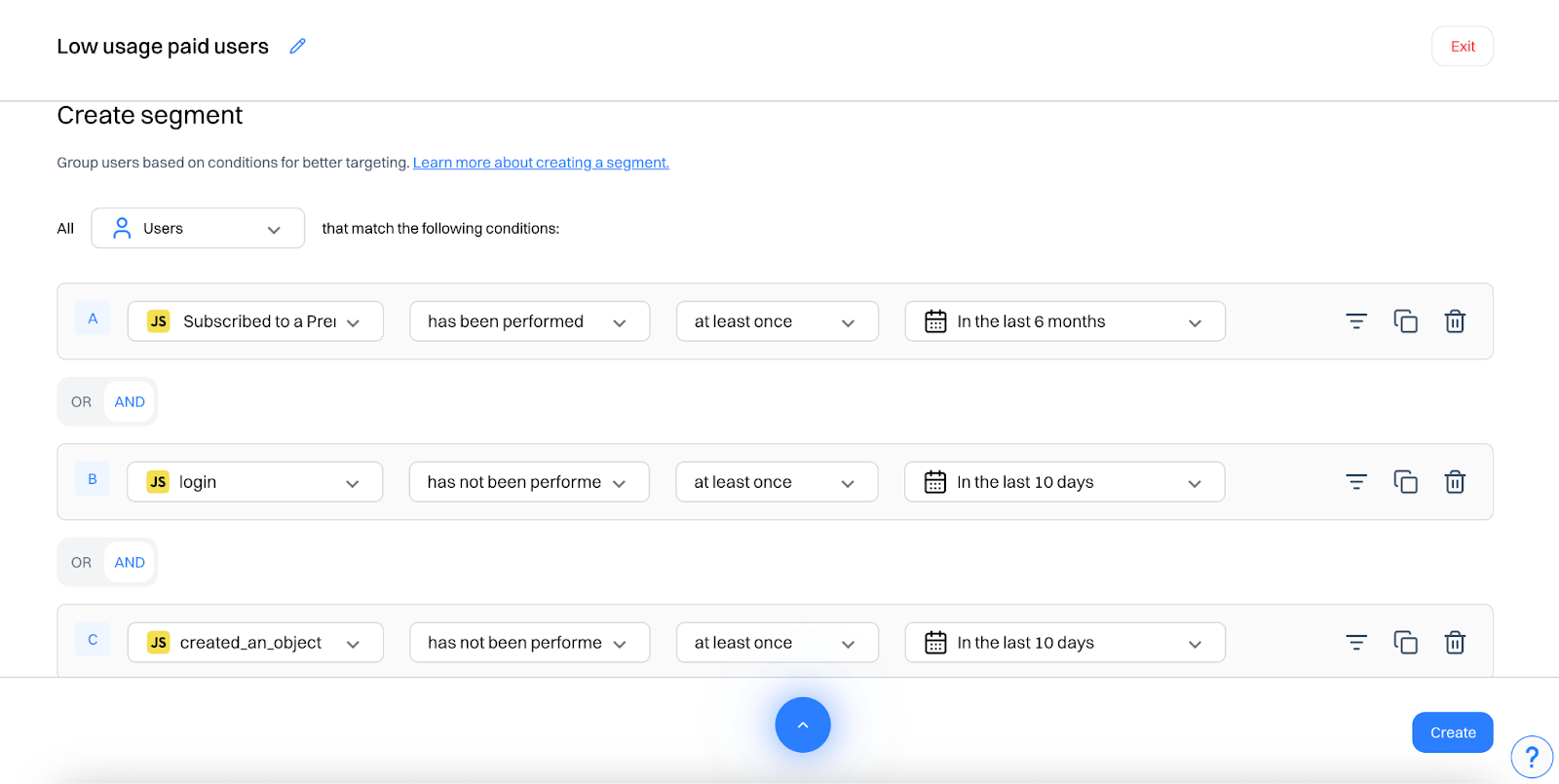
“Low usage paid users”: Users who have subscribed to premium plan, have not logged in in the last 10 days and have not created object in the last 10 days
These segments update dynamically based on real-time user behavior.
Step 3: Personalize CTAs across web and in-app
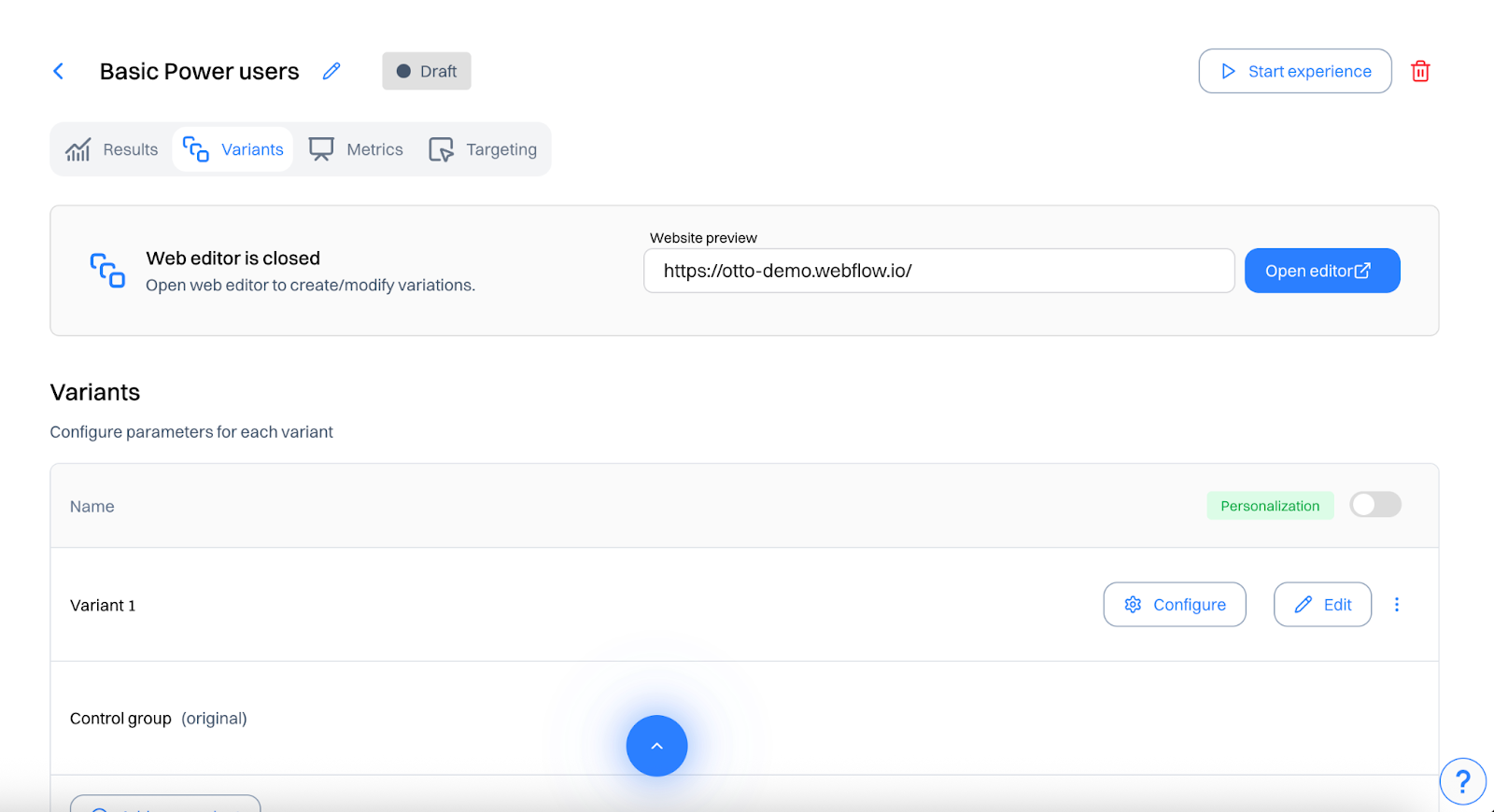
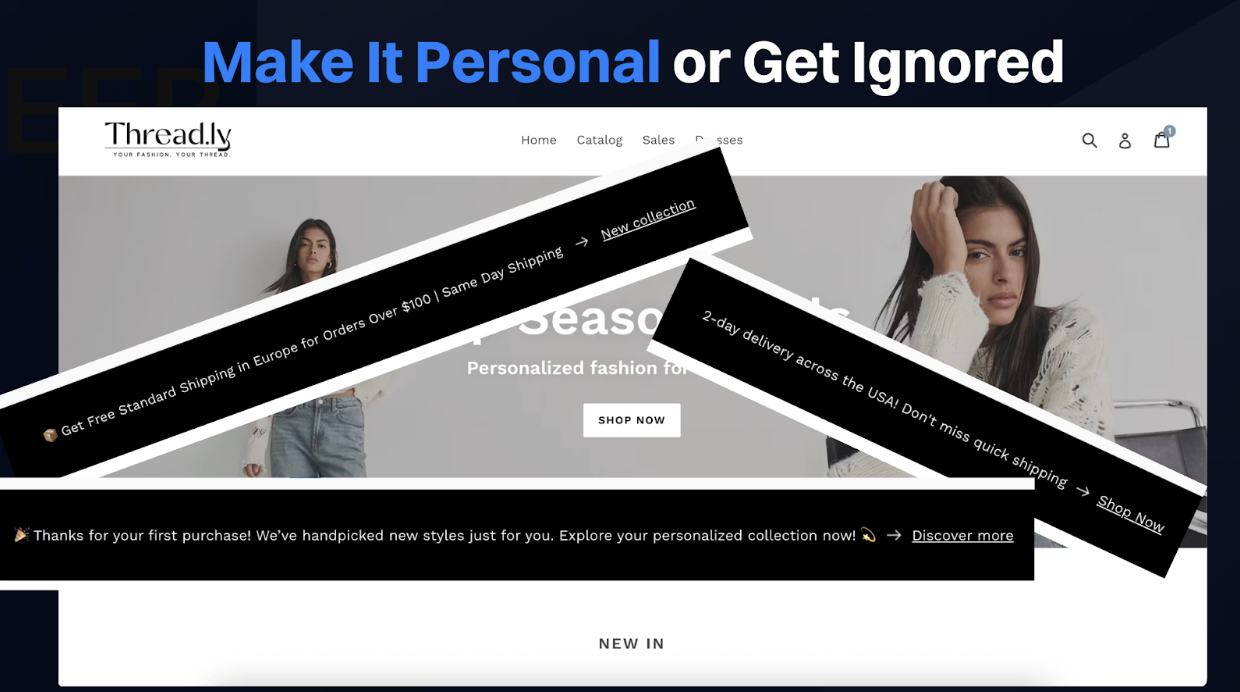
In the Experiences module, create different experiences for each segment and target both your website and in-app product interface.
(Click the toggle to select Personalization)
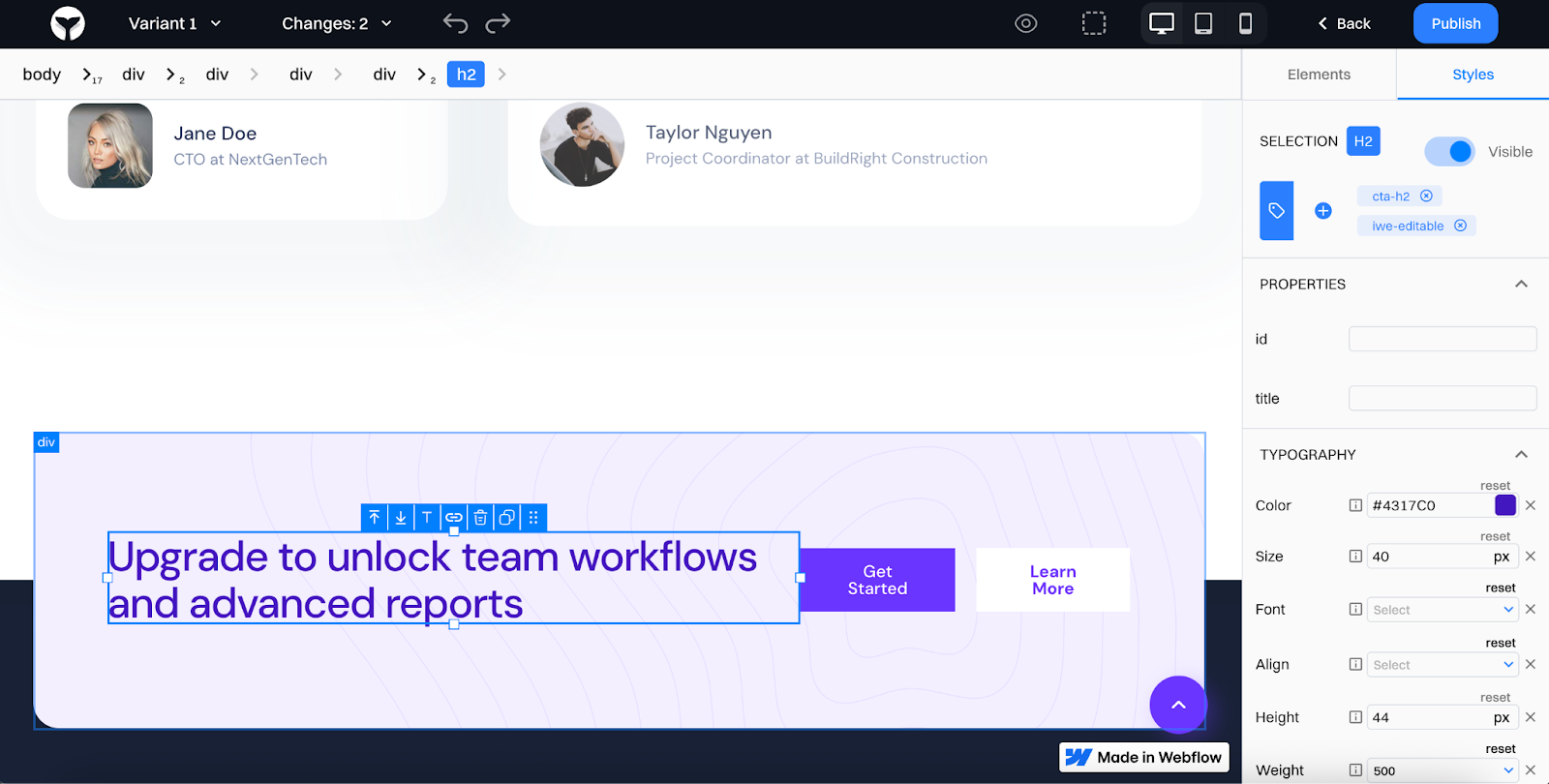
Example 1: Basic Plan Power Users
- Target Segment: “Basic plan power users”
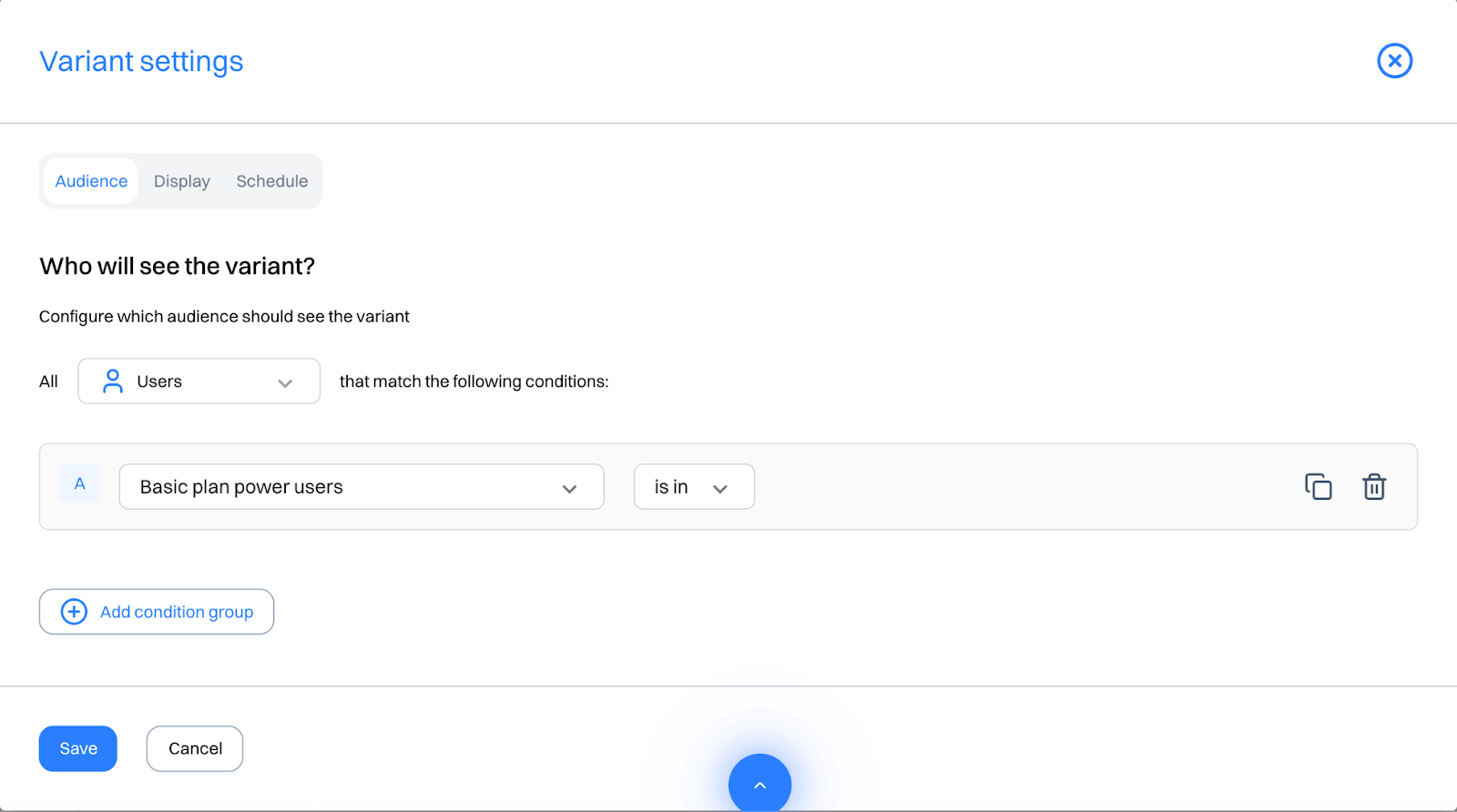
- CTA (Web): “Upgrade to unlock team workflows and advanced reports”
→ Location: Homepage banner
- Banner (In-App): Sidebar module or dashboard panel: “Ready for more? Unlock Premium Reports”
Location: In-app sidebar
Example 2: Upgrade Curious
- Target Segment: “Upgrade curious”
- CTA (Web): “Still deciding? Try Premium free for 7 days”
Location: Pricing page sticky footer - Banner or Popup (In-App): Display after using a limited feature: “This feature is part of Premium — want early access?”
→ Location: Feature-gated modal
Example 3: Low Usage Paid Users
- Target Segment: “Low usage paid users”
- CTA (Web): “Not getting full value? Explore what you’ve missed”
→ Location: Homepage banner or Help center sidebar - Banner (In-App): Tooltip: “Still haven’t tried automations? Here’s a 2-minute setup.”
→ Location: Triggered on dashboard inactivity or feature hover
Good to know: You can also personalize- In-App Nav Bar Buttons: e.g. “Explore More Features” for upgrade-curious users and In-Product Tours: Restart onboarding or add contextual nudges for low-usage users
Step 4: Trigger real-time expansion journeys
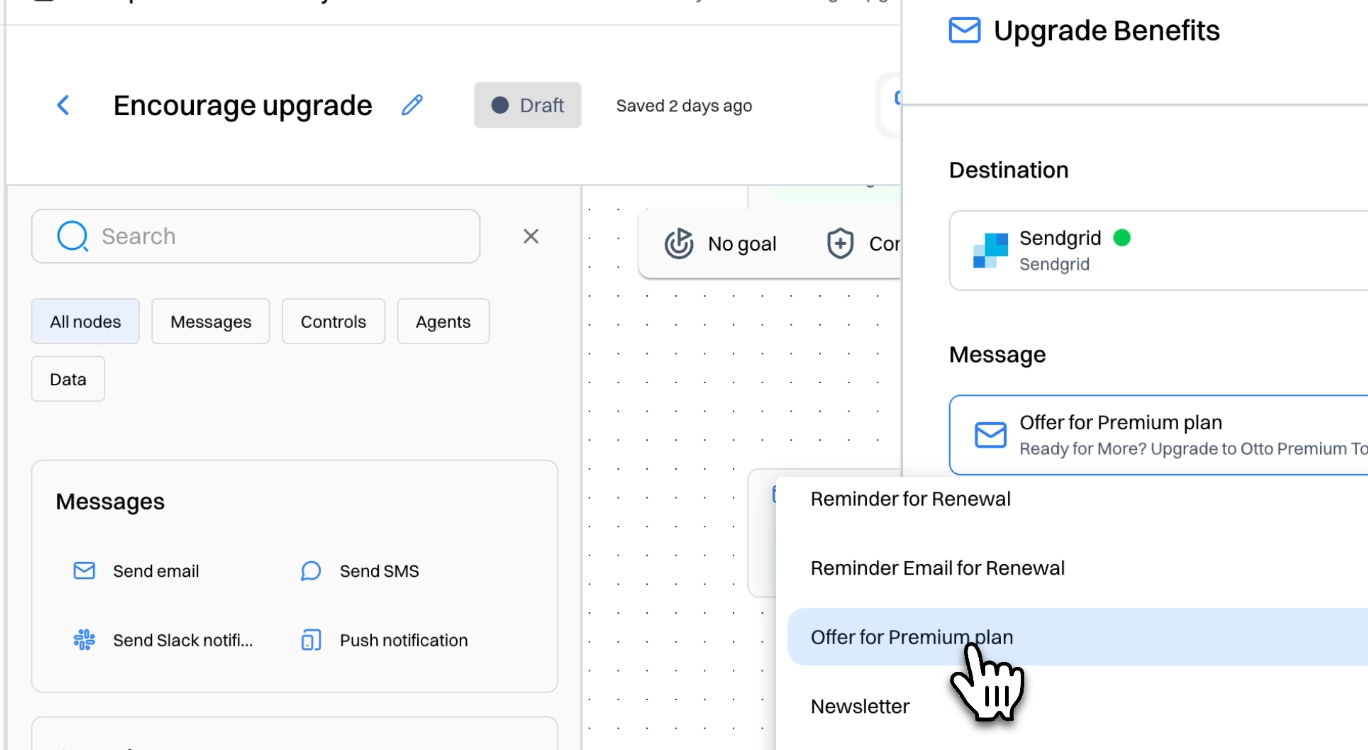
Go to Journeys and trigger automated nudges for each segment.
Journey 1: Encourage Upgrade
- Trigger: Segment = “Basic plan power users”
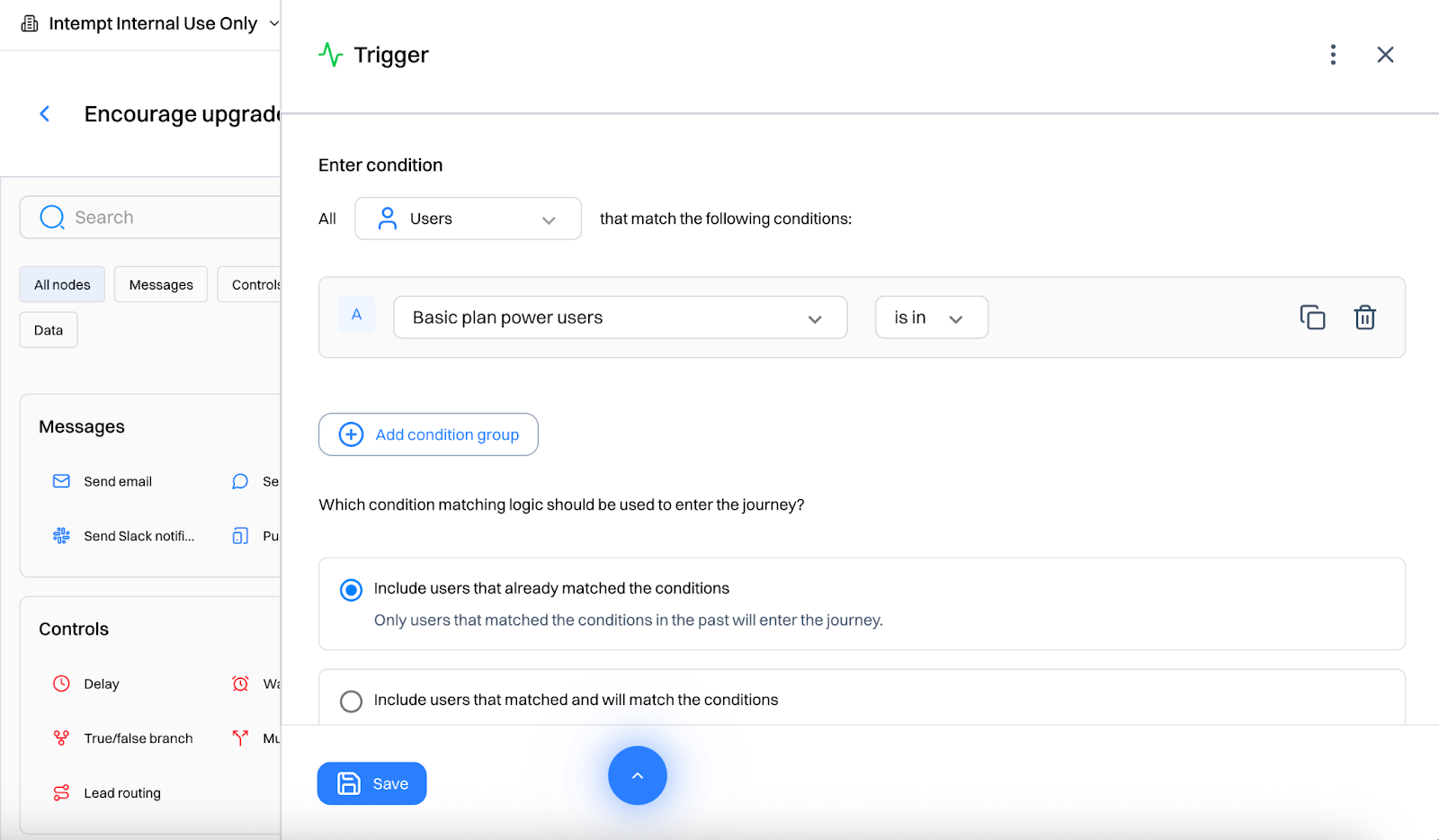
- Day 0: Email with upgrade benefits
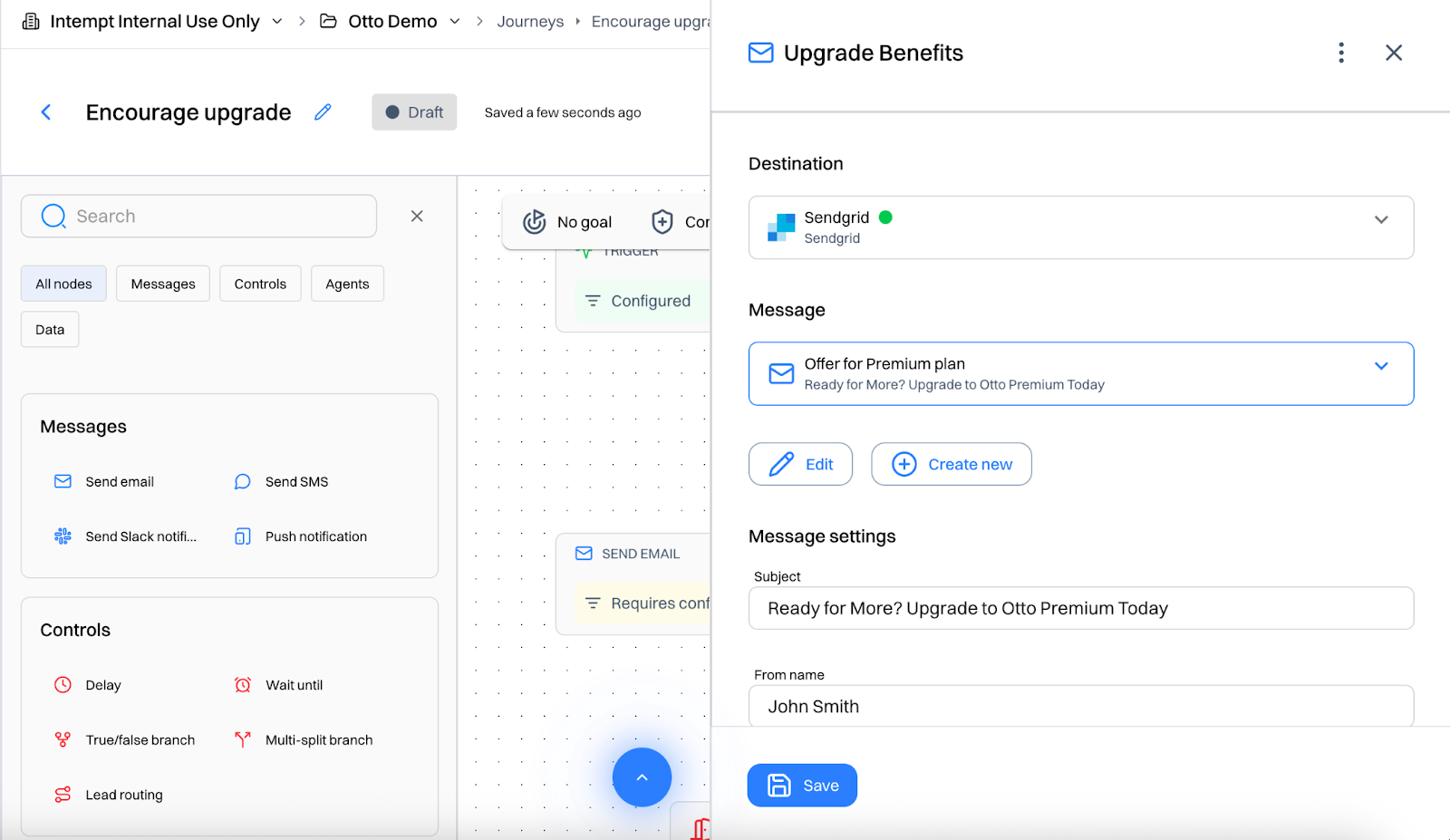
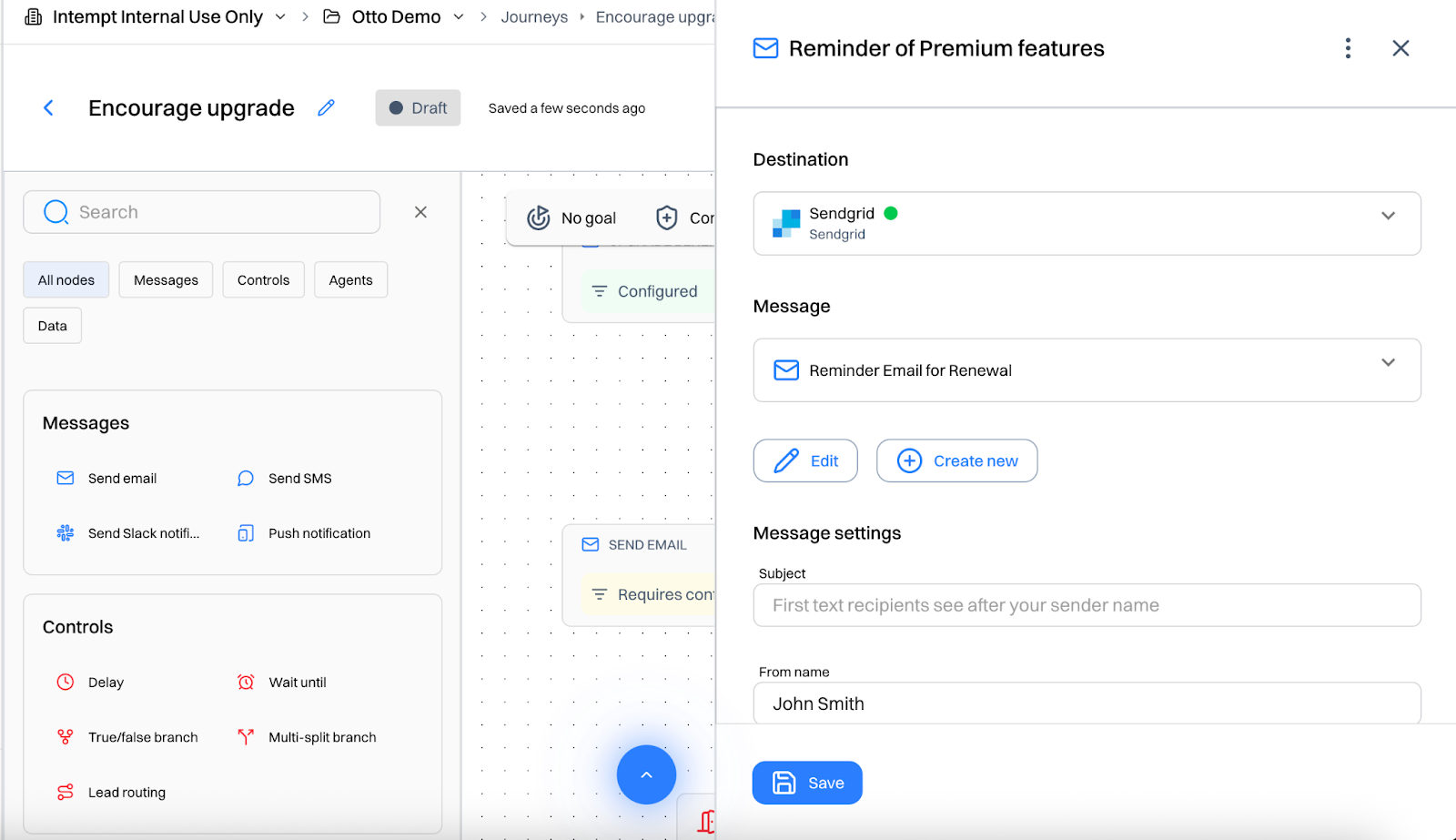
- Day 2: Reminder email highlighting premium features
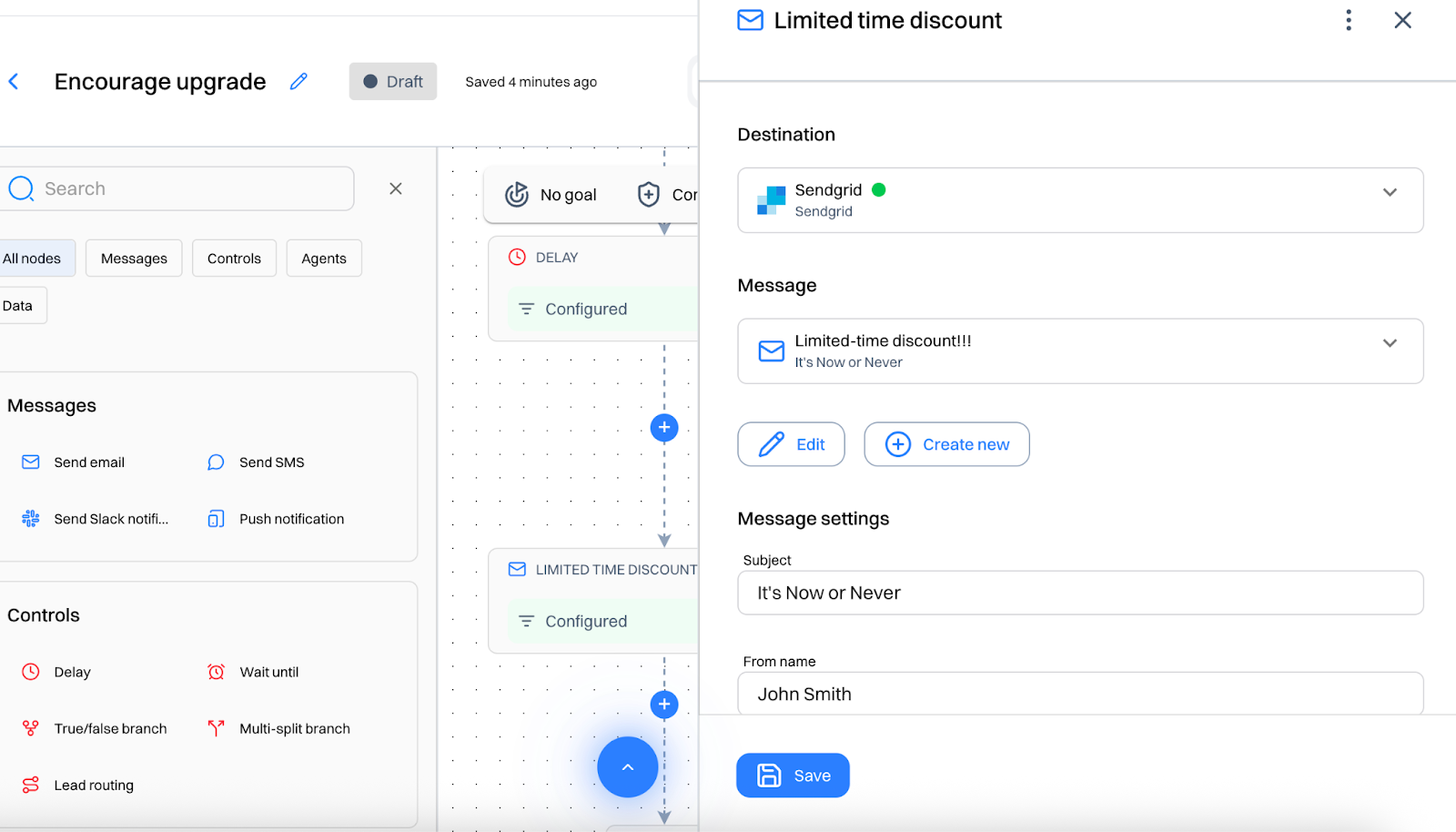
- Day 5: Limited-time discount CTA
Journey 2: Reactivate Low Usage Paid Users
- Trigger: Segment = “Low Usage Paid Users”
- Day 0: Friendly check-in email: “Need help getting more out of Otto?”
- Day 3: Video walkthrough of underused features
- Day 7: “Schedule a success session” CTA
Step 5: Track and optimize performance
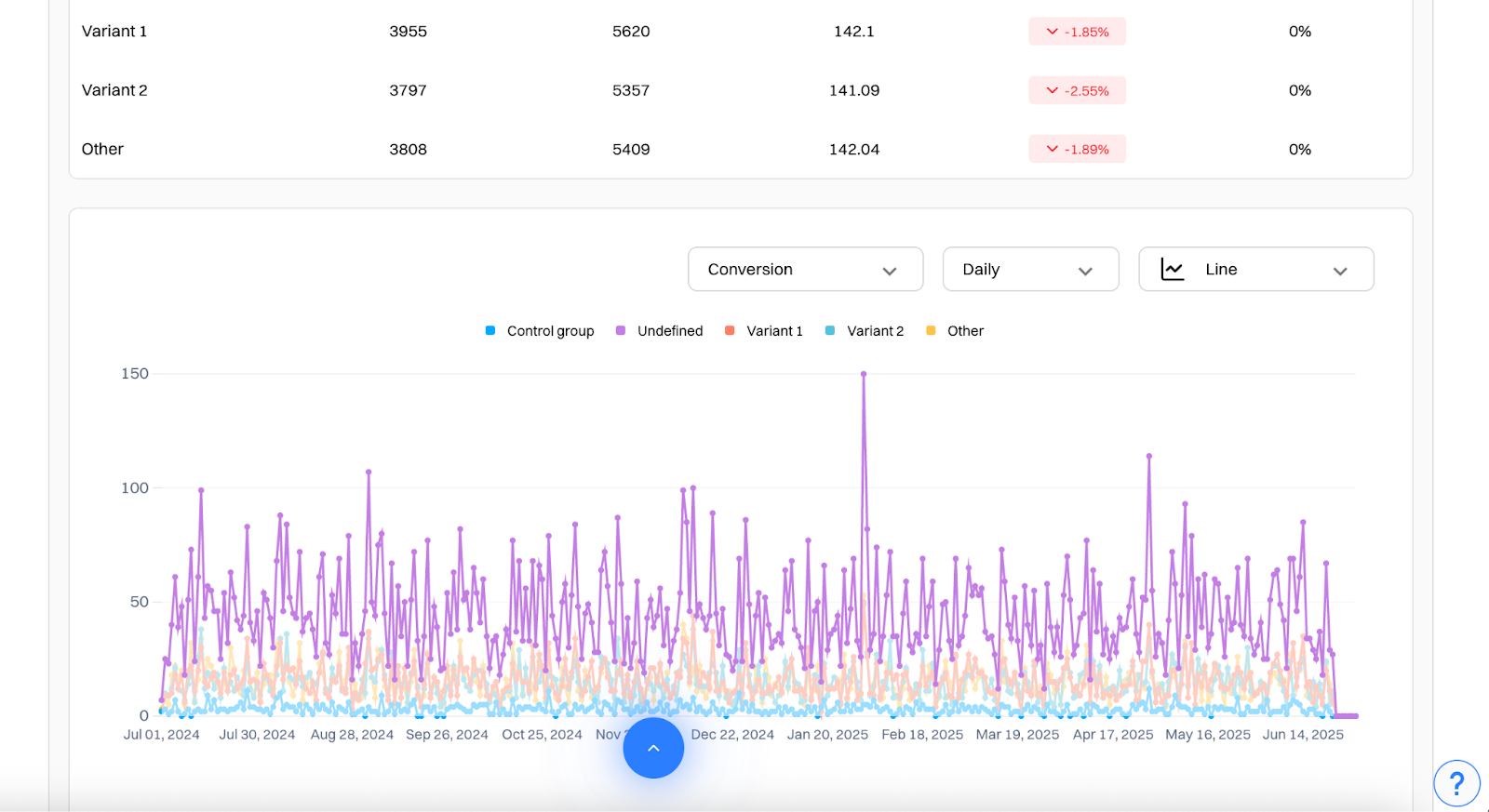
Use Experience Analytics to monitor:
- Conversion rate on CTA clicks
- Lift vs control version
- Top-performing copy per segment
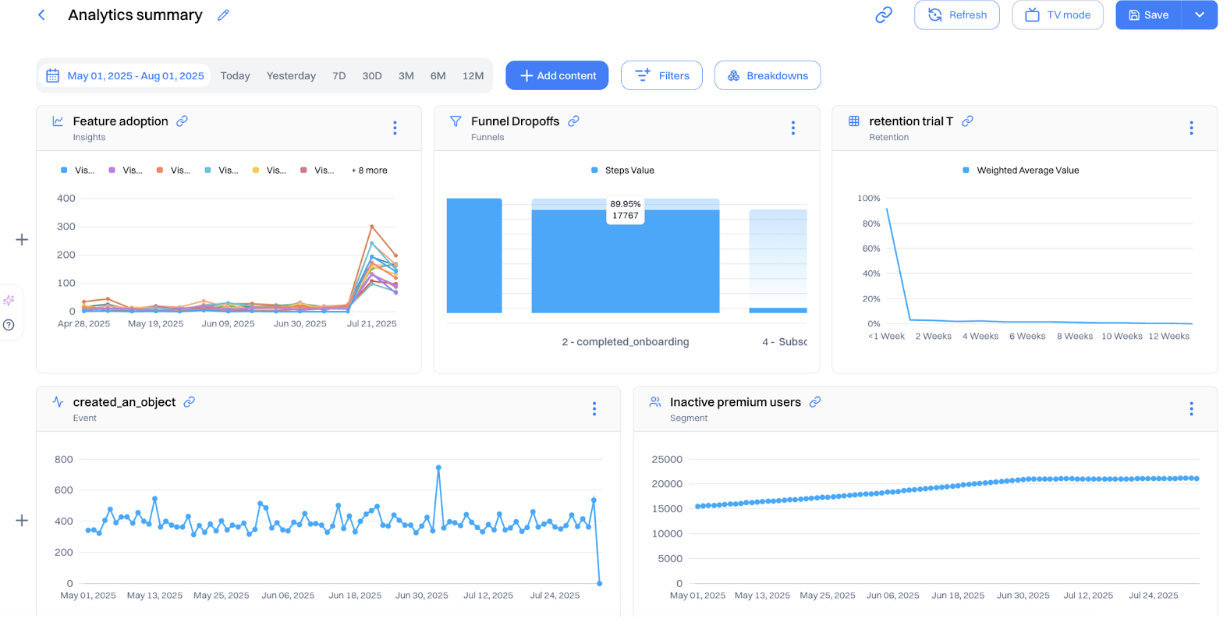
Good to know: Add all the campaign analytics inside a dashboard for a unified view
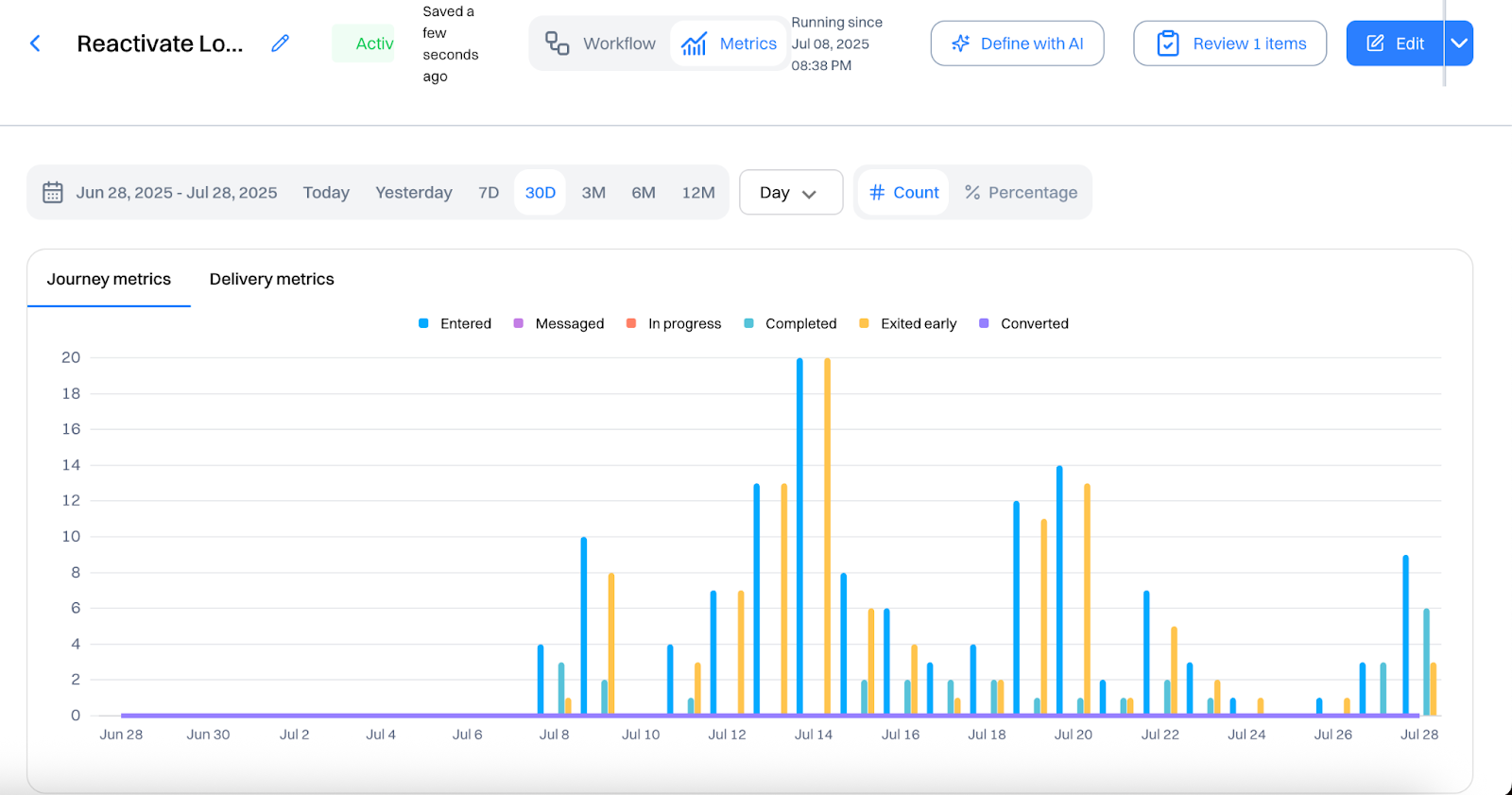
In Journey Analytics, monitor:
- Entry volume
- Message open/click rates
- Upgrade or reactivation conversions
- Iterate on copy, timing, and touchpoint logic based on segment-specific results.
FAQs
How is Intempt different from traditional CRMs?

Unlike traditional CRMs that rely on manual data entry and static records, Intempt uses AI agents to research, segment, qualify, and enrich leads continuously, keeping your pipeline moving without constant human intervention.
What is the built-in Customer Data Platform (CDP) and why does it matter?
The built-in CDP unifies all your customer data across channels into a single profile. It resolves user identities by merging anonymous and known sessions, connects users to their companies, and combines behavioral, firmographic, and journey data. This gives your team a complete, real-time view of every customer.
How does AI-powered segmentation work in Intempt?
You can create customer segments simply by describing them in plain language. The AI analyzes lifecycle, qualification, and engagement data to build segments automatically. These segments update in real time as new data comes in, so your campaigns always target the right audience.
What data enrichment sources does Intempt use?
Intempt pulls live enrichment data from external sources, including People Data Labs, DropContact, and other public databases. This fills in missing attributes on user and account records automatically, keeping your data complete and current.
Is Intempt compliant with GDPR and CCPA?
Yes. Intempt includes built-in consent management tools for GDPR and CCPA compliance. You can collect and track user permissions, handle right-to-be-forgotten and data portability requests with one click, and offer customers a customizable preference center.
What platforms does Intempt integrate with?
Intempt offers native integrations with popular platforms, including HubSpot, Shopify, Stripe, and more. It provides real-time data sync across your CRM, marketing, and eCommerce tools, with customizable triggers, field mappings, and data flows to fit your specific workflows.
Check out Growth Play Library ➡️
Get started free on GrowthOS ➡️
Book a growth call ➡️
Join The Full Stack Marketer 📈
Zero theory or mindset discussions here; just actionable marketing tactics that will grow revenue today.

Web A/B testing
Use front-end A/B and multi-page experimentation product built for any business size. Run multiple experiments on the same page.

Targeting & personalization
Deliver targeted messaging, personalized offers and recommend the most relevant content for your users.

Visual editor
Empower your team to collaborate with an easy-to-use visual editor without using developer time to get things up and running.

Analytics
Gain insight into the impact of your experiments with statistically valid results. No complex statistical analysis required.

Server & client-side testing
Go beyond client-side testing and deploy experiments on the server-side. Test and optimize content changes and even complete re-brands.

Flexible goal selection
Select the right goal for each personalization and experimentation campaign to ensure you’re optimizing towards the right objectives.
.svg)
Sid Chaudhary
Founder & CEO


Connectors
Product
Looking for ways to 📊 grow faster?
Discover marketing workspace where you turn audiences into revenue.
Learn about Intempt🔐 Steal these Growth Plays

Subscribe to AI Marketer 🔮
Get our newest weekly use cases and resources for
Marketing & Sales teams
Web A/B testing
Use front-end A/B and multi-page experimentation product built for any business size. Run multiple experiments on the same page.
Targeting & personalization
Deliver targeted messaging, personalized offers and recommend the most relevant content for your users.
Visual editor
Empower your team to collaborate with an easy-to-use visual editor without using developer time to get things up and running.
Analytics
Gain insight into the impact of your experiments with statistically valid results. No complex statistical analysis required.
Server & client-side testing
Go beyond client-side testing and deploy experiments on the server-side. Test and optimize content changes and even complete re-brands.
Flexible goal selection
Select the right goal for each personalization and experimentation campaign to ensure you’re optimizing towards the right objectives.
.svg)

.svg)


.svg)
.svg)
.webp)
.webp)