

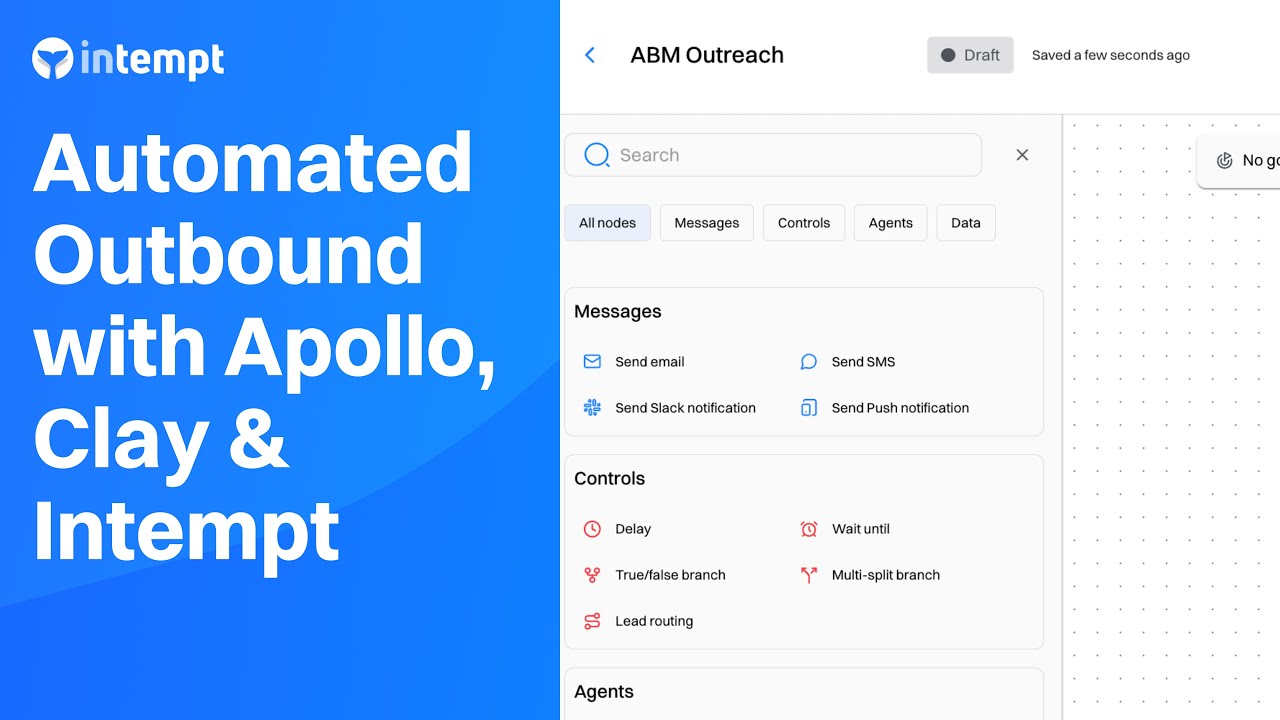
Automate sales email flows with Journeys by combining lead lists sourced from Apollo and Clay.
About the Growth Play
By using Apollo, Clay, and Intempt together, you can automate key aspects of ABM workflow, including lead sourcing, enrichment, and outreach.
This use case reduces manual tasks and enhances targeting precision by ensuring smooth data flow, preventing fragmented information and missed follow-ups. It allows sales teams to maintain consistent communication, nurture leads with personalized, data-driven touchpoints, and drive conversions more effectively, all while minimizing human error and manual intervention.
Benefits
Efficient Lead Sourcing and Enrichment: Precise targeting and data enrichment save time and improve the quality of leads.
Personalized and Automated Email Flows: Automating email journeys with personalized content boosts engagement and reduces manual effort.
Improved Targeting Precision: Enhanced lead qualification ensures outreach is focused on high-value prospects, increasing conversion chances.
Automated Follow-Up Management: Automatically managing follow-ups keeps your team focused on engaged leads, improving efficiency.
Actionable Insights and Analytics: Real-time data on open rates, replies, and conversions allows for ongoing optimization of ABM campaigns.
How It Works
Step 1. Source the leads
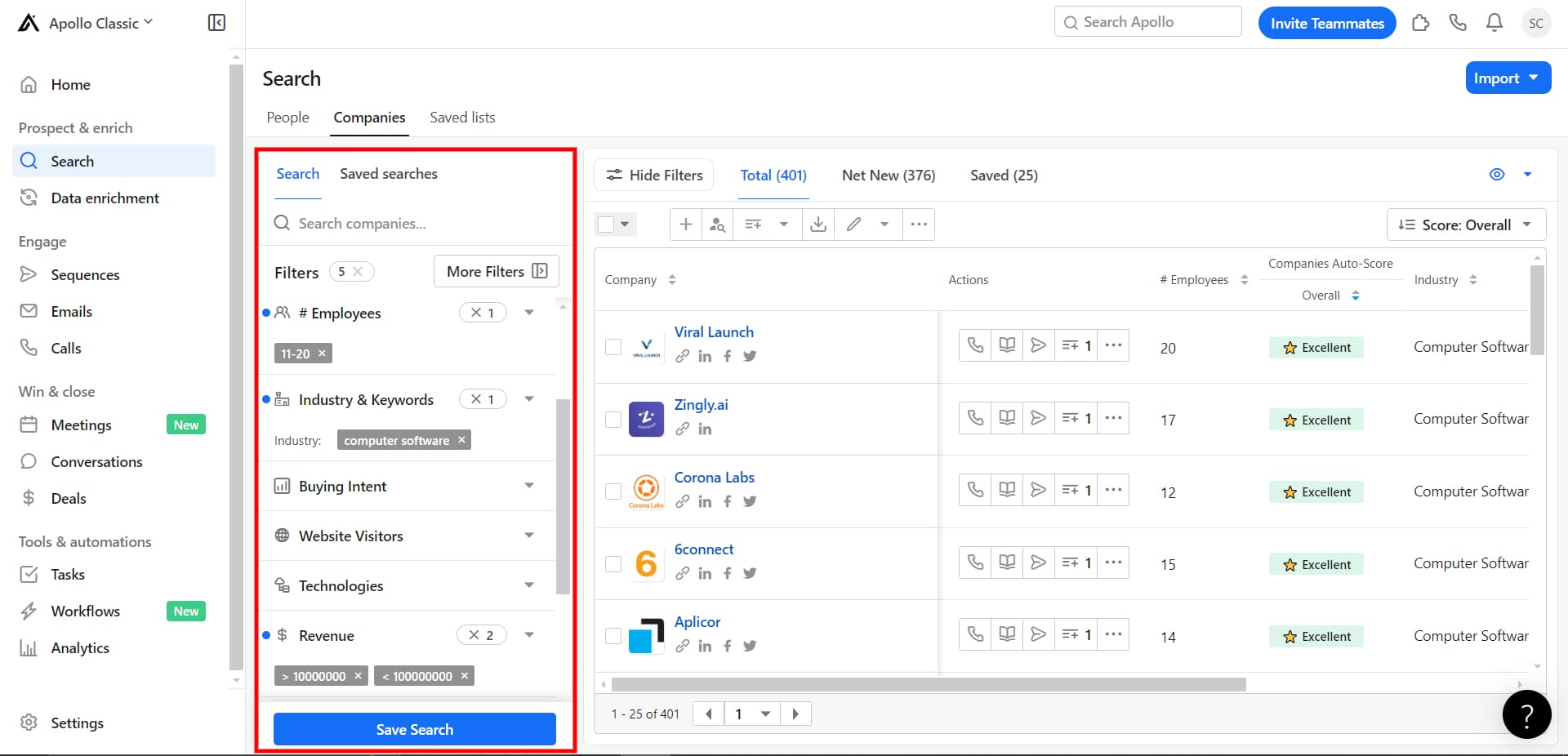
Create a targeted list of high-value companies that match your Ideal Customer Profile (ICP). Using Apollo.io, you can filter and identify potential leads based on specific criteria, ensuring your outreach focuses on high-fit leads.
Filter the leads via Apollo.io:
Go to Apollo.io and use the search feature to find relevant accounts. Apply filters based on your specific criteria, such as industry, revenue, employee count, or region.
Good to know
Here are some "cheat codes" for targeting criteria that can help you get fast, high-quality results when building lead lists:
Industry + Job Title: Narrow by industry AND decision-maker titles such as VPs or C-level executives.
Revenue + Employee Count: Target mid-sized companies (e.g., 50-200 employees, $10M-$100M revenue).
Funding Stage: Focus on companies in Series A or B for high growth and tech adoption.
Technologies Used: Target stacks that align with your product (e.g., Salesforce users).
Geography + Revenue: Combine region and revenue to filter for larger budgets.
Recent Growth Indicators: Seek companies with recent expansion or funding.
Inbound + Outbound Lead Sources: Combine activities like downloads or event attendance with outbound leads for higher intent.
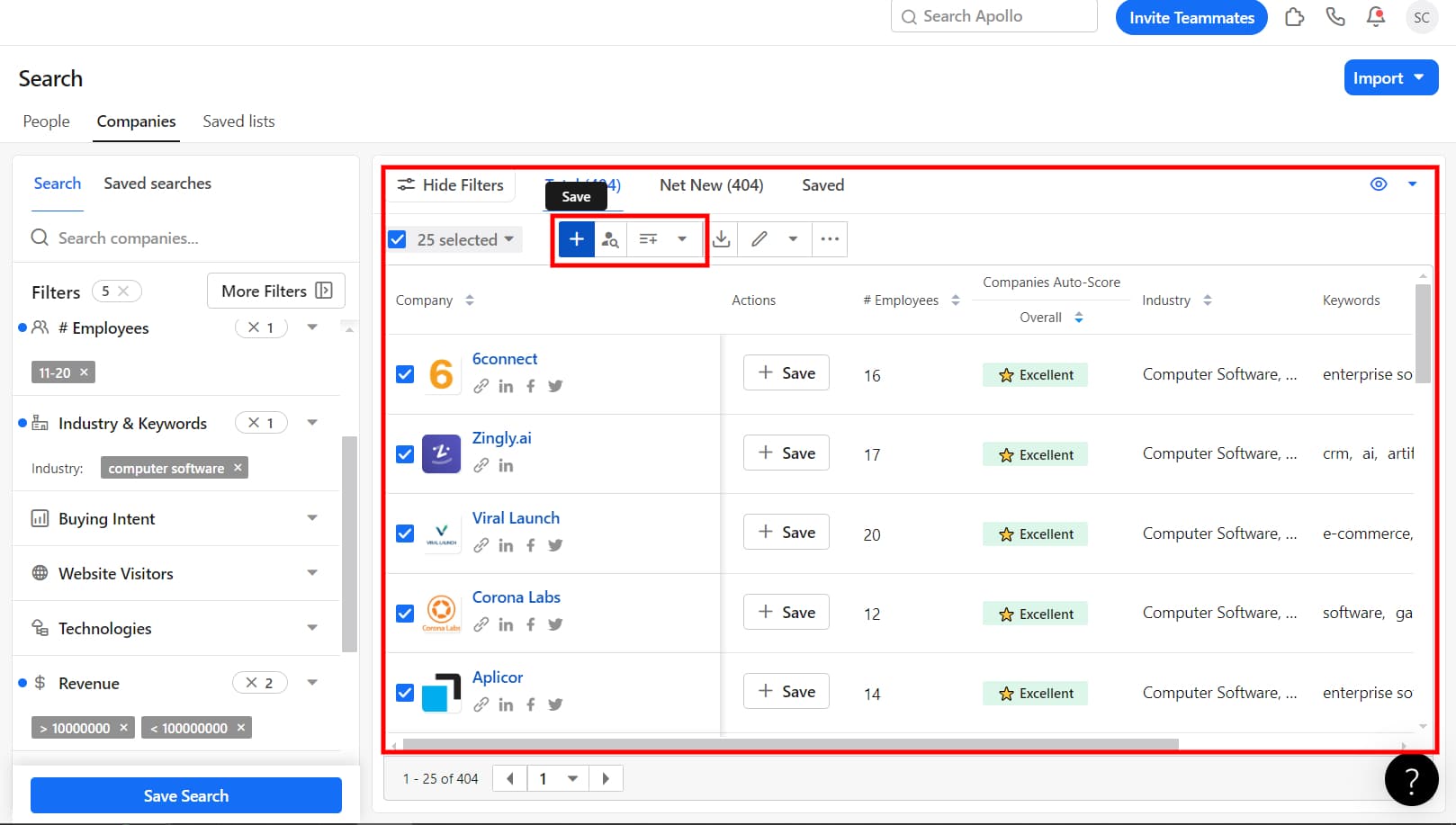
Save and export companies to a CSV file.
Step 2: Enrich the data
Enhance the data to make your outreach more effective. By using Clay, you can enrich your lead data with information such as contact details and job titles, making it easier to connect with key decision-makers.
Import the leads:
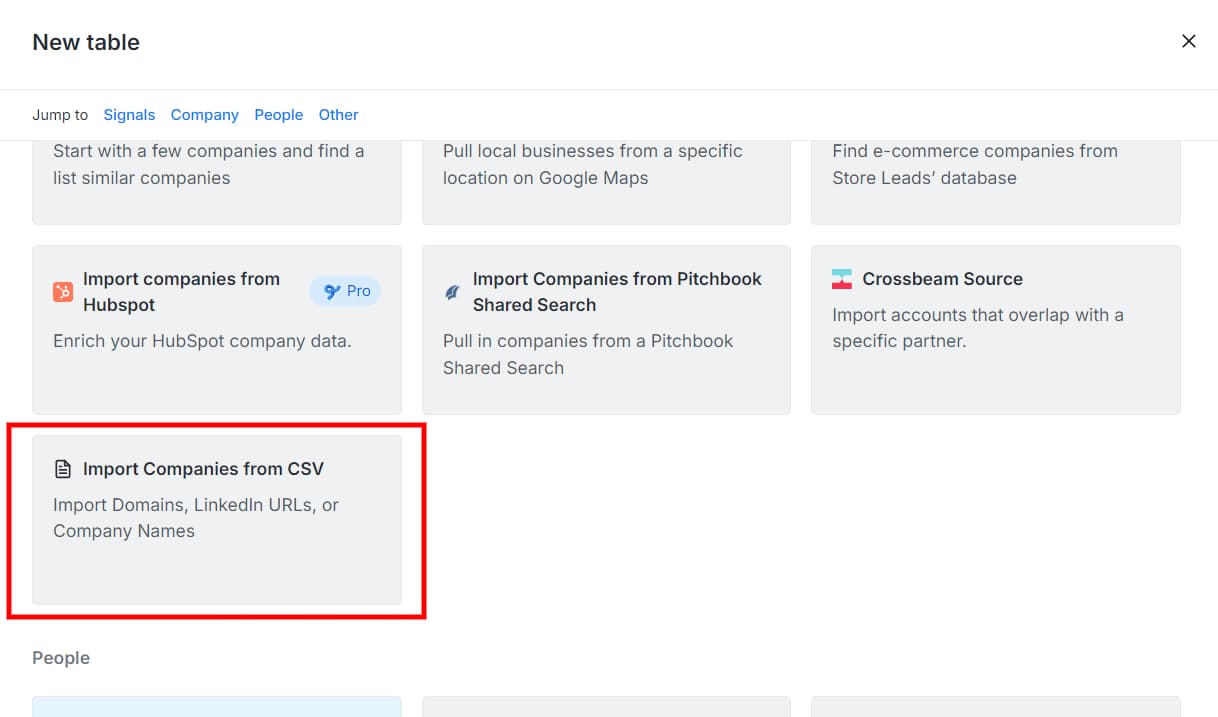
Sign up to Clay.com and create a new table; import the CSV file downloaded from Apollo.io.
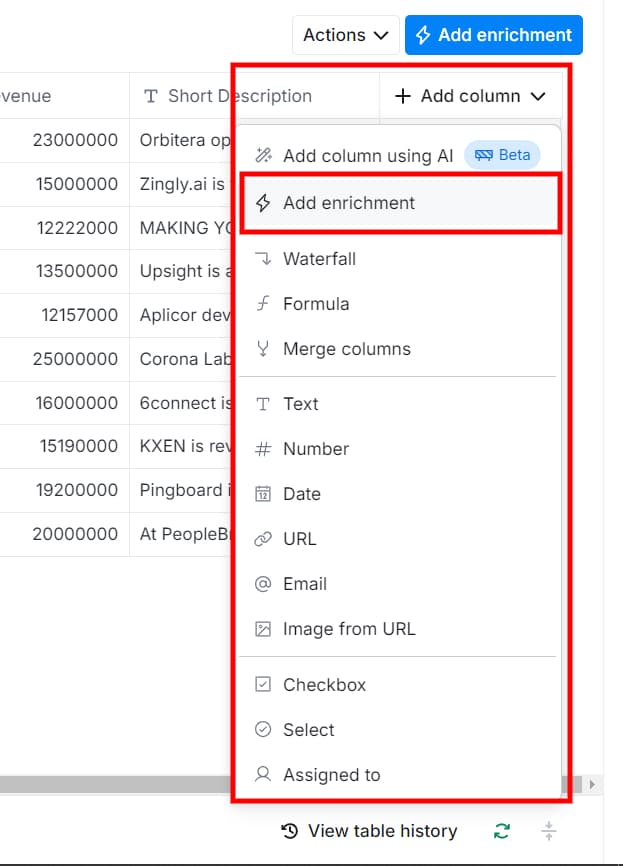
Choose enrichment types:
Select what you want to enrich (e.g., email addresses, LinkedIn profiles, company details).
For example, to add email addresses: Choose "Find email addresses by domain and job title."
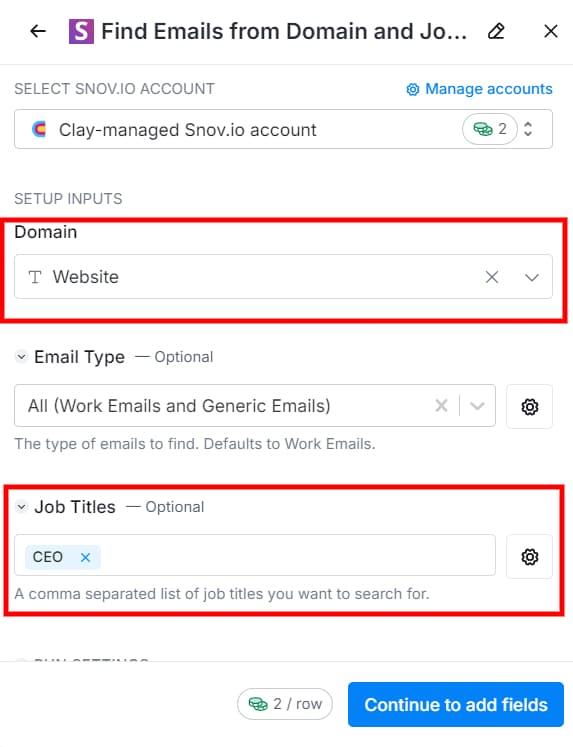
Configure fields:
Map fields such as company domain and job titles so Clay can find accurate matches.
Map the Job Titles: To locate the specific contacts within the company.
Select the Email field and run the enrichment.
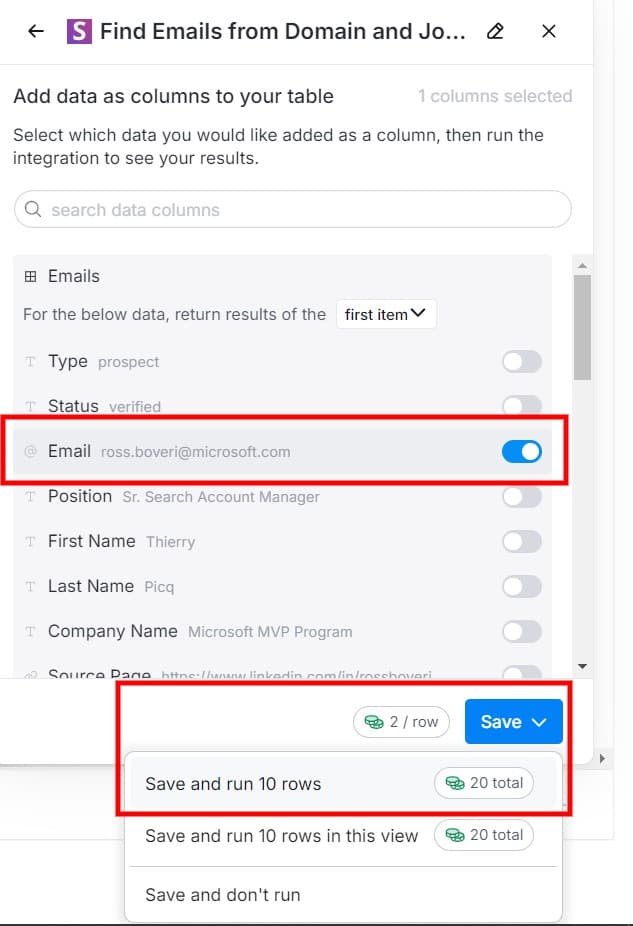
Run the enrichment and review results:
Once the enrichment process is complete, review the new data that's been added to your table. Verify the accuracy of key fields like email addresses, job titles, and company info.
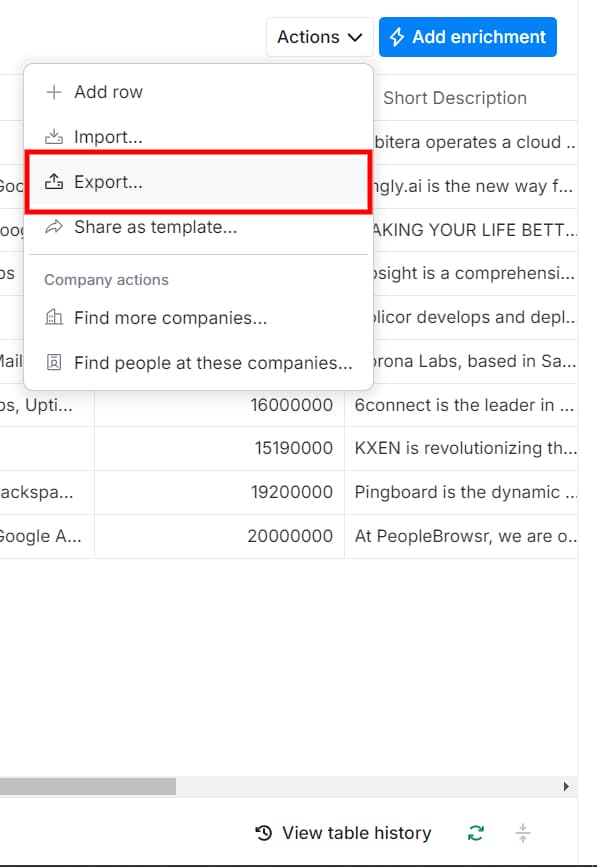
Export Data: After reviewing, you can export the enriched data:
Click "Export" and choose the format you need (e.g., CSV).
Step 3: Choose an engagement strategy
Choose the right engagement strategy to tailor email messaging such as pain-point focused emails, exclusive research insights, or curated solution offers. Each approach improves relevance and response rates.
Strategy 1: Industry-Specific Pain Point Email – Address a key challenge in the recipient's industry and present your solution as the answer.
Strategy 2: Exclusive Research Findings Email – Share data or studies demonstrating industry success.
Strategy 3: Curated Solution Email – Make personalized recommendations based on unique business challenges.
Step 4: Create lead nurturing email flows
Develop automated email sequences via Intempt to nurture leads over time using personalized and strategic messaging.
Set up your data source:
Create a new data source in Intempt and import the enriched CSV with attributes like first name, company size, email, industry, and role.
Create a journey:
In the Journeys section, select "Create journey."
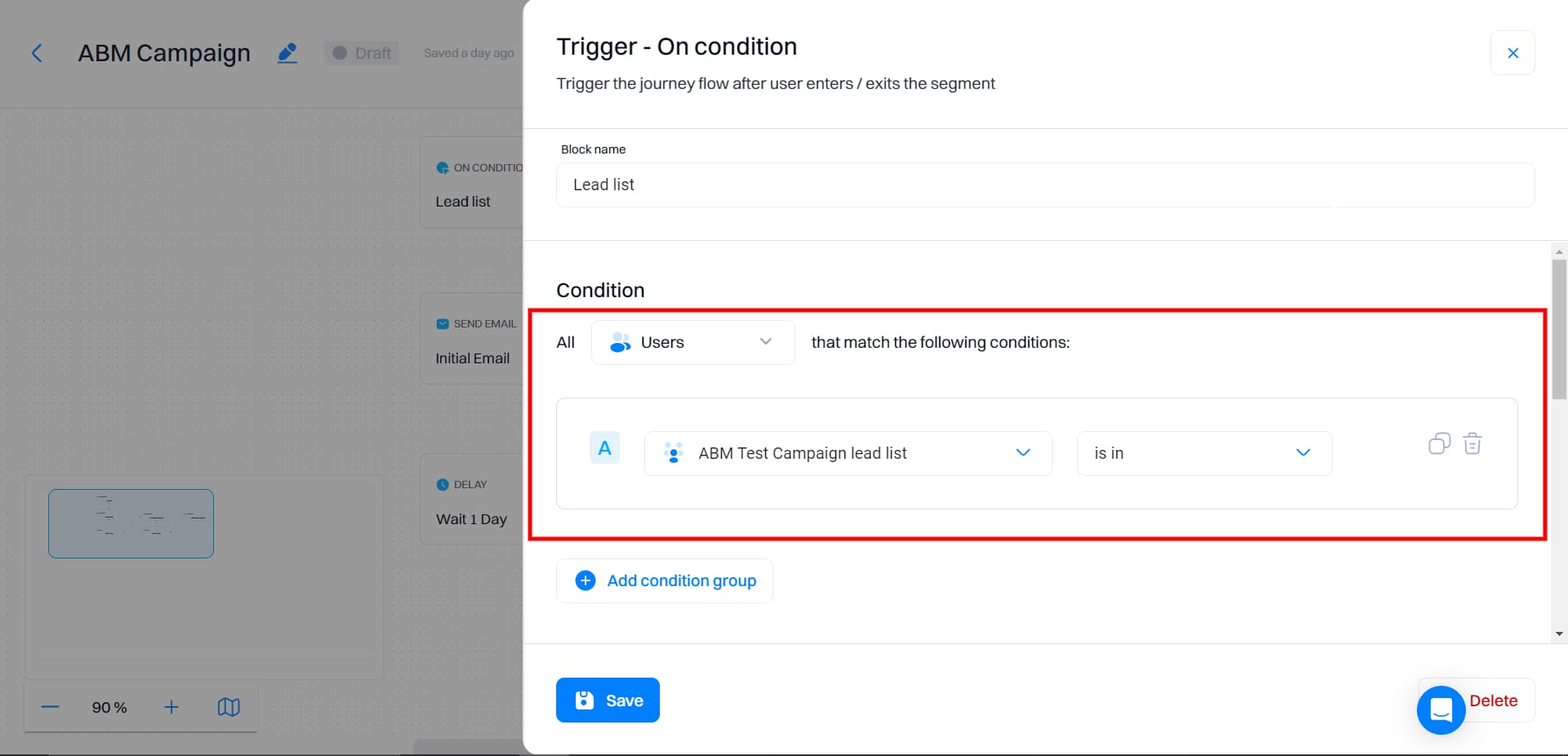
Set a journey trigger based on the CSV lead list imported. All users imported from CSV will enter the journey.
Set up email flows:
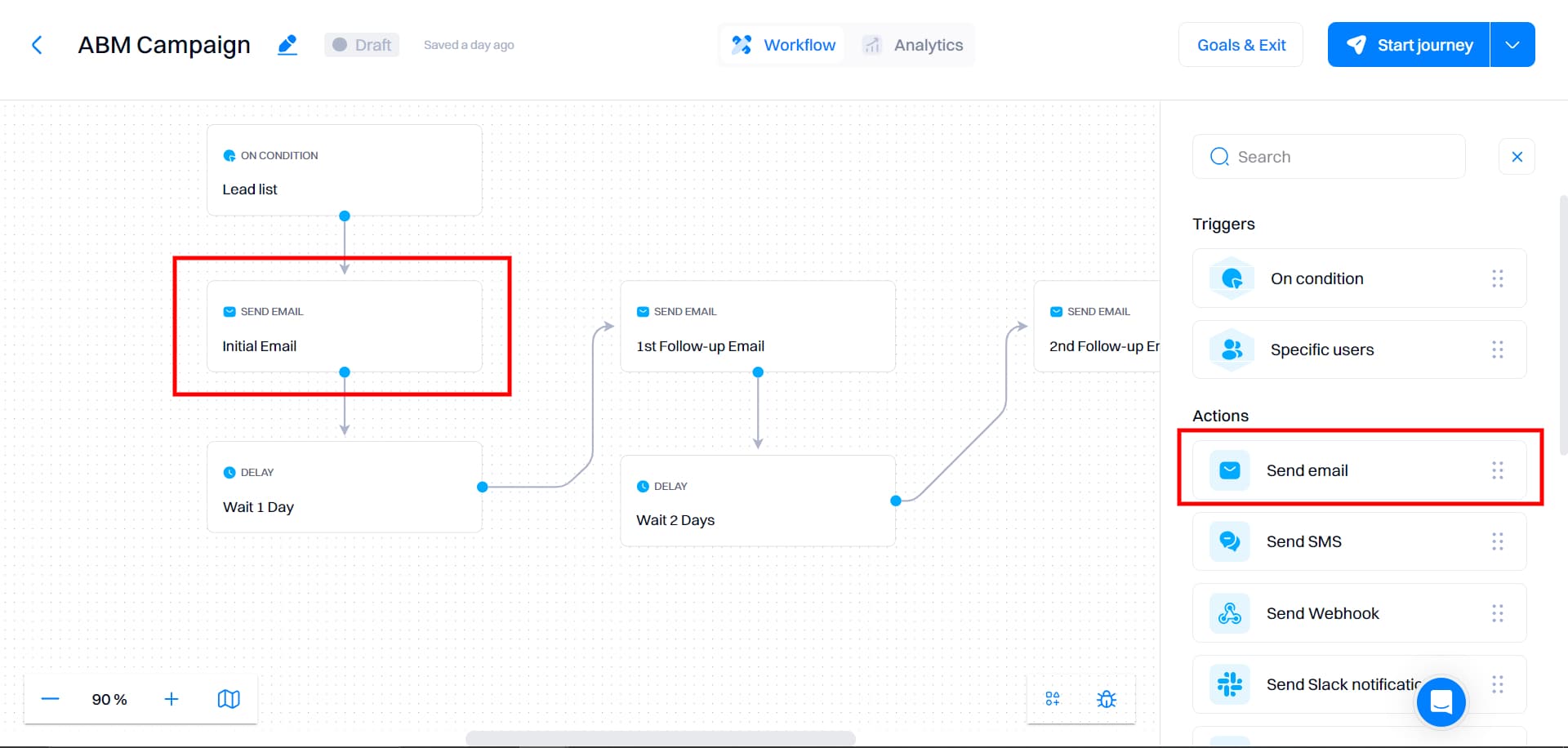
Use the "Send Email" action within the journey to create personalized outreach emails.
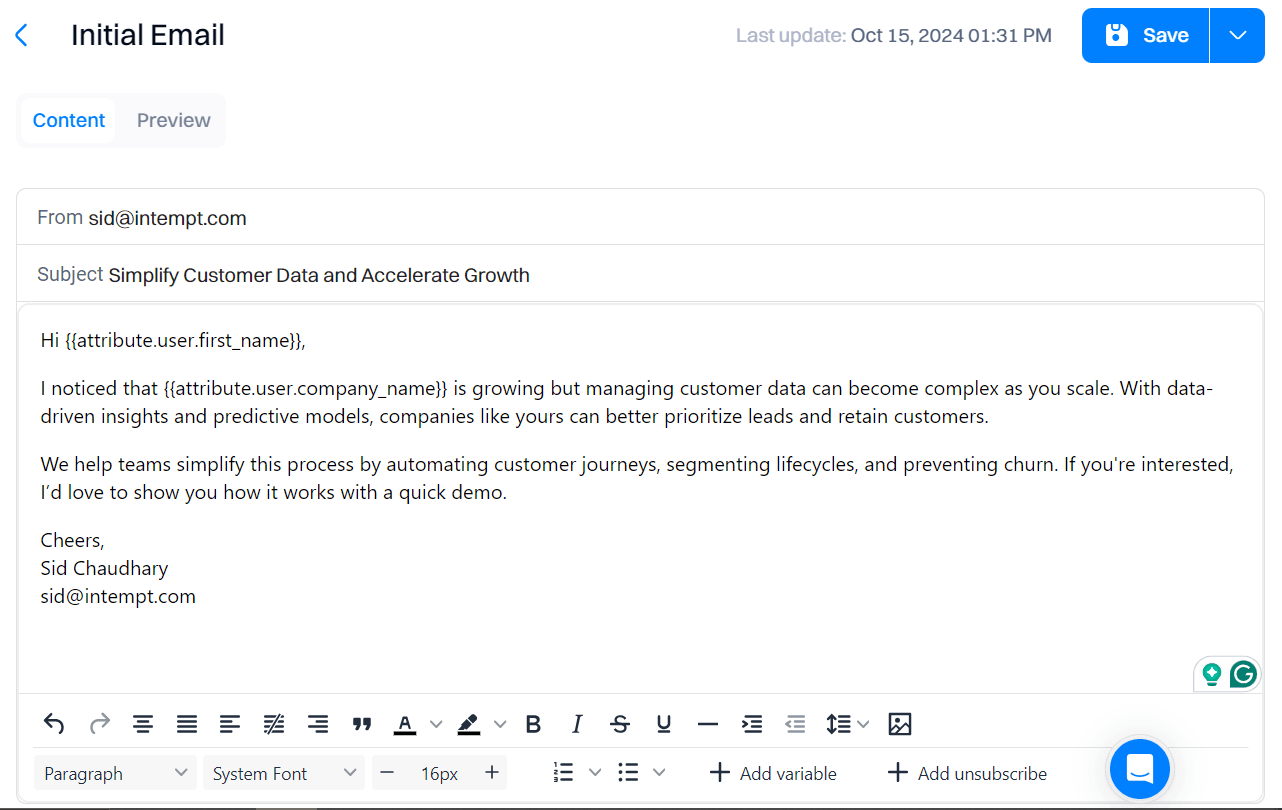
Create emails based on the selected engagement strategy (refer to Step 3).
Good to know
Refer to Destinations for a full guide on connecting your email account.
Automate engagement and follow-ups:
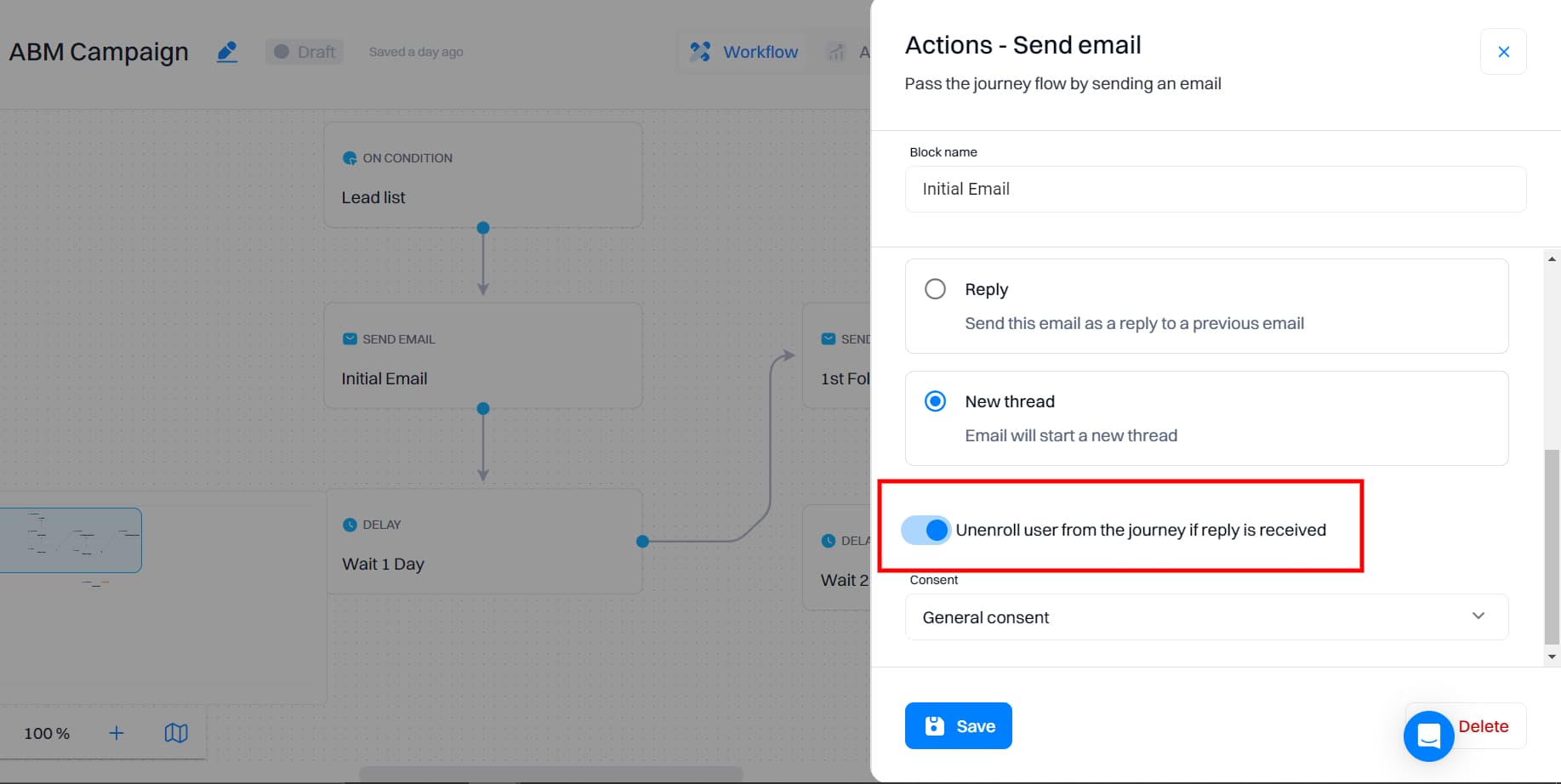
Enable the option to automatically unenroll users from the journey if they respond to your email to remove leads from the sequence once they respond, ensuring your follow-up efforts focus on the right contacts.
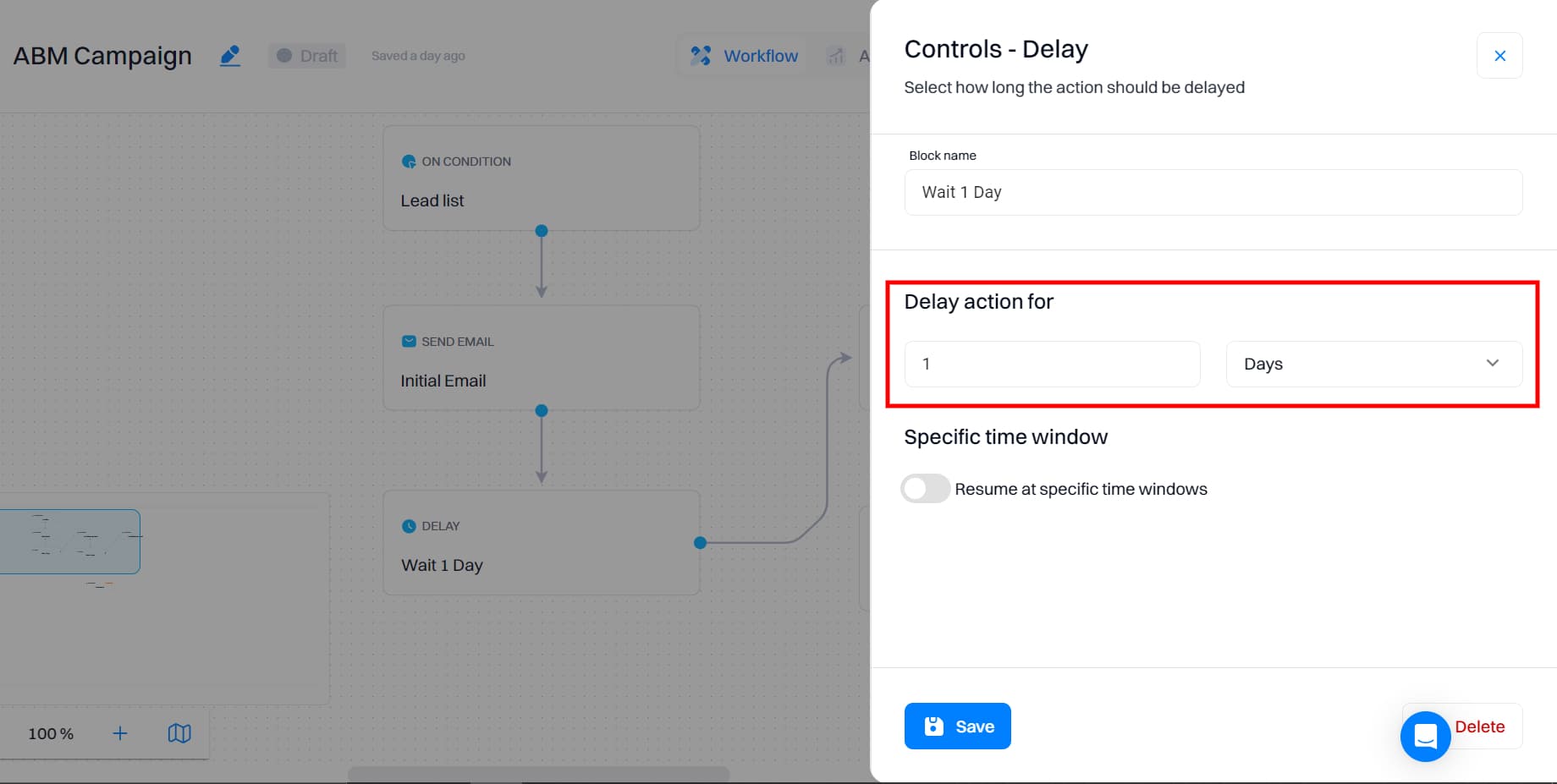
Use the "Delay" control to schedule follow-up emails at appropriate intervals, such as sending the next email after a 1-day delay.
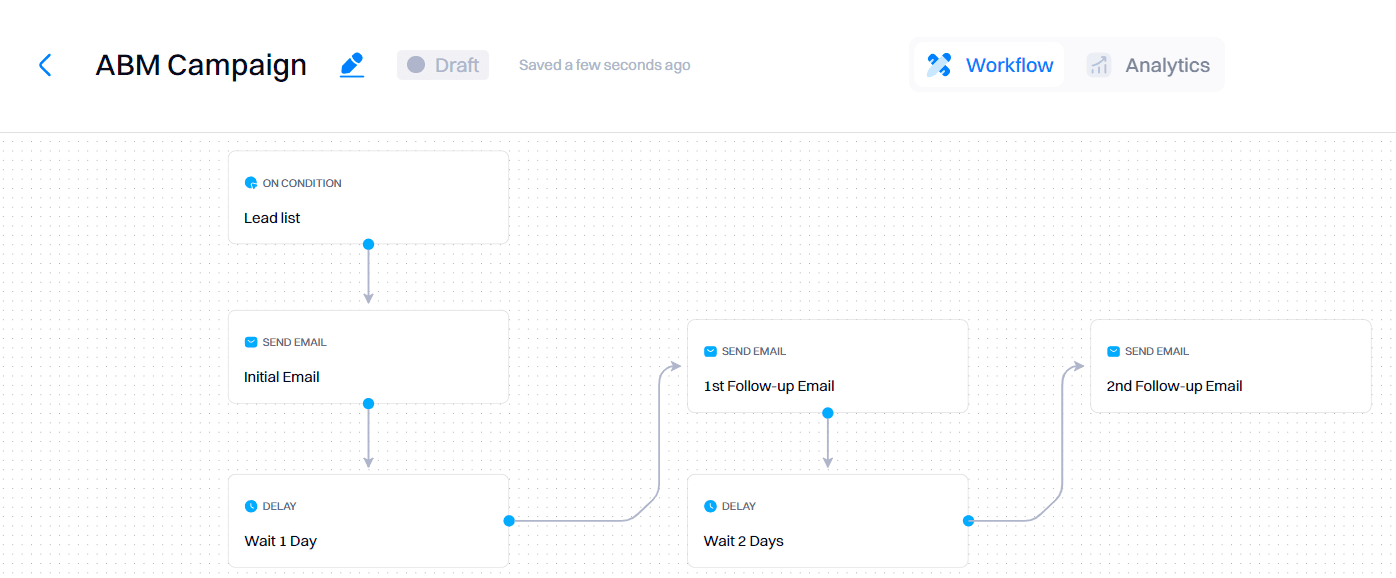
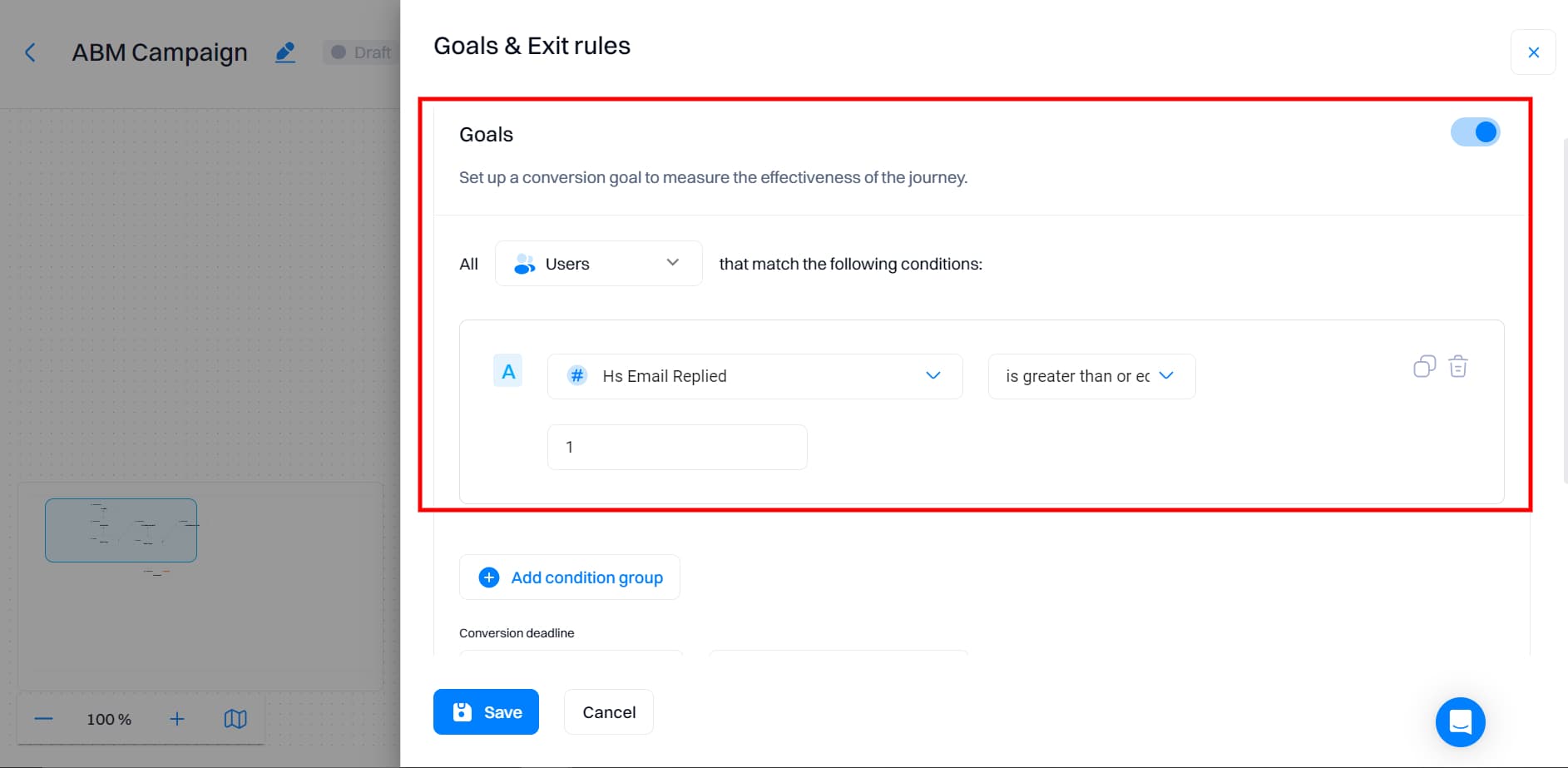
Before starting the journey, set a conversion goal by aiming for replies or booking a meeting.
Step 5: Launch and monitor the campaign
Launch your journey once all settings are configured.
Monitor campaign performance with Intempt's journey analytics. Track:
- Email Open Rates
- Replies and Engagement
- Journey Conversion Rates
- Funnel Drop-Offs: Identify at which point leads drop off within the journey funnel.
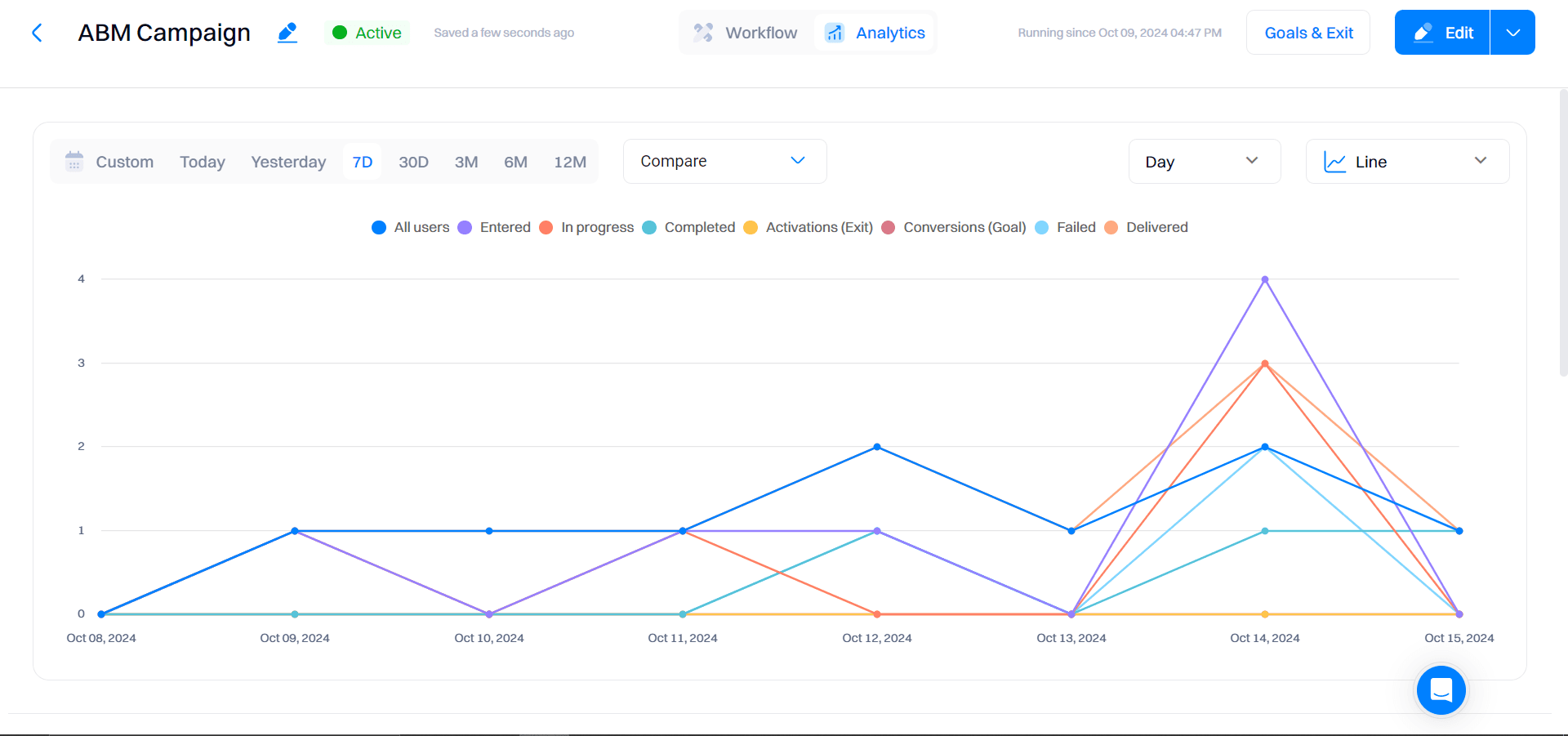
Use insights to improve targeting and email content.
Frequently asked questions. Answered.
Each tool handles a different part of the workflow. Apollo sources your lead list based on ICP criteria. Clay enriches that data with contact details, job titles, and company info. Intempt automates the actual email outreach with personalized journeys. Together, they create a smooth pipeline from lead sourcing to nurturing without manual handoffs.