











MobileiOS in App Store review

Every meeting,not just the calls.

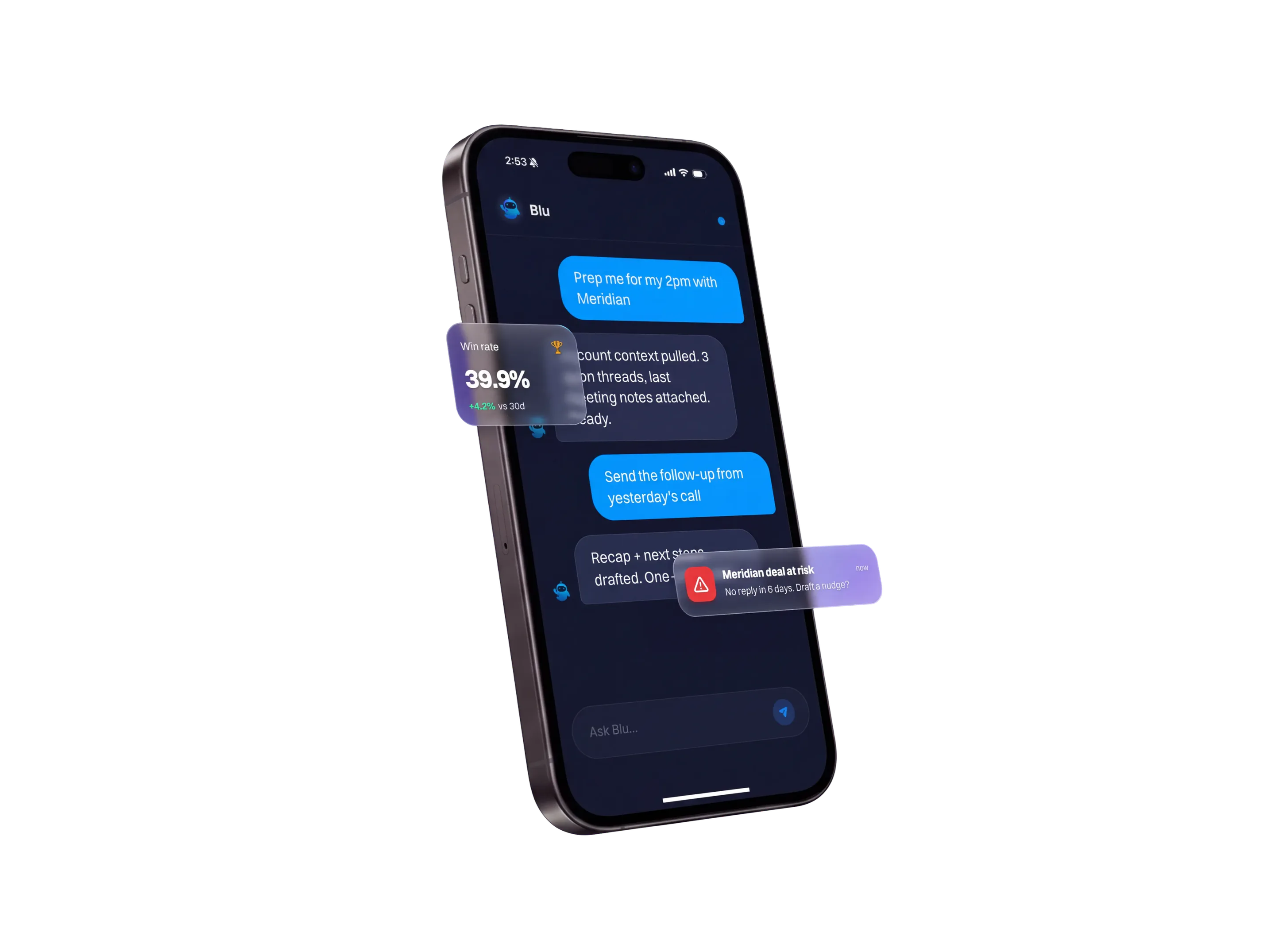
Blu already handles the call at your desk. This is the lunch, the hallway and the office visit, recorded from your pocket.

iOS · in App Store reviewAndroid · laterNo spam

The meeting with no link

Tap record in the room. Live transcript on screen, speakers named as they talk, and it keeps running when you put the phone away.

A reply written from the thread

Open a contact's email, swipe, and Blu drafts the response. Edit it or regenerate it, then send from your own Gmail.

The same workspace, smaller screen

One account across Mac, Windows and iOS. The deal you opened at your desk is the deal that is open on the phone.

01Record Meeting

It runs while thephone is down.

Start it, set it on the table, and let it work. The transcript fills in live, and minimizing the app does not stop the recording.

A transcript you can watch fill in

Live waveform, a running timer and the transcript on screen as people speak. You are not waiting for a file to process.

Name the speaker while they talk

Tap Speaker A and give it a real name mid-meeting, so the write-up reads properly without a cleanup pass.

Pause for the part that is off record

Pause and Resume are one tap, for the moment somebody asks you to stop taking notes.

Six transcription engines to pick from

Deepgram, Speechmatics, ElevenLabs, AssemblyAI, OpenAI or Soniox, chosen per recording alongside the language.

02Three ways to capture

Not every meetinghappens in a room.

Paste a link and the bot joins the call without you. Or upload the file somebody else recorded and get it transcribed the same way.

01

Capture by link

Paste a Google Meet, Zoom or Microsoft Teams link and the bot joins, so a call you are not on still gets captured.

02

Upload anything you already have

MP3, WAV, M4A, OGG or FLAC, up to 500 MB, transcribed into the same meeting list as everything else.

03

One list at the end

However it arrived, the meeting lands in the same place with playback, the transcript and the summary.

03Messages and Emails

Answer the thread,not the notification.

Open the contact, read the whole conversation, and let Blu write the reply. It sends from your connected Gmail, in your own name.

01

One feed for what changed

Replies, journey completions, meeting reminders and test results land in Messages, filtered to Sales or Marketing.

02

Swipe the email for a draft

The contact's Emails tab holds the whole conversation. Swipe left on a message and Blu writes the reply from it.

03

Send it in your own name

Edit it, ask for another one, or send it as written. It goes out from your connected Gmail.

Join waitlist
04Accounts, deals, users, tasks

Update the dealbefore you forget it.

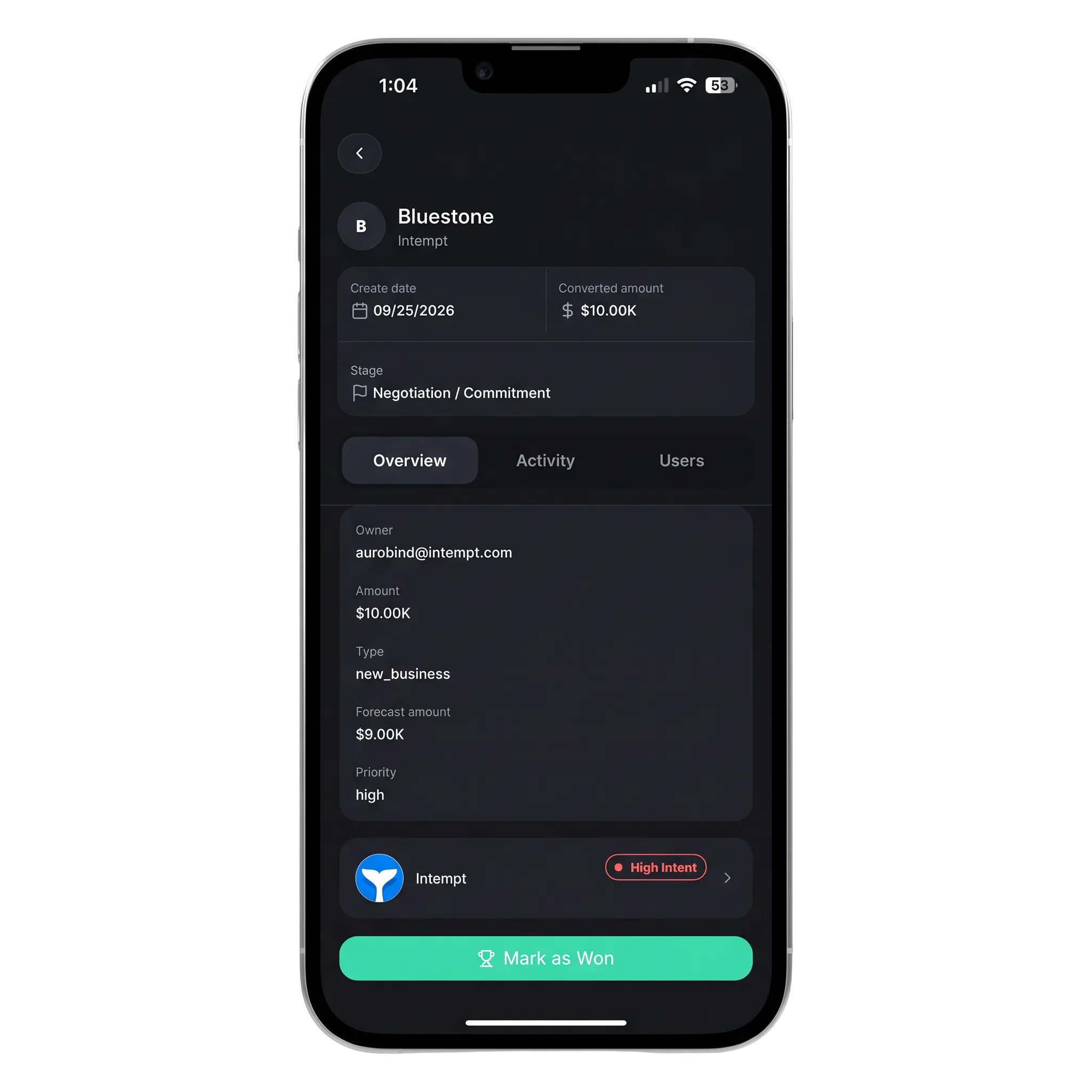
The walk back to the car is when the notes are freshest. Edit the stage, add the task and close the loop from the phone.

1

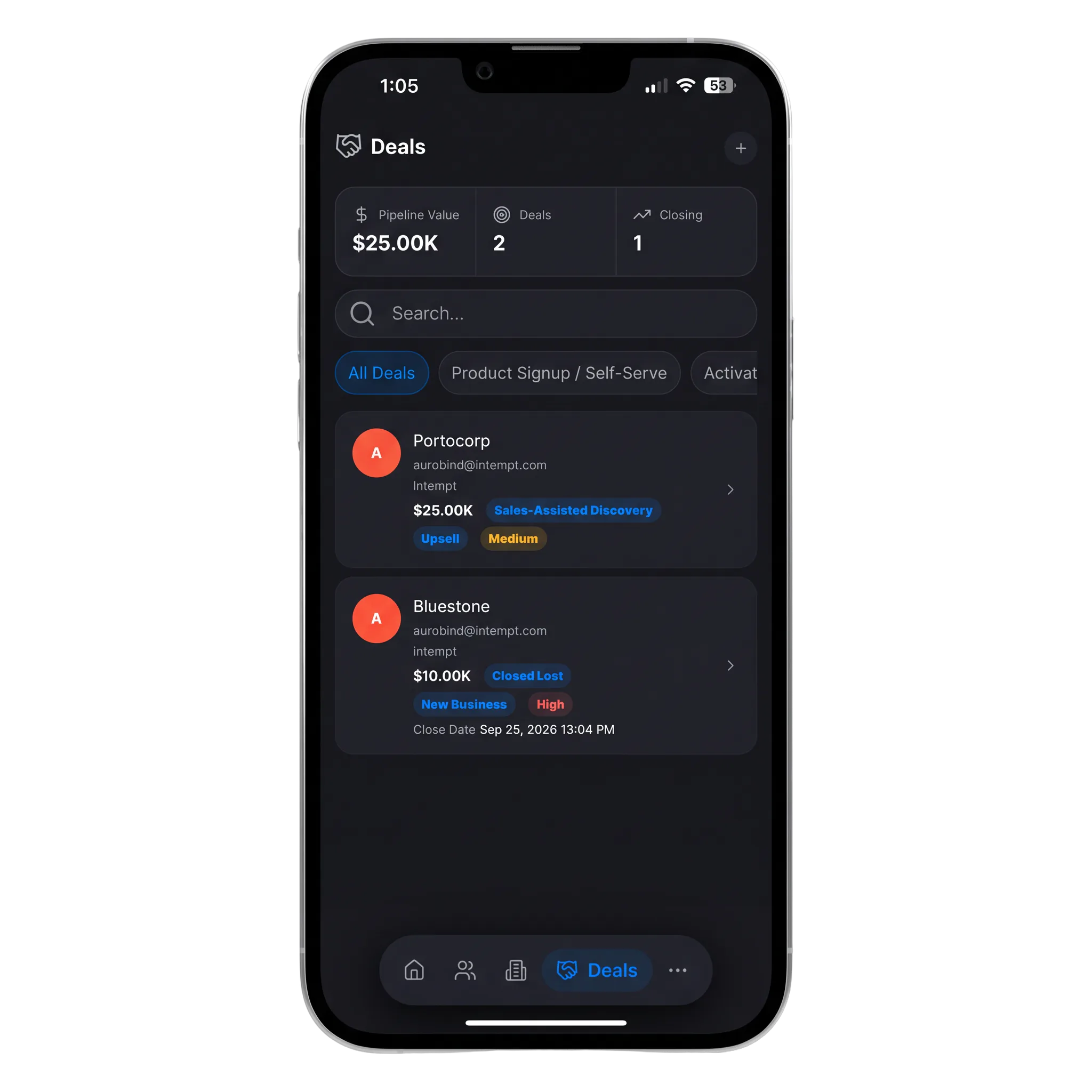
The pipeline in one card

Deal count, total value and what closes this week, above a list you can search and filter by stage.

2

Real, editable fields

Eight named stages all editable from the phone.

3

Everything links both ways

Add the task and it hangs off the deal and the person. Tap through from any of them to the others.

4

Accounts hold their people

An account carries its deals and its users, with tagging and owner assignment from the card menu.

05Mac, Windows, iOS

The same workspace,not a shrunken one.

One subscription covers every platform. Sign in and the organizations, projects and records are the ones you already had.

Pick up where the desktop stopped

The deal you opened at your desk is open on the phone. Nothing syncs, because there is only one workspace.

Pin the three you use

Home is fixed and three slots are yours. Drag to reorder, and the other sections stay one tap away in the menu.

Marketing work travels too

Journeys, experiences, reports and dashboards are all here, which the desktop app does not carry.

Face ID to get back in

Reopening after the app has been backgrounded asks for Face ID, Touch ID or your passcode, not a full sign-in.

05Wired into your stack

Wired into the toolsyou already open.

Blu captures Zoom, Google Meet and Teams from your own machine, and reads the calendar, mail and deal records you already keep in Intempt.

06Teams love it

They stopped stitching tools andhired one system.

Jim Stromberg, CEO at StockInvest
StockInvest
“Acquisition and retention finally feel like one connected motion instead of two separate problems.”

Jim Stromberg

CEO, StockInvest

Eric Gardner, COO at FieldsUSA
FieldsUSA
“We finally have one system that sees the whole customer journey.”

Eric Gardner

COO, FieldsUSA

Tadas Kertenis, Co-founder at Hoperfy
Hoperfy
“With Intempt, we built a signal-led pipeline driven by real behaviors.”

Tadas Kertenis

Co-founder, Hoperfy

4.5

rating on G2

10B+

events processed

500M+

user profiles

7+ yrs

profitable

50+

enterprise customers

07Questions

Frequently askedquestions.

iOS is in App Store review now, and Android follows. Join the waitlist and you get one email when it is live, which is the only email you will get.

Ready when you are

The next meeting is noton your calendar.

It is a coffee, a hallway, a drive, and it still moves the deal. Be the person who has the transcript afterwards.

Download on theApp StoreIn review
Get it onGoogle PlayLater

Join the waitlist

iOS · in App Store review · Android · later · Free plan available

Using a laptop? Get the desktop app