

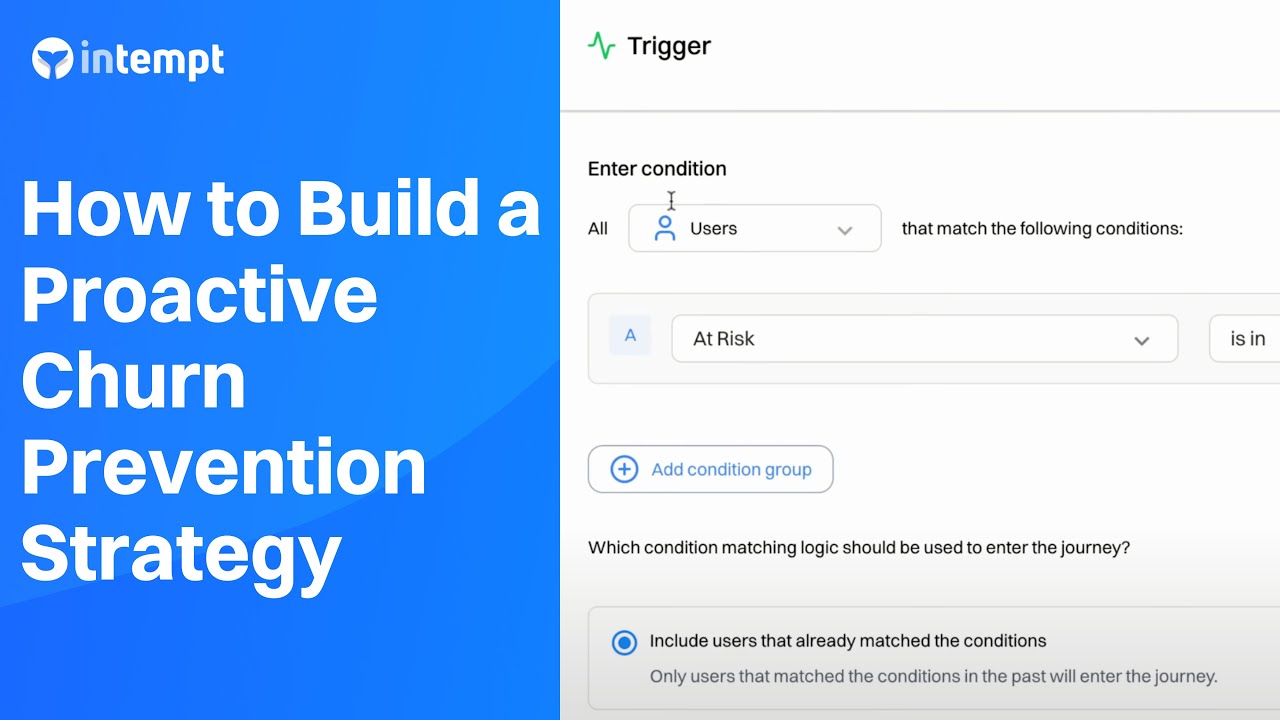
Utilize predictive analytics to identify users at risk of disengaging or churning. Implement tailored retention strategies to maintain their interest and loyalty.
About the Growth Play
Churn risk and prevention is crucial for SaaS companies aiming to retain their user base and maintain steady revenue growth. Churn, or customer attrition, represents the percentage of users who stop using a service over a given period. High churn rates can significantly impact the sustainability and profitability of a subscription-based model, making it essential to implement effective strategies to mitigate this risk.
This use case uses Intempt's lifecycle agent and automated engagement tools to address the challenges of churn management.
Benefits
- Early identification of at-risk users: Predict which users will likely churn before they disengage completely.
- Targeted retention strategies: Implement personalized campaigns to re-engage at-risk users.
- Increased customer lifetime value: Retaining users longer by addressing their needs and concerns promptly.
- Improved user experience: Enhance satisfaction by providing timely and relevant interactions.
- Data-driven decision making: Utilize insights from predictive models to make informed marketing and product decisions.
How it works
Step 1: Set up data collection
Ensure you have at least 21 days of data collection with a minimum of 10,000 daily events.
Verify that the goal event (e.g., churn) has at least 200 true and 200 false occurrences over 30 days.
Examples of events that can represent churn:
User cancels subscription.
User has not logged in for 30 days.
User reduces usage significantly (e.g., logging in less frequently, using fewer features).
User submits a negative feedback or support ticket indicating dissatisfaction.
Step 2: Create a lifecycle agent
Navigate to the Agents section in Intempt
Select "Create agent" and choose the target goal event representing user churn.
Configure the Agent.
If necessary, filter out unnecessary users based on login date, feature usage frequency, subscription status, or support ticket submissions.
Train the model using historical data to predict the likelihood of churn.
Intempt will create an output attribute that stores prediction values for each user.
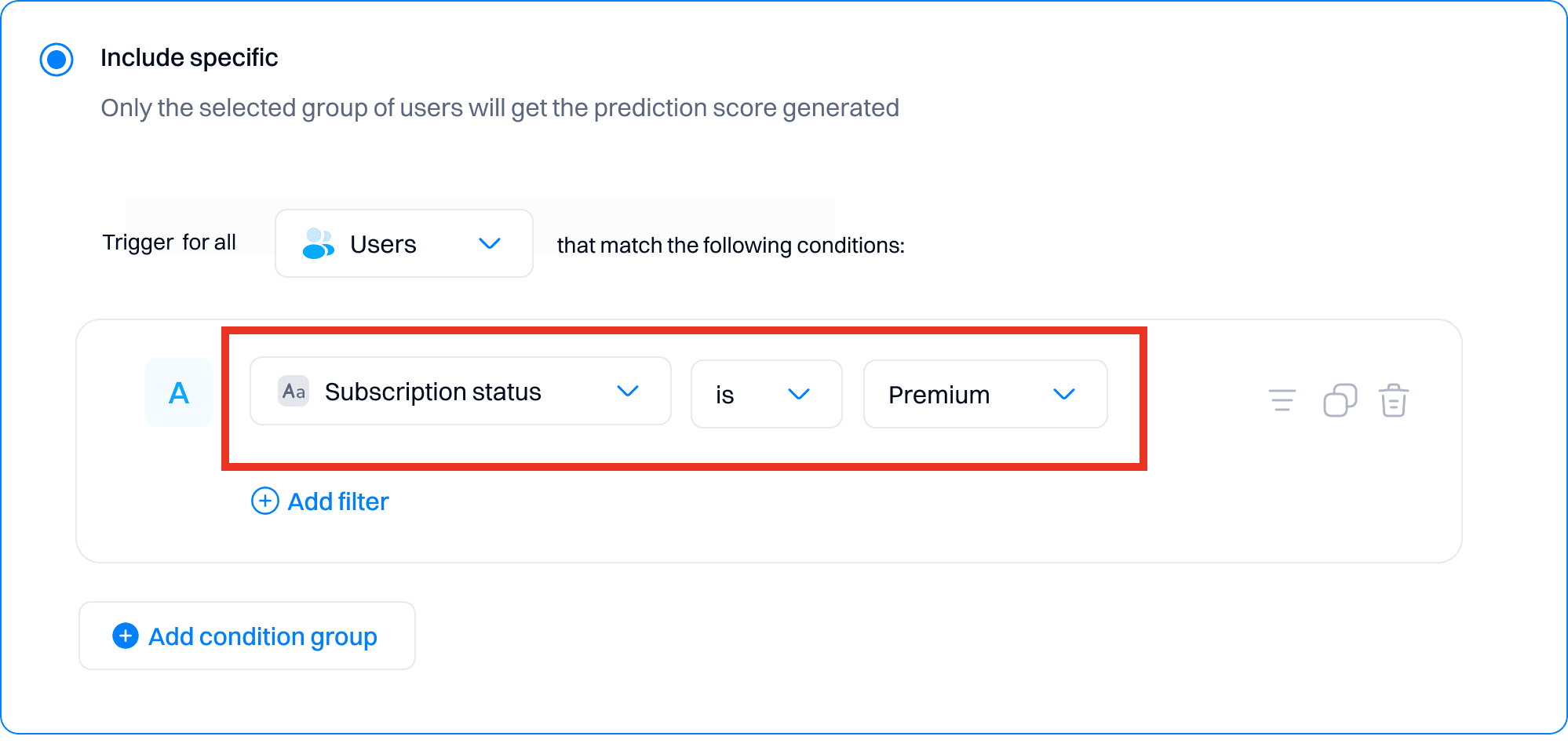
Step 3: Segment users based on lifecycle scores
Once trained, the model categorizes users into Champion, Regulars, promising, Needs attention, At risk
Step 4: Design and implement retention strategies
For high-risk users:
Create a journey:
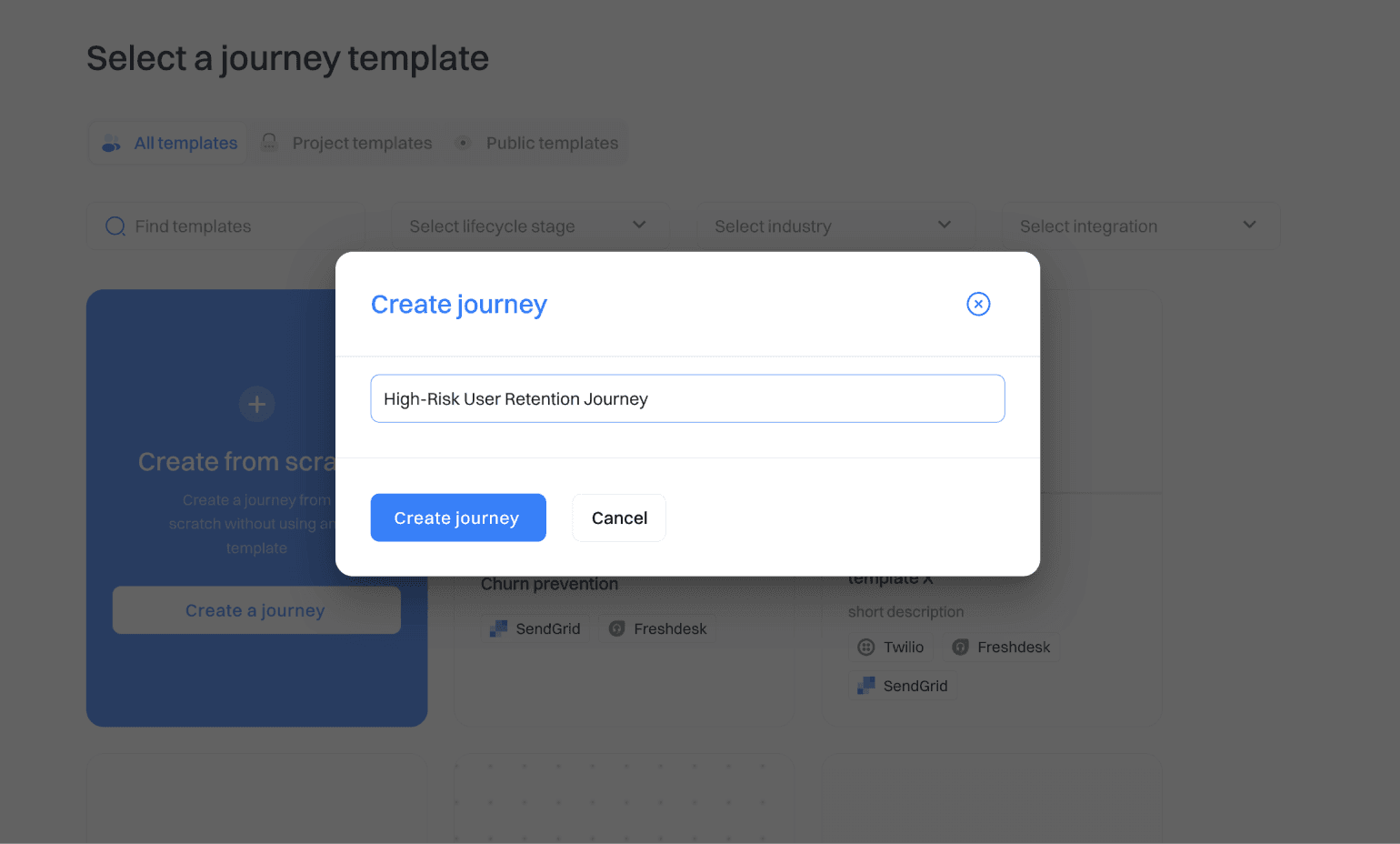
Go to the Journeys section and create a new journey.
Name the journey (e.g., "High-Risk User Retention Journey").
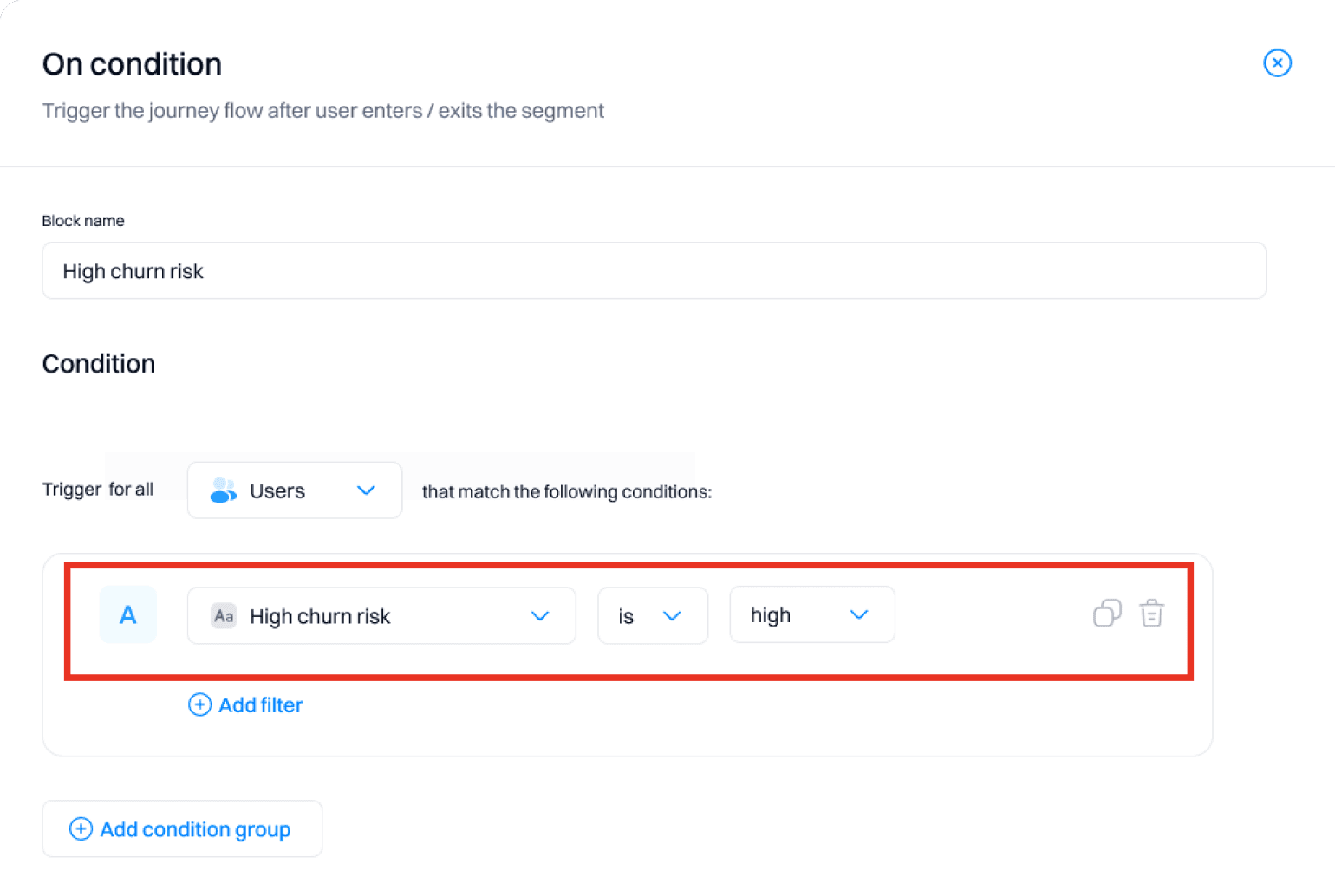
Set a trigger:
Choose a trigger based on the likelihood score (e.g., users with a high likelihood of churning).
Add actions:
Send personalized re-engagement emails:
Use the "Send Email" action to create an email campaign offering exclusive discounts or features. Customize the email content using user attributes like first name and recent activity. Example:
Subject: "We miss you! Here's 20% off your next month"
Body: "Hi [First Name], we noticed you haven't logged in recently. As a valued customer, we're offering you a 20% discount on your next month. Use code STAY20 at checkout. We'd love to hear any feedback you have to help us improve your experience."
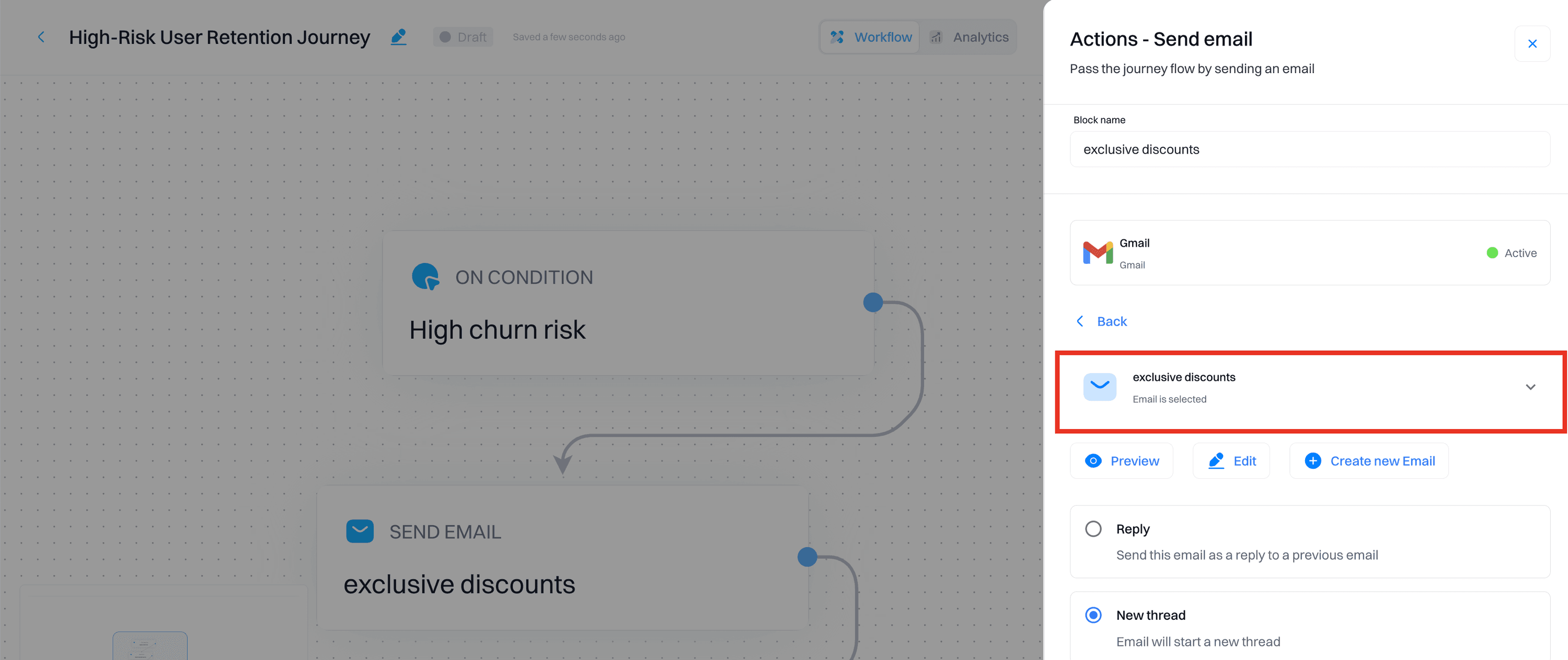
Schedule follow-up calls:
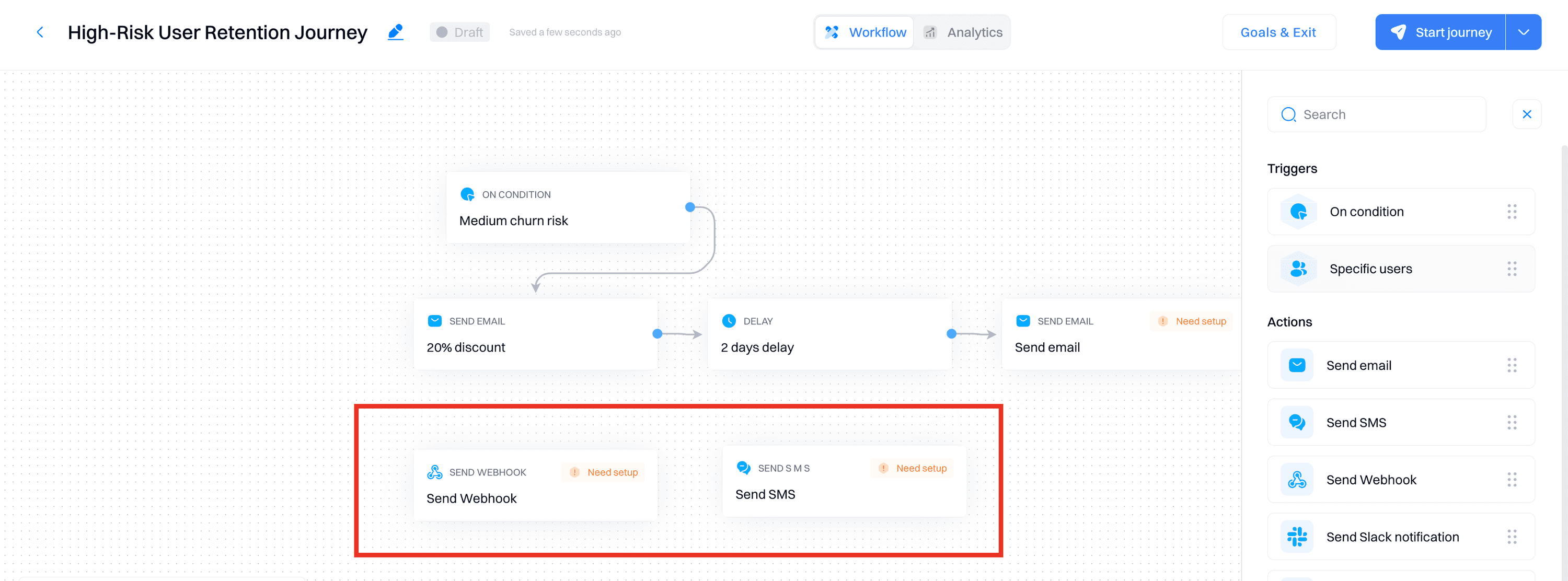
Use the "Send SMS" or "Webhook" action to notify customer success teams to call high-risk users.
Provide them a script to discuss the user's experience and offer assistance.
Add conditions:
Check email engagement:
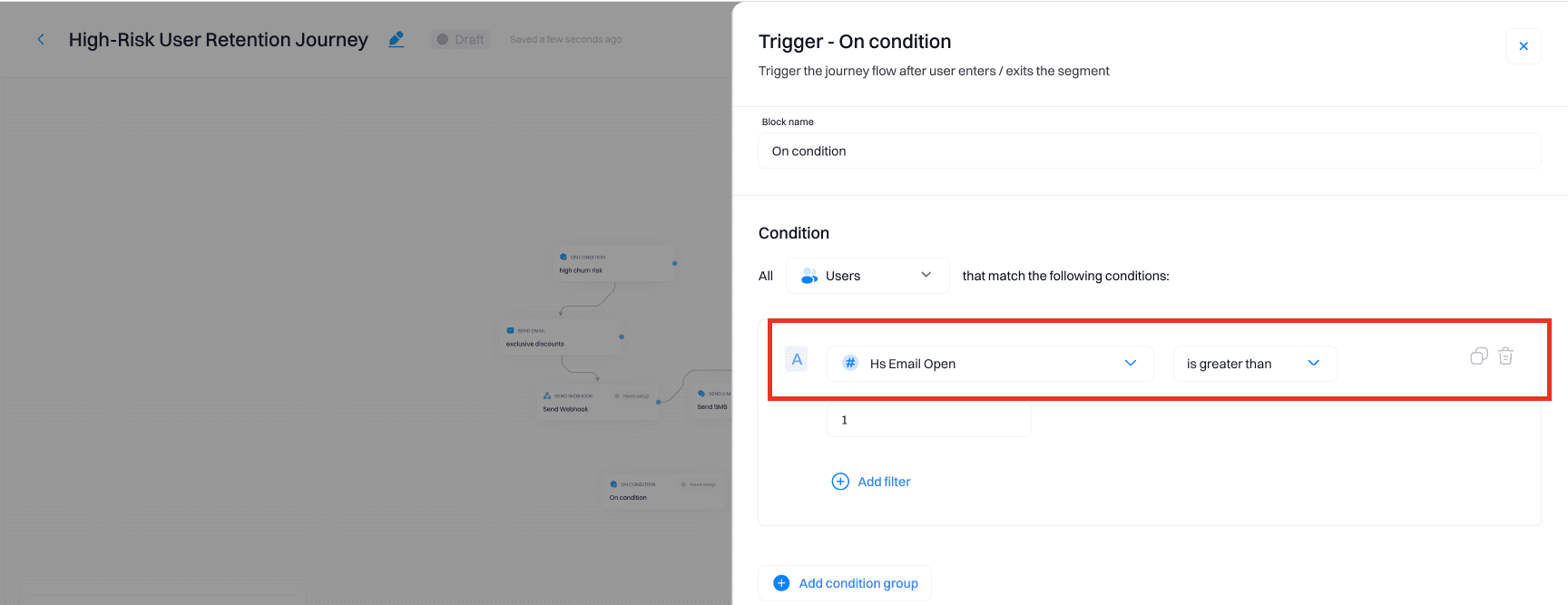
Use the "Condition" block to check if users have opened the email or clicked on links.
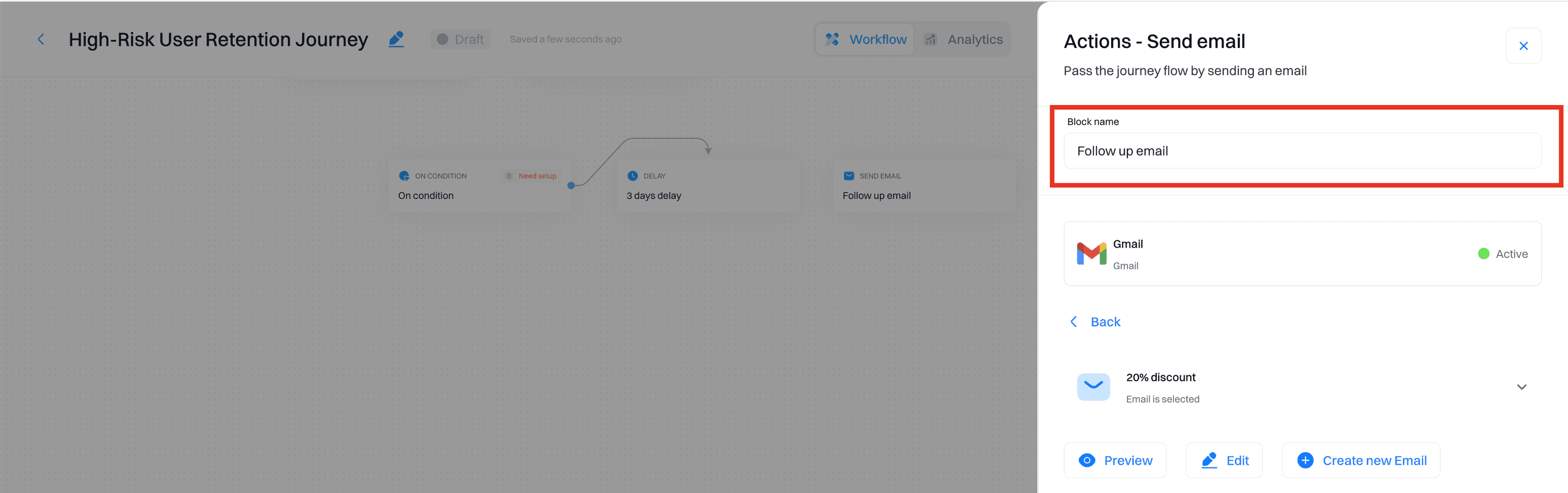
If not, send a follow-up email after a few days.
Check follow-up call status:
Ensure that follow-up calls were made and track the outcome.
If a user remains unresponsive, escalate to a higher support tier.
Implement personalizations:
Create a personalized dashboard message:
Go to the Personalizations section and create a new personalization.
Set the target audience to high-risk users.
Design a message or offer that appears on the user dashboard when they log in. Example:
Message: "Welcome back, [First Name]! We've missed you. Enjoy a 20% discount on your next month with code STAY20."
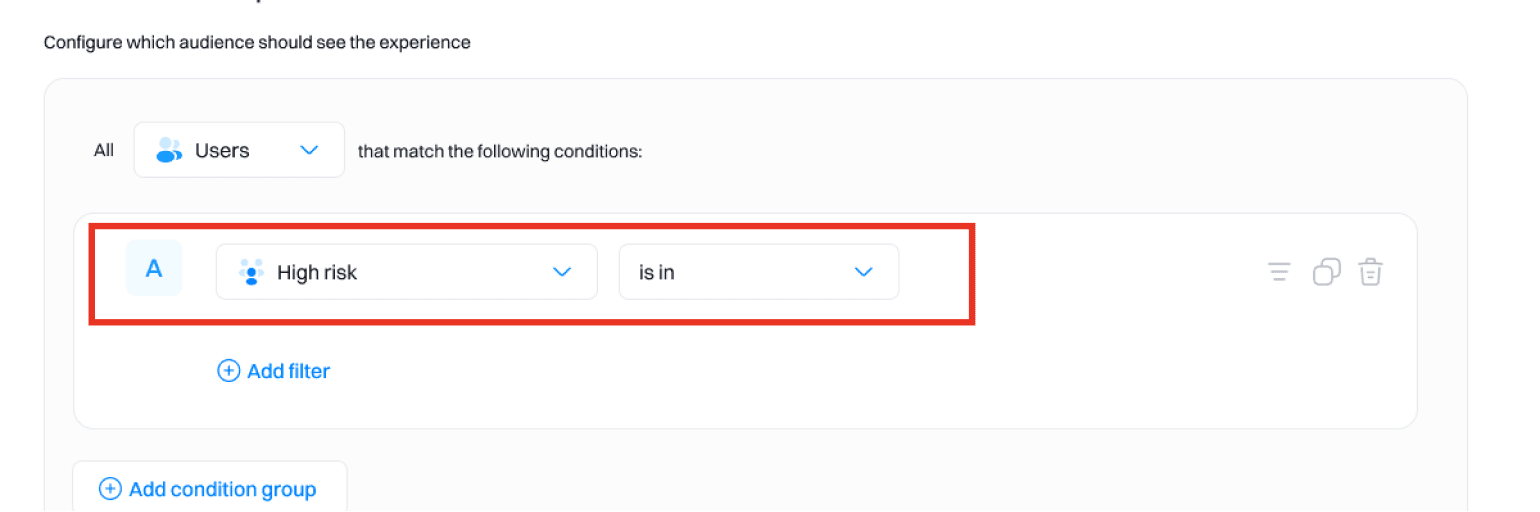
For medium-risk users:
Create a journey:
Go to the Journeys section and create a new journey for medium-risk users
Name the journey (e.g., "Medium-Risk User Engagement Journey").
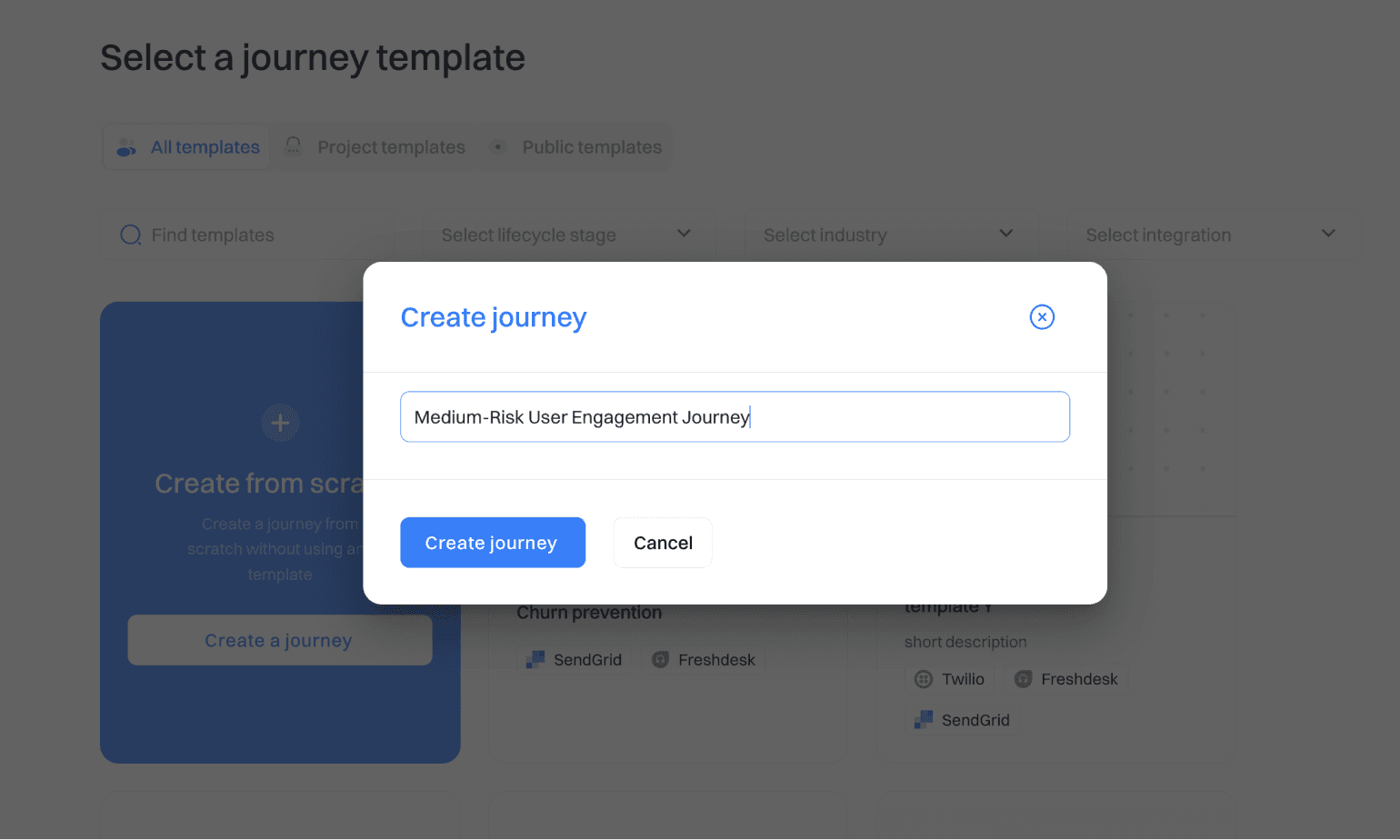
Set a trigger:
Choose a trigger based on the medium likelihood score.
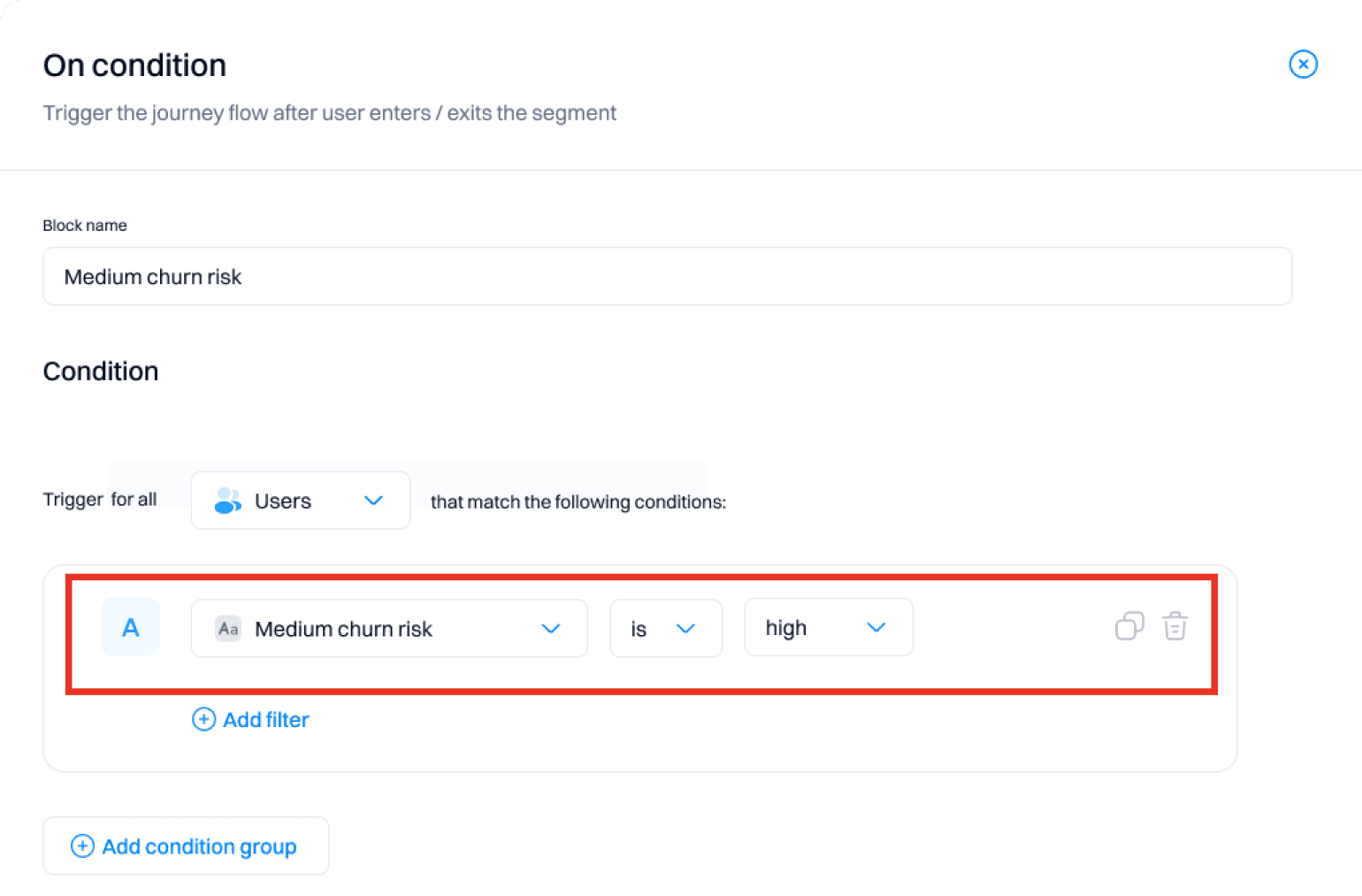
Add actions:
Send feature promotion emails:
Use the "Send Email" action to create emails that promote new or underutilized features. Example:
Email Subject: "Discover new features to enhance your experience"
Email Body: "Hi [First Name], did you know about our new feature [Feature Name]? Click here to learn more!"
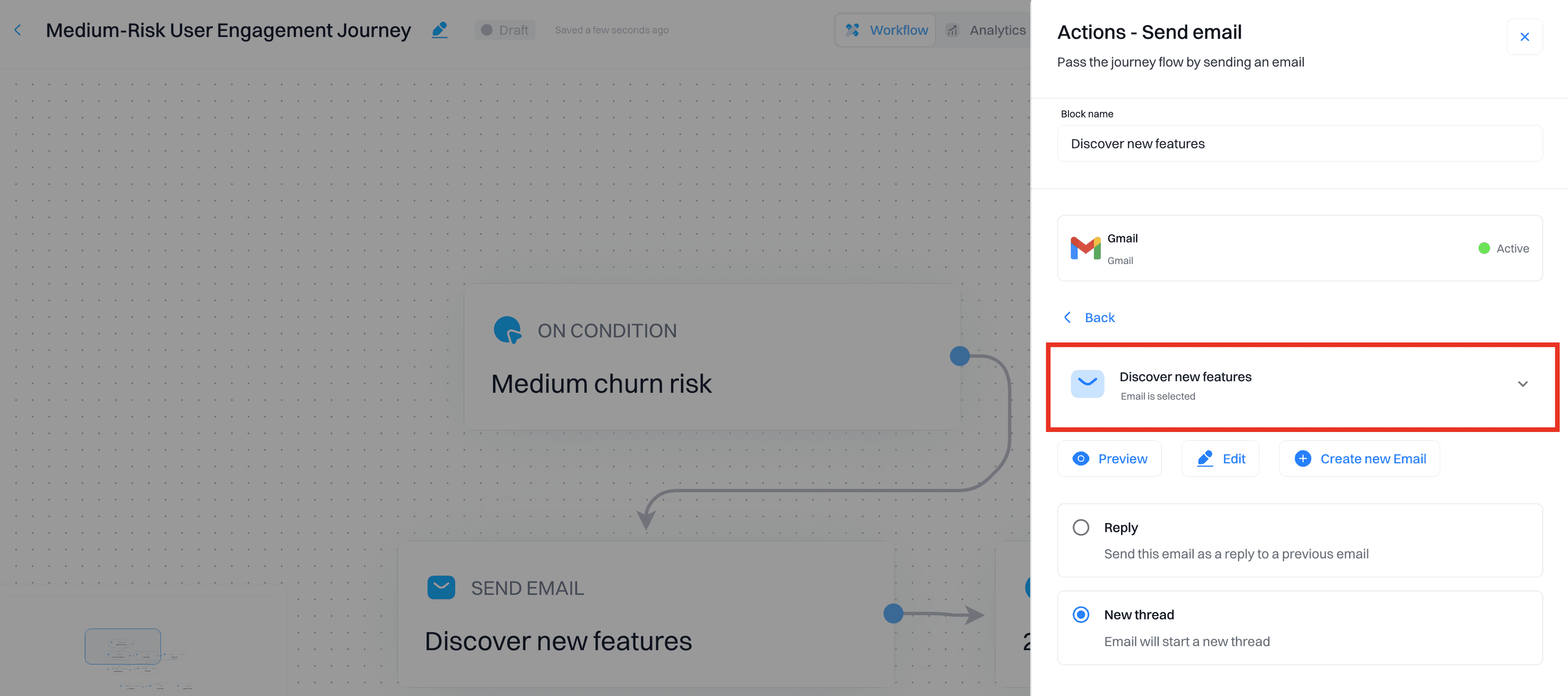
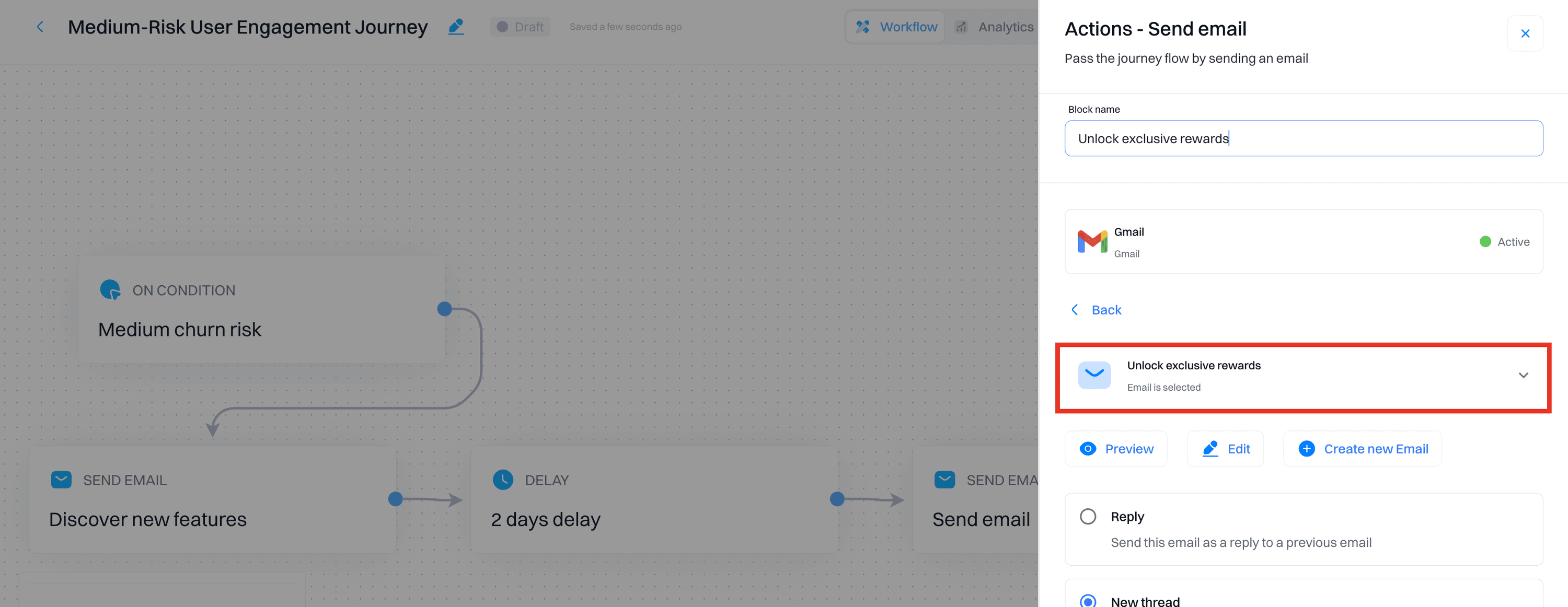
Offer loyalty rewards:
Send emails with loyalty rewards or incentives. Example:
Subject: "Unlock exclusive rewards!"
Body: "Hi [First Name], as a thank you for being with us, we're offering you exclusive rewards. Log in to your account to see what's available and keep enjoying our services."
Add conditions:
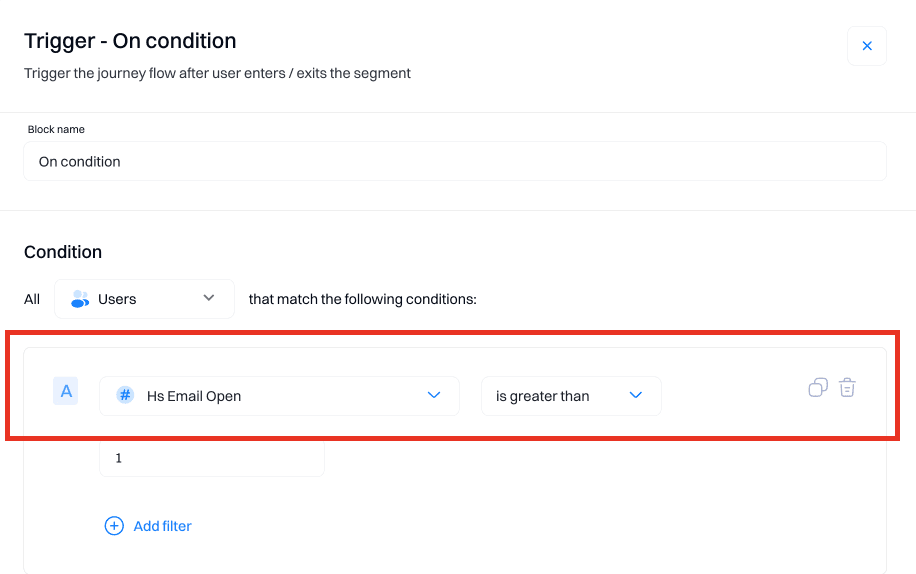
Monitor email engagement:
Check if users interact with the emails
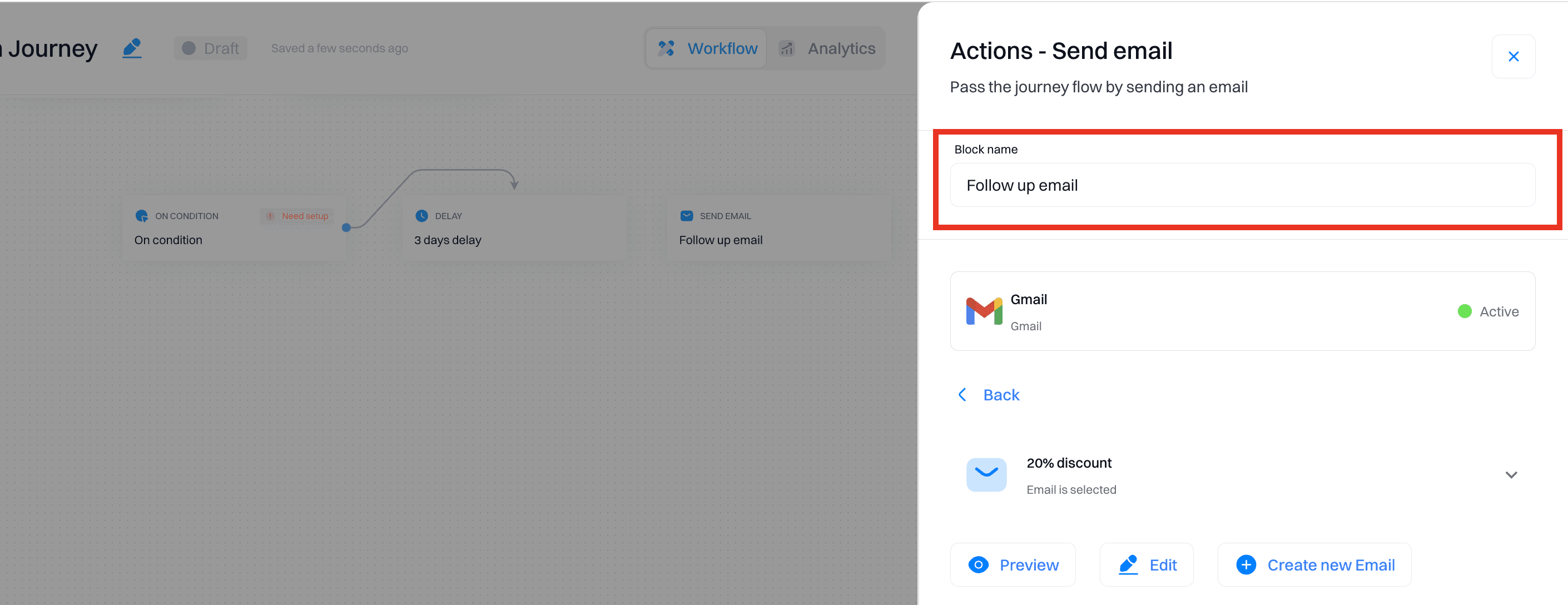
Follow up with additional tips and offers to deepen their engagement.
Implement personalizations:
Create feature highlight banners:
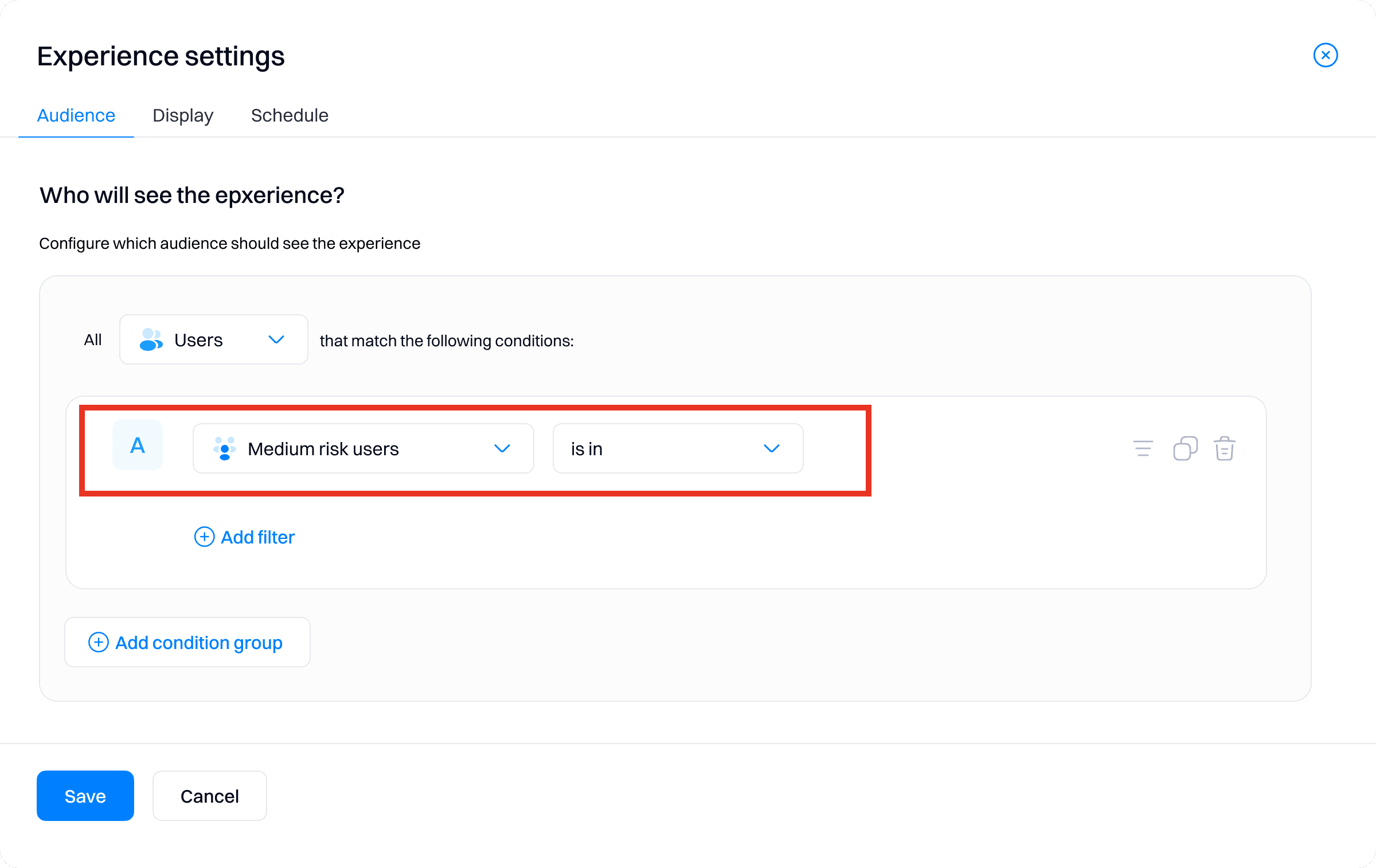
Create personalizations to display banners highlighting new features on the user dashboard.
Target medium-risk users to encourage feature adoption.
For low-risk users:
Create a journey:
Go to the Journeys section and create a journey for low-risk users.
Name the journey (e.g., "Low-Risk User Engagement Journey").
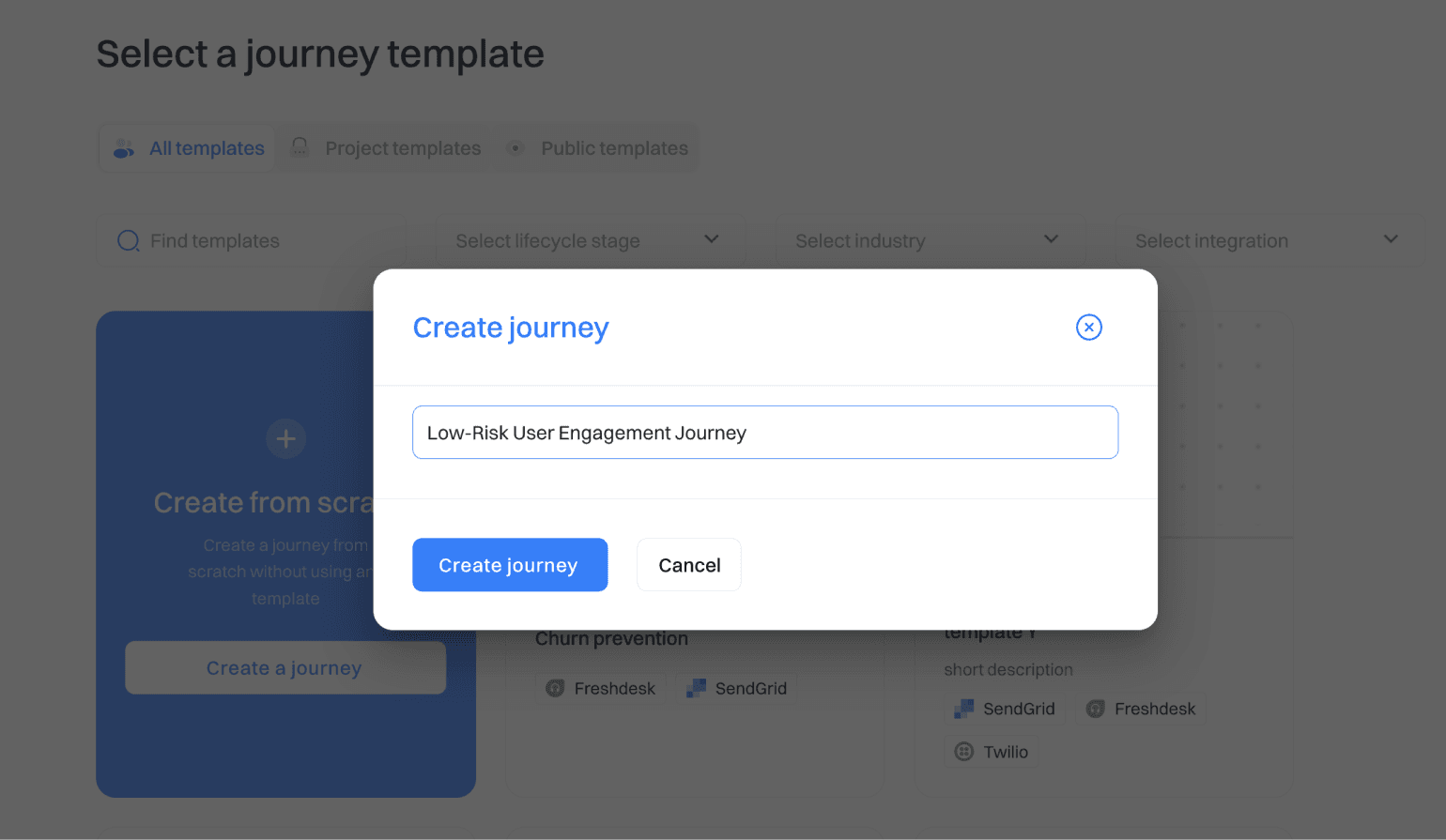
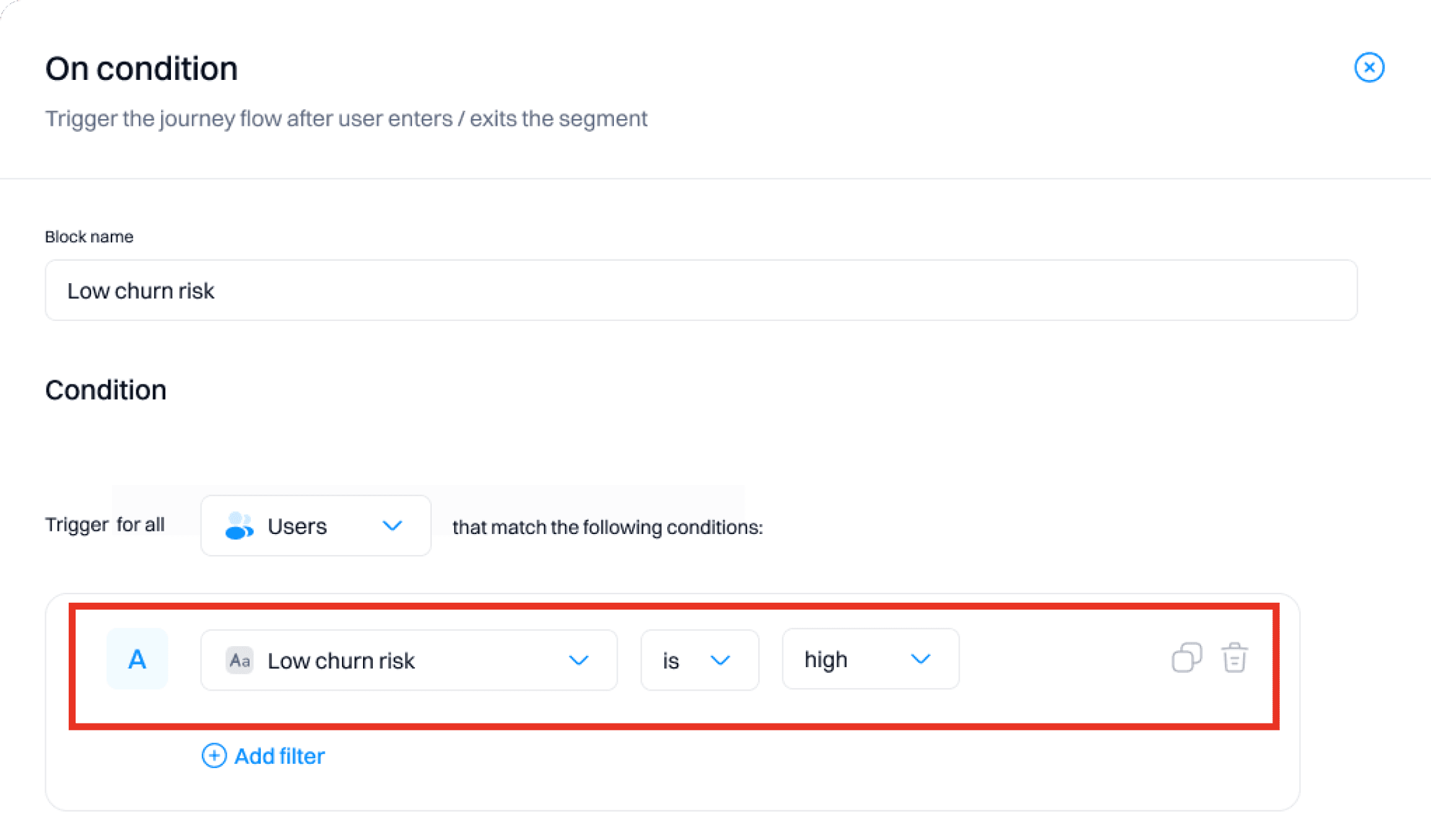
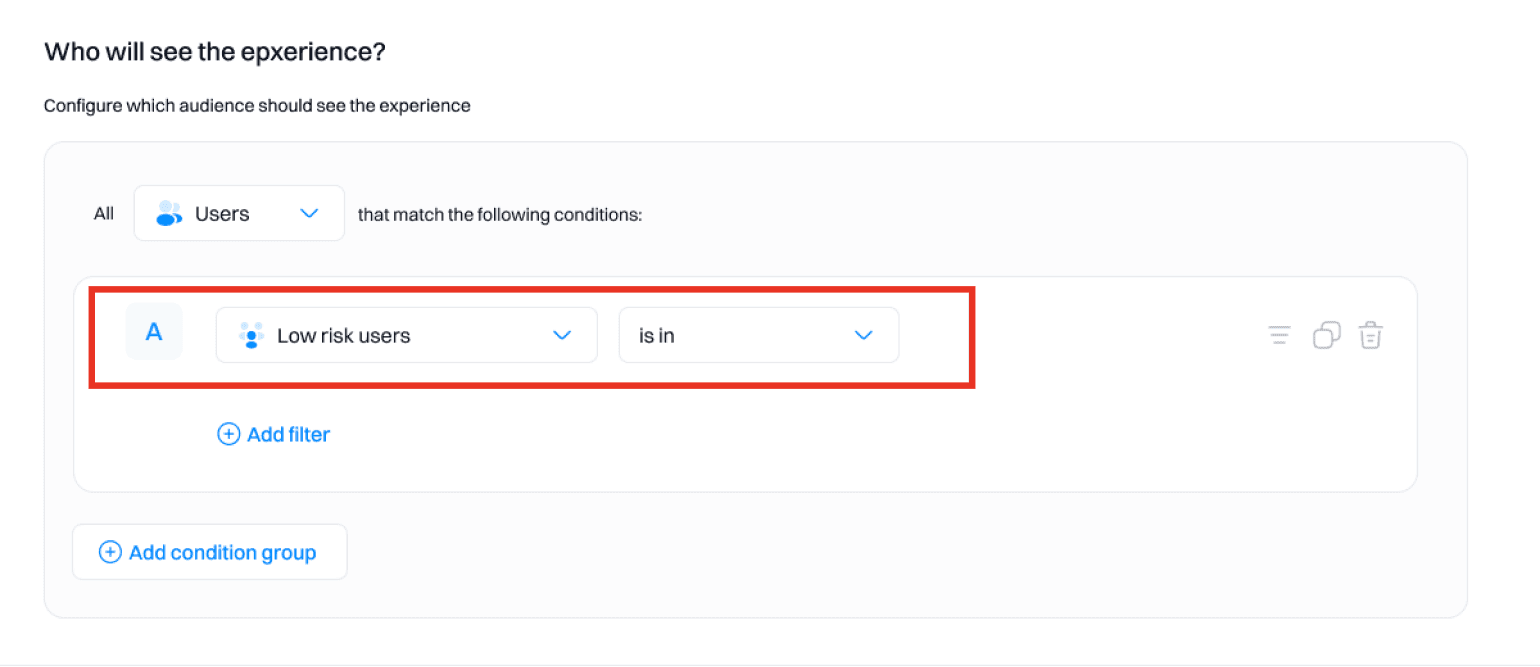
Set a trigger:
Target users with a low likelihood of churning.
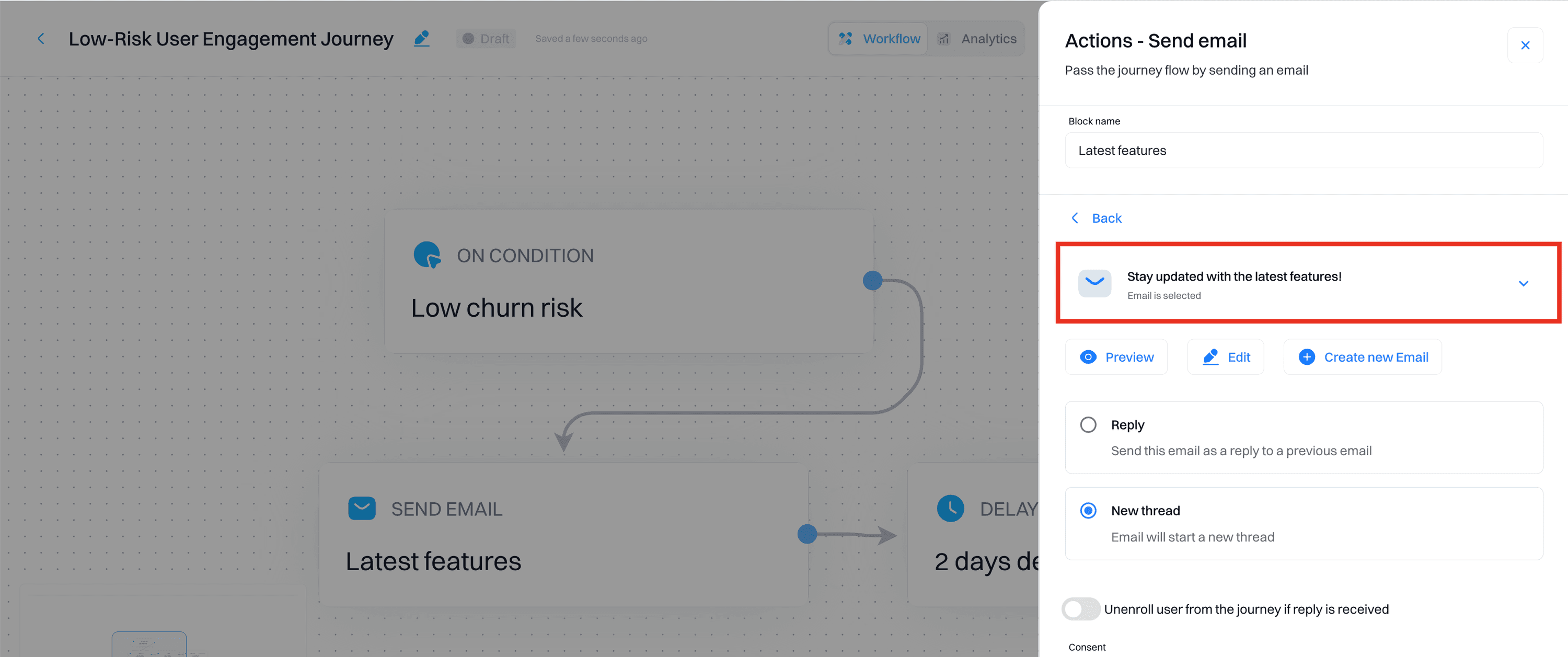
Add actions:
Send regular engagement emails:
Use "Email" actions to maintain regular contact with content updates and check-ins. Example:
Email Subject: "Stay updated with the latest features!"
Email Body: "Hi [First Name], we're excited to share some new features and updates with you. Stay tuned for more great updates to enhance your experience with us."
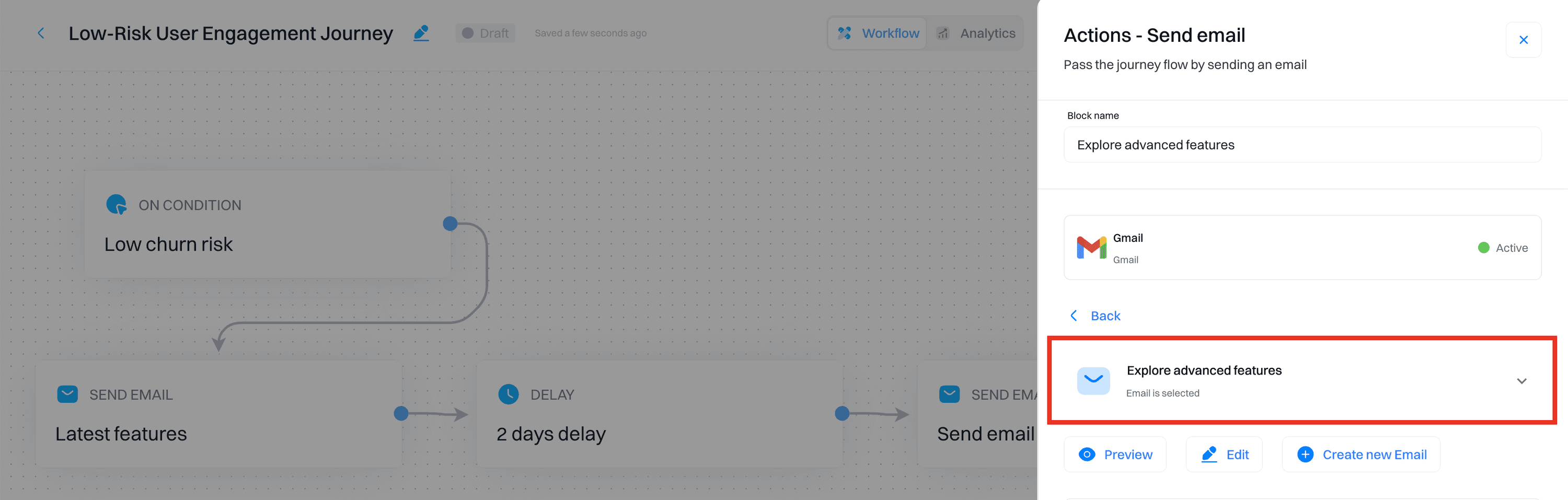
Promote advanced features:
Send emails highlighting advanced features. Example:
Email Subject: "Explore advanced features to get the most out of our service"
Email Body: "Hi [First Name], did you know about our advanced features like [Feature 1] and [Feature 2]? These tools can help you achieve more with our service. Log in now to explore!"
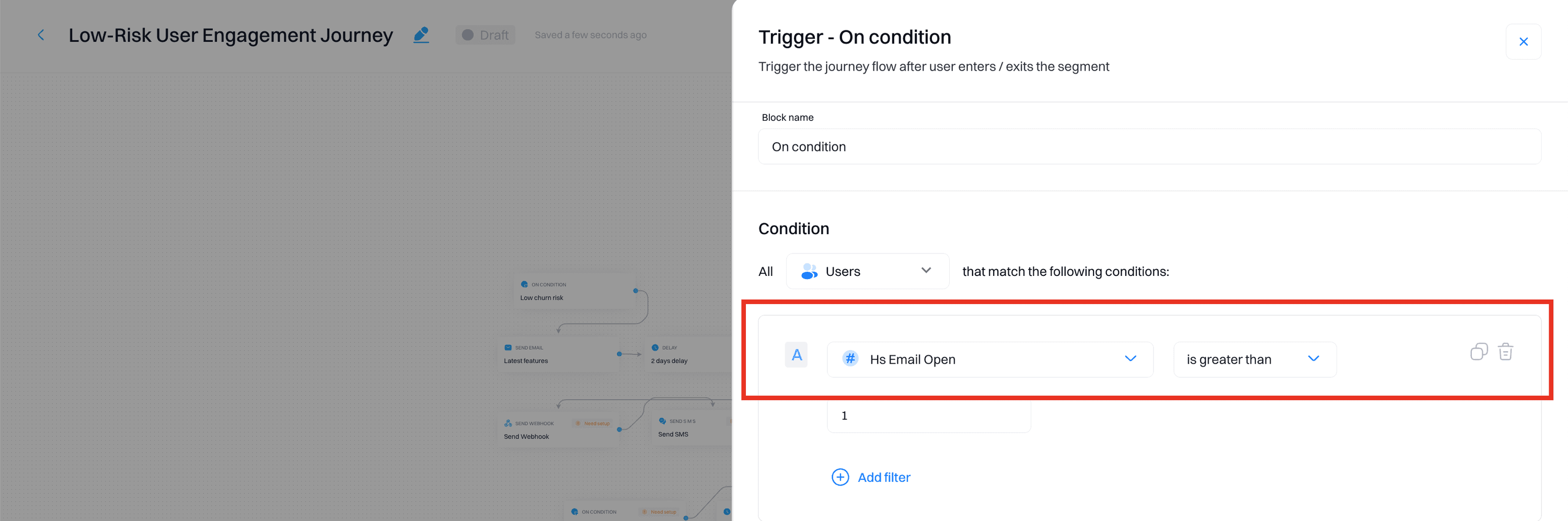
Add conditions:
Track engagement:
Ensure users remain engaged by monitoring their activity.
Move them to other journeys if they show signs of becoming at risk.
Implement personalizations:
Create an onboarding checklist:
Create personalizations to display an onboarding checklist for new features on the user dashboard.
Target low-risk users to encourage deeper engagement with the platform.
Step 5: Monitor and adjust strategies
Regularly review the effectiveness of your retention campaigns using Intempt's journey analytics.
Track user responses and adjust strategies based on the analytics data.
Continuously retrain your model with new data to maintain accuracy and relevance.
Frequently asked questions. Answered.
You'll need at least 21 days of data collection with a minimum of 10,000 daily events. The goal event (like churn) should have at least 200 true and 200 false occurrences over 30 days. This gives the model enough signal to make accurate predictions.