

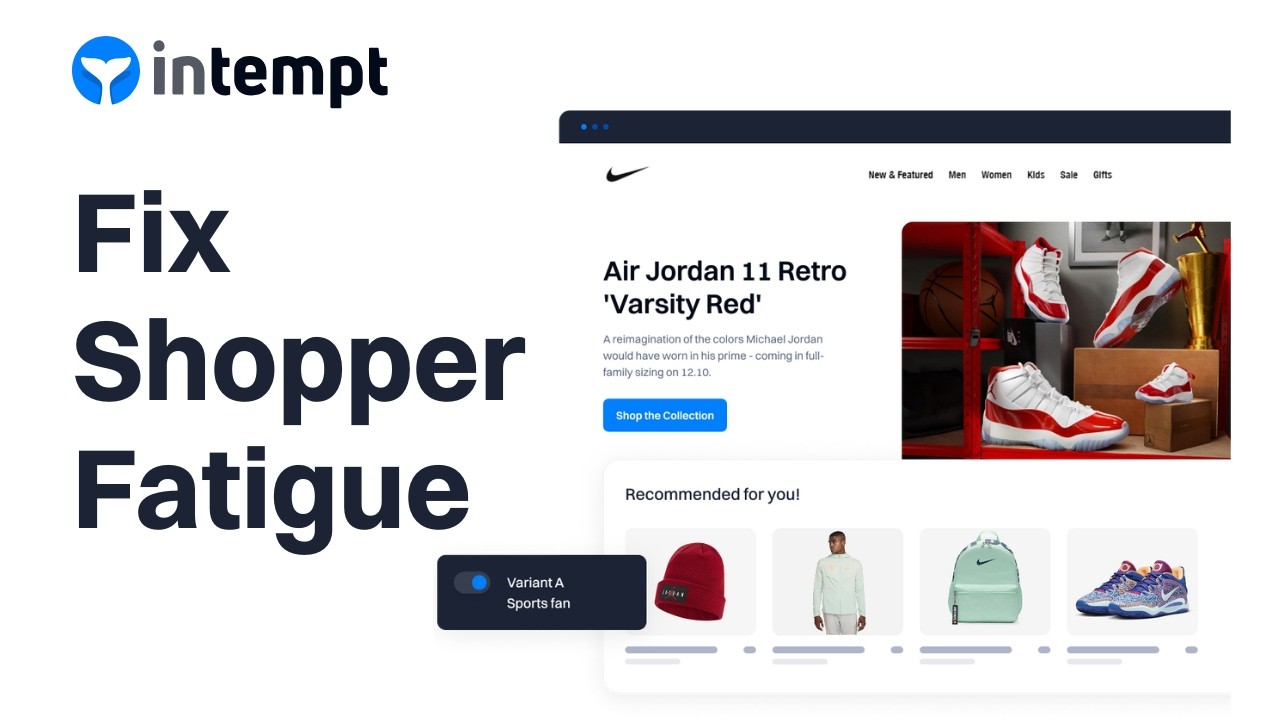
Shopper fatigue is what happens when your store makes people work too hard to choose. Visual AI product recommendation turns that problem into a guided, “shop-the-look” shopping experience.
It feels personal and curated, not overwhelming. It improves customer satisfaction with relevant product recommendations.
What is shopper fatigue (and why it’s killing conversions)?
When a visitor lands on a product catalog or category page with hundreds of products, they get decision fatigue. Static sorting gives little guidance.
There is no clear “next best” item. They scroll, bounce between tabs, second‑guess themselves, and often leave without buying, despite showing strong buying intent.
Common symptoms:
- High product page views with low add‑to-cart rate.
- Long session times don’t translate into increased sales.
- Customers use your store like a catalog, then buy elsewhere.
This is the “Silent Damage” in your funnel. You paid to acquire the visitor. But the generic user experience feels tiring, not helpful.
What are visual AI product recommendations?
Visual AI product recommendations use computer vision to analyze product images. It looks at color, pattern, style, and shape.
Then shows visually similar items or “complete the look” bundles. Unlike traditional AI recommendations, which are often item-based or based on purchase history, this shows relevant products based on image similarity.
It helps new visitors by mimicking an in-store stylist’s eye. As a key part of e-commerce personalization, it improves product discovery on PDPs. It guides decisions, like: “If you like this blue linen dress, try similar cuts in your size.”
Intempt offers 35 AI product recommendation types powered by the same recommendation engine, including:
- Visually Similar Items (image-based matches via visual search)
- Complete the Look (outfit bundles)
- Frequently Bought Together
- Trending Now
- Personalized Best Sellers
How visual AI recommendations fix shopper fatigue
AI product recommendations, study each product’s look. They review color, pattern, shape, material, and style. They then show items that look similar or go well together.
Instead of making shoppers reapply filters or search through categories, it sorts visual search results based on user behavior.
On a Product Detail Page (PDP), a visually similar feed can:
- Show “same vibe” alternatives when the current item isn’t quite right.
- Turn a single item into an outfit or bundle (“Complete the look”).
- Reduce choice overload by narrowing the field to a small, highly relevant set of recommendations.
This visual, collaborative filtering works like an in-store stylist: “If you like this dress, here are three similar styles. They are in your size and preferred colors.
Why visual AI recommendations matter in 2026
In 2026, traffic is expensive, and undifferentiated stores are “dead” experiences. CAC is up, and customers expect a store to understand their intent in seconds, not minutes. Visual AI product recommendation is one of the fastest ways to implement AI for:
- Cut “friction of the find” on PDPs and PLPs.
- Increased sales through add-to-cart and Average Order Value (AOV) via personalized product suggestions.
- Turn your product catalog into an adaptive, AI‑driven product discovery engine rather than a static grid.
Tools like Intempt's AI recommendations help you do this without building your own recommendation engine. You can plug it into Shopify or your custom stack.
How to create a visual AI product recommendation?
Below is a practical, no-code path to launch visually similar recommendations. It uses Intempt’s Recommendations and Experiences features.
Step 1: Connect your store and install the tracking snippet
You first need Intempt connected to your store so it can see product catalog, events, and user behavior sessions.
Connect via Shopify or API:
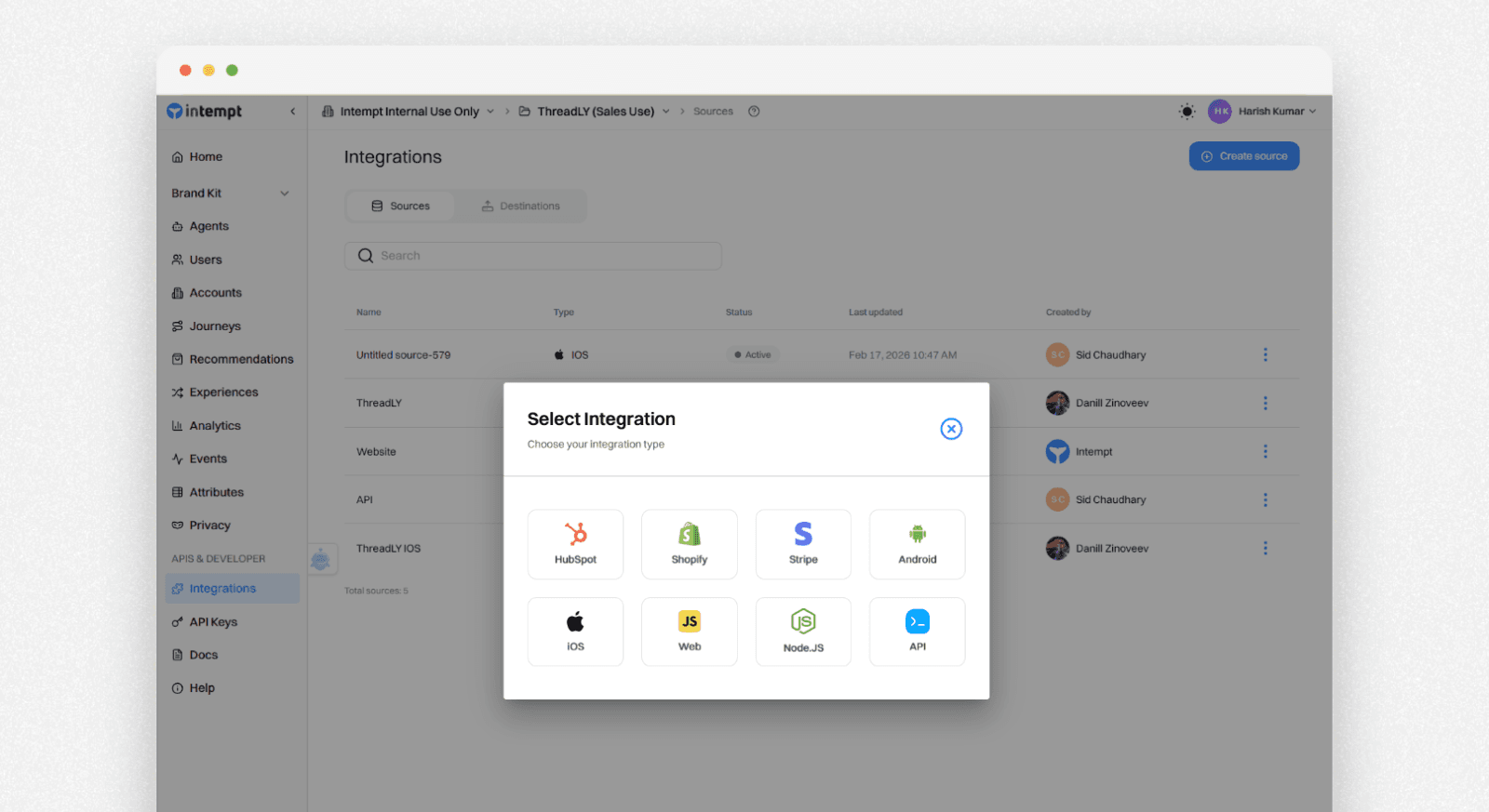
If you’re on Shopify, go to the Integrations section in Intempt. Connect the Shopify integration to sync your product catalog, customers, and events.
If you use a custom platform, use Intempt’s API integration to send product catalog data to Intempt. Send key events too, like page views, add-to-cart, and purchases.
Add the JavaScript snippet:

In Intempt, go to Integrations and copy your JavaScript tracking snippet.
Paste this snippet into your store’s global layout (for Shopify themes, into the main layout or theme.liquid file; for custom stacks, into your base HTML template) so it loads on every page.
This snippet helps Intempt track user behavior in real time. It powers on-site ecommerce personalization and AI-based recommendations.
Once this goes live, Intempt can start building the behavior and product catalog graph. This graph supports smart, personalized product suggestion feeds.
Step 2: Create a “Visually Similar Items” product feed
Next, you’ll define the actual visual AI product recommendation feed that surfaces relevant products.
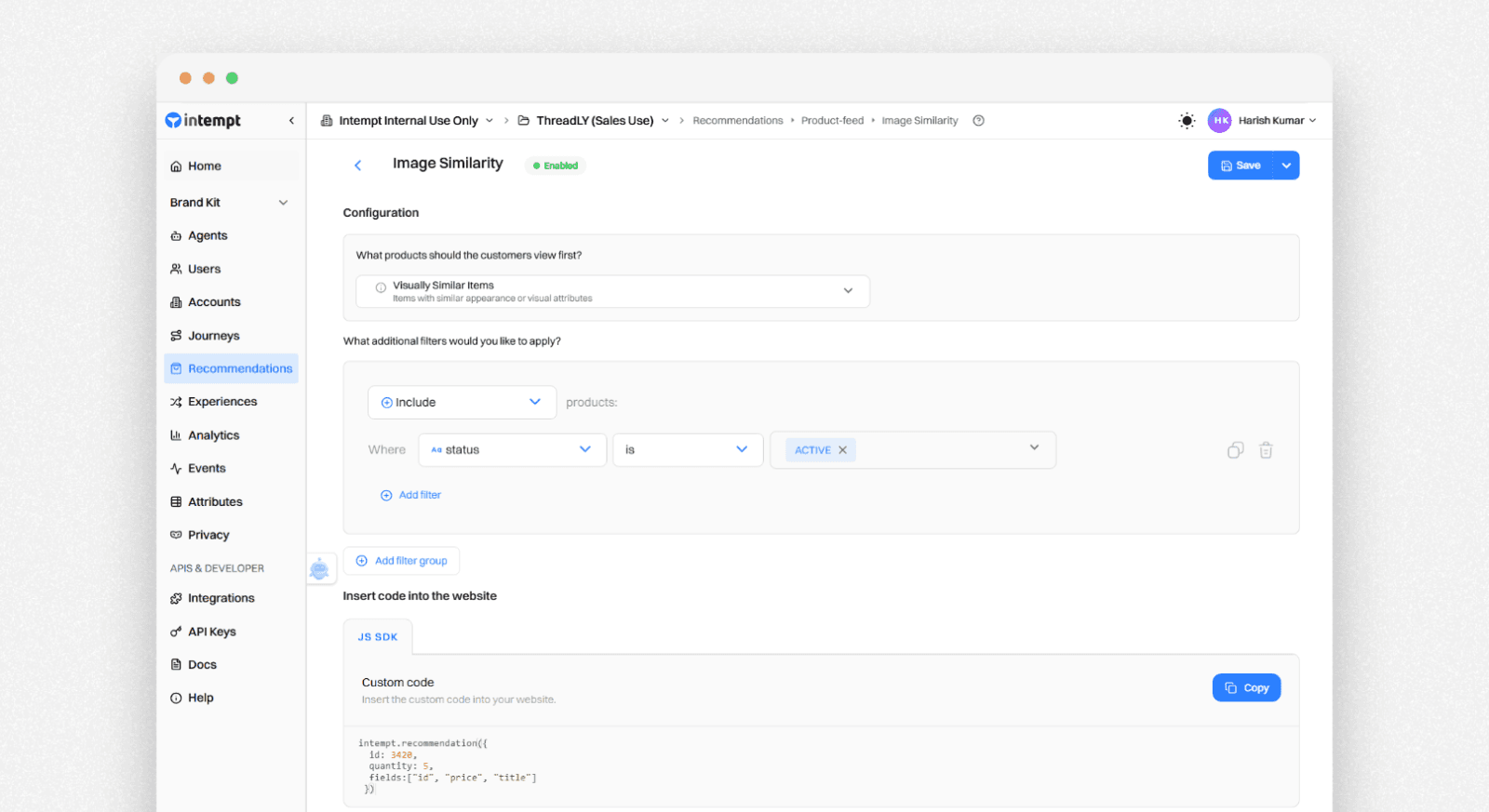
Go to Recommendations
In Intempt, open the Recommendations section to see your product catalog and any existing feeds. Go to the Feeds tab and click Create new feed. Choose the Visually Similar Items template.
This feed:
- Uses Image Similarity (visual search) to find products based on similar visual attributes.
- Targets primarily the Product Detail Page.
- Can fill with Most Popular or Newest items when similarity data is sparse, so the widget never feels empty.
- Conceptually, this feed answers: “Here are visually similar options you may find interesting.”
Configure filters and conditions (optional but powerful). Apply filters to keep results on-brand and relevant recommendations, for example: Same category or subcategory (e.g., only dresses when viewing a dress). Price range guardrails (e.g., within ±20% of the viewed product). Stock status (only in-stock items).
You can also set audience rules. This visual AI product recommendation feed will only show to certain segments, such as:
- High-intent product viewers (visited PDPs 3+ times in a session).
- Returning visitors with known style affinity.
- VIP customers who tend to make multi-item purchases.
These filters will make sure that the recommendation engine feels like a stylist, improved by collaborative filtering.
Step 3: Place the visual feed on your page with an experience
Now you’ll tell Intempt where and how to show this feed on your site. Use Experiences to create personalized shopping experiences.
- Go to Experiences in Intempt.
- Click Create new experience.
- Enter the page URL where you want the visual AI product recommendation block to appear.
This is usually your Product Detail Page template or a specific landing page.
Make sure the toggle is set to Personalization. This helps Intempt treat it as personalized product suggestions, not a static content test.
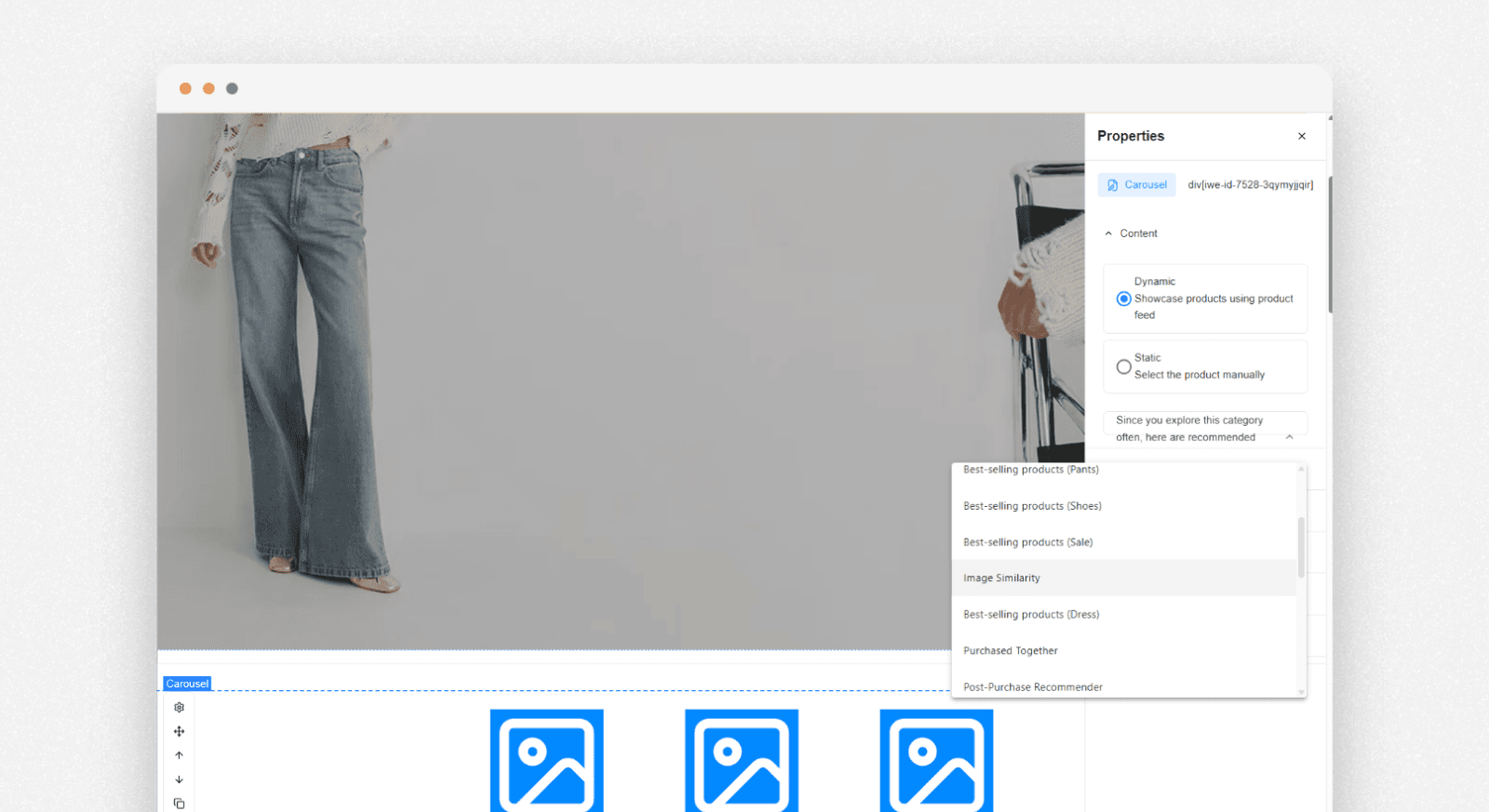
- Use the Visual Editor to place the feed
- Click Open Visual Editor for the chosen variant.
- From the bottom tab, use Insert to add or modify components on the page without touching code.
- Go to the Layout section. Add a Product block where you want visually similar recommendations to appear. For example, place it below the main product description. Or place it near “You may also like.”
- Double-click the Product block to open its settings.
- In the product feed dropdown, select the Visually Similar Items feed you created in Step 2.
Once saved and activated, shoppers who visit that URL will see AI product recommendations. They will see relevant products in that block.
Where to use visual AI feeds for maximum impact
To get the most from visual AI product recommendations, use them where shoppers struggle to decide. This can improve sales and improve product discovery.
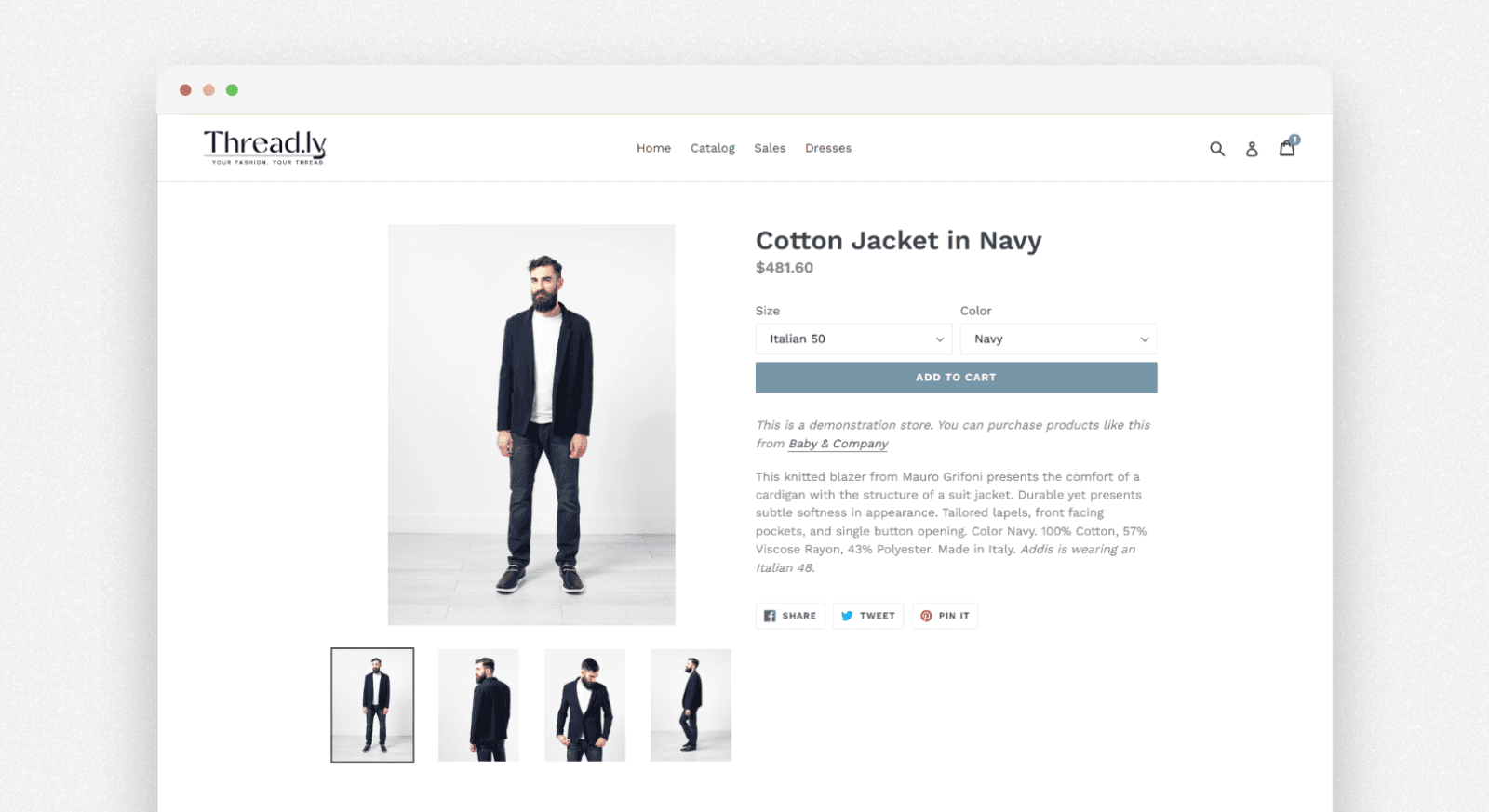
Product Detail Pages (PDPs):
“Still deciding?” section that shows 3–5 visually similar alternatives to reduce bounce.
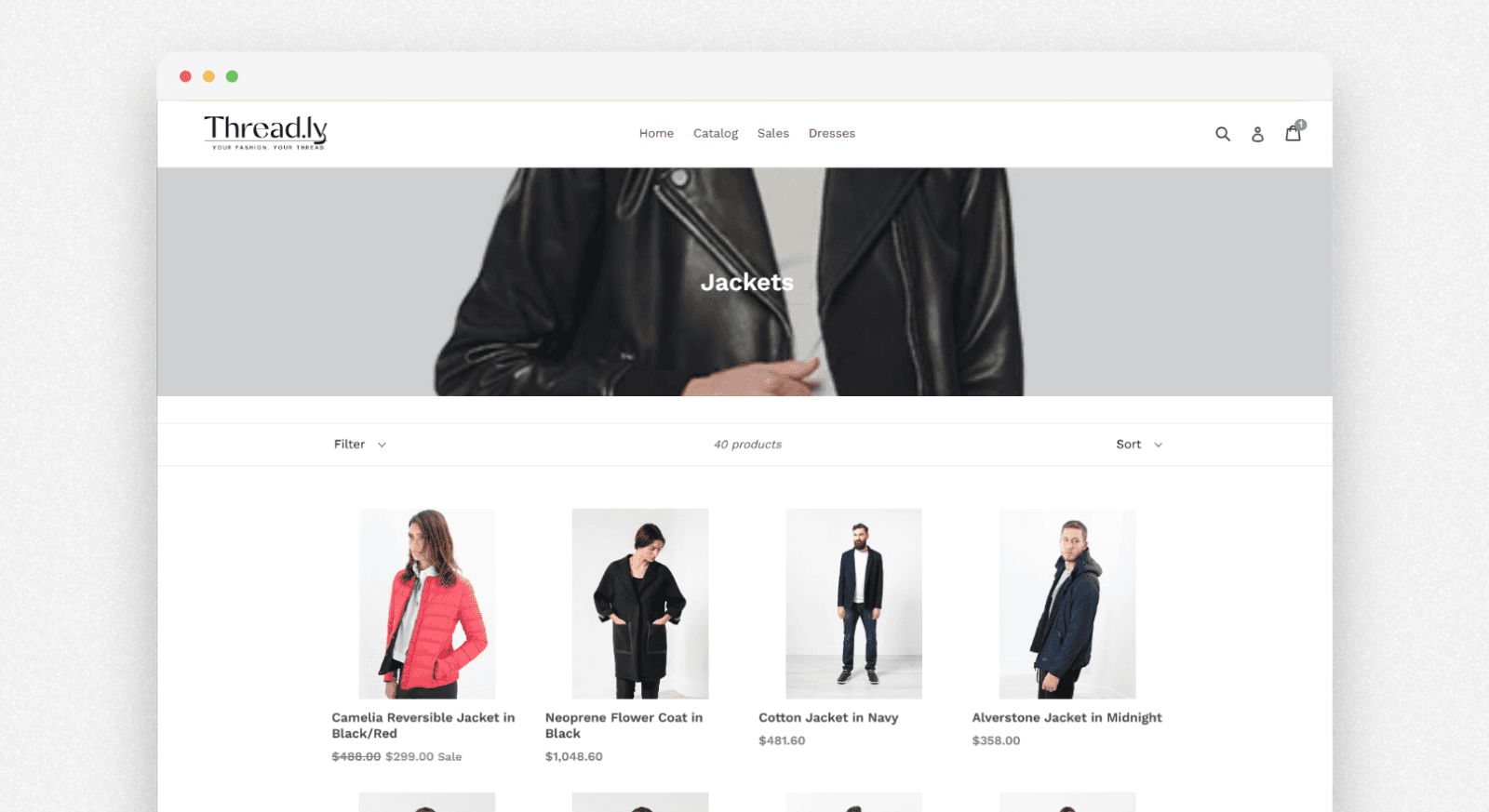
Category / PLP pages:
Visual search feeds can re-rank or highlight items based on a shopper’s visual preferences. For example, they may show “black, minimalist sneakers” higher for that visitor.
Post-purchase and email:
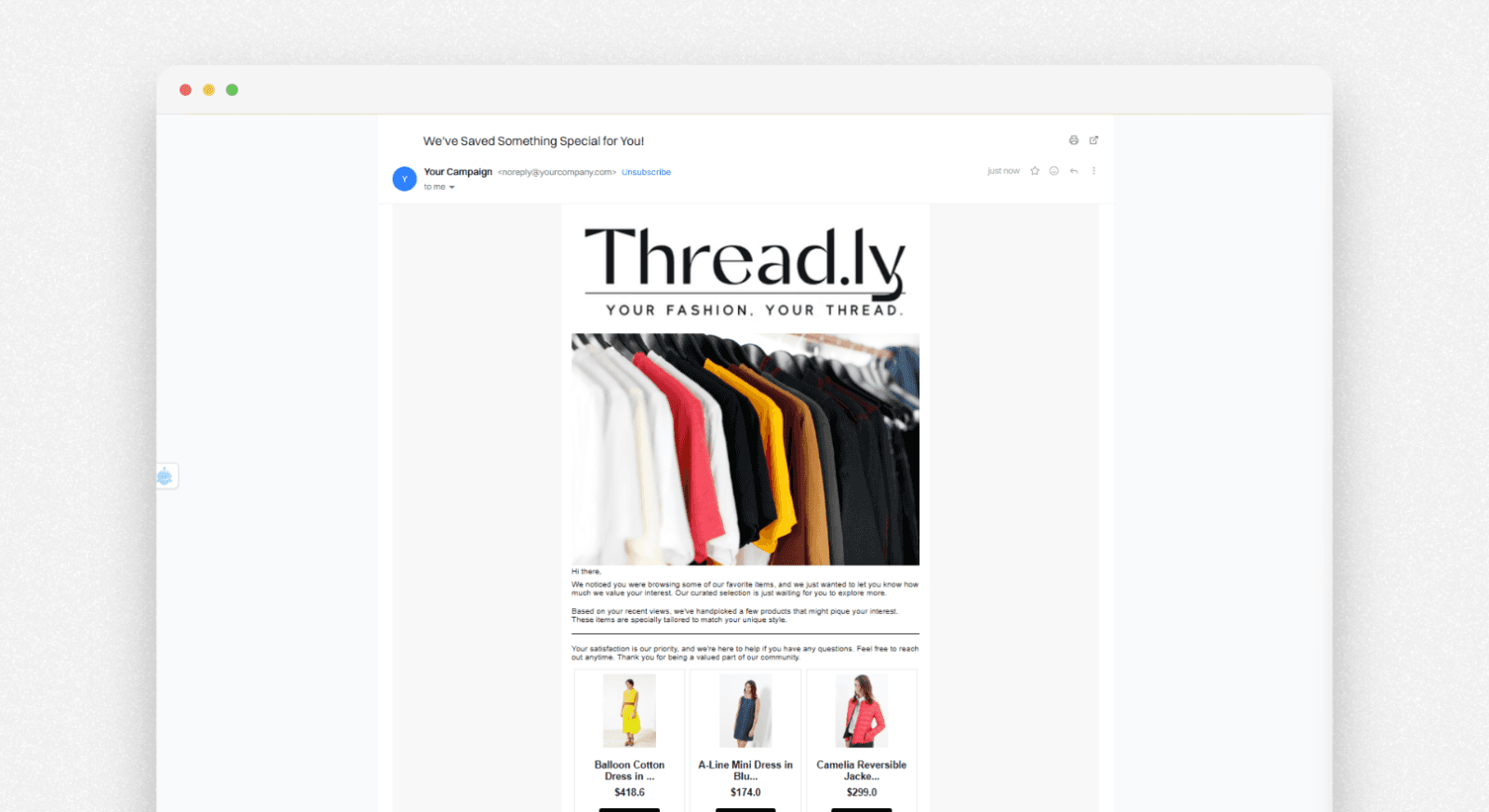
Use visually similar feeds in browse or purchase follow-up emails to suggest alternatives in the same aesthetic lane.
Intempt’s AI recommendations can be reused across channels. The same logic that powers your PDP widget can also guide outbound campaigns. This creates consistent, personalized shopping experiences.
Measuring the impact of visual AI recommendations
To prove this is not just a “nice widget,” track metrics that link to less shopper fatigue. Also track revenue driven by your recommendation engine.
Key metrics to watch:
- Revenue Per Visitor (RPV): Your key efficiency metric. Do visitors who see visual AI product recommendation feeds generate more revenue per session?
- Add-to-cart rate from PDP: Does the presence of a visually similar block increase ATC vs. a hold-out group?
- Search-to-cart velocity: Are users finding what they want faster when guided by relevant recommendations?
- AOV / units per transaction: Are shoppers more likely to add a “visually matching” item?
Within a broader ecommerce personalization strategy, keep a hold-out group.
For example, 5% of traffic won’t see the visual AI product recommendation feed. This helps you measure the incremental lift.
Real-life visual AI recommendation examples
Example #1: Nike’s ‘Shop the Look’
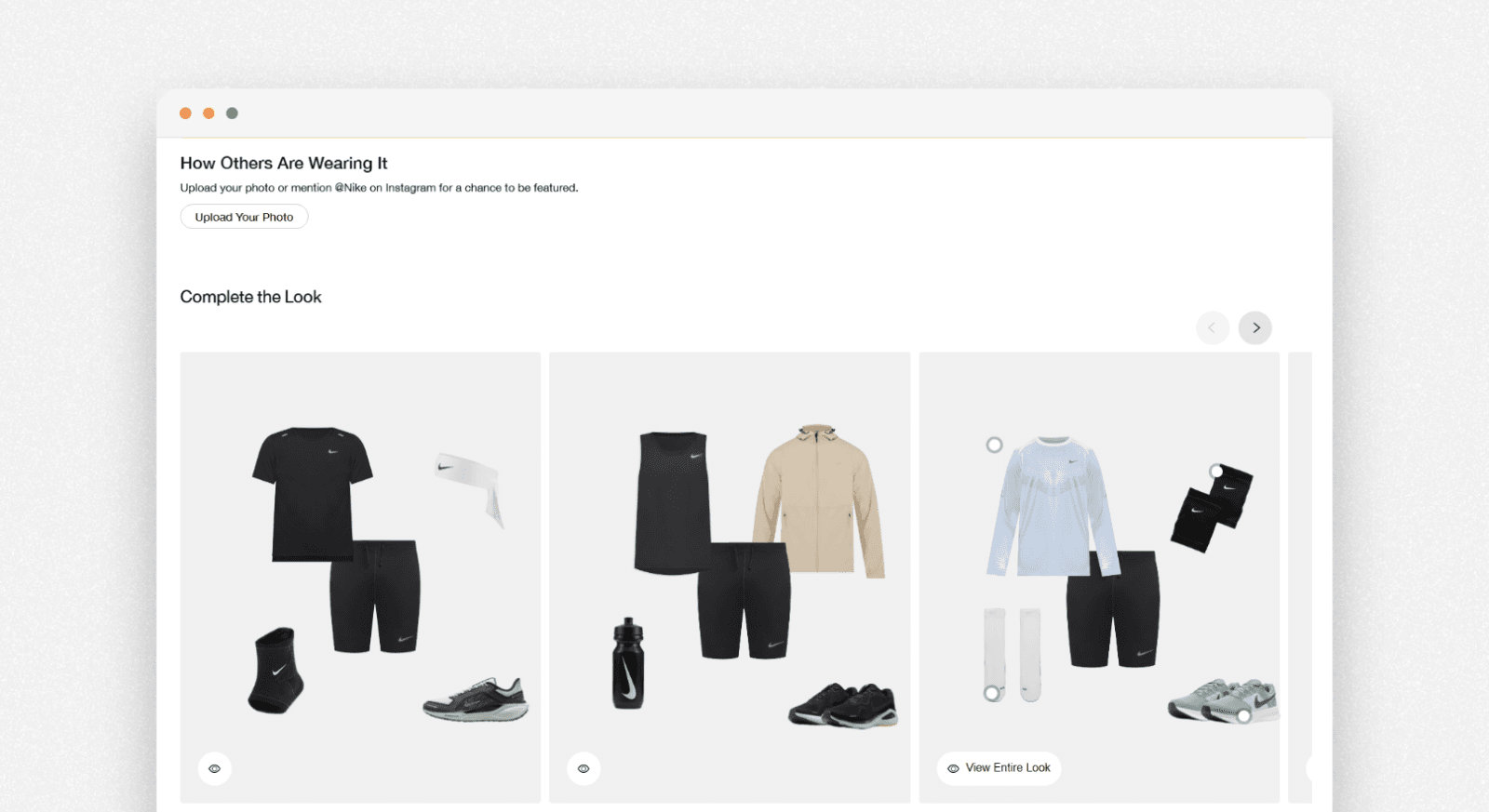
How it works: Nike uses Visual AI to power “Complete the Look” suggestions. If you view running tights, the system does more than show other tights. It checks color, fabric, and sport type. Then it recommends a matching sports bra and jacket. On their mobile app, the Nike Fit tool uses computer vision to recommend the exact shoe size and style based on your foot morphology.
Why it works: It mimics the experience of a personal shopper. By showing items that visually belong together, you increase the chances of a multi-item cart.
Example #2: ASOS ‘Style Match’
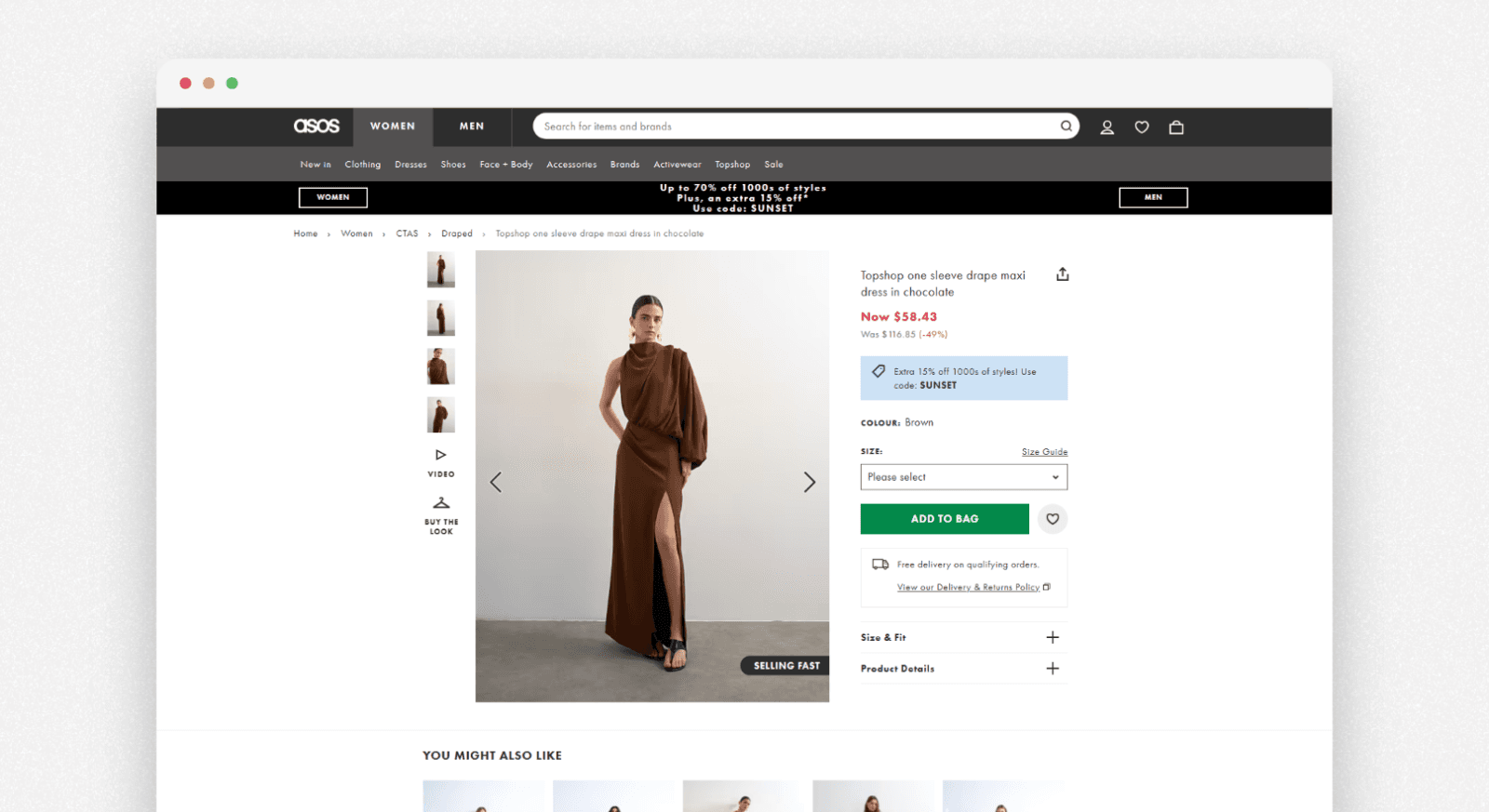
ASOS scans the item’s visual features (cut, color, pattern). It then shows “Style Match” alternatives from its catalog. Viewing a floral midi dress shows similar shapes in other fabrics or lengths. Results are ranked by visual match and your past style preferences. Their “Outfit Builder” extends this by suggesting full looks with shoes and accessories that coordinate visually.
Why it works: It eliminates “Will this match?” hesitation, turning single-item browsers into multi-item buyers with zero manual filtering.
Example #3: Zara’s Visual Discovery
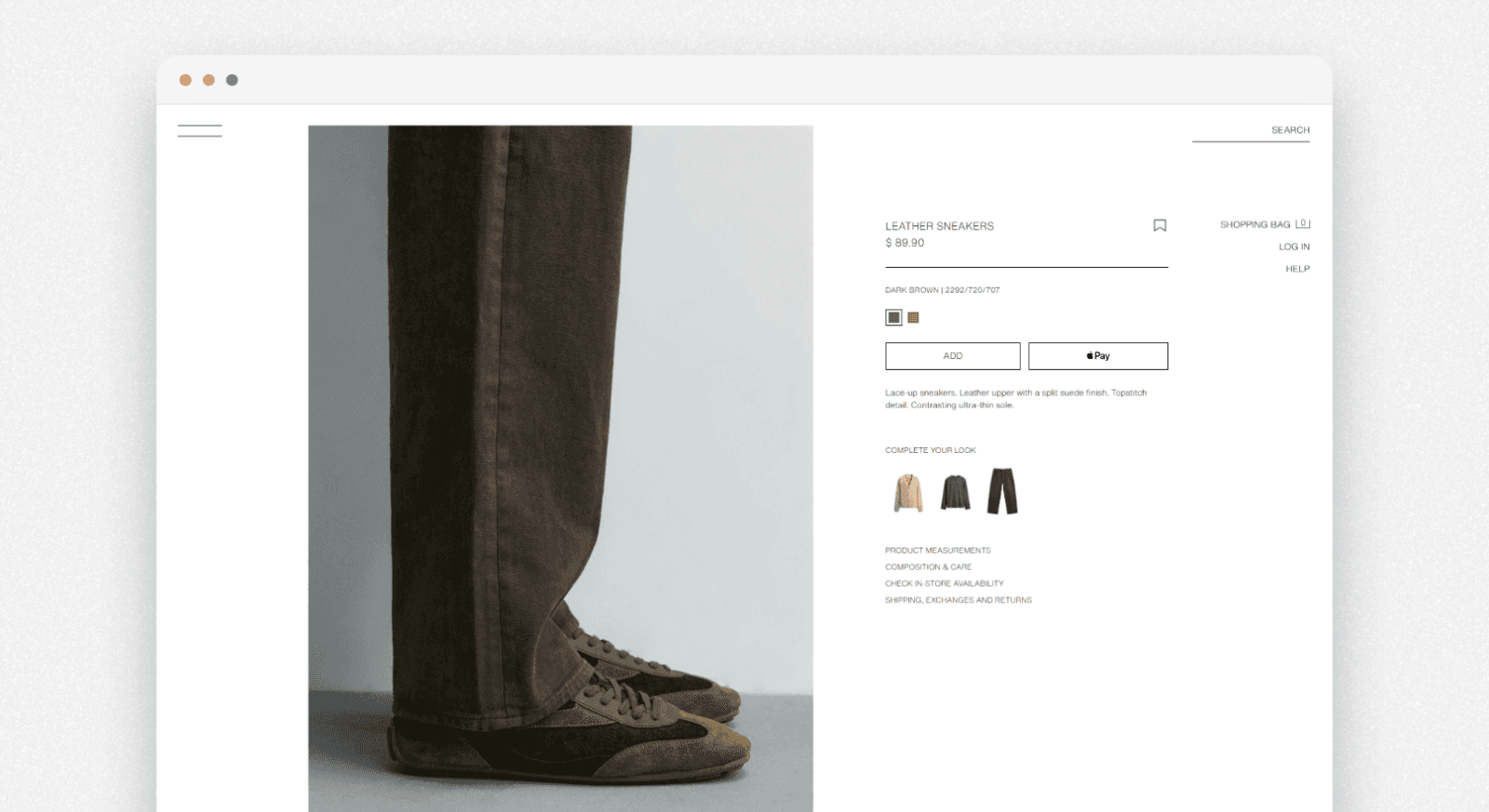
How it works: Zara’s PDP includes a “Similar Styles” carousel. It uses visual AI to match patterns, texture, and fit.
Click a striped blouse, and it shows near-identical striped options at different prices. It also shows matching bottoms that pair well, like navy trousers for navy stripes. The algorithm learns from your hover patterns to prioritize your preferred visual vibe.
Why it works: Quick visual options keep high-intent shoppers on your site longer. They cut bounce by solving “not quite right” moments right away.
Frequently asked questions. Answered.
Shopper fatigue happens when customers see too many choices without clear guidance on product pages or categories. This can cause decision overload. They scroll endlessly, hesitate, and abandon carts, turning high-traffic sessions into zero revenue.