

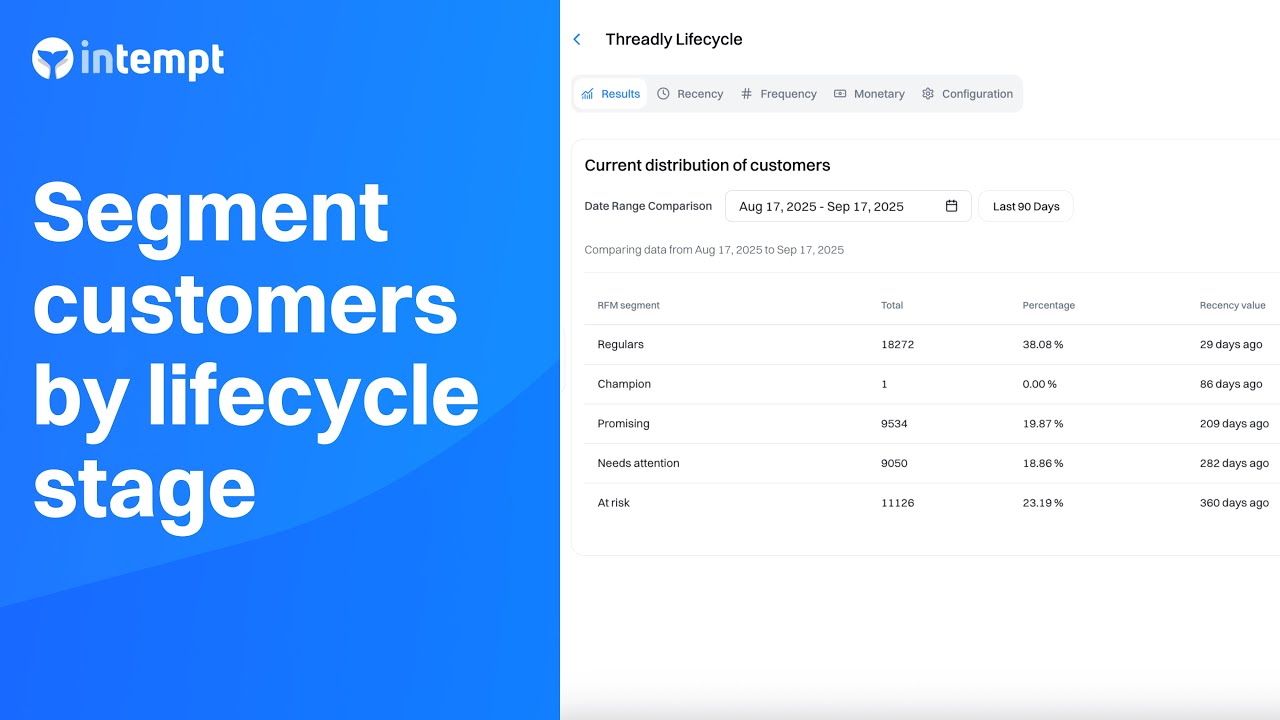
Automatically group customers based on Recency, Frequency, and Monetary values to better personalize engagement and grow lifetime value.
About the Growth Play
Lifecycle segmentation lets you automatically bucket customers into meaningful groups based on purchase behavior and activity patterns. With these segments, you can build targeted Journeys and Experiences that match each group's real-time needs - maximizing retention, re-engagement, and overall customer value.
Benefits
Automated segmentation: Customers are grouped automatically based on behavior using a Lifecycle agent.
Real-time updates: Segments update instantly as new interactions and purchases happen.
Enhanced targeting: Tailor marketing campaigns based on where customers are in their lifecycle.
Better retention: Identify and re-engage at-risk customers before they churn.
Higher lifetime value: Focus your efforts on high-value customers for repeat business.
How It Works
Step 1: Define and create events
Identify and set up key conversion events (e.g., Purchase).
Ensure events include meaningful properties such as total price and purchase date so you get accurate behavioral data.
Step 2: Build the Lifecycle Agent
Go to the Agents section and choose Create agent.
Select recency, frequency, and monetary events that represent customer buying behavior.
Define any exclusions (e.g., anonymous users).
Set a rolling timeframe (e.g., 30–90 days) to keep scores current.
Step 3: Create segments based on lifecycle scores
Go to Segments and create a new segment.
Use the Lifecycle agent's segment attribute to define conditions.
Example segments:
Champions: Recent buyers who order often and spend the most.
Regulars: Consistent purchasers.
Promising: Lower spend but regular or recent purchase behavior.
Needs Attention: Historically valuable customers who haven't purchased recently.
At Risk: Infrequent smaller buyers who haven't purchased in a long time.
You can refine segments by combining conditions (e.g., segment = Champions and total spending > $500).
Step 4: Create personalized Journeys
Go to Journeys and make a new journey.
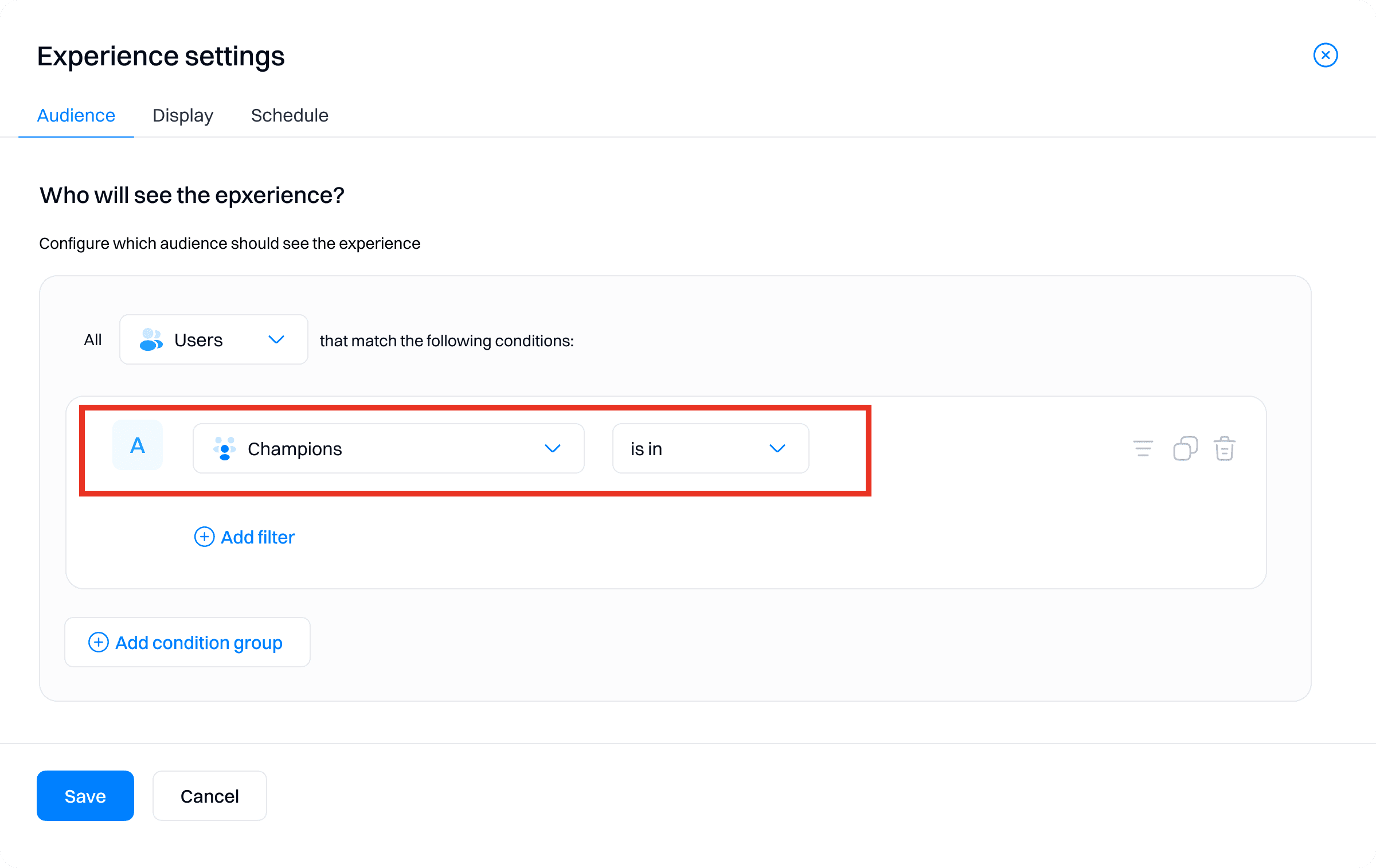
Set the trigger based on a segment (e.g., user enters "Champions").
Add actions to nurture or reward that group:
Personalized emails
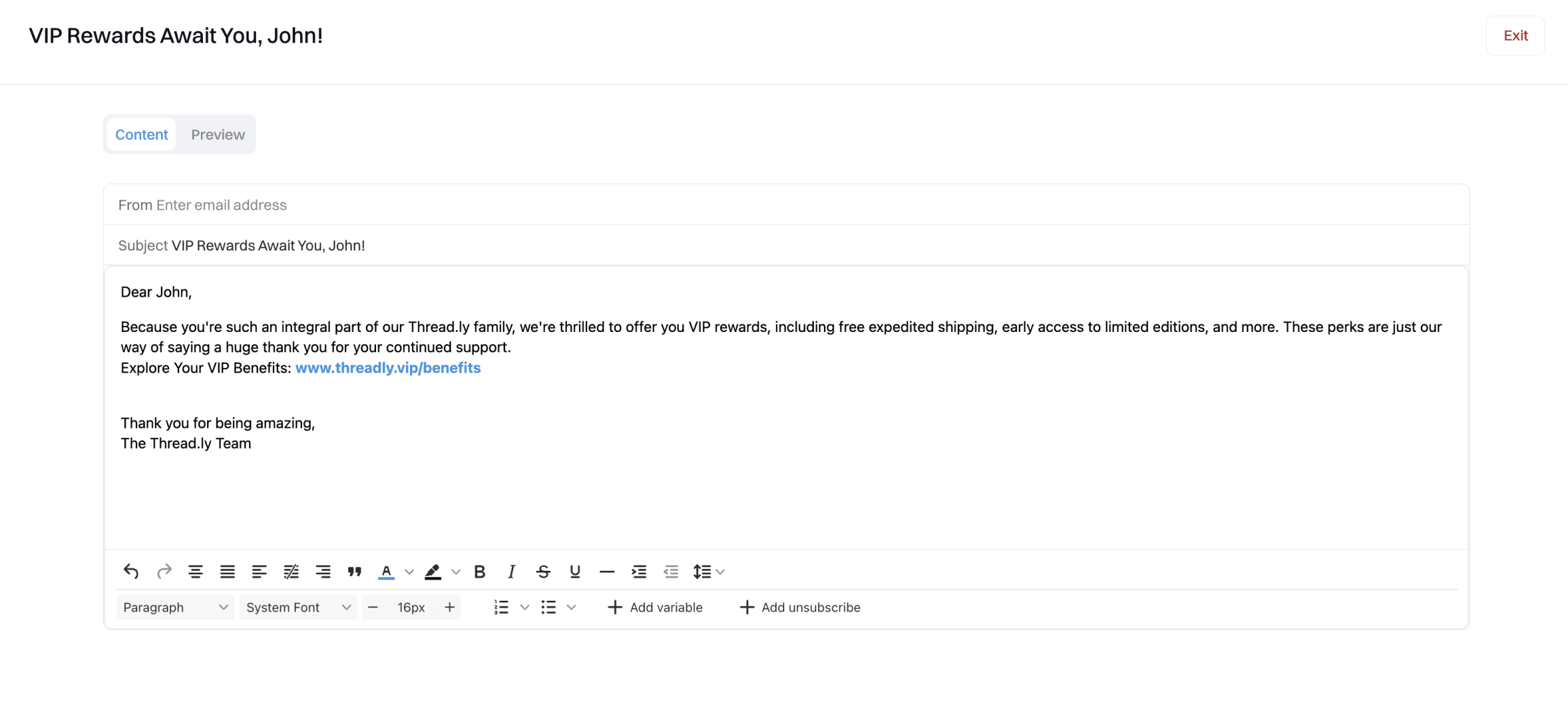
Reward offers
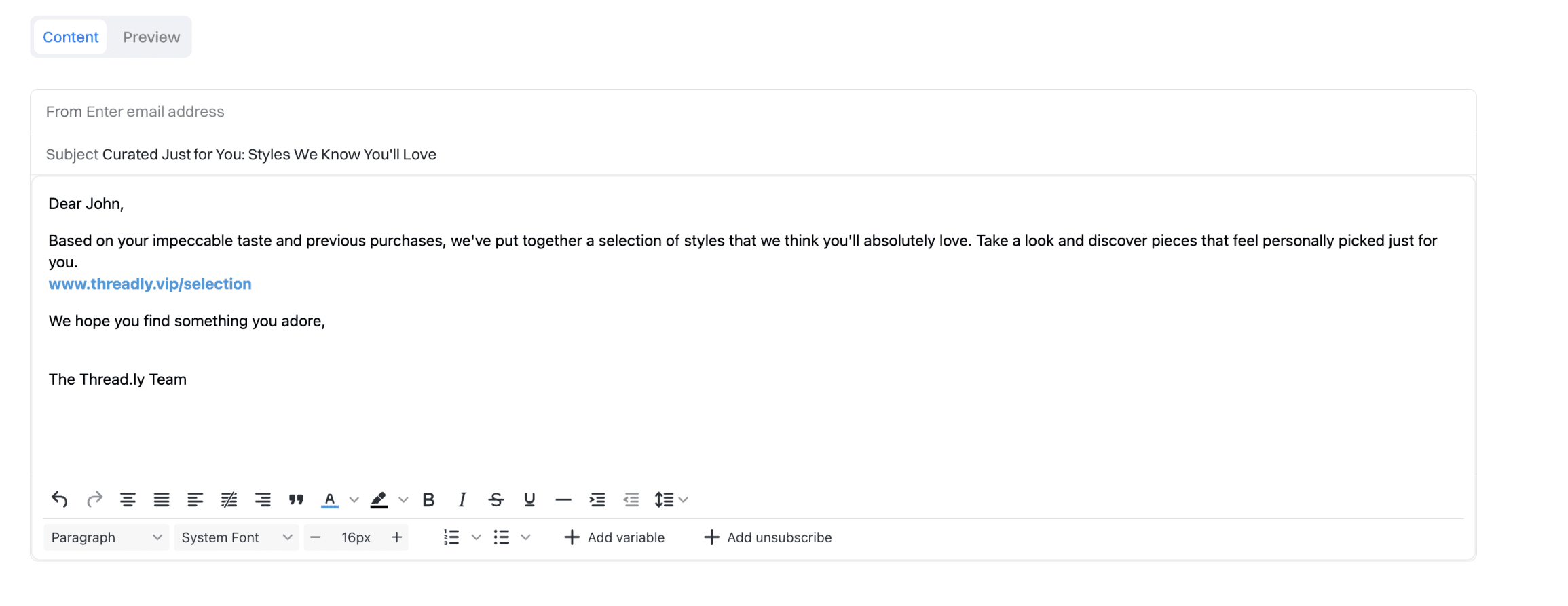
Re-engagement messaging
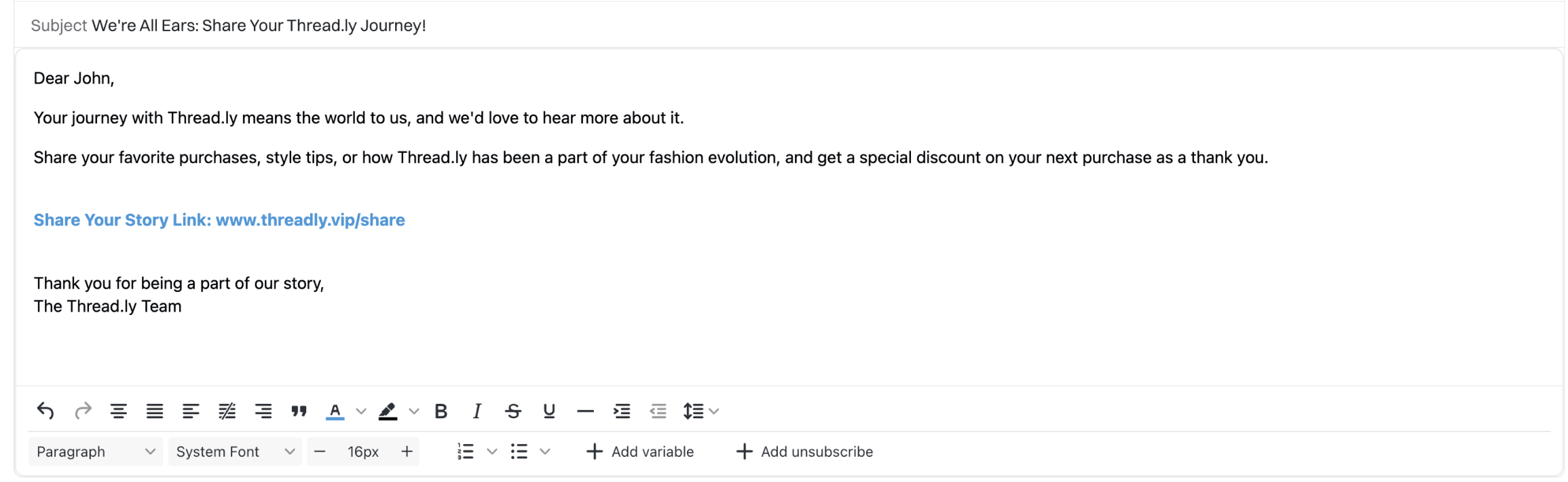
Multiple journeys for different segments:
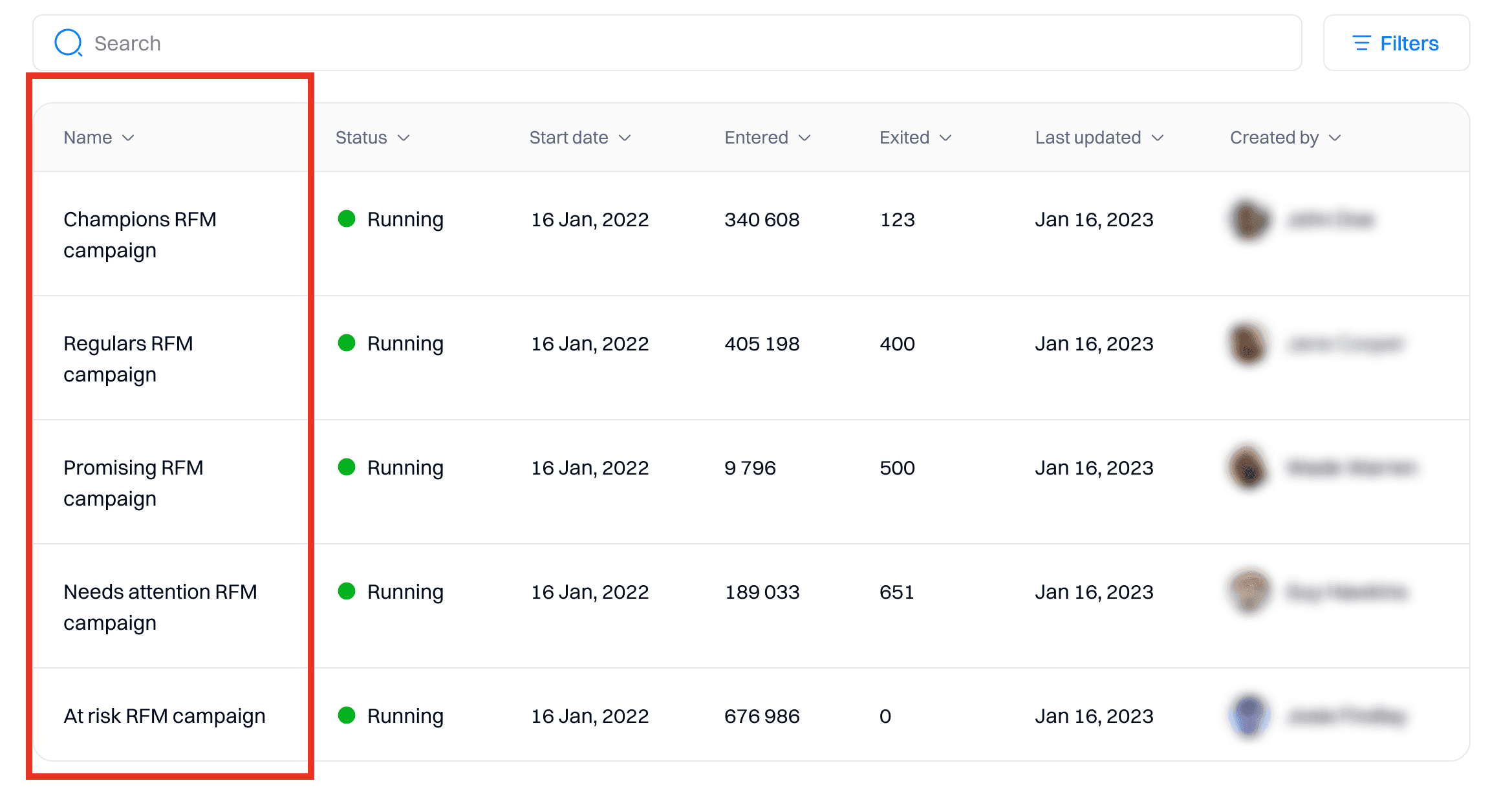
For each RFM segment, create a separate journey. For example:
- Champions RFM campaign
- Regulars RFM campaign
- Promising RFM campaign
- Needs attention RFM campaign
- At risk RFM campaign
Step 5: Deploy Personalizations (Experiences)
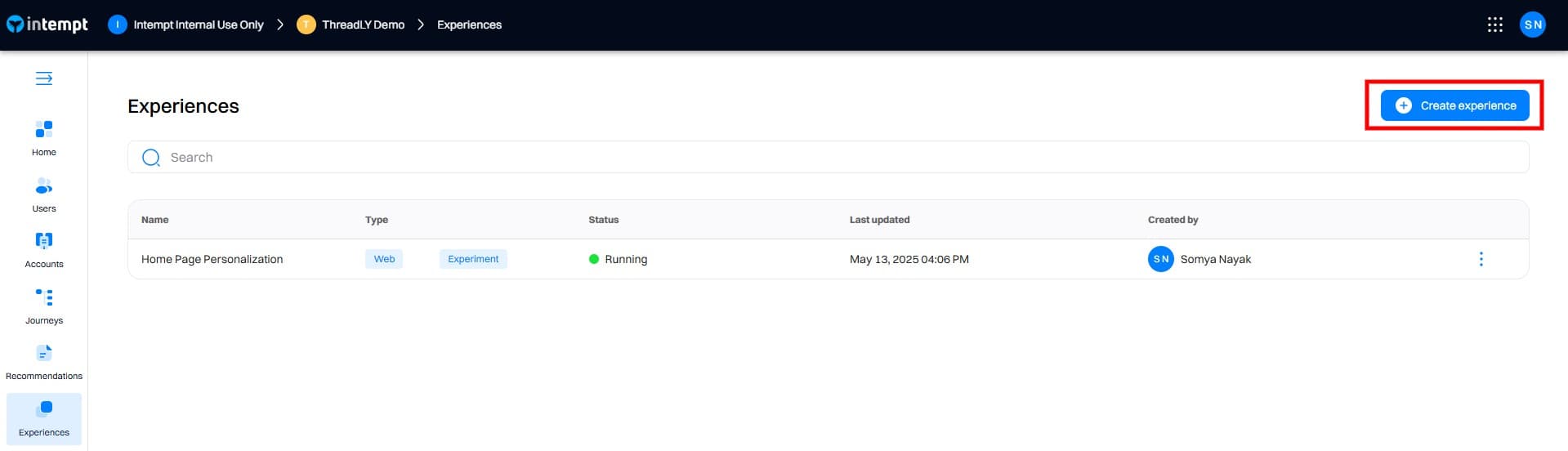
Go to Experiences and launch a personalization campaign.
Create a new personalization campaign:
Navigate to the Personalizations section in Intempt and create a new personalization.
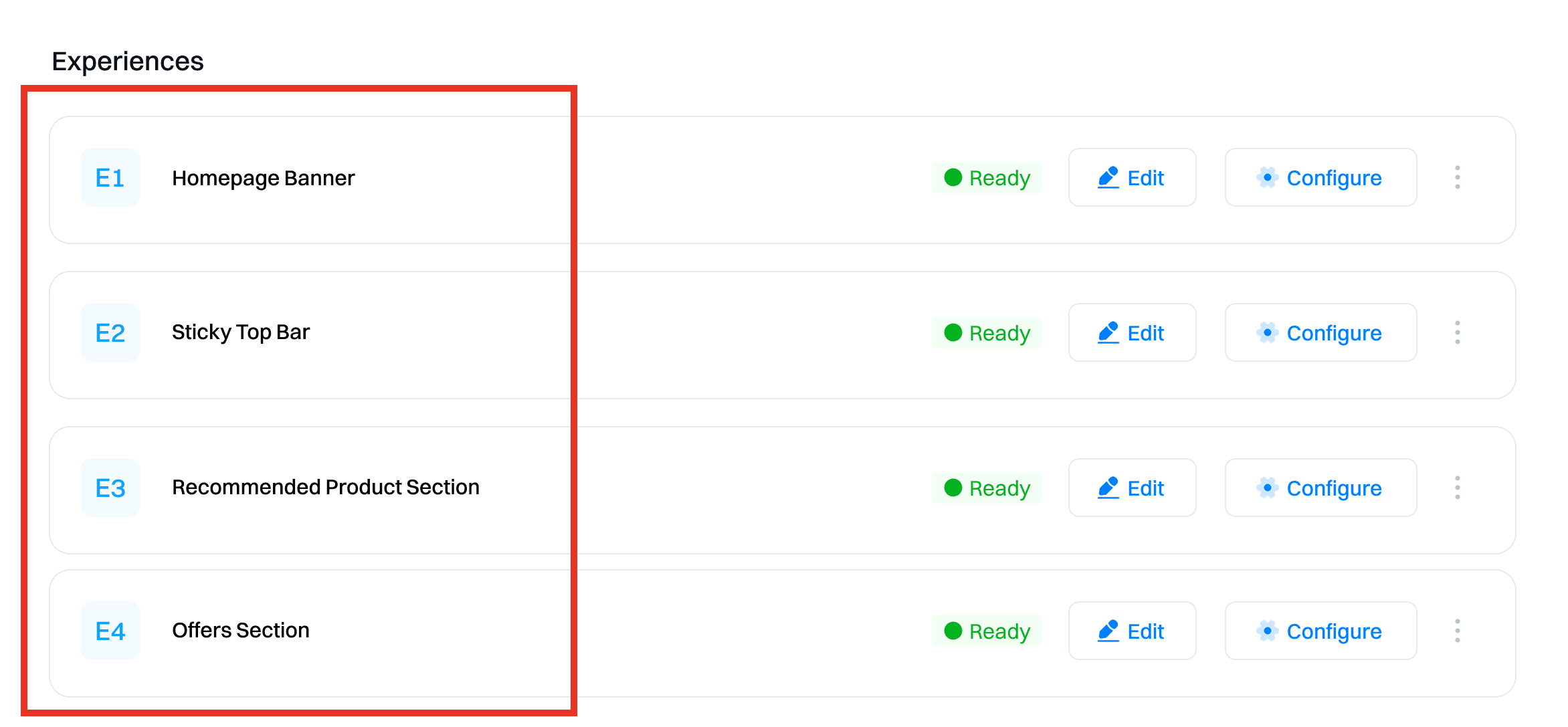
Create separate experiences for each lifecycle segment:
Champions: VIP banners and exclusive offers.
Regulars: Loyalty program highlights.
Promising: Welcome offer incentives.
Needs Attention: Re-engagement deals.
At Risk: "We miss you" discounts.
Set targeting rules so each experience only shows for its intended segment.
Step 6: Monitor and Optimize
Use analytics to track how journeys and personalizations perform:
Journey Analytics - trigger counts, conversions, conversion rate, time to convert.
Experience Analytics - views, conversions, lift vs control.
Use these metrics to assess the effectiveness of your personalized content. For instance, if the lift is significant, it indicates that the personalized content is performing well compared to the control group. Conversely, if the conversion rate is low, you may need to refine your personalization strategy or content.
Refine campaigns based on these insights (e.g., adjust content, timing, segmentation rules).
Tips for Success
Use RFM segment values as living attributes that update with every new purchase.
Combine lifecycle segments with other attributes (e.g., spend, tenure) for deeper targeting.
Build dedicated journeys and experiences for each core segment to maximize impact
Frequently asked questions. Answered.
RFM stands for Recency, Frequency, and Monetary value. The Lifecycle Agent analyzes how recently a customer purchased, how often they purchase, and how much they spend to automatically segment them into lifecycle stages. These three dimensions together give you a clear picture of customer value and engagement patterns.