
Attributes
Attributes are named fields on a user's or account's profile, manually entered, calculated from events, or scored by an AI model. Segments, journeys, and analytics all read from the same attribute definitions.
Overview
Attributes are named fields on a user's or account's profile, manually entered, calculated from events, or scored by an AI model. Every attribute lives in one catalog on the Attributes page. Journeys, analytics, and segmentation elsewhere in the product all read from the same definitions.
📘 Good to know
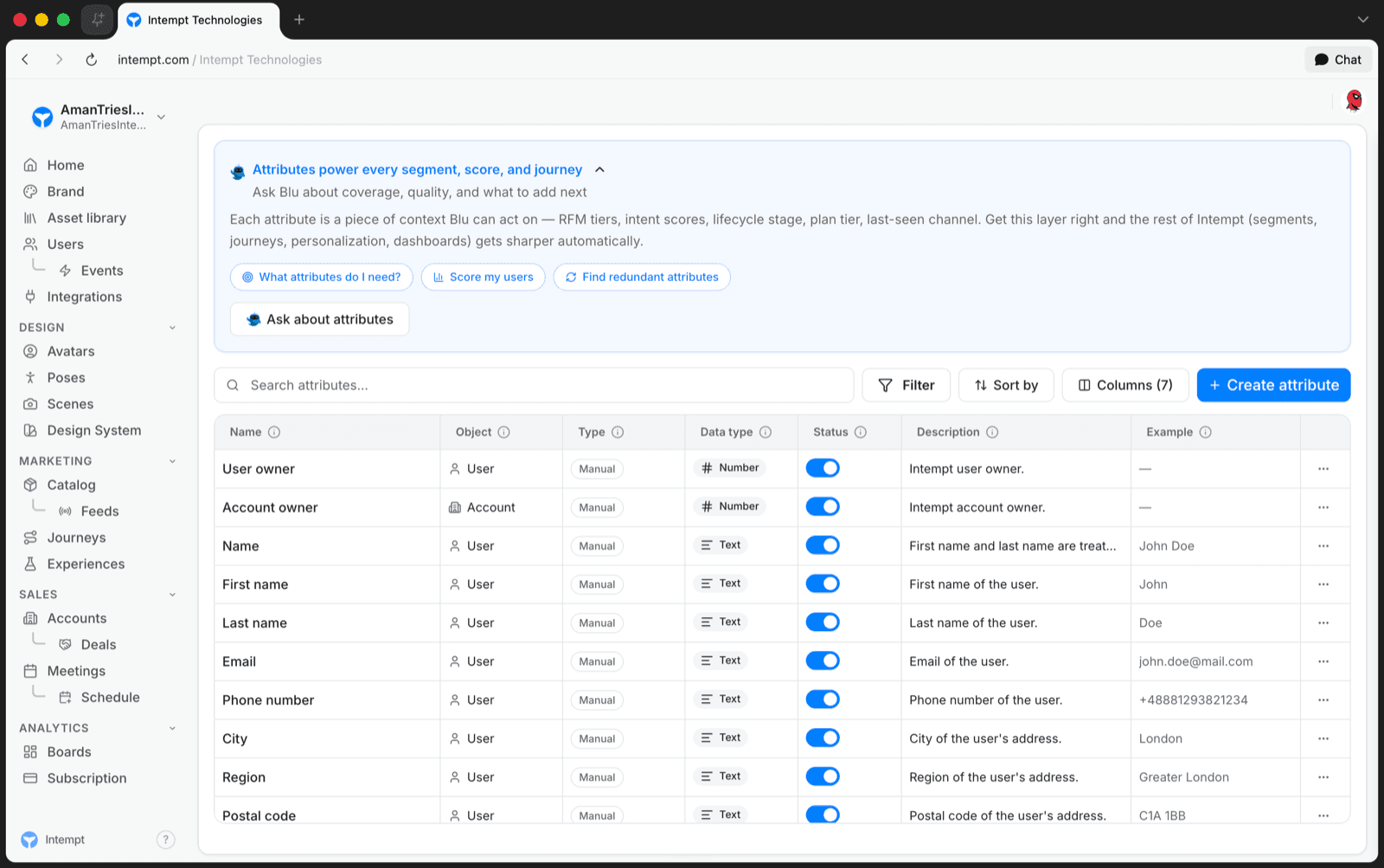
The Attributes page opens with a Blu banner, "Attributes power every segment, score, and journey," with quick prompts for coverage gaps, scoring design, and redundant-attribute cleanup. Blu only advises here; it doesn't create or edit an attribute directly.
Attribute types
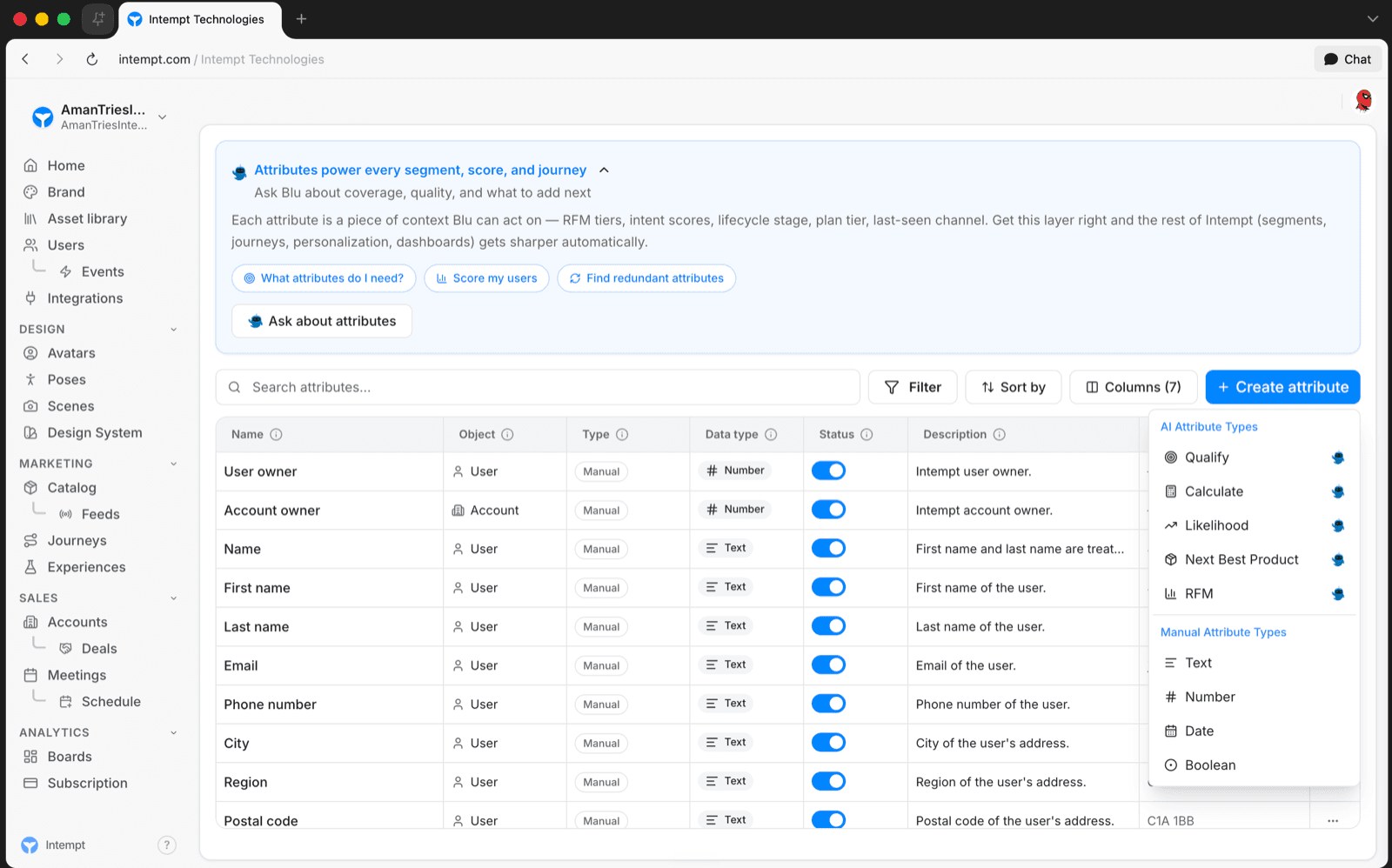
Every attribute belongs to one object: User or Account. The Create attribute button opens a type picker with two sections:
| Section | Type | What it does |
|---|---|---|
| Manual | Text, Number, Date, Boolean | A field you set by hand, with no computation. |
| AI | RFM | Recency/Frequency/Monetary scoring, configured against an event and a scope of users or accounts. |
| AI | Likelihood | A trained model predicting the probability a profile performs a target event within a future window. |
| AI | Next Best Product | A trained model predicting which catalog product a profile is most likely to engage with next. |
| AI | Qualify | Not yet documented. |
| AI | Calculate | Not yet documented. |
Picking a type opens that type's own setup form in a side panel. Once saved, the attribute appears in the table alongside its Object, Type, Data type, Status, a description, and an example value.
📘 Good to know
The Attributes page isn't in the main sidebar today. You'll need a direct link to get there.
Use cases
- Score customers on Recency, Frequency, and Monetary value with an RFM attribute to target a lifecycle campaign.
- Predict whether a profile will complete a target event within a future window with a Likelihood attribute.
- Predict which catalog product a profile is most likely to engage with next using a Next Best Product attribute.
- Track a manually-set field, like a plan-tier flag, with a Text, Number, Date, or Boolean attribute.
- Use any attribute as a targeting condition in a journey's condition or data node.
- Break down an analytics report by an attribute's value.
- Search, filter, and sort the full attribute catalog by Object, Type, Data type, or Status before building a new segment or journey.
Where to go next
Users
Users is Intempt's universal contact database in the console: one profile per person across every event they've ever triggered, with a filterable list, bulk actions, and a multi-tab detail page shared by Marketing, Sales, and Analytics.
Attribute reference
Attributes are properties that help you define the specifics of an event, a user, or an account. Intempt has many attributes defined in its Data Model.