
Segments
A segment is a named group of Users or Accounts that Intempt reuses as a targeting scope in Attributes, Experiences, and Journeys, built directly from the Users or Accounts list rather than a dedicated Segments page.
Overview
A segment is a named group of Users or Accounts that Intempt reuses as a targeting scope elsewhere in the product. Attributes' AI-scored types, Experiences' audience targeting, and Journeys' trigger and exit rules all read from the same segment list. There's no dedicated Segments page: you build a segment directly from the Users or Accounts list, using one of the two methods below.
How it works
Two ways to build a segment
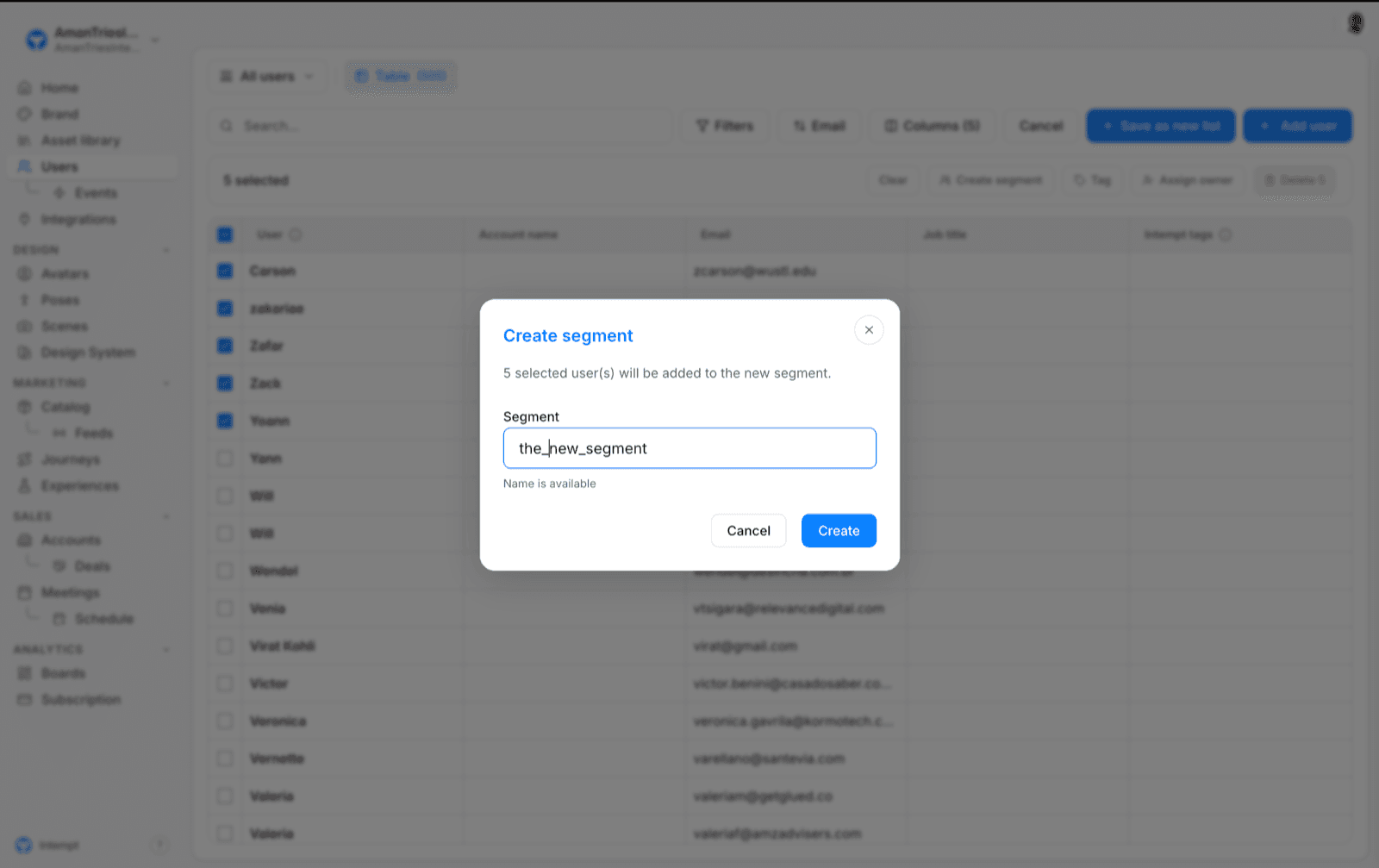
- Select rows and save them as a segment. On the Users list, select one or more rows, then use the "Create segment" action in the action bar that appears. This captures exactly the profiles you selected as a named group you can reuse later. This path is Users-only; there's no equivalent action on the Accounts list.
- Build a filter and save it. On the Users or Accounts list, set up a filter, sort order, and column combination, then click "Save as new list." This opens a panel titled "Save as new view," with its own "Save view" button, and saves the result as a reusable list rather than a segment record. Either way, the result shows up in the same segment picker used elsewhere in the product.
📘 Good to know
Only User-type segments can be created from the UI today. There's no path to create an Account-type segment, so any Account-scoped picker (for example, an Attribute scoped to Accounts) can only offer "All accounts." You may also see this same kind of saved group called a "list" or a "view" in a couple of places, depending on which of the two methods above created it.
Where segments are used
- Attributes. The "Score users/accounts in segment" field on RFM, Likelihood, and Next Best Product attribute types scopes the AI calculation to a specific segment instead of your whole user base.
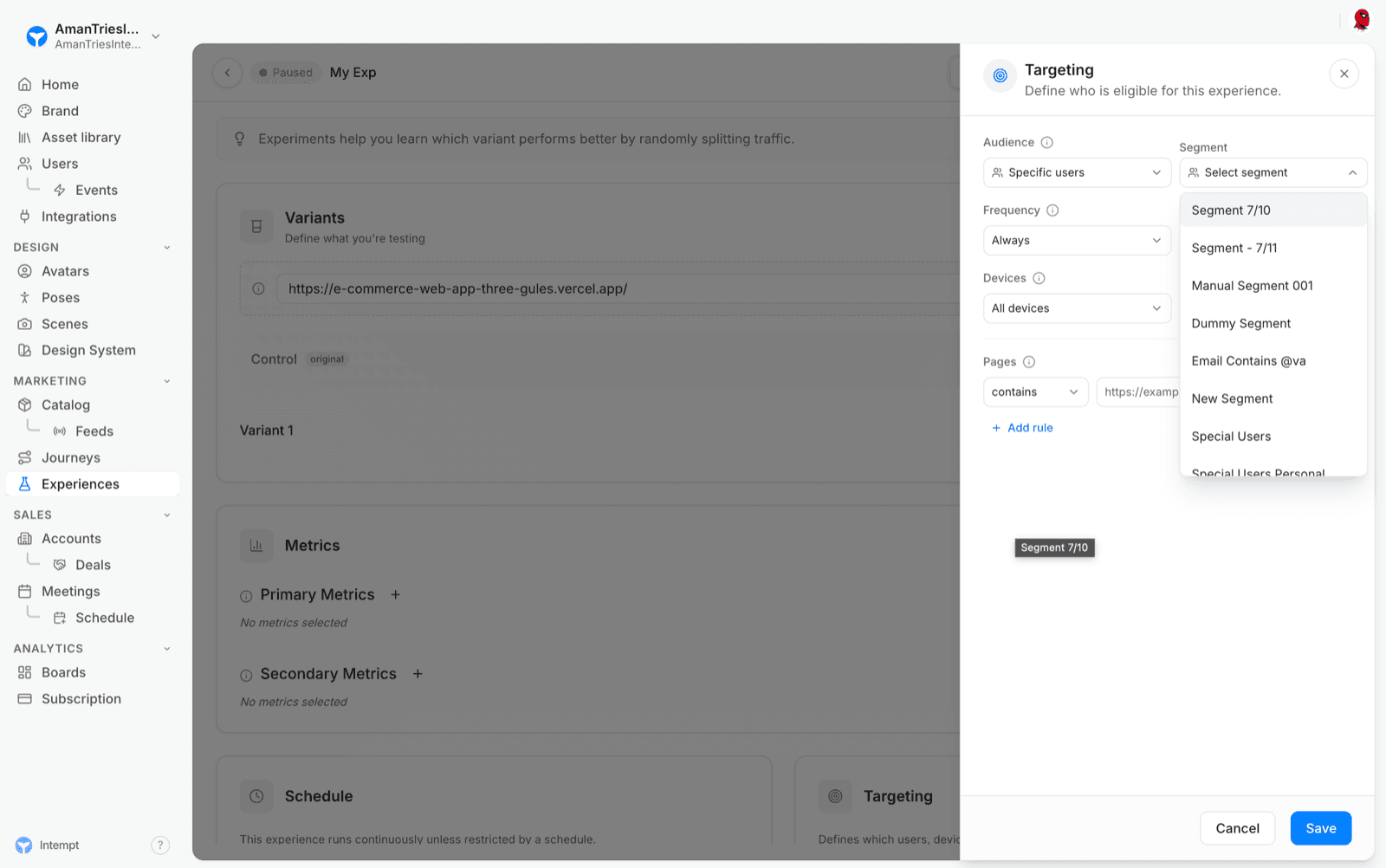
- Experiences. Setting an Experience's audience to "Specific users" adds a segment picker, so only members of that segment see the variant.
- Only events from users. Segments hold users or accounts, so events from an Events only source can't be used in one. See What a source collects.
- Journeys. A journey's trigger and exit-rule configuration is built from a filter, and "Segment" is one of the property types you can filter on, so only members of that segment enter, or are removed from, the journey.
What you can't do
There's no rename, edit, or delete action for a segment once it's created, anywhere in Intempt. If you need a different group, create a new segment instead of changing an existing one.
Use cases
- Scoping an AI score to a specific group. Use a segment as the "Score users/accounts in segment" target for an RFM, Likelihood, or Next Best Product attribute, instead of scoring your entire user base.
- Targeting a personalized experience. Set an Experience's audience to "Specific users" and pick a segment so only that group sees the variant.
- Triggering or exiting a journey. Use a segment as a journey's trigger condition or exit rule, so only members of that segment enter or are removed from the journey.
- Saving a manual review as a reusable group. Select the rows you've reviewed by hand on the Users list and save them as a segment, instead of rebuilding the same selection every time you need it.
- Building a segment from matching criteria. Set up a filter, sort, and column combination on the Users or Accounts list and save it as a segment, instead of selecting rows one by one.
- Reusing one targeting group everywhere. Create a segment once, then reference it from Attributes, Experiences, and Journeys. All three read from the same segment list, so it's the same group in every feature.
Where to go next
- Creating a segment to build a segment step by step.
- Segment comparison to compare two segments in a graph.
Predictive Attributes: Likelihood & Next Best Product
Likelihood and Next Best Product are Intempt's two predictive Attribute types, each training a model that scores every profile in the background.
User Consent and Tracking Methods
This method is used to enable tracking of user interactions within an application. It reverses any previous tracking restrictions set by the optOut method.