
RFM Scoring & Scored Audiences
Create an RFM attribute to score users or accounts by Recency, Frequency, and Monetary value, then use the score to target audiences.
Overview
RFM Scoring is an attribute type, not a segmentation feature. It scores each user or account on three dimensions, Recency (how recently they acted), Frequency (how often they act), and Monetary (how much value they generate), using events you already track (for example, purchase).
📘 Good to know
RFM used to live under Intempt's AI Segmentation module. It's now created and managed as an attribute type, alongside Likelihood and Next Best Product, from the Attributes page.
Once created, an RFM attribute is a calculated attribute like any other: it shows up in the Attributes list with an "RFM" type badge, and it's available as a targeting condition anywhere calculated attributes are, including segments, journeys, and personalizations.
Creating an RFM attribute
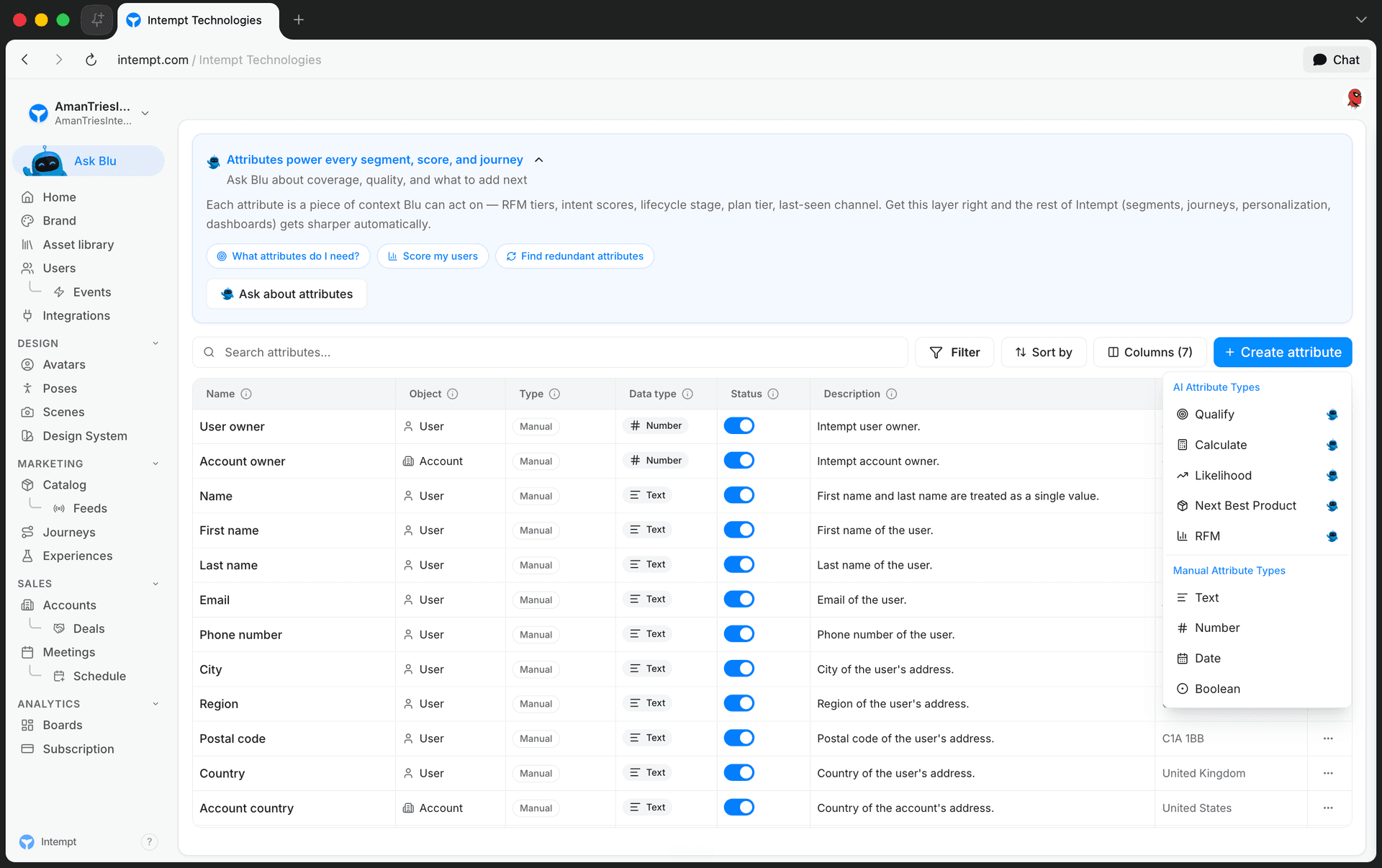
Go to Attributes, click Create attribute, then select RFM under AI Attribute Types.
A panel opens with the RFM configuration form.
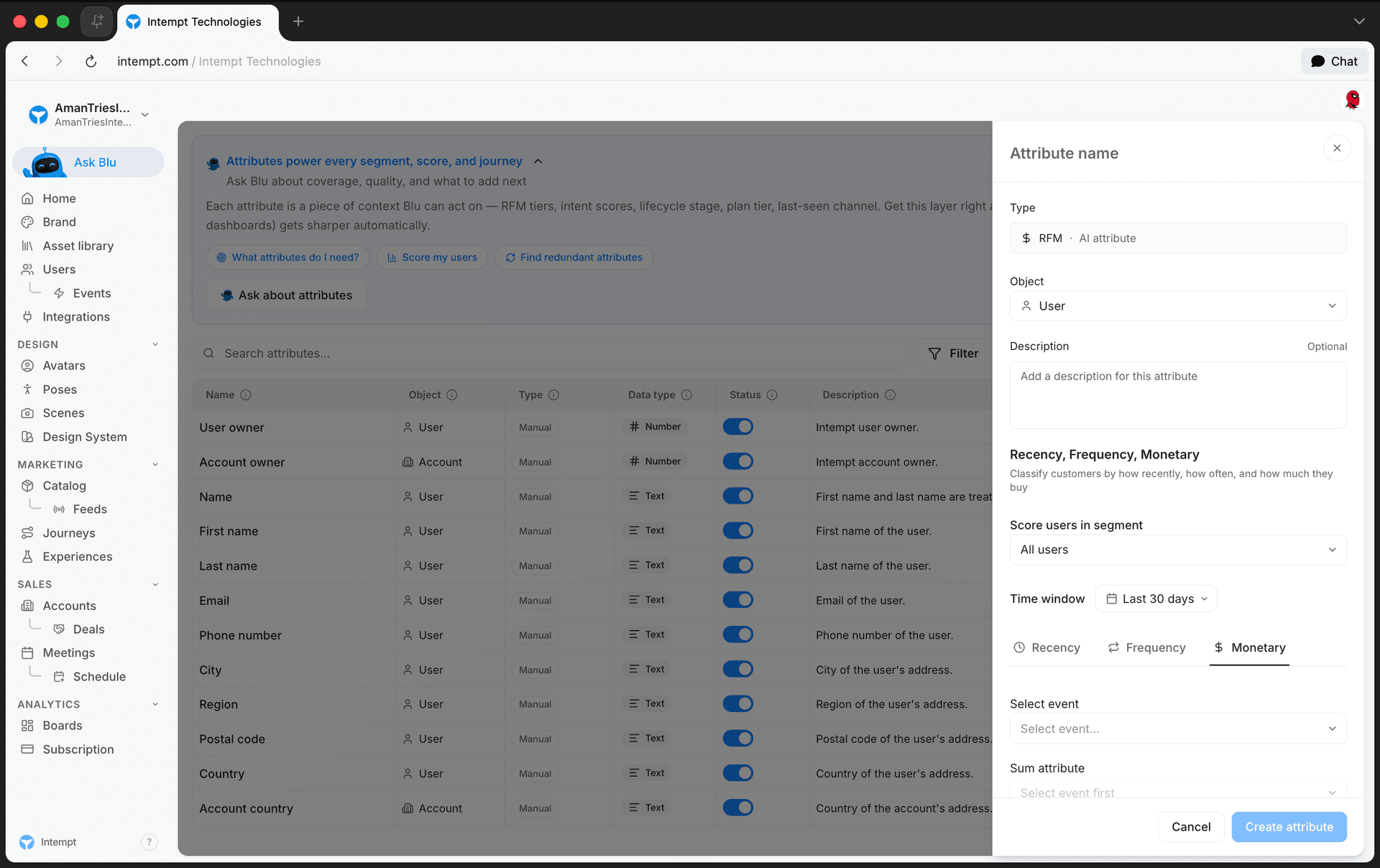
- Attribute name. Name the attribute at the top of the panel.
- Object. Choose User or Account, depending on which profiles you're scoring.
- Description. Optional context for the attribute.
- Score users in segment (or Score accounts in segment for Account). Limit scoring to a specific segment, or leave it as All users / All accounts.
- Time window. The rolling period the score is calculated over. Defaults to 30 days.
- Recency, Frequency, Monetary tabs. Pick an event for Recency and an event for Frequency. On the Monetary tab, pick an event and a Sum attribute, the numeric event property to total (for example, order value).
📘 Good to know
Create attribute stays disabled until Recency, Frequency, and Monetary all have an event selected, and the Monetary tab's Sum attribute is set.
Once the required fields are filled in, click Create attribute.
Editing an RFM attribute
Open the attribute from the Attributes list. Its Configuration tab shows the same Recency, Frequency, Monetary form, pre-filled with the attribute's current values.
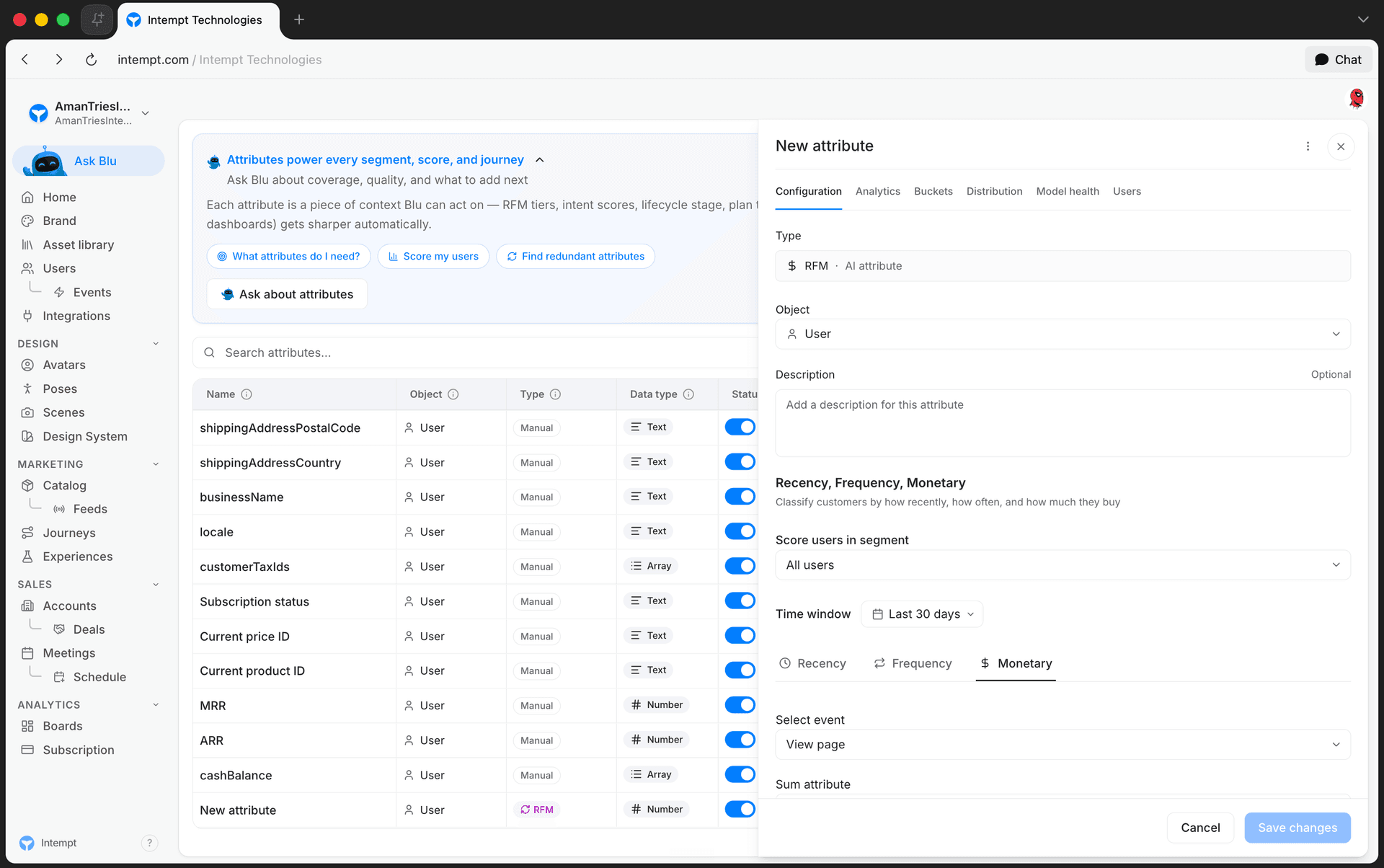
Change any field, then click Save changes, or Cancel to discard your changes.
Reviewing scored profiles
The attribute's Users tab lets you search the users or accounts this attribute applies to. Selecting one opens their profile.
Use cases
- Target customers with high monetary value but a long gap since their last purchase for a win-back campaign.
- Trigger a re-engagement journey when a customer's frequency drops.
- Personalize on-site offers differently for high-frequency repeat buyers versus one-time purchasers.
- Score accounts instead of users to prioritize outbound sales outreach by account monetary value.
- Scope scoring to a paying-customers segment so trial or anonymous profiles don't skew the results.
- Use a shorter time window for fast purchase cycles, and a longer one for considered, less frequent purchases.
Where to go next
Managing attributes
The Attributes page lists every user, account, and event attribute in your project, with tools to search, filter, sort, create, edit, and delete them.
Predictive Attributes: Likelihood & Next Best Product
Likelihood and Next Best Product are Intempt's two predictive Attribute types, each training a model that scores every profile in the background.