
Home Overview
Home is the first page you land on in a project: a personalized greeting plus a dashboard view for Design, Marketing, and Sales.
Overview
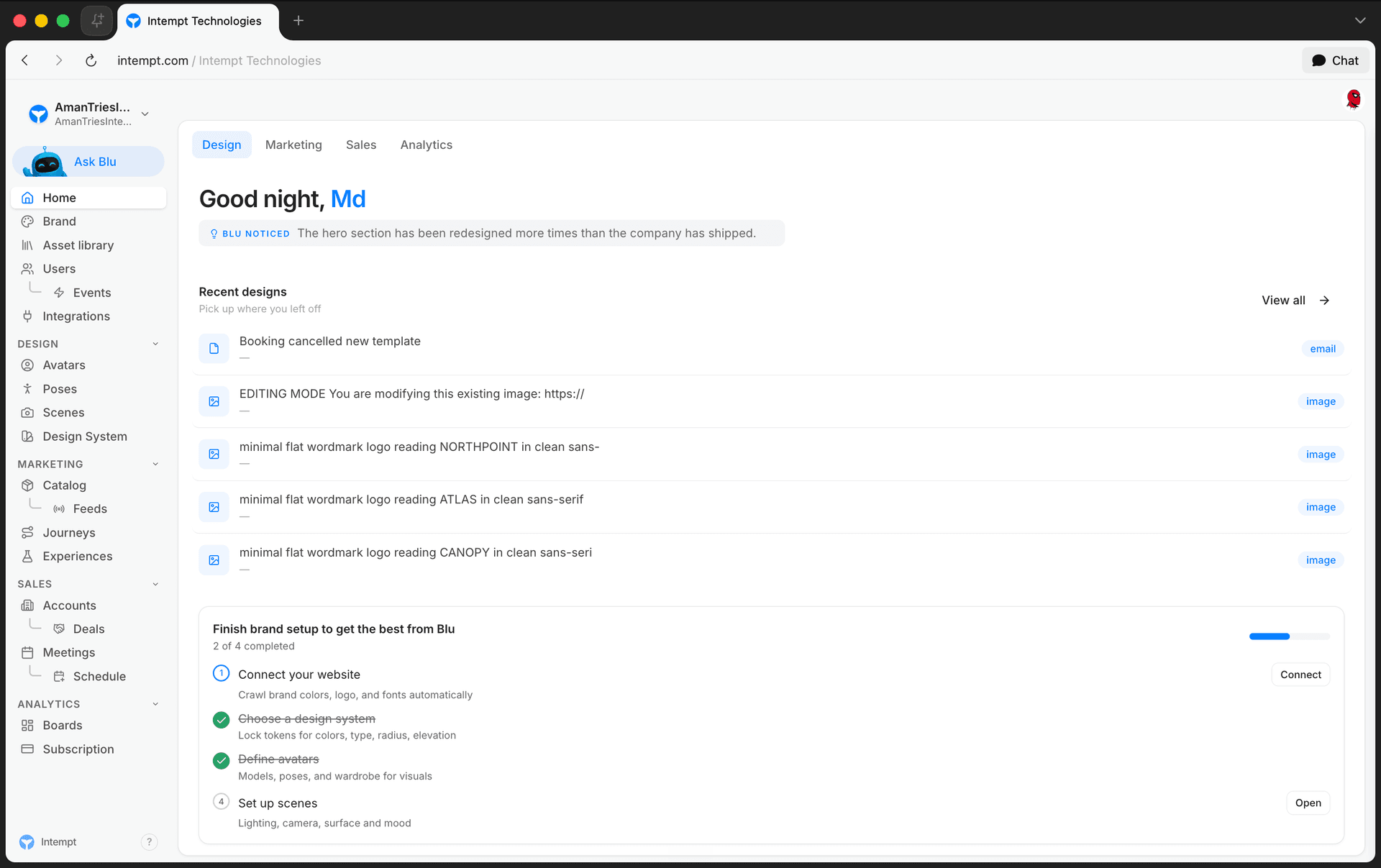
Home is the page a project opens to. Landing on the app takes you here, and so does switching organizations or projects from the sidebar selector. A greeting band sits across the top, and below it one of three dashboard views: Design, Marketing, or Sales.
How it works
The greeting band
Every view on Home shares the same band at the top:
- A time-based greeting - "Good morning," "Good afternoon," "Good evening," or "Good night," next to your first name and your avatar.
- "Blu noticed" - a short tip from Blu tied to whichever tab you're on. Tap it for another one.
- Local weather - temperature, condition, and city, shown when Intempt has your location.
Three views
Tabs sit in the page header, backed by the URL (?tab=) so a link to a specific tab is shareable, and your last-viewed tab is remembered the next time you open Home.
| Tab | What it shows |
|---|---|
| Design | An intro banner for Creative Studio, a "Recent designs" list to pick up where you left off, and a brand setup checklist (connect your website, choose a design system, define avatars, set up scenes). |
| Marketing | A "Coming Soon" placeholder. This view isn't built yet. |
| Sales | Email performance for the selected timeframe (sent, opened, clicked), a setup checklist (account, email, calendar), and Blu's AI-drafted replies waiting for your review. |
📘 Good to know
Switching tabs only changes what Home shows. It doesn't change your organization, project, or the underlying customer data, every tab reads from the same customer context.
Where to go next
-
What is Intempt? for what each of the five products does beyond Home.
-
Platform Overview & Architecture for how organizations, projects, and the five products fit together.
-
Analytics Overview for Boards, where Analytics dashboards live. Home has no Analytics tab.
-
Meetings Overview for Blu's AI notetaker, part of the Sales workspace behind the Sales tab.
Quick Start Guide (0 to First Value)
Sign up, create your organization, and complete the core setup steps that get real customer data flowing through Intempt.
Integrations
Integrations connects Intempt to the sources that send you data, the platforms you sync data with, and the destinations you send data to, plus the custom domains your booking pages and tracking links run on.