
Predictive Attributes: Likelihood & Next Best Product
Likelihood and Next Best Product are Intempt's two predictive Attribute types, each training a model that scores every profile in the background.
Overview
Likelihood and Next Best Product are Intempt's two predictive Attribute types, each training a model that scores every profile in the background. This guide covers creating and configuring both.
📘 Good to know
Both types are labeled "AI attribute" in the Attributes page's create menu, next to RFM. See Attribute reference for what every attribute type computes, including RFM and manual types.
How it works
Likelihood
A Likelihood attribute trains a regression model that predicts the probability a profile completes a chosen event within a future window. It always displays as data type Scored Tier.
Next Best Product
A Next Best Product attribute trains a multiclass model that predicts which catalog product a profile is most likely to engage with next.
Once you save either attribute, Intempt trains the model and scores profiles on its own. Next Best Product also has a refresh cadence, so the model retrains and rescoring runs on the schedule you pick.
Creating a Likelihood attribute
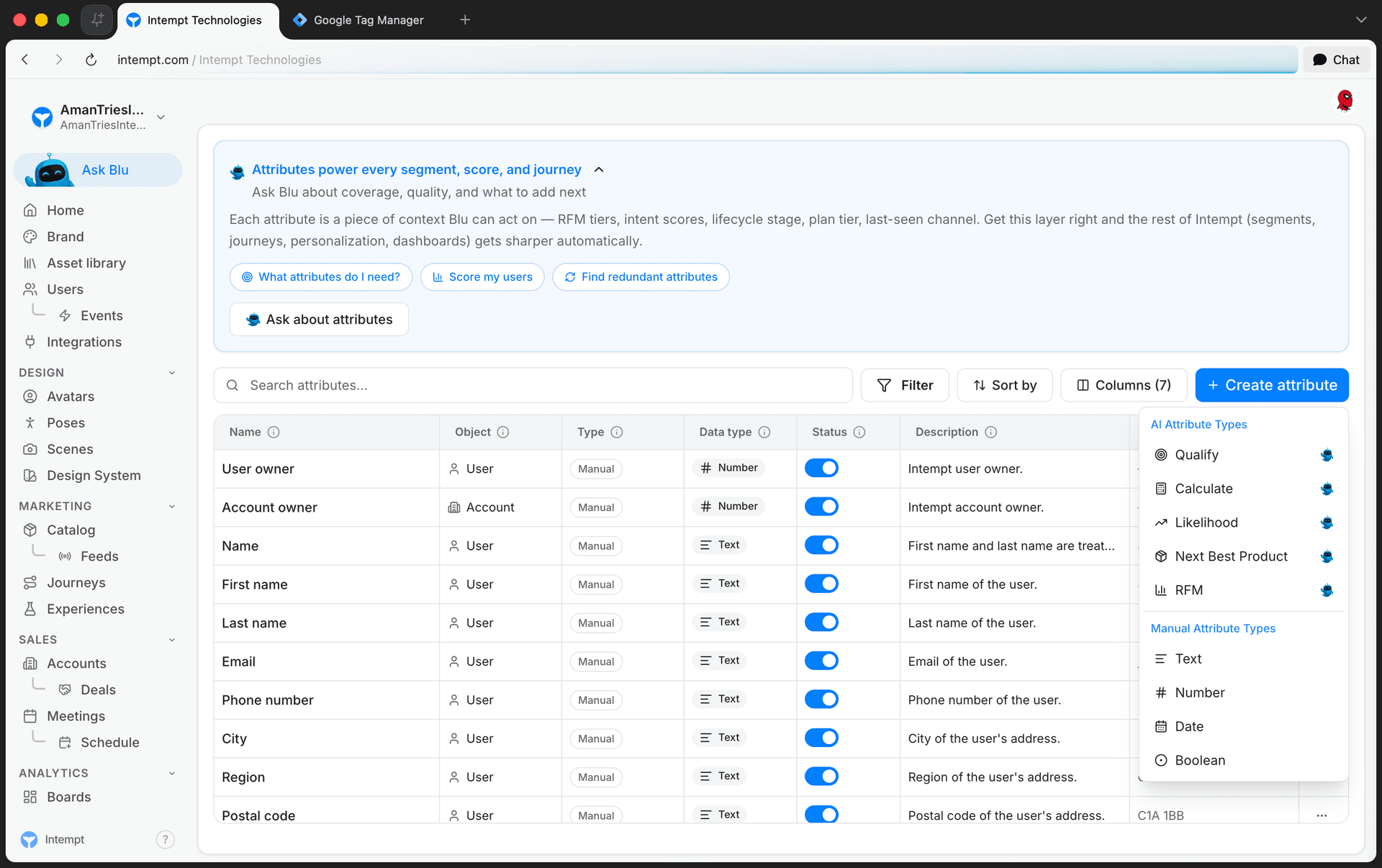
- Open the Attributes page and click Create attribute.
- Under AI Attribute Types, click Likelihood.
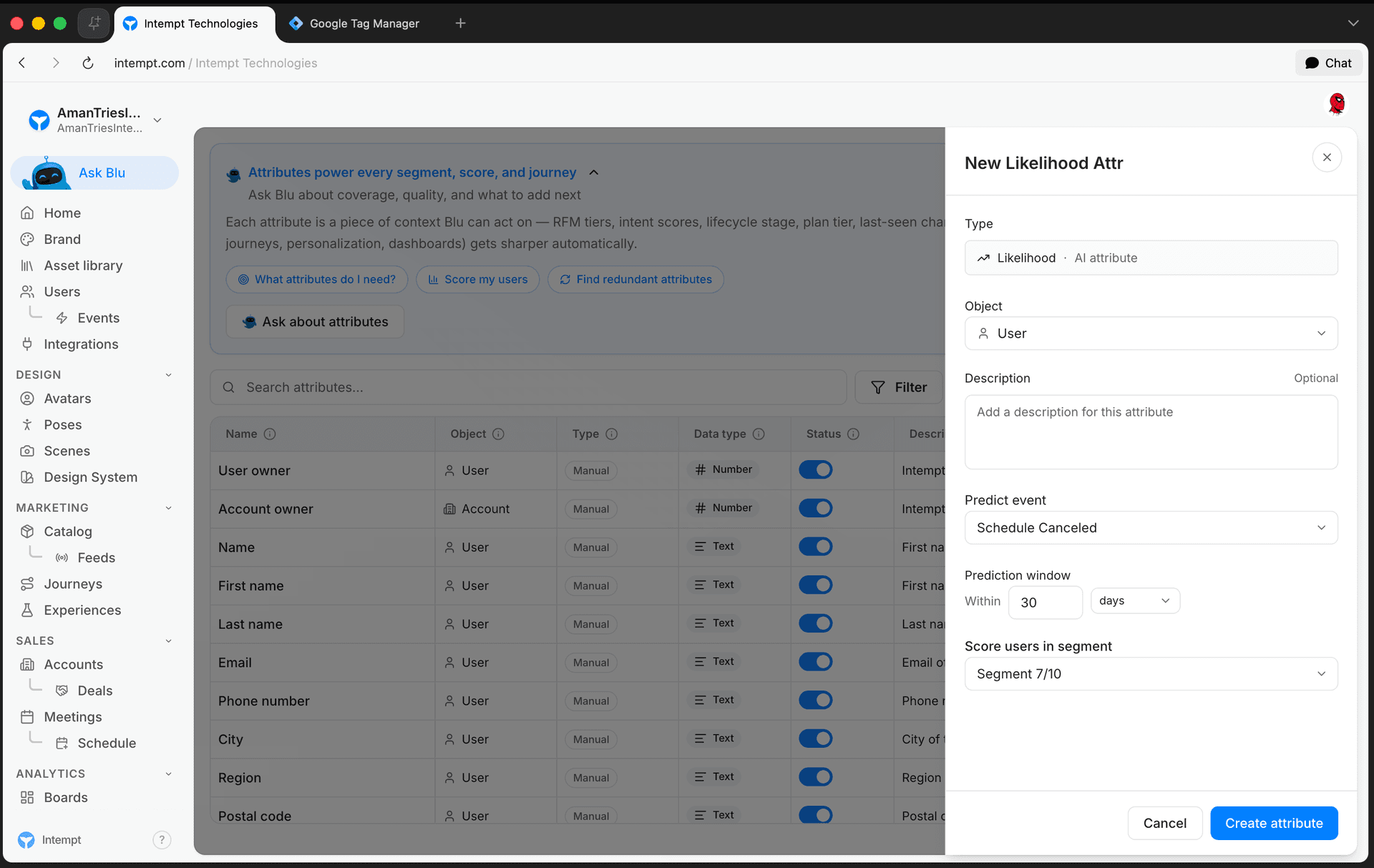
- Fill in the Likelihood panel:
- Object. User or Account.
- Description. Optional, plain text.
- Predict event. The event the model learns to predict. Required, searchable dropdown.
- Prediction window. A number plus days, weeks, or months. Defaults to 30 days.
- Score users in segment (or Score accounts in segment for an Account attribute). Limits which profiles get scored. Defaults to "All users" or "All accounts."
- Click Create attribute.
Creating a Next Best Product attribute
- Open the Attributes page and click Create attribute.
- Under AI Attribute Types, click Next Best Product.
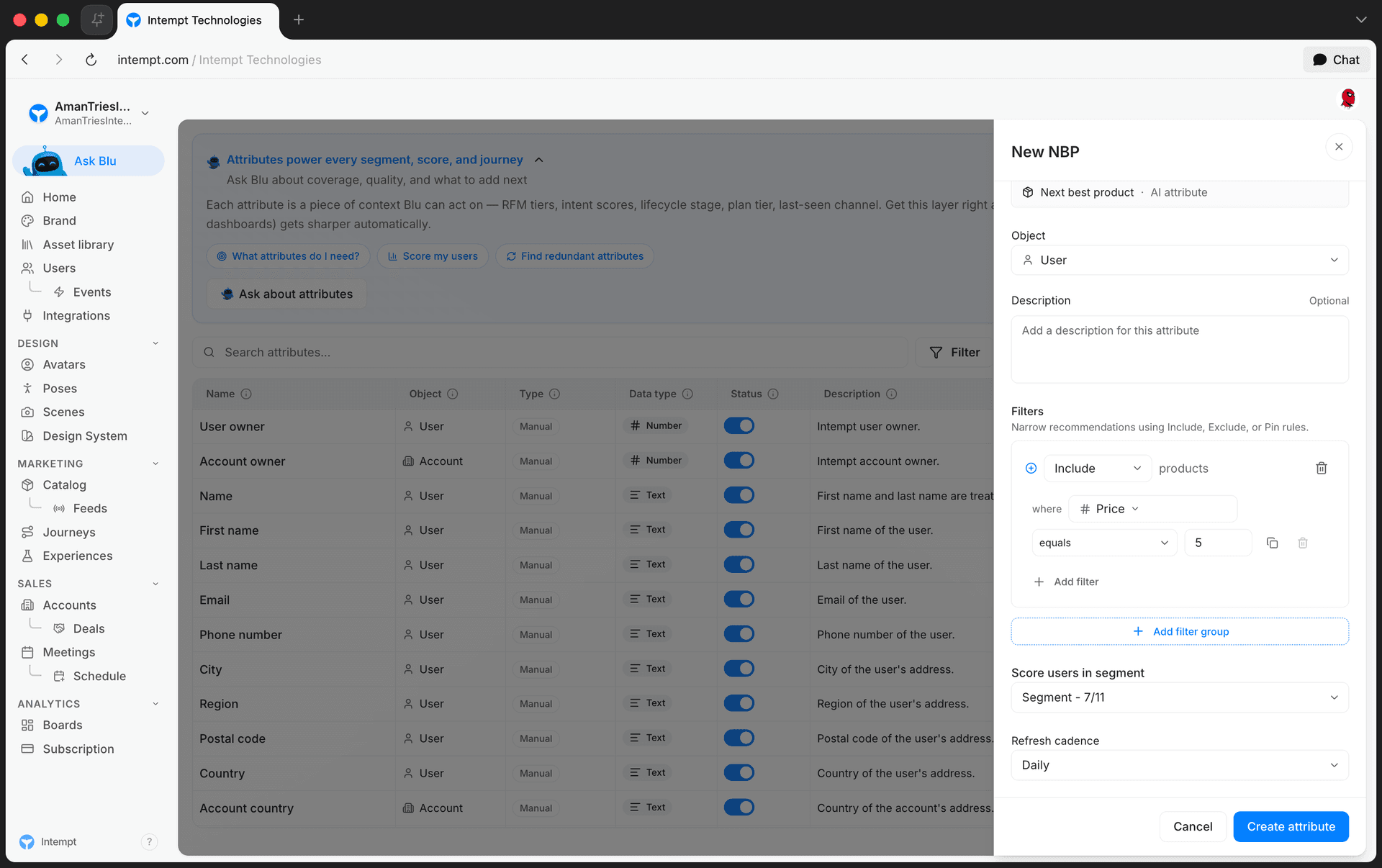
- Fill in the Next best product panel:
- Object. User or Account.
- Description. Optional, plain text.
- Filters. Add Include, Exclude, or Pin rules to narrow which catalog products the model can recommend.
- Score users in segment (or Score accounts in segment for an Account attribute). Limits which profiles get scored. Defaults to "All users" or "All accounts."
- Refresh cadence. Once, Daily, or Weekly. Controls how often the model retrains and rescoring runs.
- Click Create attribute.
📘 Good to know
Switching Object between User and Account resets the score segment field back to "All users" or "All accounts," since segments are scoped to one object type.
Editing a Likelihood or Next Best Product attribute
Open the attribute from the Attributes list. Its Configuration tab shows the same setup panel, pre-filled with the attribute's live values. Change any field, then click Save changes, or Cancel to discard. See Managing attributes for the full edit flow shared by every attribute type.
Use cases
- Predict which trial users are likely to convert in the next 30 days with a Likelihood attribute, then target them with a conversion campaign.
- Score churn risk by setting a cancellation event as a Likelihood attribute's Predict event.
- Personalize a product recommendation block with each profile's Next Best Product.
- Exclude out-of-stock or discontinued items from Next Best Product recommendations with an Exclude filter.
- Pin a specific product, such as a new launch, with a Pin filter so it always surfaces as a Next Best Product candidate.
- Set a Next Best Product attribute's refresh cadence to Daily so recommendations stay current as catalog and behavior change.
- Score only part of your base, such as trial users, with the Score segment field on either type.
- Feed a Likelihood or Next Best Product attribute into a segment or journey condition to route profiles automatically.
Where to go next
RFM Scoring & Scored Audiences
Create an RFM attribute to score users or accounts by Recency, Frequency, and Monetary value, then use the score to target audiences.
Segments
A segment is a named group of Users or Accounts that Intempt reuses as a targeting scope in Attributes, Experiences, and Journeys, built directly from the Users or Accounts list rather than a dedicated Segments page.