


- Claude is marketing infrastructure now, not a writing assistant. It thinks. It does not ship.
- Across 15 workflows covering [lifecycle emails](/blog/best-claude-skills-for-lifecycle-marketing), A/B tests, attribution, segmentation, and ad creative, Claude generates the artifact but cannot send an email, run an experiment, or track a cohort.
- Use Claude to draft. Paste the output into Intempt Journeys, Experiments, Analytics, and Audiences to execute.
How to use Claude for marketing at scale is not the same as how most teams are using it. Most treat it like a fancy search engine: ask a question, get an answer, move on. But Claude has quietly become the backbone of how the best marketing teams think through problems, write copy, structure campaigns, and analyze results.
HubSpot's 2026 State of Marketing Report found that 86.4% of marketing teams now use AI in some part of their workflow-up from 41% in 2024. The average marketer saves 6.1 hours per week with AI tools. But saving time on one-off tasks is different from building systematic advantage across your entire marketing operation.
The real power comes when you treat Claude as a systematic part of your workflow-generating lifecycle email sequences, A/B test frameworks, audience insights, and creative briefs that you then execute through your actual marketing stack. The 15 workflows below show exactly how to do this. Once one of them works for you, save it as a versioned file instead of a prompt you retype each week - that is what Claude Code skills are built for. Each one solves a specific problem that would traditionally require a specialist tool or hours of manual work. Each one produces an output you can immediately use. And each one becomes 10x more powerful when combined with an automation platform that can actually deploy what Claude creates.
Why Claude Works for Marketing
Claude excels at marketing because it understands context in ways other AI models don't. It can hold complex customer journey maps in its head, generate nuanced copy that matches your brand voice, analyze raw data patterns without prompting you for the obvious next step, and reason through attribution problems that would normally require a SQL query. For marketers, this means you can hand Claude messy, half-formed briefs and get back production-ready outputs. It handles the thinking layer.
Practitioners who've built systems on Claude point to tasks like turning customer interview transcripts into insight reports, building FAQ content from support ticket patterns, and drafting multi-step campaign workflows as where it pulls furthest ahead of other models. Serious marketing teams prefer Claude for precision, nuance, and enterprise-grade reliability-while ChatGPT dominates consumer mindshare. Anthropic's own Claude for Marketing guide identifies the core starting use cases: campaign brainstorming, case study writing, weekly marketing ops reviews, and video script creation. Community discussions on Quora reinforce the same pattern: Claude works best when you give it structured context about your product, audience, and goals-not when you treat it like a search engine.
But there's a critical limitation: Claude is generative, not executable. It can write your email sequence, but it won't send it. It can design your A/B test, but it won't track statistical significance. It can recommend a customer segment, but it won't activate it. That's where the gap appears-and where this post's second half becomes relevant.
The 15 Claude Marketing Workflows
Group 1: Lifecycle and Email (Journeys)
1. Writing Lifecycle Email Sequences from Scratch
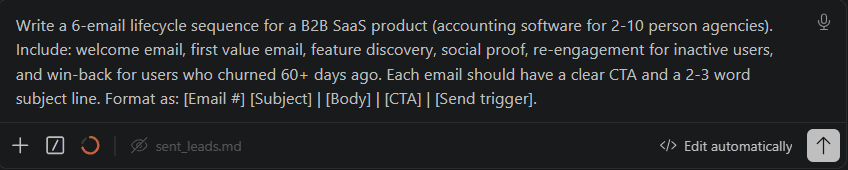
Claude generates a complete email sequence (welcome, activation, re-engagement, winback) from a single brief about your product and audience. You give Claude your customer journey map, and it produces subject lines, body copy, send timing, and branching logic in one response. The output is a fully structured sequence ready to be built into your email platform-Claude does the strategic thinking and copywriting in parallel.
Prompt: Write a 6-email lifecycle sequence for a B2B SaaS product (accounting software for 2-10 person agencies). Include: welcome email, first value email, feature discovery, social proof, re-engagement for inactive users, and win-back for users who churned 60+ days ago. Each email should have a clear CTA and a 2-3 word subject line. Format as: [Email #] [Subject] | [Body] | [CTA] | [Send trigger].
The output is a complete sequence with timing, triggers, and copy variants you can A/B test. Claude understands that the welcome email serves a different purpose than the re-engagement email, so it generates distinct strategies for each. When this is sent through Intempt Journeys, the platform automatically manages the send logic, conditional branching, and performance tracking-Claude handled the thinking, Intempt handles the execution.
2. Building a Post-Purchase Re-engagement Flow
Claude maps a post-purchase journey that moves customers from transaction to integration to advocacy, with specific trigger points and messaging strategies for each step. You input your product's onboarding time, typical customer goals, and integration partners, and Claude outputs a sequence designed to prevent early churn.
Prompt: Design a post-purchase email flow for a product photography tool (customers just paid $199). The average customer sets up in 2 days. Map emails for: day 1 (thank you + onboarding), day 3 (first template reminder + success story), day 7 (education on advanced features), day 14 (re-engagement for inactive users), and day 30 (upsell or renewal). For each email, write the subject line, opening sentence, and primary CTA.
Claude produces a flow that acknowledges what customers are typically thinking at each stage-first email assumes they're eager but slightly lost, day 7 email assumes some people have hit a wall, day 30 assumes they're deciding whether to renew. The precision here is what separates Claude from templates. Intempt Journeys then automates these sends based on purchase date and behavioral triggers, ensuring no customer falls through a crack.
3. Creating a SaaS Trial Onboarding Sequence
Claude designs a trial-to-paid conversion sequence that maps to your actual onboarding steps-how long does setup take, what's the first key success metric, where do most trials stall. The sequence uses behavioral signals (API calls made, collaborators invited, templates used) as triggers for the next email, not just calendar days.
Prompt: Create a trial onboarding email sequence for a Shopify analytics platform (14-day trial). Our data shows: 40% of trialists complete setup by day 1, 60% invite a team member by day 3, 30% check their first dashboard by day 5. Map emails that trigger on these actions, not calendar days. Include: setup confirmation (day 0), first metric milestone (triggered by dashboard view), team collaboration email (triggered by team invite), and a "we noticed you haven't looked at X" email. Write the subject line and first two sentences for each.
The brilliance here is that Claude understands you're not just sending emails on a schedule-you're responding to customer behavior. The email sent to someone who looked at their dashboard on day 1 is completely different from one sent to someone who hasn't yet. Intempt Journeys makes this real-time behavior-triggered sequencing persistent and scalable, firing the right email to the right person based on what they actually did, not the calendar.
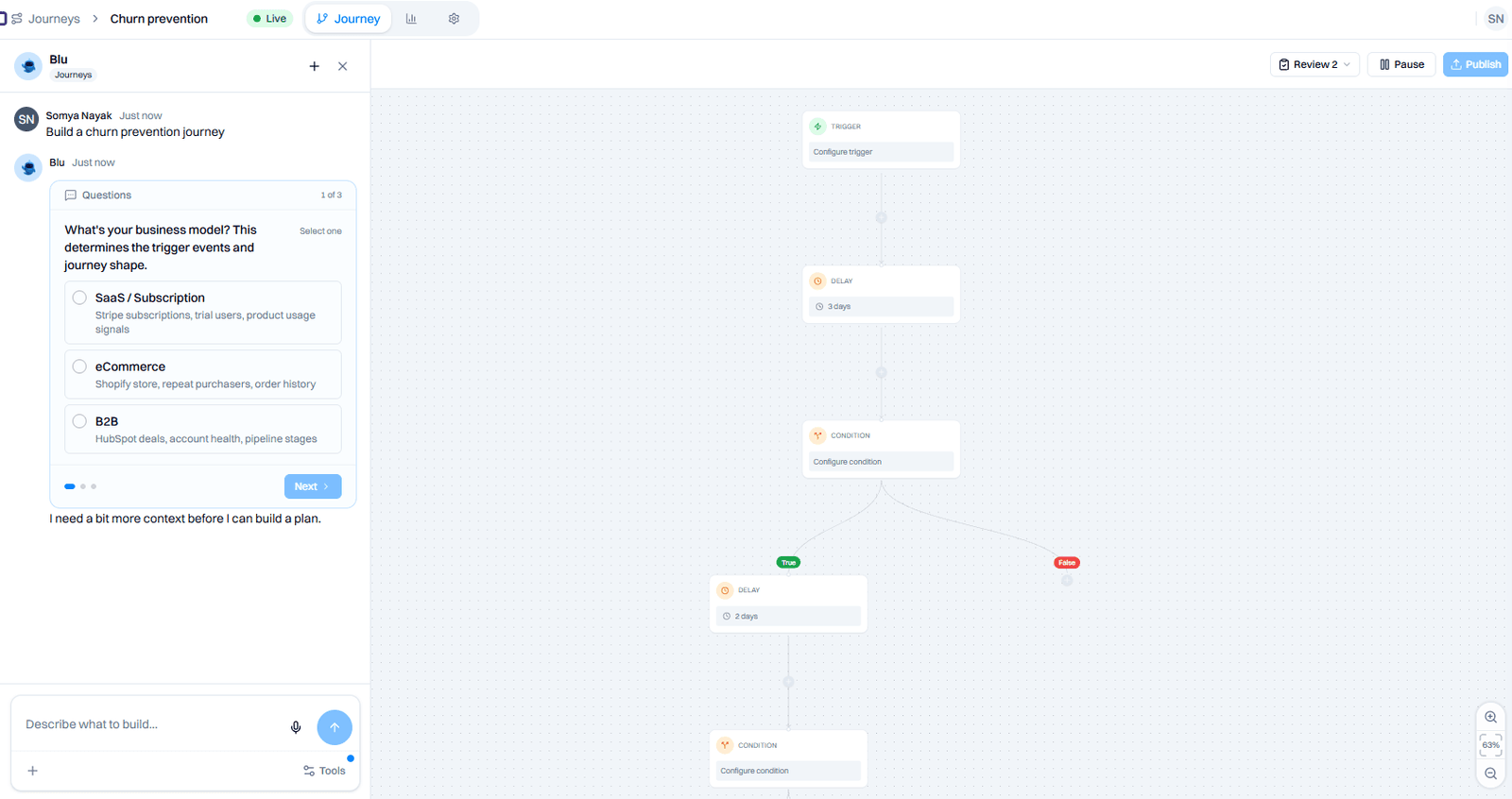
4. Rebuilding a Churn Prevention Journey
Claude analyzes your existing churn patterns (from data you provide) and designs a preemptive journey that intercepts customers before they leave. The workflow: you feed Claude your churn data, and it identifies the critical moments where engagement drops, then designs messaging and offers for those precise moments. The average annual B2B SaaS churn rate sits at 4.9%-but marketing and sales tools specifically run 4.8–8.1% monthly, which means the window to intervene is narrower than most teams assume.
Prompt: I'm seeing churn spike at 45 days for mid-market customers and at 90 days for enterprise customers. At 45 days, usage drops 60% and they stop inviting team members. At 90 days, feature adoption stalls. Design a 3-email churn prevention journey for each cohort. For the 45-day group, focus on team collaboration ROI. For the 90-day group, focus on advanced feature adoption. Include: decision email (why this matters), education email (how-to), and incentive email (offer or proof). Write the subject lines and opening sentences.
Claude produces a targeted intervention that doesn't feel generic-it's built on your actual churn signals. This is where Intempt's Analytics + Journeys integration becomes critical: Intempt identifies the churn-risk customers through predictive modeling, then automatically triggers Claude's designed journey to intercept them before they leave. For a deeper look at measuring and reducing app churn, see our dedicated guide.
Group 2: Testing and Optimization (Experiments and Personalize)
5. Designing A/B Test Hypotheses and Copy Variants
Claude generates multiple competing hypotheses for what might improve your conversion metric, then produces copy variants for each hypothesis: fundamentally different strategic angles you can test simultaneously, not minor tweaks.
Prompt: We're testing email open rates for our SaaS product. Current subject line: "Your August analytics report is ready." Current open rate: 12%. Generate 5 alternative subject line hypotheses-each should test a different strategic angle (urgency, curiosity, personalization, social proof, benefit-driven). For each hypothesis, write 3 subject line variants. Label each with the hypothesis and the angle it's testing.
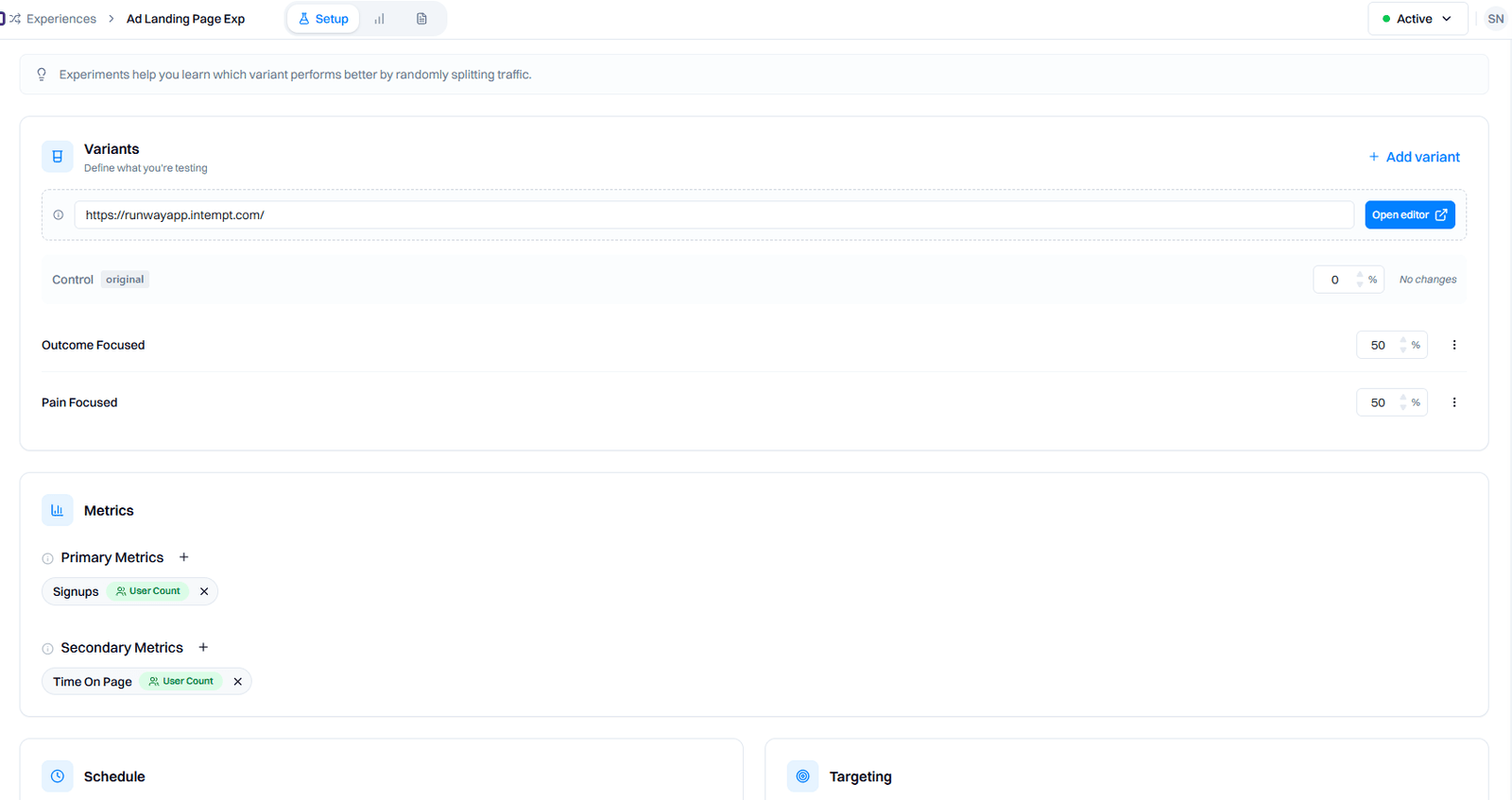
Claude produces options like: curiosity-based ("What changed in your account since yesterday?"), social proof-based ("See how similar companies used this data"), benefit-driven ("One metric your competitors are tracking"), and FOMO-based ("Your best day for new sign-ups happened yesterday"). Each variant is a genuine test of a different theory about what drives opens. When you run these through Intempt Experiments, the platform automatically handles the sample size calculation (using CUPED to reduce variance by 50%) and tells you which hypothesis actually wins-Claude did the strategic hypothesis work, Intempt handles the statistical rigor. See our A/B testing best practices guide for how to structure these tests end to end.
6. Writing Personalized Landing Page Copy for Each Segment
Claude generates segment-specific landing page headlines, subheadings, and CTAs based on psychographic and behavioral differences between your audience segments. You define the segments, and Claude creates distinct messaging that resonates with each.
Prompt: Write landing page copy (headline, subheading, 2-sentence body, and CTA) for three segments of an email marketing platform: (1) Agencies trying to scale without hiring (2) Solopreneurs optimizing their side hustle (3) Enterprise teams replacing Klaviyo. For each segment, the messaging should directly address their biggest friction point and why our platform solves it uniquely. Use 1-2 power words specific to their context (agencies: "scale," solopreneurs: "sustainable," enterprise: "compliance").
The output is three completely different landing page variations, each one written as if you know exactly what keeps that person up at night. Agency segment gets copy about scaling without doubling payroll. Solopreneur gets copy about doing more with the same 25 hours per week. Enterprise gets compliance and security guarantees. Intempt Personalize then serves the right version of this copy to each visitor based on company size, role, or behavior-Claude did the copywriting work, Intempt handles the real-time personalization and conversion tracking.
7. Building an AI-Powered Recommendation Strategy
Claude designs a recommendation system for your product that identifies which features or products each customer should see next, based on their usage patterns and cohort benchmarks. The output is a specific rule set that Intempt Recommend can implement, not just a nice idea.
Prompt: Our product is a content management tool. Users typically adopt features in this order: pages (month 1), images (month 2), collaboration (month 3), and automation (month 4). But 30% of users skip collaboration entirely and jump to automation. Design a recommendation logic: what should we show a user who hasn't adopted collaboration by month 2.5? Should we recommend the collaboration feature, or should we anticipate they'll skip it and prepare them for automation instead? Map out the decision tree with 3-4 decision branches based on: (1) team size, (2) frequency of logins, (3) whether they've invited any collaborators. For each branch, specify the recommendation and the messaging.
Claude maps a decision tree that moves beyond "show features based on time." Instead, it says: "If a user has 3+ team members but hasn't adopted collaboration, something's wrong-highlight the problem. If they're a solo user, skip collaboration and show automation." This nuance is what drives genuine engagement. Intempt Recommend then deploys these rules in real-time, suggesting the right feature to the right person at the right time.
Already know how you want to test it? Intempt's Experiments module uses CUPED variance reduction to cut your time to statistical significance by up to 50%-no data team required. Try Intempt Experiments free →
Group 3: Analytics and Intelligence (Analytics and Meetings)
8. Analyzing Campaign Attribution from Raw Data
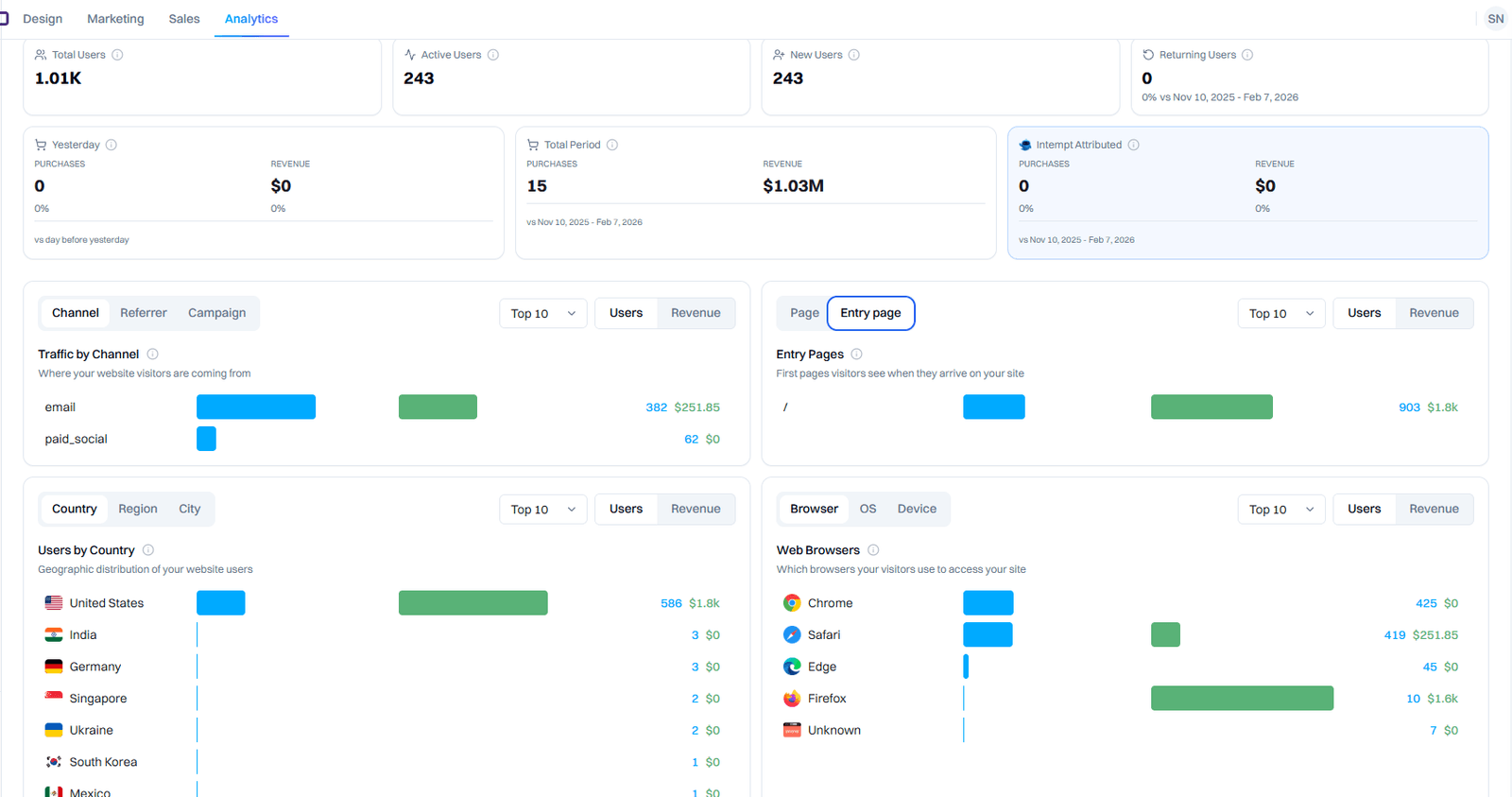
Claude takes raw CSV data from your campaigns (email sends, clicks, conversions, customer segment, purchase amount) and generates an attribution analysis that identifies which campaigns drove the highest LTV, not just the most conversions. You paste the data, and Claude produces both the analysis and the strategic insights.
Prompt: Here's 6 months of campaign data (pasting CSV with columns: campaign_id, campaign_name, send_date, clicks, click_through_rate, conversions, revenue, customer_segment, days_to_purchase). Analyze this data and tell me: (1) Which campaign had the highest average order value? (2) Which campaign had the shortest sales cycle? (3) Which customer segment is most valuable by LTV (repeat purchases + account size)? (4) Which campaign converted the cheapest customers vs. the best customers? (5) If I had to cut one campaign, which should go and which should I double down on? Provide the numbers and the reasoning.
Claude analyzes the data, pulls patterns you might have missed, and gives you a ranking of campaigns by actual business value-not vanity metrics like click-through rate. This is the kind of analysis a data analyst would normally do in SQL; Claude does it from a CSV paste. When this insight is combined with Intempt Analytics, the platform creates continuous dashboards showing real-time attribution for every campaign, automatically updating as new data arrives.
9. Segmenting Your Audience by Behavioral Signals
Claude takes a list of your customer behaviors (login frequency, feature adoption, support tickets, refund rate, payment method) and generates a segmentation framework that groups customers by predicted lifetime value and churn risk. The output is a segment definition you can immediately upload to your marketing platform.
Prompt: We have 10,000 customers. Here's what we track: days_since_last_login, features_adopted (count of unique features used), support_tickets (count), refund_history (yes/no), payment_type (credit_card vs. invoice), contract_value (MRR), and account_age (days). Design 5 customer segments based on these signals. For each segment: (1) give it a name, (2) define the selection criteria using the fields above, (3) describe their risk profile (churn risk and expansion potential), (4) and recommend one action (email campaign, feature training, account review). Format as a table: Segment | Criteria | Risk Profile | Recommended Action.
Claude produces segments like: "High-value engagement" (adopted 6+ features, login 3+ times per week, zero refunds = expansion opportunity), "At-risk but salvageable" (adopted 2-3 features, 0-1 logins per week, 1+ support tickets = prevent churn), "Dead account" (0 logins in 30+ days = win-back attempt or churn acceptance). These segments map directly into Intempt Audiences, where the platform automatically scores every customer and updates segment membership as their behavior changes, then triggers the recommended action via Journeys.
10. Summarizing Meeting Notes into CRM Pipeline Actions
Claude takes a raw call transcript (Zoom, Google Meet, Gong) and extracts the key deal signals, objections, next steps, and required follow-up tasks-then formats this as pipeline actions your CRM understands. You paste a transcript, and Claude does the note cleanup and task creation that would normally take 30 minutes.
Prompt: Summarize this call transcript (pasting raw transcript) and extract: (1) Deal stage assessment (discovery, evaluation, negotiation, or closing), (2) 3-5 key objections or concerns they raised, (3) Their timeline for a decision, (4) Technical requirements they mentioned, (5) Decision-makers involved, (6) Next steps with due dates. Format as: Deal Stage | Objections | Timeline | Technical Needs | Decision Committee | Next Steps with Dates. Then write a 2-sentence follow-up email I should send today.
Claude produces a clean extraction that's immediately actionable-no "nice to have" commentary, just the signals. This transcript summary then feeds into Intempt Meetings, which auto-populates the CRM (Pipeline), auto-assigns follow-up tasks, and triggers the follow-up email Claude generated, eliminating the manual work of translating call notes into CRM actions.
11. Generating a Customer Insight Report from Churn Data
Claude analyzes your churn data (customer profiles of people who left) and generates a written insight report with themes, patterns, and early warning signals that apply to your current customer base. The output is a strategic document that helps you see which of your active customers match the churn profile.
Prompt: Here's data on 47 customers who churned in the last 90 days (pasting CSV with: customer_name, churn_date, initial_plan, months_to_churn, stated_reason_for_churn, company_size, industry, feature_adoption_count, support_tickets, payment_type, expansion_offers_received). Analyze this cohort and generate a report that answers: (1) What's the typical churn profile (average plan size, months to churn, industry)? (2) What are the top 3 stated reasons? (3) What behavioral patterns do churned customers share that might help us identify at-risk active customers? (4) What could we have done differently? Write this as a 1-page executive summary with a 3-4 sentence diagnosis and 3 specific preventive actions we could take now.
Claude produces a document that connects the dots between churned customers and patterns in your current base. It might reveal: "Customers on the $99 plan who don't adopt workflows churn at 60 days. We should proactively email them at day 45 with a 1:1 workflow setup offer." Intempt Analytics feeds this insight machine continuously, surfacing new churn patterns as they emerge and automatically triggering intervention campaigns to at-risk customers matching the identified profile.
Group 4: Creative and Content (Studio)
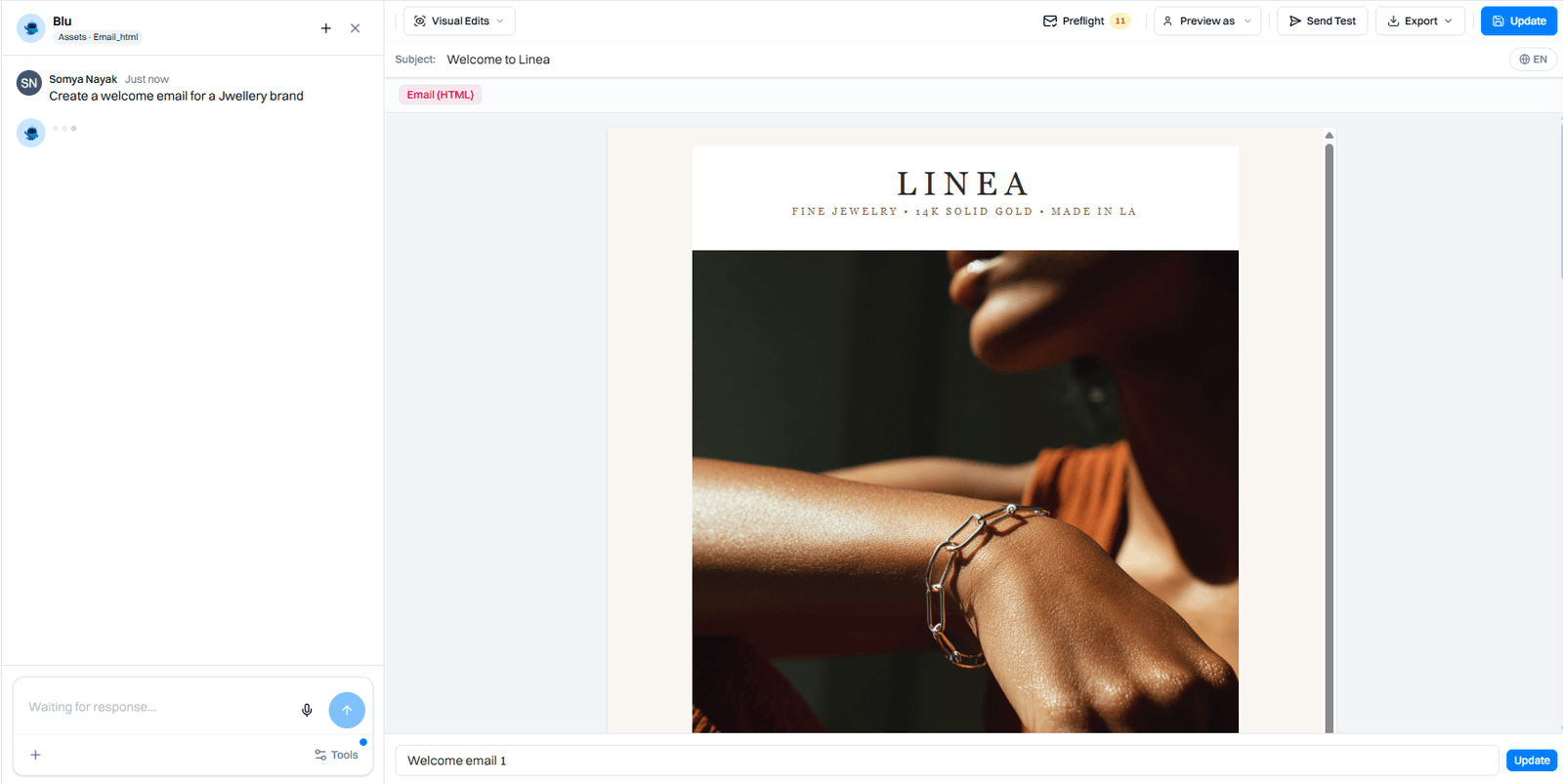
12. Writing and Stress-Testing Ad Creative
Claude generates multiple ad creative variations (headlines, body copy, CTAs) designed to test different emotional angles and value propositions, then helps you identify which angles are most likely to resonate and which ones might underperform due to common objections.
Prompt: Create 6 ad variations for a SaaS product (compliance software for healthcare). Each variation should test a different angle: (1) Fear-based (regulatory risk), (2) Efficiency-based (time saved), (3) Cost-based (cost of non-compliance), (4) Social proof-based (competitors using it), (5) Innovation-based (AI-powered monitoring), (6) Partnership-based (integrates with Epic/Cerner). For each variation, write: Headline (5-8 words) | Body (1-2 sentences) | CTA (3-4 words). Then rank them by predicted effectiveness and note any potential objection each creative might trigger.
Claude produces ads like: "Regulatory fines cost you $47K per violation" vs. "Your compliance team saves 8 hours per week" vs. "Every healthcare company you know uses this." Each one is designed to test whether your audience is more motivated by pain avoidance, efficiency gains, or social proof. The "stress test" is Claude identifying which angles might trigger skepticism ("This seems too good to be true") so you know what to monitor when you run the test. Intempt Studio then handles the design and media buying mechanics, and Experiments tracks which angle actually converts. If you're turning one of these angles into an image prompt yourself, Intempt's Art Prompt Generator structures the same brief for Midjourney, DALL-E, or Flux.
13. Generating Product Photography Prompts at Scale
Claude takes a product feature list and generates detailed photography briefs (with visual style, context, and composition details) that your design or photography team can execute on. The output is a complete shot list for a product photoshoot.
Prompt: We have a financial dashboard product. Generate a shot list for product photography with 12 different scenarios. For each shot, write: (1) The feature being shown, (2) The scenario/context (e.g., "accountant reviewing quarterly expenses"), (3) The visual setup (what's on screen, what's in the background), (4) Emotional tone (professional, urgent, confident), (5) One instruction for the photographer (e.g., "shoot from above, crop to show dashboard + user hands"). Format as a numbered list that a designer can hand to a photographer.
Claude produces prompts like: "Shot 5: Automated reconciliation feature. Scenario: Accountant discovering that a transaction was auto-matched. Visual: Dashboard showing the matched transaction highlighted, accountant leaning back in chair, coffee on desk. Tone: Satisfied relief. Photographer note: Capture the moment of realization-shoot from 45 degrees to show both screen and face expression." These briefs are then passed to Intempt Studio, which can generate AI product photography directly from these prompts, eliminating the need to schedule a real photoshoot.
14. Drafting Post-Call Follow-up Emails from Transcripts
Claude transforms a sales call transcript into a personalized follow-up email that references specific points from the conversation and moves the prospect toward the next step. The email feels like it was written by someone who was actually in the meeting, not a template.
Prompt: Turn this call transcript into a follow-up email (pasting transcript). The email should: (1) Reference 2-3 specific things the prospect said that show you listened, (2) Address the main objection they raised, (3) Provide one useful resource that directly solves their stated problem, (4) Propose a clear next step with a specific date, (5) Keep the tone conversational, not corporate. Write the subject line and email body.
Claude produces something like: "Subject: Those 8 hours you mentioned on reconciliation | Hi Sarah, appreciated the transparency on your current workflow-the 8 hours per week you're spending on manual reconciliation was telling. That's what Acme solves, and I found this case study from another mid-market firm seeing similar bottlenecks (attached). A few questions: 1) Does your accounting team have API access to your current system? 2) When you say 'implementation nightmare,' are we talking about data migration or change management? Let's hop on a 20-minute call Thursday to map this out. Does 2pm PT work?" This is sent through Intempt Journeys with automatic follow-up sequencing if Sarah doesn't respond by Wednesday.
15. Building a Referral Campaign Sequence
Claude designs a multi-email referral campaign that moves customers from "know we have a referral program" to "actively sharing," with specific incentive structures for different customer segments and clear messaging around what they're sharing and why.
Prompt: Design a 5-email referral campaign for our SaaS product. Audience: existing customers with 60+ days tenure. Map emails for: Email 1 (week 1) - introduce the referral program and frame why referrals help the product. Email 2 (week 2) - make it easy with a copy-paste template and sample message. Email 3 (week 3) - social proof from customers who've referred before. Email 4 (week 4) - gentle reminder that they have an unclaimed referral credit. Email 5 (week 5) - exclusive thank-you offer for customers who've made 3+ referrals. Write the subject line, opening sentence, and CTA for each email.
Claude structures a campaign that doesn't just say "refer a friend"-it acknowledges the friction (people don't know who to refer or what to say), provides specific help (template language), shows proof it works (social proof), and creates a sense of exclusivity (the $500 credit for 3 referrals). Intempt Journeys then automates this sequence, tracks which customers referred, attributes the referred customers back to the original referrer, and automatically triggers the thank-you offer when they hit 3 referrals.
The 15 Workflows at a Glance
| Workflow | What Claude Generates | Tool It Replaces | Intempt Feature |
|---|---|---|---|
| 1. Lifecycle email sequences | Complete 6-email sequence with subject lines, copy, CTAs, and send logic | ConvertKit, Campaign Monitor | Journeys |
| 2. Post-purchase re-engagement | Multi-step sequence with behavioral triggers and conversion copy | Klaviyo lifecycle templates, Drip | Journeys |
| 3. SaaS trial onboarding | Behavior-triggered sequences that respond to signup milestones | Intercom, Autopilot | Journeys |
| 4. Churn prevention journey | Preemptive emails targeting predicted churn signals | Gainsight, Planhat | Journeys + Analytics |
| 5. A/B test hypotheses | 5+ competing strategic angles with copy variants | Optimizely, VWO | Experiments |
| 6. Personalized landing page copy | Segment-specific headlines, subheadings, and CTAs | Unbounce, Instapage | Personalize |
| 7. Recommendation strategy | Decision tree logic for suggesting features or products | Dynamic Yield, Kameleoon | Recommend |
| 8. Campaign attribution analysis | LTV-based ranking and strategy implications from raw data | Mixpanel, Amplitude, Mode | Analytics |
| 9. Behavioral audience segments | RFM and churn-risk segment definitions ready to activate | Segment, mParticle | Audiences |
| 10. Meeting note extraction | Clean pipeline actions and follow-up tasks from transcripts | Gong, Chorus | Meetings + Pipeline |
| 11. Churn insight report | Pattern analysis and early warning signals from historical data | Looker, Tableau | Analytics |
| 12. Ad creative variations | 6+ emotional angles with headlines, copy, and stress tests | In-house design, Canva | Studio |
| 13. Product photography briefs | Shot lists with visual direction for design or AI generation | Stock photo libraries, Unsplash | Studio |
| 14. Post-call follow-up emails | Personalized next-step emails referencing specific call points | Template libraries, HubSpot | Meetings + Journeys |
| 15. Referral campaign sequence | 5-email progression with incentive structures and exclusivity | OneSprout, Ambassador | Journeys |
From Claude Prompt to Automated Platform: Where Intempt Fits
Here's the honest truth: Claude is generative, not executable. It can write your lifecycle email sequence in 30 seconds, but it won't send those emails. It can design your A/B test, but it won't calculate sample size or tell you when statistical significance is reached. It can segment your audience by churn risk, but it won't watch for customer behavior changes and move people between segments in real-time. It can summarize your sales call, but it won't auto-populate your CRM or trigger your follow-up email.
Claude gives you the strategic and creative thinking layer. But marketing automation is a game of execution at scale. And that's where the gap appears.
The 15 workflows above become truly powerful when they're connected to a platform that can actually deploy what Claude creates. You generate the sequence in Claude, but Intempt Journeys sends it. You design the test hypothesis in Claude, but Intempt Experiments runs it with statistical rigor. You identify the at-risk cohort in Claude, but Intempt Audiences automatically segments and scores your customers. You extract the call insight in Claude, but Intempt Meetings populates the CRM and triggers the follow-up.
In practice, this looks like: open Claude, write your email sequence, copy the output, paste it into Intempt Journeys, and it's live. Design your A/B test hypothesis in Claude, set it up in Intempt Experiments, and the platform handles the sample size math (CUPED reduces variance by 40-50%, cutting your time to significance in half). Ask Claude to analyze your churn patterns, take the insight, and set up a predictive churn score in Intempt Analytics that automatically triggers a prevention journey for any customer matching the profile.
The magic isn't Claude alone or the platform alone. It's Claude for thinking, Intempt for doing. That combination is what actually drives results.
Conclusion
Claude has become infrastructure for how marketing teams think and work. The 15 workflows above aren't edge cases-they're the core of how modern marketing operates. You generate the output, you deploy it, you measure it, you iterate. The cycle is faster than it used to be because Claude handles the thinking layer, but the execution layer still matters.
This is where platforms like Intempt make a real difference. They take what Claude generates and turn it into persistent, automated, measurable campaigns. You get the speed of Claude-powered thinking plus the rigor of a platform that tracks, tests, and optimizes at scale. That combination-Claude for strategy and creativity, Intempt for execution-is the future of how to use Claude for marketing. If you're running multiple email platforms today, this is exactly the kind of consolidation that pays off.
Start with one workflow. Pick the one that's costing your team the most time this month-whether it's email sequence writing, campaign analysis, or creative generation. Build it with Claude, implement it in your tools, and measure the time saved. Then add the next workflow. The compounding effect of 15 workflows, each saving 4-8 hours per month, is a team that operates at 2x velocity. That's not hype. That's how to use Claude for marketing in 2026-and the only version that actually compounds.