

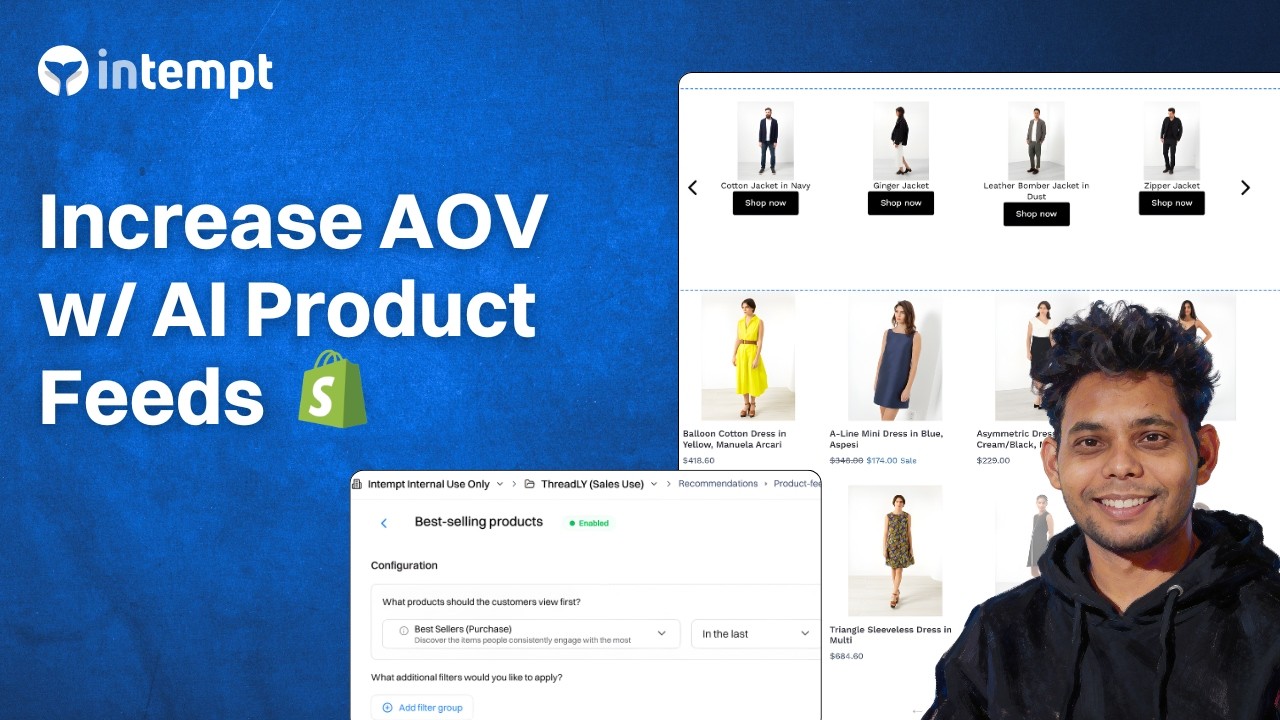
Deploy AI-powered product recommendations to personalize journeys, increase AOV, and turn every shopper interaction into incremental revenue.
About the Growth Play
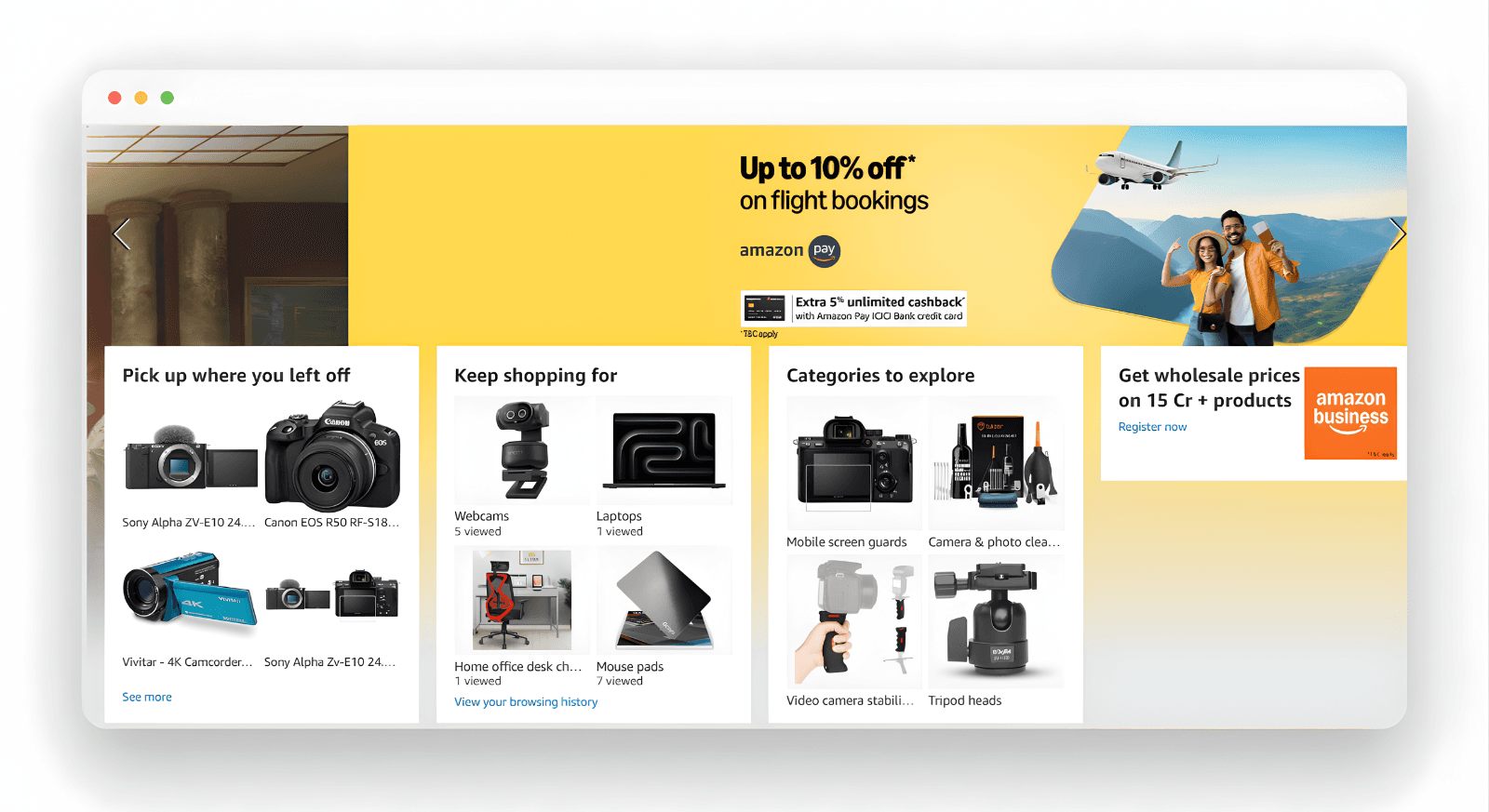
Did you know that Amazon generates around 35% of its revenue from its product recommendation engine?
That is the gold standard for how an e-commerce product recommendation engine should work.
The good news is you don't have to be an engineer or data scientist. You can still build a sophisticated system for your online store.
By using behavioral data and machine learning algorithms, any e-commerce store can now deliver a personalized commerce experience that keeps customers coming back.
TL;DR: The Strategic Playbook
- The Engine: An e-commerce product recommendation engine isn't a widget; it's a data-driven strategy.
- Data Points: Successful personalization relies on purchase history, previous purchases, and real-time session tracking.
- The Logic: First, connect your product catalog to Intempt. Then create a product feed using Intempt's pre-built recommendation algorithms.
- The Placement: Match the type of product recommendations to the specific stage of the buyer's journey.
- The Result: A smooth commerce experience that naturally scales your Average Order Value (AOV).
The Psychology of Choice: Why Personalization Matters
Most shoppers abandon an e-commerce store not because they aren't interested, but because they suffer from "analysis paralysis." When an online store presents thousands of options without guidance, the cognitive load becomes too high, and the shopper bounces.
An e-commerce product recommendation engine acts as a digital personal shopper. It filters the noise and suggests products that are relevant to the individual's specific needs. By utilizing behavioral data, the engine creates a personalized experience that mimics the helpfulness of an in-store assistant.
When you prioritize user experiences through personalization, you aren't just selling; you are helping. This build-up of trust is what ultimately leads to a higher conversion rate and long-term brand loyalty.
The Top 5 Recommendation Strategies
Not every type of product recommendation serves the same purpose. To truly 10x your sales, you must understand how the system suggests items to each audience segment.
1. Purchased Together (Co-Purchase / Cross-Sell)
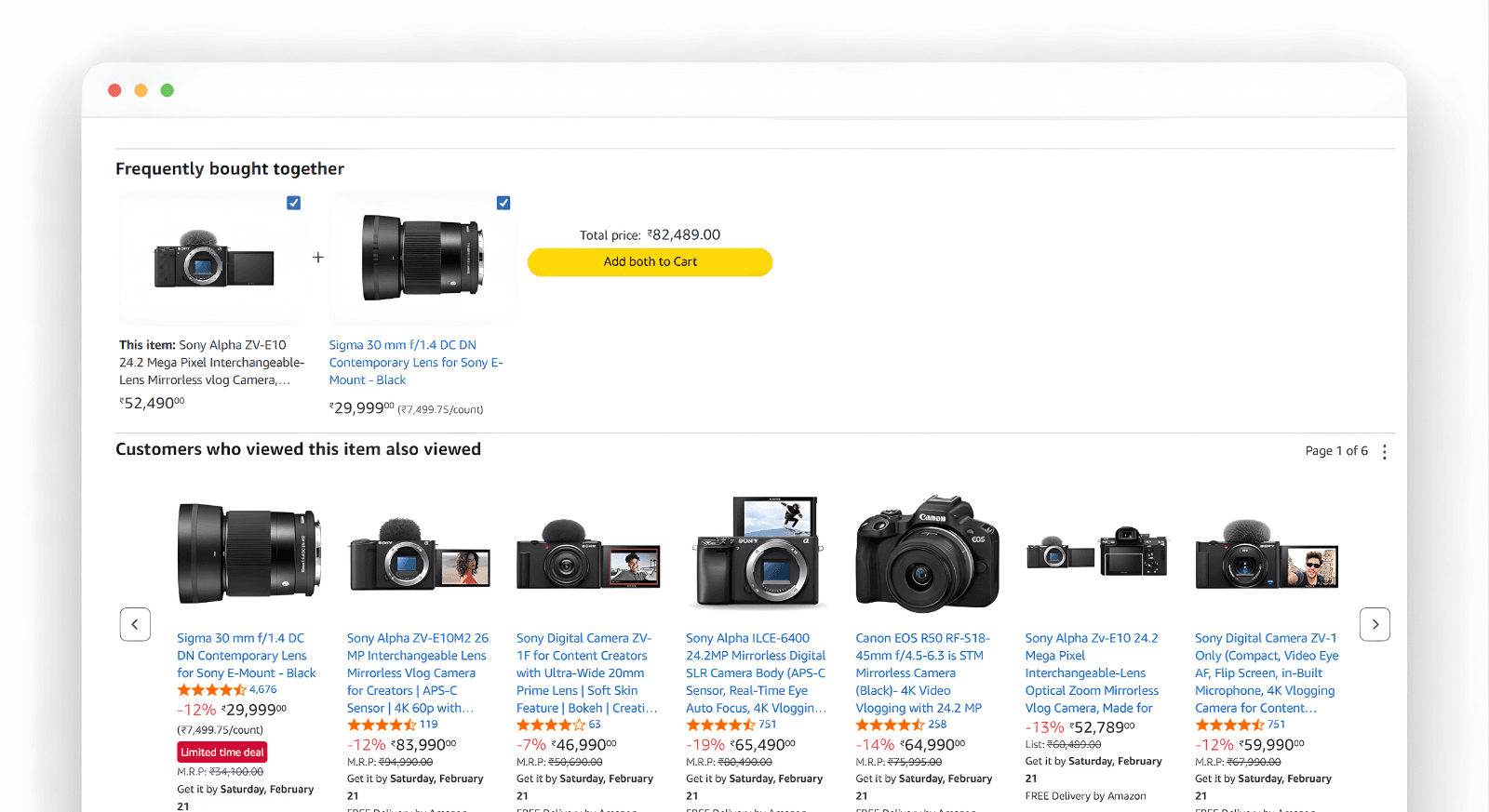
This is the "classic" recommendation strategy. By analyzing your customers' purchase history, the engine finds complementary products that people often buy together in one transaction.
- How it works: If a customer adds a "Professional Tripod" to their cart, the engine suggests items. These items include a wireless remote shutter or a padded carrying case.
- KPI Impact: This is the primary driver for increasing Average Order Value (AOV).
- Best Practice: Place these on the Cart Page or as a "frequently bought together" bundle on the Product Page.
2. People Also Viewed (Collaborative Filtering)
This strategy relies on the behavior of similar users. It looks at the browsing paths of thousands of visitors to find patterns. If User A and User B both looked at the same three pairs of sneakers, and User B eventually bought a fourth pair, the engine will suggest that fourth pair to User A.
- How it works: It uses behavioral data to create a map of intent. It's less about the product attributes and more about the "wisdom of the crowd."
- KPI Impact: Great for increasing conversion on product pages by helping shoppers find the "right" version of what they are looking for.
3. Best Sellers & Popular Products
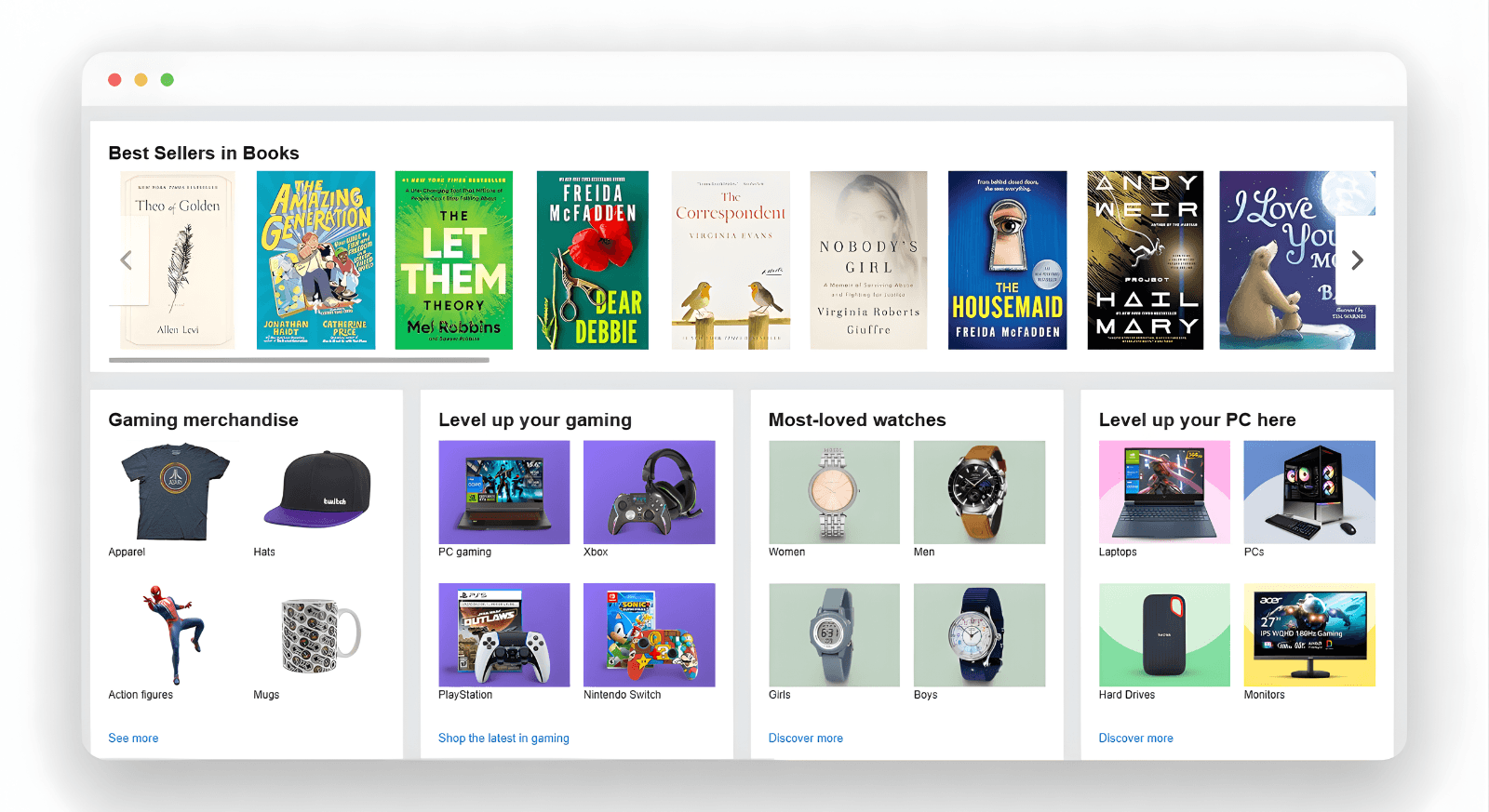
When you have a new visitor with no past purchases or customer data, you cannot use 1-to-1 personalization. In this "cold start" scenario, you rely on global social proof.
- How it works: The engine identifies popular products based on the highest sales volume or most views over the last 24–48 hours.
- KPI Impact: Crucial for the customer experience of first-time visitors who need a "safe" place to start shopping.
- Placement: The top fold of the Homepage.
4. Recently Viewed (Individual Momentum)
This is a user-based recommendation that is strictly limited to the individual's current or past sessions. It is a powerful tool for overcoming distractions.
- How it works: It displays the exact products the user has clicked on. If a user compares three coffee makers, a "Recently Viewed" block helps them switch between them easily.
- KPI Impact: Essential for reducing "browse abandonment" and improving the overall personalized experience.
5. Similar to This Item (Attribute-Based)
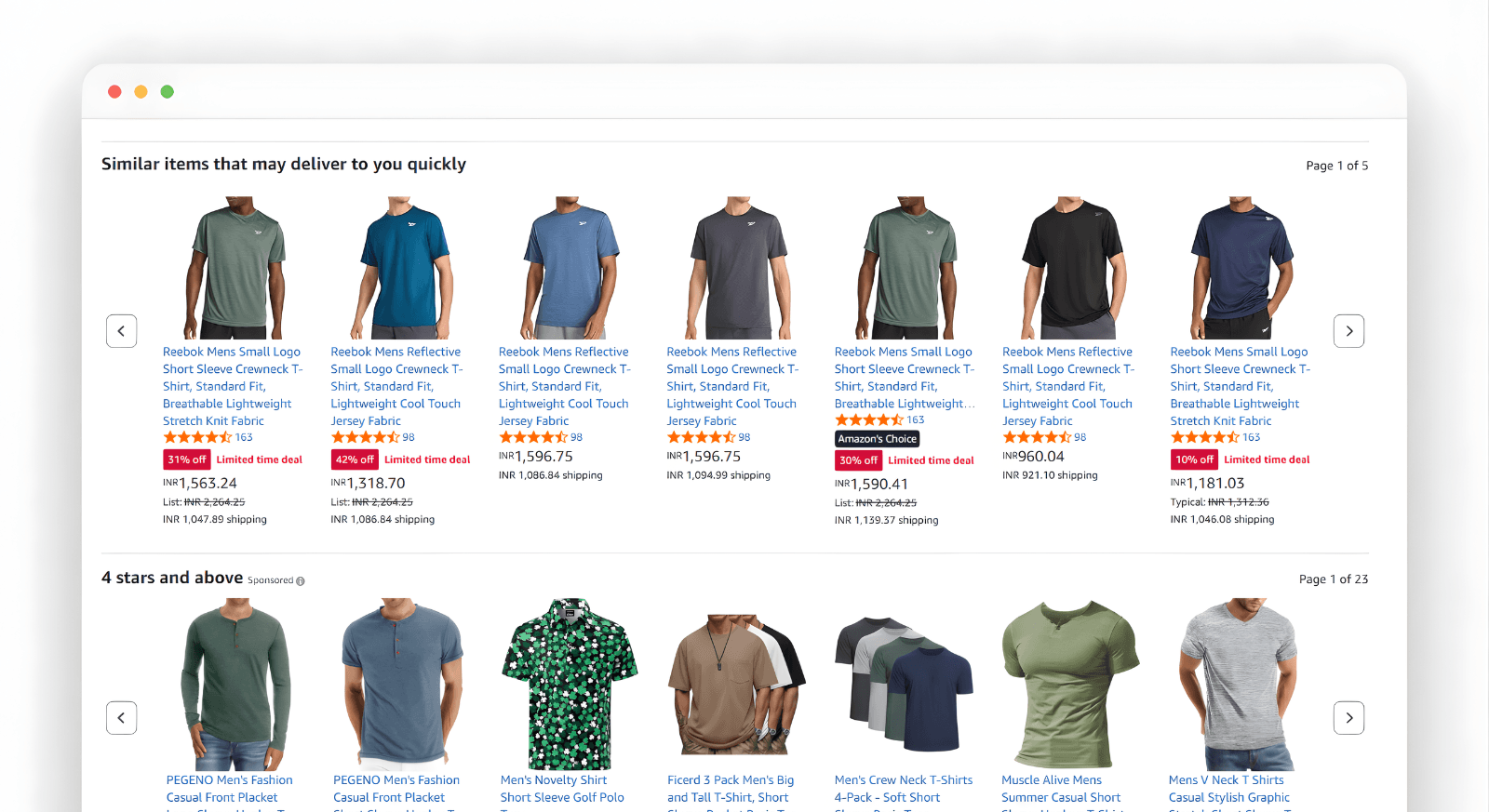
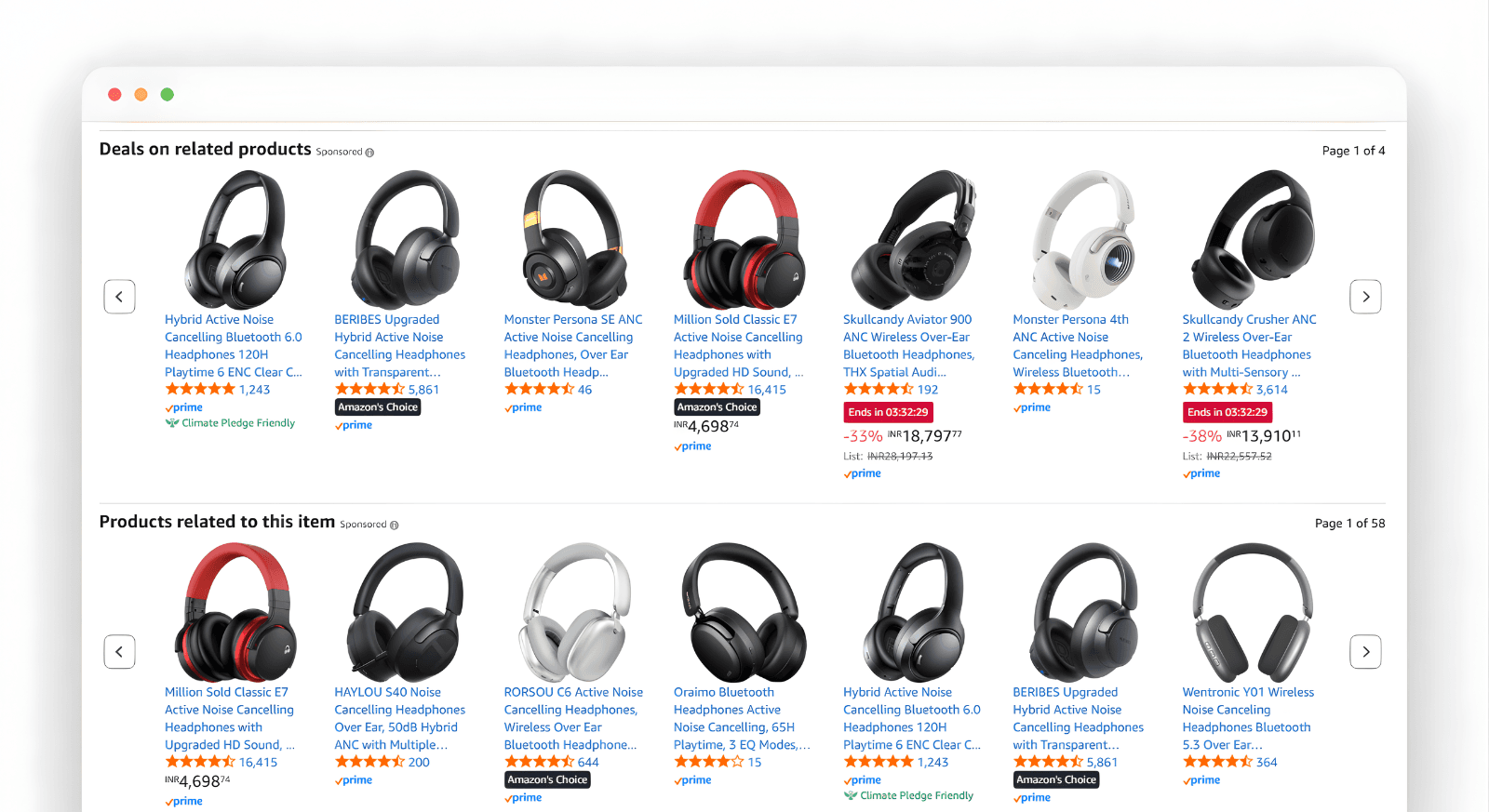
While "People Also Viewed" is behavior-based, "Similar Items" is metadata-based. It uses machine learning algorithms to scan your catalog for products with similar tags, colors, materials, or price points.
- How it works: If a shopper views a "Vintage Leather Journal," the engine suggests similar products. It suggests items that are leather and vintage-style. It also keeps prices within 20% of the original.
- KPI Impact: Lowers bounce rates on the Product Page by offering an instant alternative if the item is not a good fit.
How to Build a Product Recommendation Engine?
Building a high-performing product recommendation engine used to require a team of developers and months of testing. With Intempt, you can deploy personalized product recommendations in a few simple steps.
Step 1: Data Integration & Ingestion
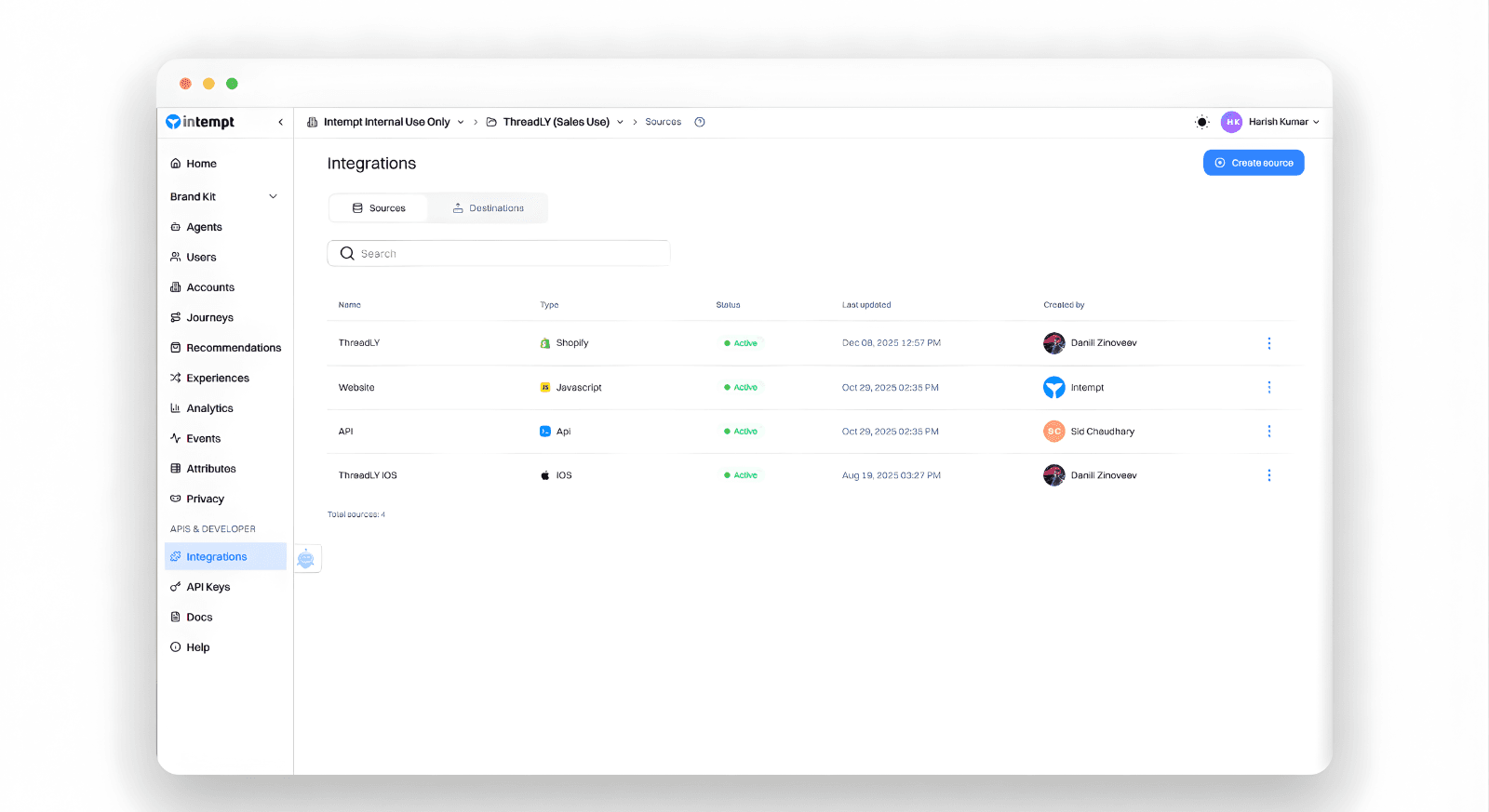
First, you must connect your online store (Shopify, Magento, or via API) to Intempt. The system begins to ingest your customer data, including every click, add-to-cart, and purchase. This behavioral data is the fuel that powers the machine learning algorithms.
Step 2: Automating the Product Catalog
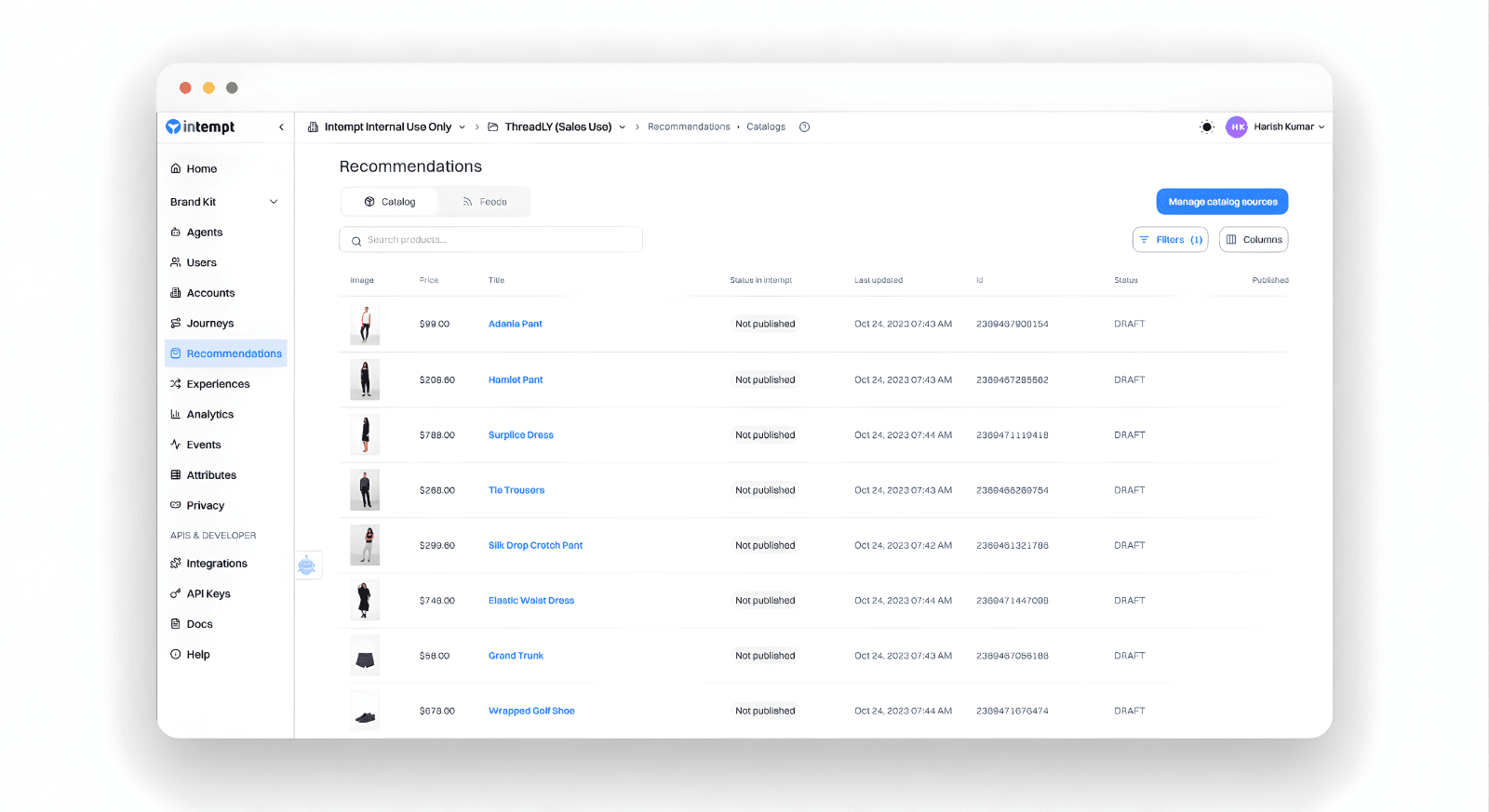
Intempt creates a "living" version of your product catalog, so unlike static spreadsheets, it updates in real time.
If an item goes out of stock or the price changes, your e-commerce product recommendation engine will reflect it instantly.
On top of that, you can enrich products with custom tags, so Intempt understands which items pair well together, like complementary products, upsells, or bundles.
And the best part: you don't have to build the logic from scratch. Intempt includes 35 built-in recommendation algorithms that automatically power product suggestions based on your catalog structure and enrichment.
If you want to see exactly how the recommendation system works and which algorithms are available, check the Intempt help docs linked below.
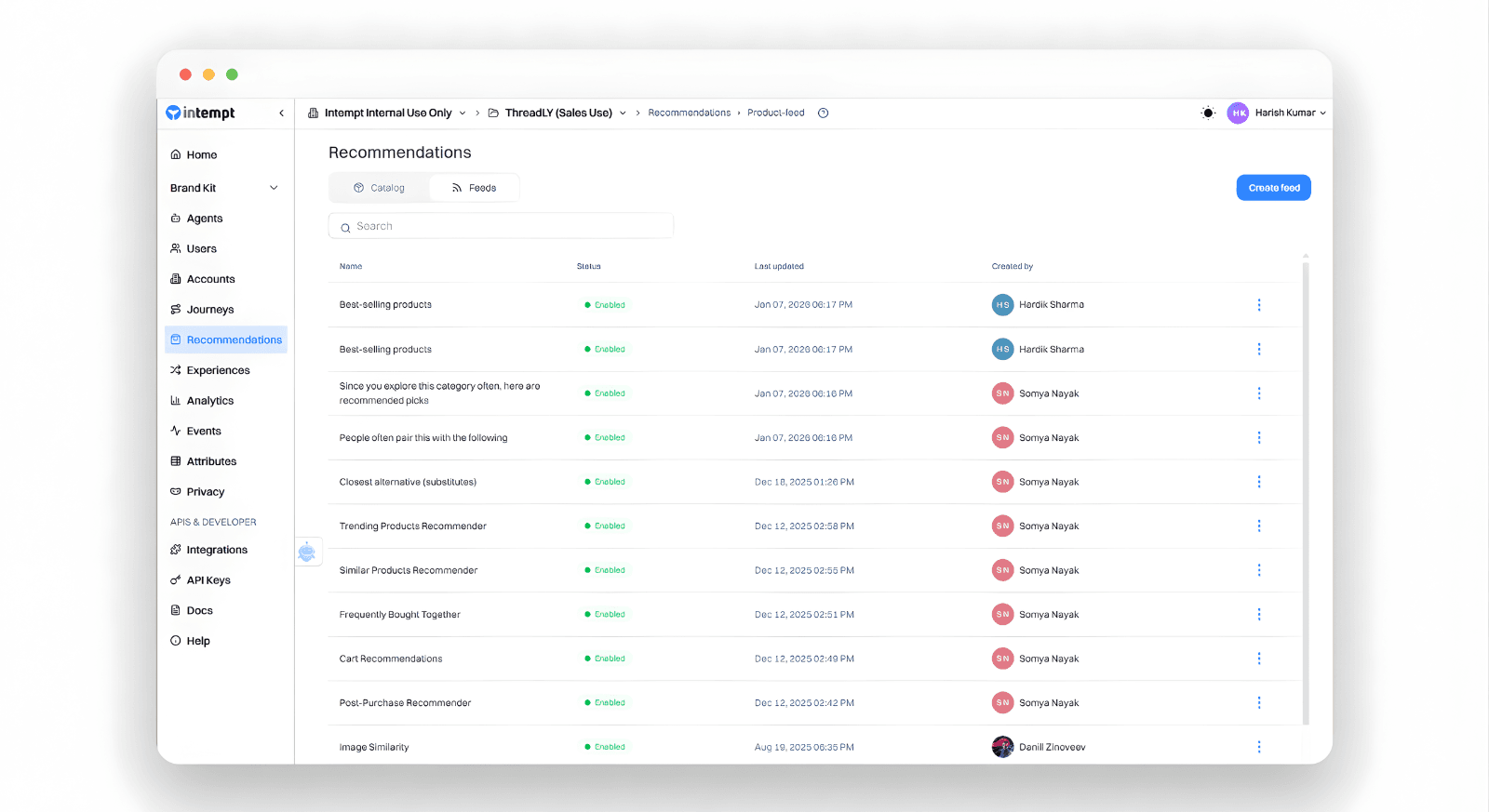
Step 3: Setting Up Dynamic Feeds
In the Recommendations tab, you will create "Feeds." A feed is essentially a set of instructions for the engine. You might create:
- A "High-Margin Best Sellers" feed.
- A "User-Specific Recently Viewed" feed.
- A "Similarity-Based" feed for category pages.
Step 4: Visual Editor Deployment (Experiences)
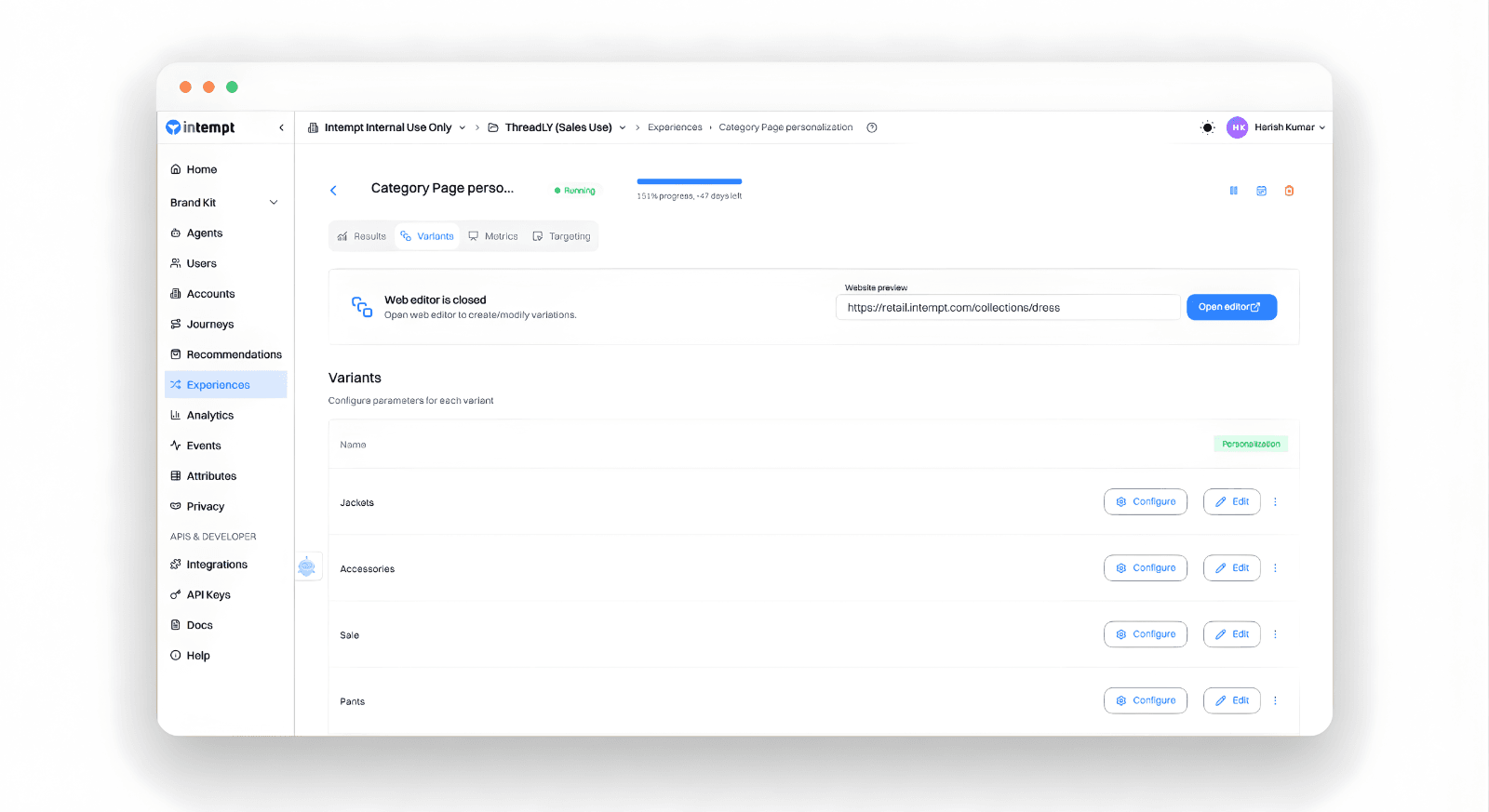
This is where the magic happens. You don't need to edit your website's code. Using the Intempt's Visual Editor, you can:
- Navigate to your live ecommerce store.
- Select an area (like the bottom of a product page).
- Drag and drop a "Product Grid" or "Carousel."
- Link that block to one of your dynamic feeds.
Step 5: Setting Guardrails and Logic
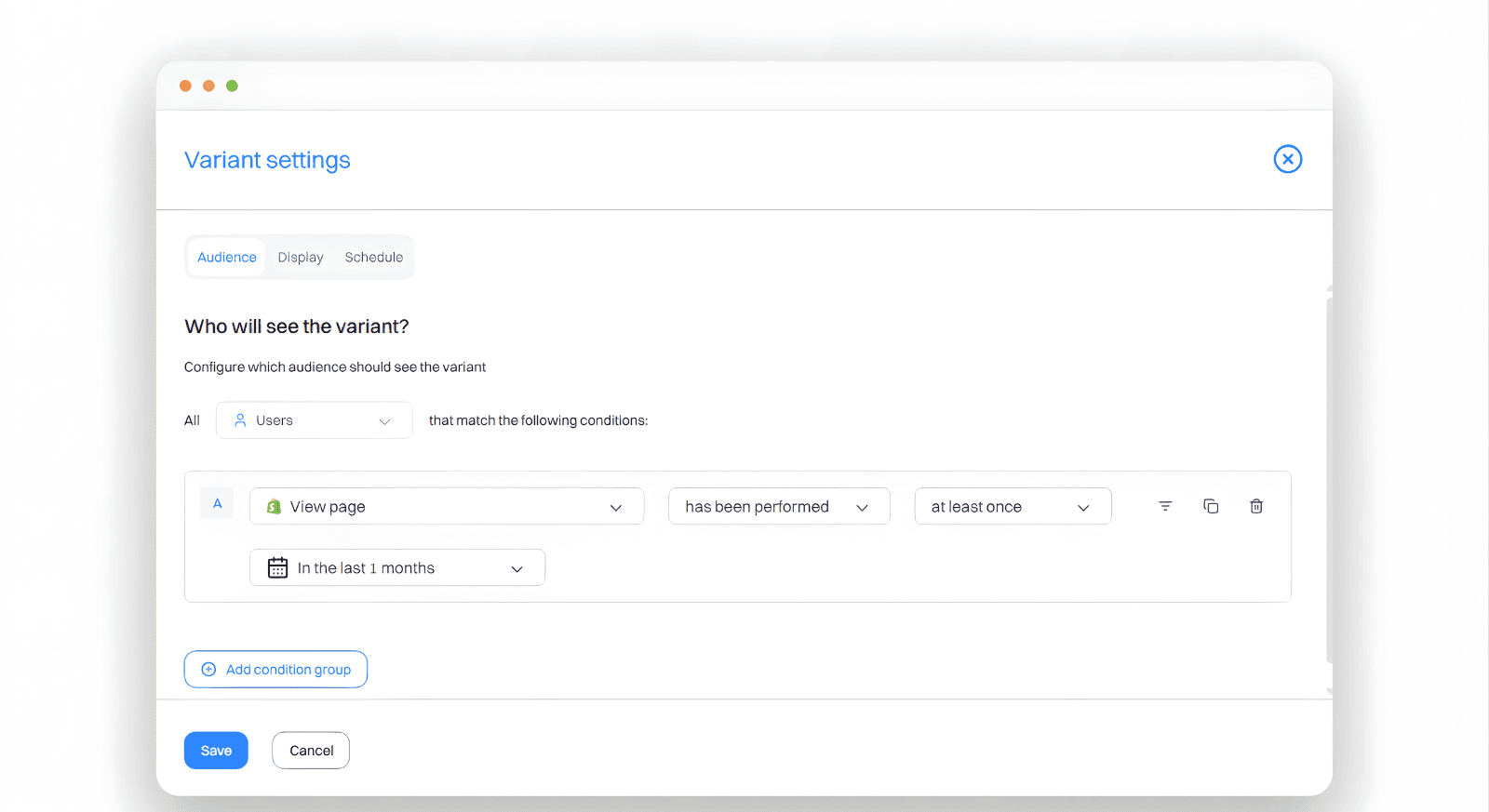
For a premium customer experience, you can set filters. For example, you can only suggest products that cost at least $10 less than the current item. You can also choose not show the user their past purchases.
Advanced Tactics: Beyond the Website
An e-commerce product recommendation engine shouldn't be confined to your website. To truly 10x your sales, you must bring that personalized experience into your lifecycle marketing.
1. Browse Abandonment Emails
When a user leaves your site after viewing a product, don't just send a generic "Come back" email. Use your engine to suggest items that are similar to what they saw, or show them their "Recently Viewed" list. This use of customer data makes the email feel helpful rather than intrusive.
2. Personalized SMS and Push Notifications
For your most loyal customers, use purchase history to send timely alerts. If they often buy a 30-day supply of a supplement, use the engine to suggest re-ordering on day 25.
Also, suggest a complementary product.
3. Post-Purchase Upsells
The moment after a customer buys is when their intent is highest. Use your product recommendation engine on the "Thank You" page to show items that would go perfectly with their new purchase.
Measuring Success: KPIs for the Data-Driven Brand
To optimize your e-commerce product recommendations, you must move beyond "gut feeling" and look at the hard numbers in your analytics dashboard.
| Metric | Definition | Why it Matters |
|---|---|---|
| Conversion Rate | Percentage of users who bought after clicking a recommendation. | Proves the relevance of your machine learning algorithms. |
| AOV Lift | The difference in order value between "Recommendation" orders and standard orders. | Directly measures the success of complementary products strategies. |
| CTR (Click-Through Rate) | How many people clicked on the suggested items block? | Indicates if your user experiences are engaging. |
| RPV (Revenue Per Visitor) | Total revenue divided by total visitors. | The ultimate "North Star" metric for increasing conversion. |
The Future of E-commerce Personalization
As we look further into 2026, the e-commerce product recommendation engine will become even more predictive. We are moving away from "People who bought this also bought that" toward true user-based intent modeling.
The brands that win use behavioral data to build a better customer experience, not just to sell more. Treat each visitor as a person, factor in their purchase history, and growth follows from that.
Final Note
Setting up a product recommendation engine is one of the single most impactful things you can do for your online store. It automates the sales process, improves user experiences, and turns a static catalog into a dynamic, revenue-generating machine.
Frequently asked questions. Answered.
An e-commerce product recommendation engine is a data-based tool. It uses machine learning to suggest the most relevant items to shoppers in real time. By analyzing behavior data, purchase history, and similar users, the engine creates a personal experience. It guides customers to products they are likely to buy.