- Welcome emails get the best open rates in the whole programme and usually spend them on a greeting. Pointing that attention at the single feature most correlated with retention converts the window into activation instead of goodwill.
A welcome email flow gets the best open rates in the entire programme and usually spends them saying hello.
Combine the welcome messages with educational content about key features to quickly engage new users and encourage feature adoption.
Overview
Engaging new users after they sign up and encouraging them to adopt key features is crucial for long-term retention.
This use case focuses on creating a personalized journey that sends a series of targeted email messages to new users, helping them get started and adopt the app's essential features.
Benefits
Increased user engagement. Welcome messages and educational content help new users get started quickly and stay engaged.
- Higher feature adoption. Educating users about key features increases the likelihood of them using and benefiting from those features.
- Enhanced user satisfaction. Providing timely and relevant information improves the overall user experience.
- Improved retention rates. Engaged users who understand the app's value are more likely to continue using it.
How It Works
For the steps below, imagine a project management app called "Otto" rolling out a feature it wants existing users to actually pick up.
Step 1. Track, define, and segment users
Start by installing Intempt's JavaScript SDK for web or iOS SDK for mobile to begin capturing user activity. Once integrated, identify and track key events like user_signup, feature_used, create_project, create_task, invite_team_member, create_prediction, and view_dashboard - making sure to include the user's email attribute for future communication.
Then, go to the Segments section to create behavioral segments such as:
- New Users – those who just signed up
- Activated Users – those who completed all key actions
Step 2. Set up the journey for welcome and feature adoption
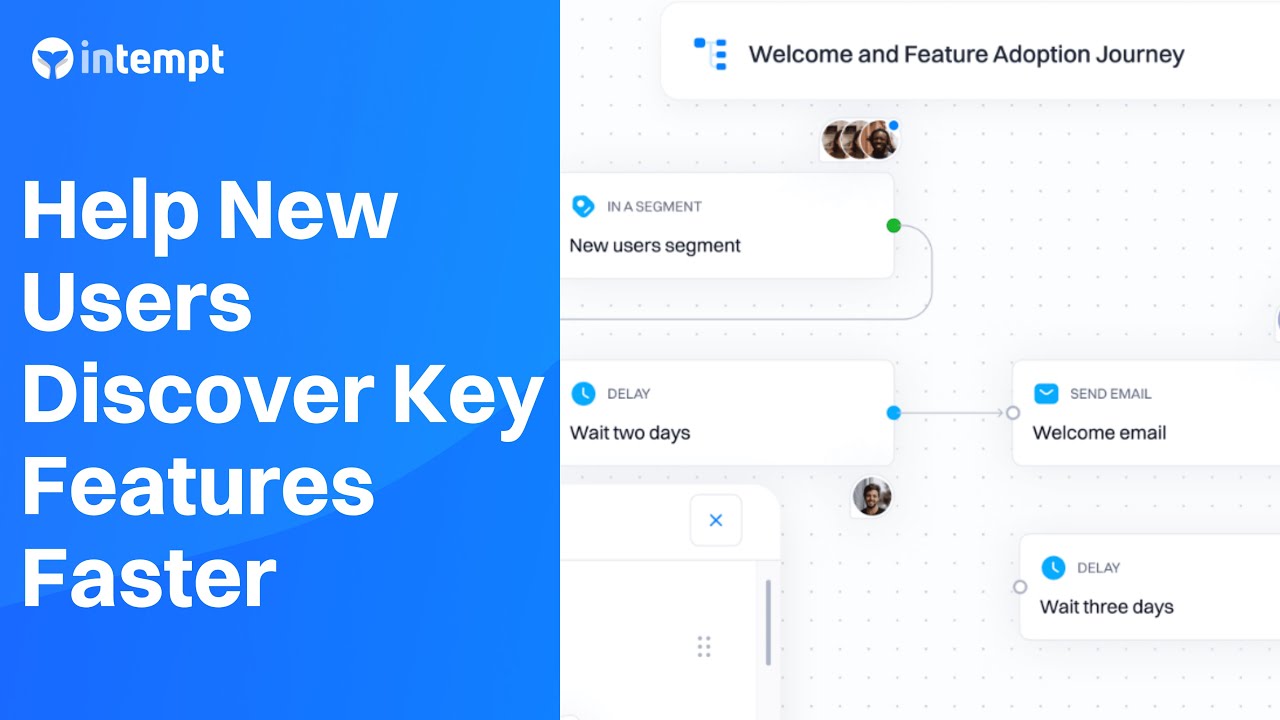
Journeys allow you to automate the sending of emails based on user behavior. In this case, we will create a journey that sends new users a series of welcome and educational emails.
Create a new journey:
Go to the Journeys section and create a new journey named "Welcome and Feature Adoption."
Add the trigger:
Trigger: User enters the New users segment.
Add email actions:
Email 1: Welcome Email
Subject: Welcome to Otto!
Body:
Hi [User Name],
Welcome to Otto! We're excited to have you on board. Otto is here to help you simplify your project management and boost your team's productivity.
To get started, here's a quick guide to creating your first project.
[Create Your First Project Link]
Best,
The Otto Team
Email 2: Introduction to Key Features
Subject: Discover Otto's Powerful Features
Body:
Hi [User Name],
Now that you've signed up, it's time to explore Otto's powerful features.
Here are a few things you can do:
- Create and manage tasks. Keep track of your tasks and deadlines.
- Invite team members. Collaborate with your team in real-time.
- Use AI predictions. Optimize your project planning with AI insights.
[Learn More About Features Link]
Happy exploring,
The Otto Team
Email 3: Encouraging First Action
Subject: Get Started with Your First Project
Body:
Hi [User Name],
Have you created your first project yet?
It's easy to get started with Otto.
[Create Your First Project Link]
Remember, we're here to help you every step of the way.
Best,
The Otto Team
Email 4: Invite Team Members
Subject: Collaborate with Your Team
Body:
Hi [User Name],
Teamwork makes the dream work! Invite your team members to Otto and start collaborating in real-time.
[Invite Team Members Link]
Best,
The Otto Team
Email 5: Create and Manage Tasks
Subject: Organize Your Tasks Efficiently
Body:
Hi [User Name],
Keep your projects on track by creating and managing tasks.
It's simple and effective.
[Create and Manage Tasks Link]
We're here to support you,
The Otto Team
Email 6: Explore AI-Based Predictions
Subject: Use AI for Better Planning
Body:
Hi [User Name],
Discover how Otto's AI-based predictions can help you optimize your project planning and achieve better results.
[Explore AI Predictions Link]
Happy planning,
The Otto Team
Email 7: View and Analyze Your Dashboard
Subject: Gain Insights with Your Dashboard
Body:
Hi [User Name],
Your dashboard is a powerful tool to monitor your project's progress and analyze key metrics.
Check it out now.
[View Dashboard Link]
Best,
The Otto Team
Add controls:
Delay: Add delays between emails to space out the communication (e.g., 2 days after Email 1, then 3 days after Email 2, etc.).
Conditions: Use conditions to check if the user has performed specific actions (e.g., created a project, invited team members) and adjust the journey flow based on these actions.
Example Journey Flow
Trigger. User enters the New users segment.
- Send Email. Welcome Email.
- Delay. 2 days.
- Send Email. Introduction to Key Features.
- Delay. 3 days.
- Condition. Has the user created a project?
- Yes. Proceed to next step.
- No. Send Email – Encouraging First Action.
- Delay. 3 days.
- Condition. Has the user invited team members?
- Yes. Proceed to next step.
- No. Send Email – Invite Team Members.
- Delay. 3 days.
- Condition. Has the user created and managed tasks?
- Yes. Proceed to next step.
- No. Send Email – Create and Manage Tasks.
- Delay. 3 days.
- Condition. Has the user explored AI-based predictions?
- Yes. Proceed to next step.
- No. Send Email – Explore AI-Based Predictions.
- Delay. 3 days.
- Condition. Has the user viewed and analyzed the dashboard?
- Yes. End journey.
- No. Send Email – View and Analyze Your Dashboard.
- End Journey. Complete the journey.
Set a conversion goal:
Before starting the journey, set a conversion goal to measure effectiveness (e.g., for users to enter the Activated Users segment, indicating they completed all key actions).
Define exit criteria so users who achieve the goal stop receiving onboarding emails.
Step 3: Monitor and optimize the journey
Read feature adoption per cohort rather than open rate, because the send is there to teach something.
Start the journey:
Once configured, start the journey in Intempt.
Monitor performance:
Use Intempt's Journey Analytics to track key metrics such as triggered journeys, conversions, conversion rate, days to convert, and engagement breakdowns.
Adjust and optimize:
Based on analytics, refine email content, test timing, personalize messages, analyze feedback, and monitor engagement to improve performance.
Use the prebuilt series
Open rates on a welcome send are the highest a lifecycle programme ever gets, and most of that attention is spent on a greeting. Spending it on the one feature that predicts retention is a better trade.
Choosing which feature to teach requires knowing which one predicts retention for that segment, which is a read the agentic GTM platform can do per cohort. The welcome series recipe ships the sequence and the exit rules, so the only decision left is which feature to lead with.
A welcome email flow earns its open rate by teaching something, not by greeting. Start with Intempt.
Frequently asked questions. Answered.
Track the key actions that represent meaningful engagement: user_signup, feature_used, create_project, create_task, invite_team_member, and any other milestone events in your product. Make sure you're also capturing the user's email attribute so you can actually send them messages. These events become the conditions that determine what each user receives.