All free tools
Design

Free AI product photo generator.

Turn one product image into studio, lifestyle, and outdoor shots with AI product photography. No studio day and no photographer. In Blu, the Brand Designer agent runs the same play across the catalog: you approve the hero shot, then every variant locks to it.

How to use the AI product photo generator

It takes three steps and every output renders on this page so you can copy or export it right away.

Upload the product photo

Drop in a JPG, PNG, or WEBP up to 10MB. A phone photo on a plain surface is enough to start from.

Pick a scene and generate

Choose studio, lifestyle, or outdoor, and the AI product photo generator re-lights and re-stages your exact product in that scene.

Open it inside Intempt

Push the winner into Intempt so the Brand Designer agent runs the same play across the catalog and exports each shot sized for web, social, and email.

Use in Claude

Blu Agent

Who it's for

  • Ecommerce sellers who need studio, lifestyle, or outdoor shots without a photoshoot
  • Teams doing a seasonal catalog refresh across many SKUs at once

What's in the download

  • SKILL.md - The 3 real scenes (studio, lifestyle, outdoor) from the browser tool, plus instructions to generate with whatever image-generation MCP is already connected, preferring image-to-image editing so the real product carries through.

How to install it

claude.ai or Claude Desktop
Upload as a zip in Capabilities
Paid plan
  1. Open Settings, then Capabilities
  2. Turn on code execution if it isn't already on
  3. Upload the .zip you downloaded
Requires a Pro, Max, Team, or Enterprise plan. Not available on the Free plan.
Claude Code
Drop the folder, it auto-loads
Any plan
  1. Unzip the download
  2. Drop the folder into ~/.claude/skills/ (or .claude/skills/ in a project)
  3. Claude Code finds it automatically
$ ls ~/.claude/skills/
your-new-skill/

What you need

  • Claude Desktop or claude.ai (Pro, Max, Team, or Enterprise for claude.ai upload)
  • Claude Code: no plan restriction
  • An image-generation MCP connected in Claude (any provider) to actually generate the photos

Try it with

  • “Use the product-photo-generator skill to create a lifestyle scene from this product photo”
  • “Generate studio-scene product photos for every SKU in this folder”

Prefer an instant answer? Run it now above.

What you get from the AI product photo generator

What it does on this page, and what it does inside Intempt.

AI product photography from one phone photo

  • Any reasonably lit photo of the product works as the source
  • The product stays the same one you uploaded, not a generated stand-in
  • It can remove the background and place the product on a new one
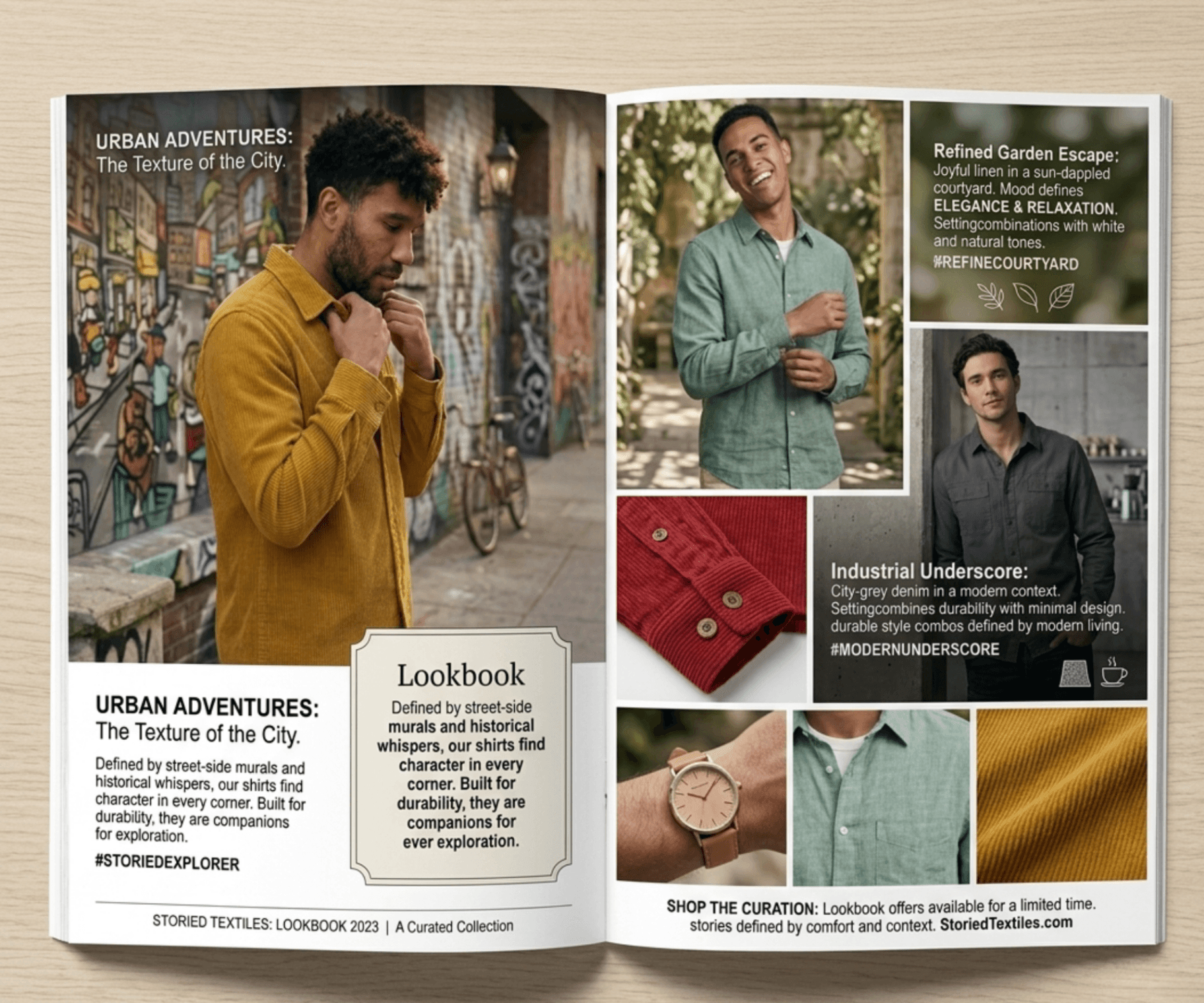
Six shots of the same mustard corduroy shirt: front, back, collar detail, cuff close-up, flat lay, and side view on a dark backdrop.

Studio, lifestyle, and outdoor product images

  • Studio gives a clean neutral background for marketplace listings
  • Lifestyle puts the product in a real-world setting that suits it
  • Outdoor uses natural daylight and an outdoor scene
The same black tumbler staged four ways: a sunny kitchen counter, a dark loft table, a beach at sunset, and a plain grey studio.

Approve the hero, then the rest locks to it

  • You sign off one shot before any variant is produced
  • Lighting and framing follow that setup, shot after shot
  • Every shot ships with one treatment, not five
One product shot from a locked angle and lighting set, shot after shot.

Track which shot actually sold

  • Clicks, adds-to-cart, and revenue all trace back to the shot
  • The winner is whatever closes, not whatever looks best
  • The next shoot starts from what actually converted
Product shot variants running across platforms, tracked by which one actually sold.

See it work on your own output.

Start free

Questions about theAI product photo generator.

Yes. Sign up for the free Intempt plan, then generate photos on this page and download them free 3 times a day, and up to 10 times a day across all the tools, while distributing across surfaces, enforcing the brand kit, and tracking conversion sit inside the free Intempt plan.

Teams love it

They stopped stitching tools andhired one system.

Jim Stromberg, CEO at StockInvest
StockInvest
“Acquisition and retention finally feel like one connected motion instead of two separate problems.”

Jim Stromberg

CEO, StockInvest

Eric Gardner, COO at FieldsUSA
FieldsUSA
“We finally have one system that sees the whole customer journey.”

Eric Gardner

COO, FieldsUSA

Tadas Kertenis, Co-founder at Hoperfy
Hoperfy
“With Intempt, we built a signal-led pipeline driven by real behaviors.”

Tadas Kertenis

Co-founder, Hoperfy

Shoot the whole catalog.

You approve the hero shot, every variant locks to it, and no studio day is booked.

Start for free