- Your GTM team already has a brain. It is scattered across the CRM, the call recordings, the product analytics, and the rep who is on holiday.
- The hard part is not storing more. It is retrieval: knowing what to pull, what to trust when two systems disagree, what a given workflow is allowed to see, and how a correction becomes a rule instead of a conversation you have again next week.
- Five layers, in order: capture, retrieval, source truth, permissions, feedback. Most teams build the first one and stop. That is a storage unit, not a brain. Every layer below comes with the artifact it produces, ready to copy.
Your GTM team already has a brain. It is scattered across the CRM, the call recordings, the product analytics, a pinned Slack thread, and the rep who is on holiday this week.
That is the part people skip when they talk about building a company brain. The value was never a bigger folder of company knowledge. Everyone already has one of those, and nobody opens it. Small teams feel this first, because covering seven GTM jobs with three people only works if every agent reads the same context.
What follows is five layers, in order, each with the artifact it produces. The artifacts are the point. If you read this and copy nothing, the afternoon was wasted.
Memory is the raw material, retrieval is the operating layer
The instinct when agents underperform is to give them more. More context, more history, more of the transcript. It works for about a fortnight, and then the memory itself becomes the bottleneck.
More memory raises the odds that something relevant is in there. It does nothing for the odds that the relevant thing surfaces at the right moment. You end up with a system that is technically better informed and operationally worse, because now it has six plausible facts to choose from and no rule about which one this job needs.
The loop most teams are actually running looks like this.
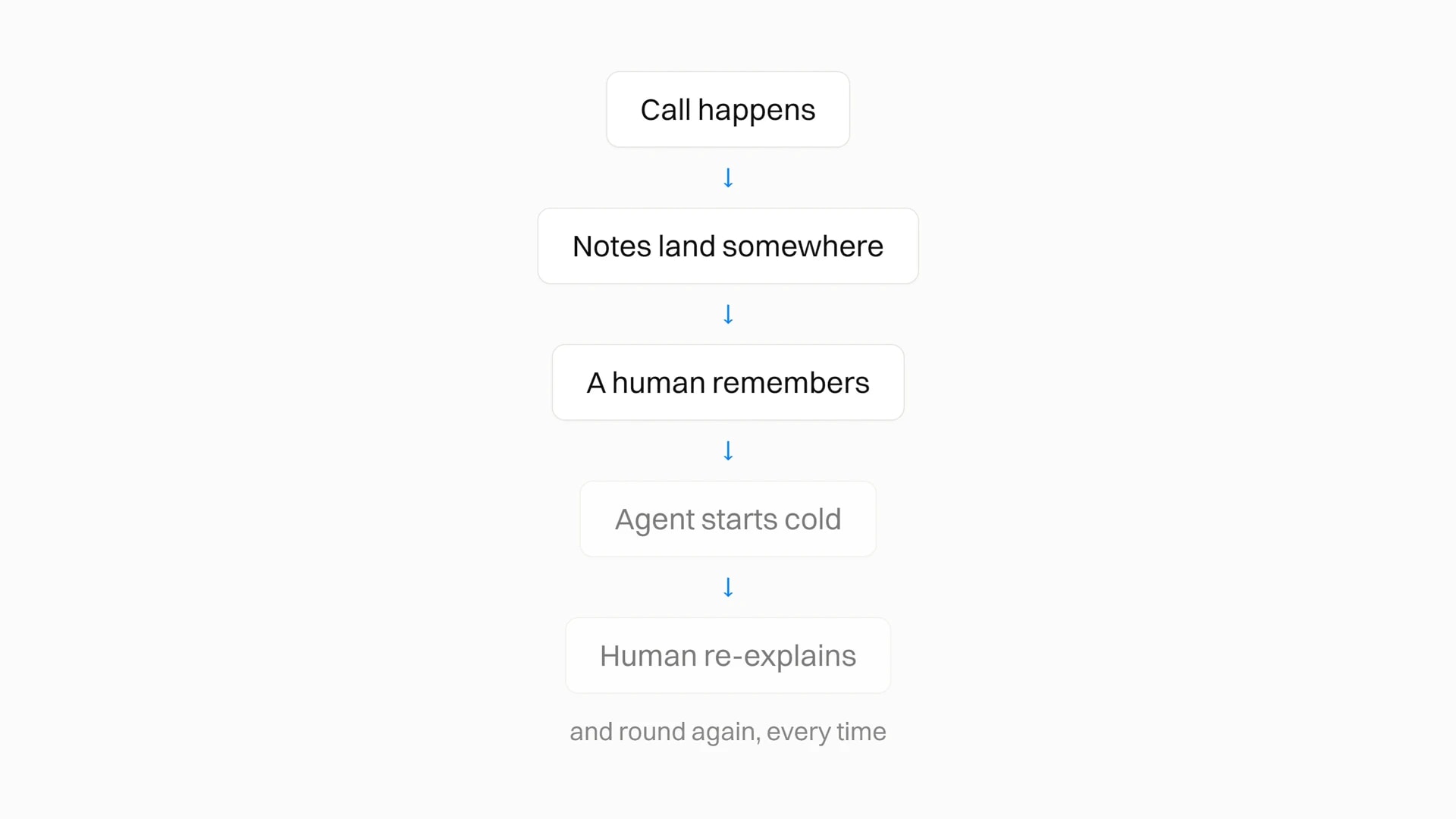
The human is the router. Every output depends on somebody remembering the right call, pasting the right context, and correcting the same mistake for the fifth time. That does not scale, and it does not survive the person leaving.
The version that works puts a retrieval layer in the middle and turns corrections into rules rather than conversations.
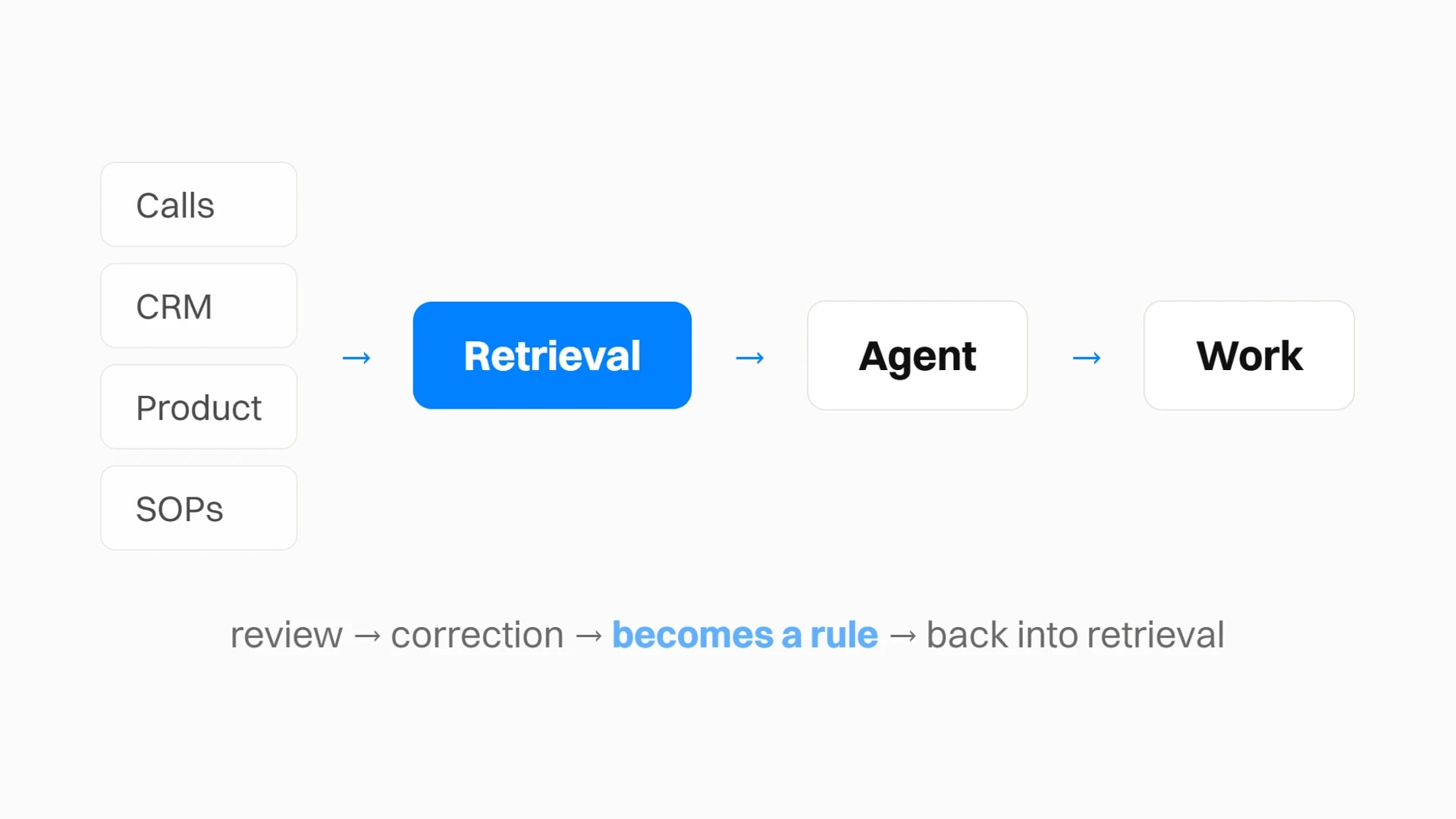
The five layers
Read them bottom to top. Each layer only works if the one under it is in place, which is why teams that start at the top get a demo that impresses and a system that falls over in week three.
Layer 1: capture, and the failures it hides
This is where teams start and, more often than not, where they stop. Record the calls, sync the CRM, fire the product events, dump the docs somewhere searchable, call it a brain.
It is a storage unit, not a brain. Raw material does not prioritise, does not know which fact is stale, and does not know which of two contradicting records to believe.
Capture also fails quietly, which is the real problem. Going through one of our own workspaces this month, a funnel reported 30,655 people entering, 12,765 reaching step two, and a flat zero at the paid step. The zero was not a conversion collapse. The event had never been wired. In the same workspace, weekly retention cohorts ran at roughly 3,200 people for months and then dropped to 836, then 254, then nothing. That was not churn either. Ingestion had stopped on a specific day.
Both of those read as catastrophic business results. Both were plumbing. A capture layer nobody audits produces confident, well-formatted, completely wrong answers downstream, and the people reading those answers have no way to tell.
The structural fix for the unwired-event class is to stop relying on anyone noticing. A typed tracking plan, which is what our CLI generates, makes an event that does not match the plan fail at compile time rather than fail silently in a funnel six weeks later. If you take nothing else from this layer, take that: capture defects should break a build, not a board meeting.
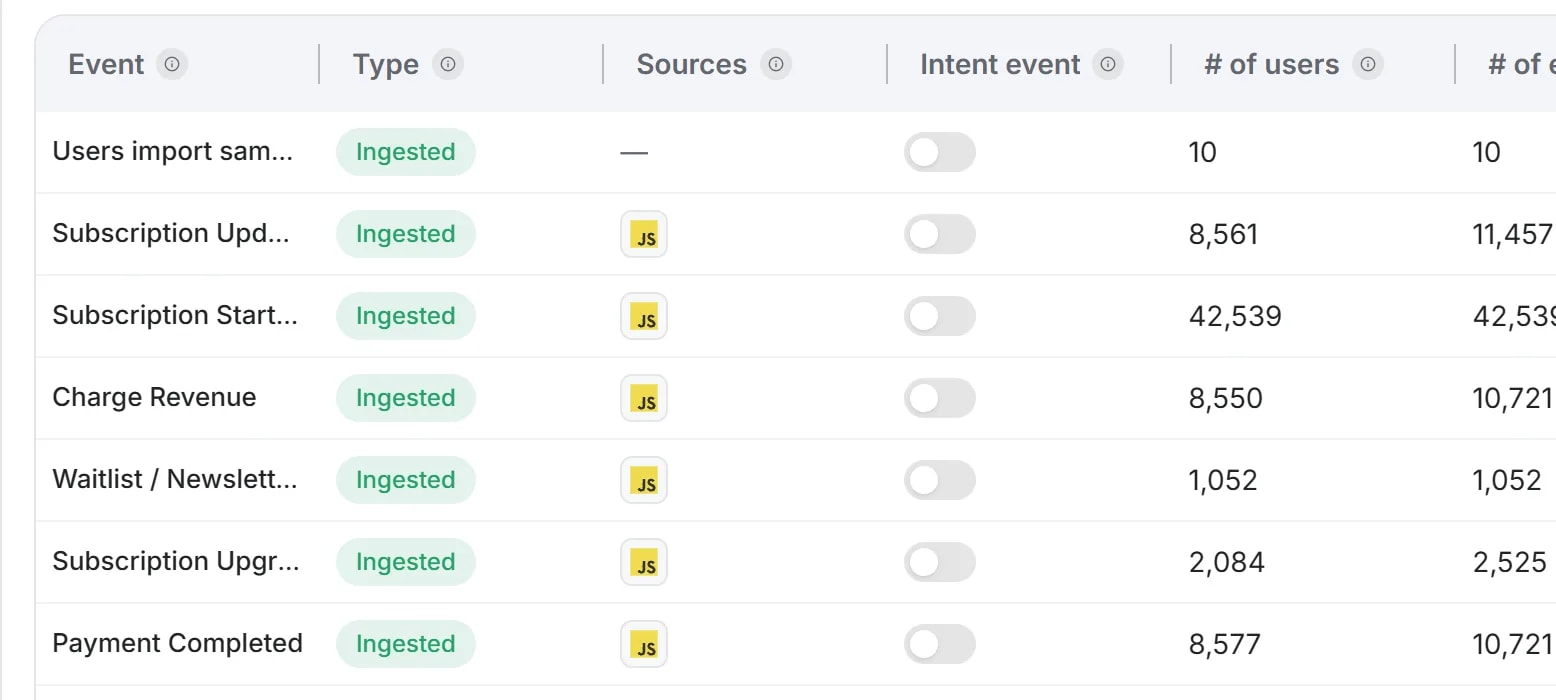
The sources worth wiring first are the ones nobody types by hand. Product events, because usage is never entered accurately into a CRM. Call transcripts, because the CRM only ever holds a rep's summary of what was said. Everything else can wait.
The artifact: run this against your own data before you trust anything built on top of it. Point it at whatever holds your saved reports. It takes one pass and it is the cheapest hour in this article.
Audit my capture layer before I trust anything downstream. Do not summarise, give me the broken things worst first.

Events: for every event I track, tell me when it last fired and how many times in the last 30 days against the 30 before that. Flag anything that dropped by more than half, and anything that has not fired at all in 14 days.

Reports: for every saved report, does each step return a non-zero number? A step returning zero is either a real collapse or an unwired event. Say which you think it is and why you think so.

Cohorts: has the size of a weekly cohort changed by more than half between consecutive weeks? If it has, that is usually ingestion stopping, not behaviour changing. Say so plainly rather than reporting it as churn.

Segments: list every segment with its live count. Flag any with zero members and any whose count is wildly out of proportion to the rest.

For anything you flag, tell me whether it looks like a tracking defect or a real business change, and say which of the two you are less sure about.Layer 2: retrieval, six facts not six hundred
Retrieval is where the system starts being useful, and it is the layer almost nobody builds.
An agent drafting an outbound email does not need the history of the account. It needs the ICP, the offer, the objections that came up last quarter, the brand voice, and what this campaign is for. An agent reviewing pipeline needs stage changes, stalled accounts, the last real activity per deal, and what the rep said on the most recent call. An agent writing content needs our actual position, what has already been published, and which claims are approved.
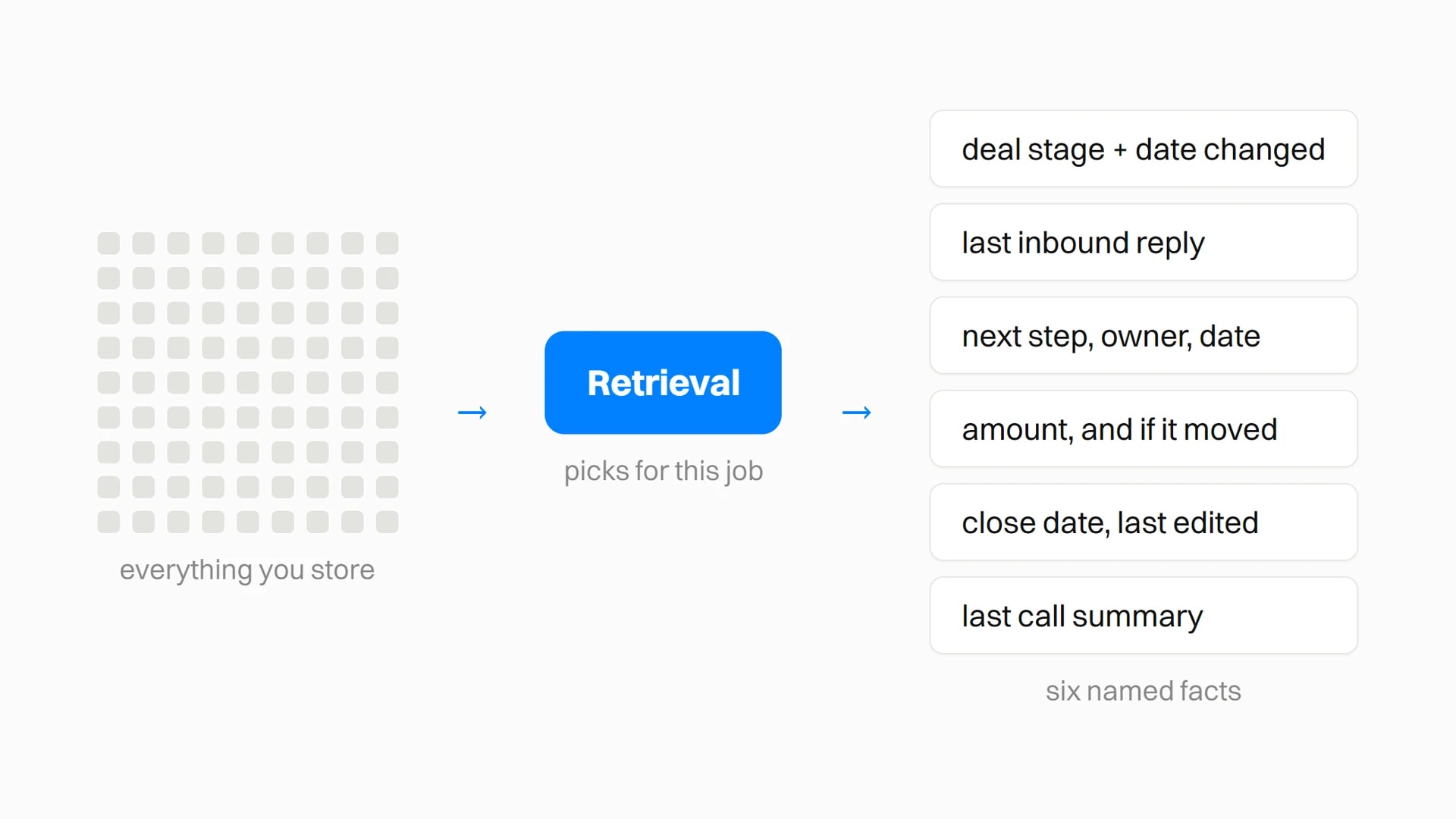
Six facts, chosen deliberately, beats six hundred retrieved by similarity. This is why so many AI demos look brilliant and so many production systems disappoint. In the demo, a person hand-picked the context.
This is not a soft preference, and Anthropic put a number on it. Their write-up on code execution with MCP reports a job going from 150,000 tokens to 2,000 when the agent loads what it needs on demand instead of having every tool definition and every intermediate result pushed through the model. Same task, same model, a 98.7% cut. The saving is not cleverness, it is that somebody decided what the job needed.
The interface that retrieval happens over matters less than the discipline, but it does matter. MCP has become the common way to expose a system to an agent without handing it the database, and it is the reason a retrieval layer can now be a configuration rather than a codebase. We ship a server for our own data, and the default install is read-only on purpose.
The artifact: one of these per workflow. Naming the fields is the entire exercise, and "the account history" is not a field.
Workflow:        weekly pipeline review
Runs:            Friday 16:00, before the forecast call
Owner:           the person who answers for the number

Needs every time (name the field, not the system):
  1. deal stage, and the date it last changed
  2. last inbound reply from anyone outside our domain
  3. next step: text, owner, date
  4. amount, and whether it has moved since the deal opened
  5. close date, and the date that close date was last edited
  6. the last call summary on the account

Must never see:
  - other reps' compensation
  - anything in the legal folder

When a required field is missing:
  say the field is missing and stop. Do not infer it.

When two sources disagree:
follow the source hierarchy. Never average, never pick silently.If filling that in from a blank page is the part you keep postponing, hand the job to the agent and correct its draft. This works because the agent has seen the last twenty outputs of the workflow and you have not.
Draft the retrieval spec for this workflow: [name it].

First, look at the last ten times we ran it and list every distinct piece of information that appeared in an output. Name fields, not systems. "Deal stage" is a field. "Salesforce" is not.

Then cut that list to the six that changed what the output actually said. If removing a field would not have changed a single one of those ten outputs, it does not belong in the spec, and say which ones you cut on that basis.

Then tell me three things I have not asked for:
- which of the six is hardest to get reliably, and why
- which of them we are currently inferring rather than reading
- what the workflow should do when one is missing

Do not pad to six. If the honest answer is four, say four.Layer 3: source truth, deciding what wins
Once agents can retrieve, the next problem is trust. Which source wins?
In GTM this is sharper than in general knowledge work, because the systems disagree about the most basic thing: who the customer is. Asking our own tooling for the account record behind our own domain returned five separate candidate records. It refused to pick one, which was the correct behaviour and also the whole problem in one output. An agent without that refusal picks one, sounds certain, and briefs you on the wrong company.
Segments rot the same way. Seventeen in one workspace, of which two named Power Users and At-Risk Users had zero people in them, sitting next to a throwaway called New segment test holding 53,507. Those first two are exactly what a retention campaign would target. Both would have sent to nobody, and nothing in the system would have said so. A segment defined by behaviour rather than by a filter somebody wrote once at least tells you when its population collapses.
Underneath both problems is the same one: nothing decided which record was the customer. That is the job a unified customer profile exists to do, and it is genuinely a prerequisite rather than a nice-to-have, because every layer above it inherits the ambiguity. An agent cannot retrieve the right six facts about an account if four systems disagree about which account it is.
The prompt that finds the disagreements, before you write the table. Most teams have never run this and are surprised by the answer.
Find where my systems disagree about the same thing, and do not fix anything.

Take the 20 accounts with the most activity in the last 90 days. For each, pull the same field from every system that holds it: stage, amount, close date, renewal date, owner, last contact.

Report only the conflicts. For each one:
- the field
- what each system says
- which was written most recently
- which a person would probably trust, and why

Then tell me the conflict that appears most often across the 20. That one is not a data problem, it is a missing decision, and it is the first row of the source hierarchy.

If an account cannot be matched across systems at all, list it separately. Do not guess the match. Those are the ones that will poison everything downstream.The artifact: a table with one row per contested field. Most teams have five or six. Write it once, put it where the agent reads it, and the arguments stop.
| Field | Truth lives in | Why | Staleness |
|---|---|---|---|
| Deal stage | CRM | The process lives there, and stage is a decision somebody made | Live |
| What the buyer said | Call transcript | The CRM holds a rep's summary of it, which is already an interpretation | Live |
| Product usage | Product events | Nobody types usage into a CRM accurately | Live |
| Renewal date | Contract | The CRM copy is a convenience field and drifts | Live |
| Company size, funding | Enrichment provider | Ours goes stale the day it is written | 90 days |
| Objections | Call transcripts, not notes | Notes record what the rep thought mattered | Rolling 2 quarters |
| Anything a human corrected | The rules file | A correction beats every system above it | Until corrected again |
The failure is not choosing wrong. It is never choosing, which leaves the agent to decide differently every run and sound equally confident each time.
Layer 4: permissions, per action not per agent
Company intelligence gets dangerous the moment every workflow can see everything. The content agent does not need the deal values. The outbound agent does not need the support escalations. And no agent needs write access to anything until you have watched it read for a month.
The useful mental model is per-action rather than per-agent. When we set up our own tooling against Gmail, the split was six read tools and twenty-three write and delete tools. Reads sit on always-allow. Every write waits for a human. That single boundary is why the thing can run unattended, and it is worth more than any prompt in the system.
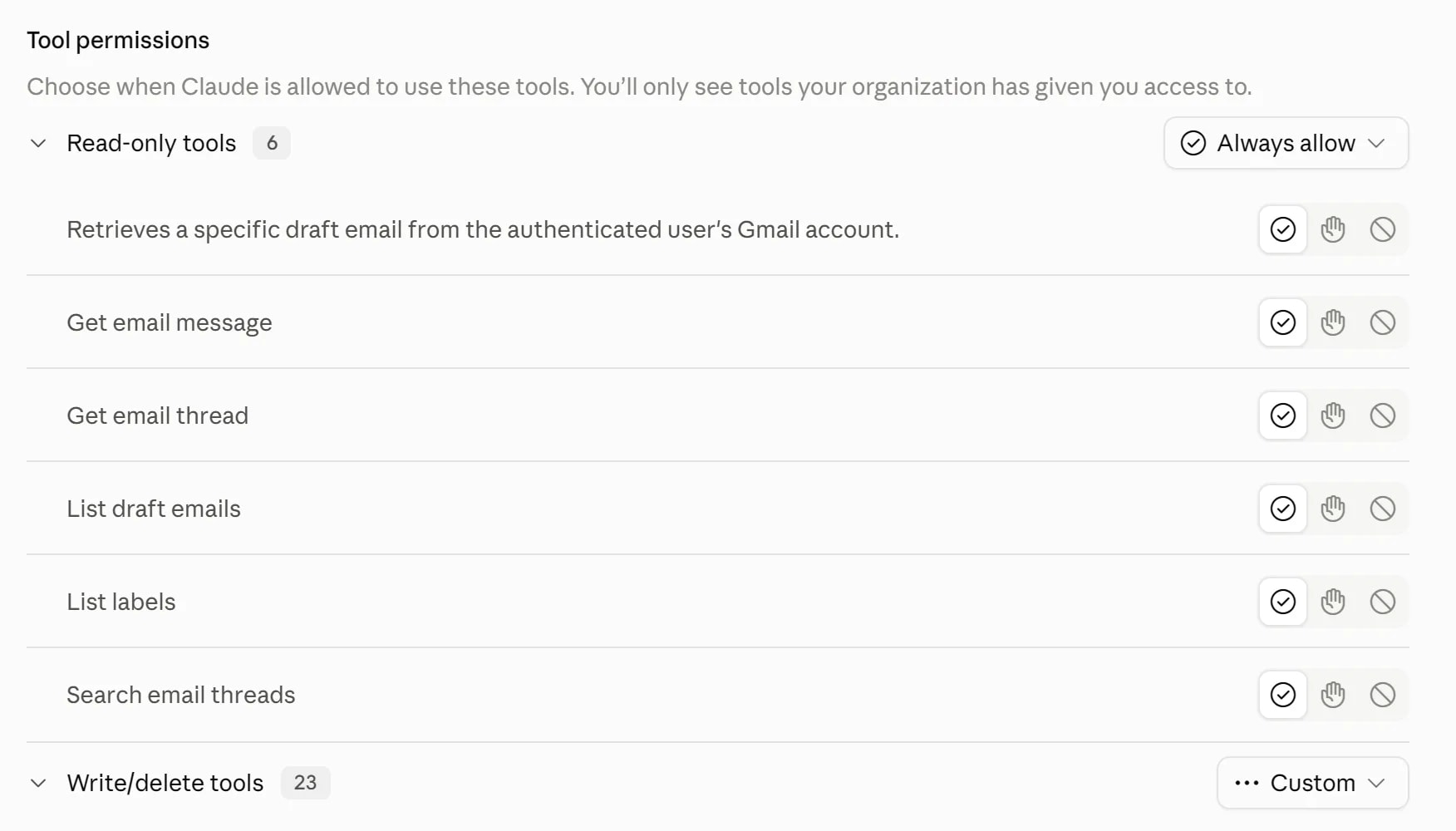
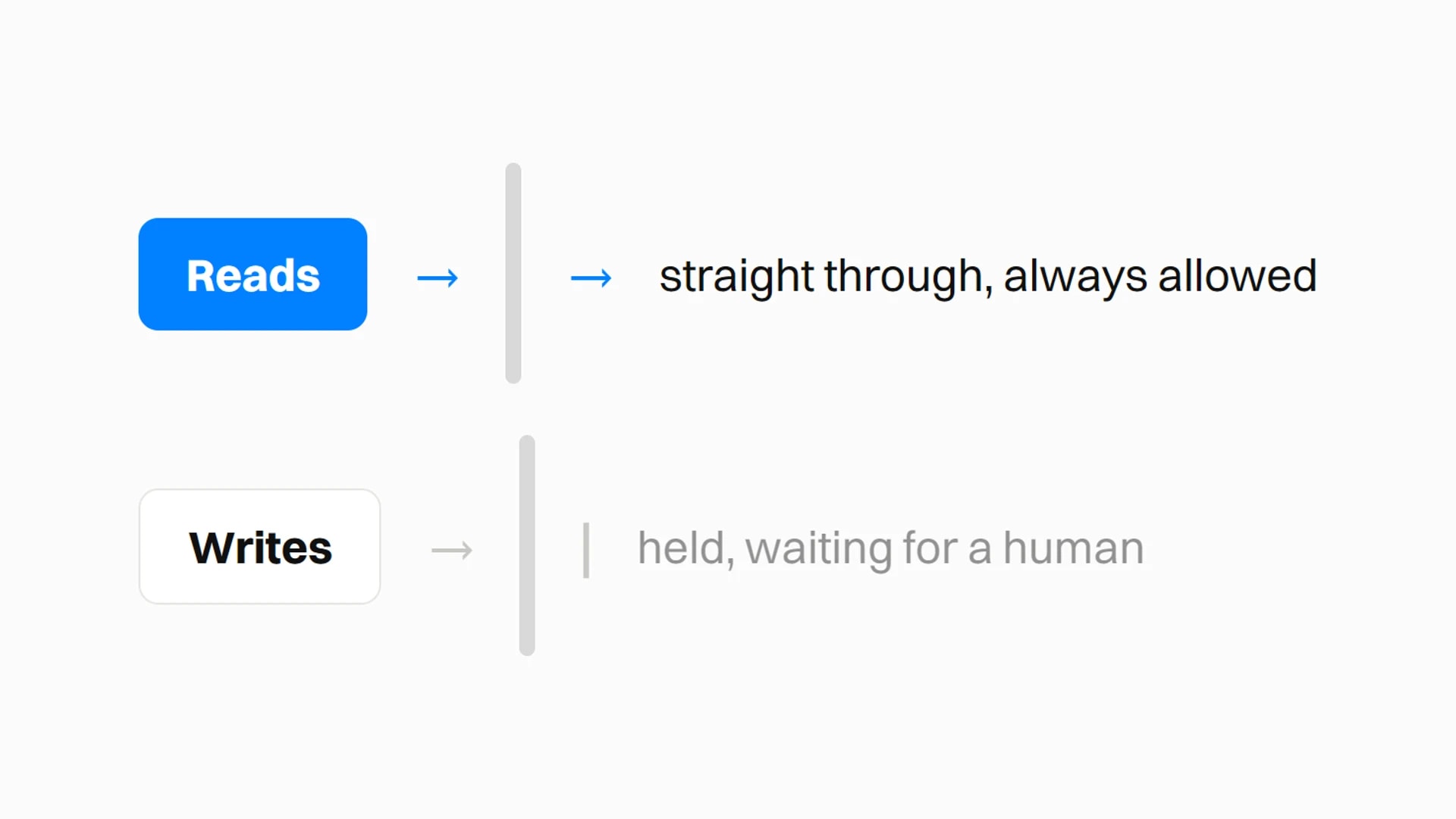
We built the same asymmetry into our own server on purpose. The default install exposes 43 of 132 tools, and every one of the 43 reads. An agent that can read everything and change nothing is useful on day one. An agent that can change things is a project with a rollback plan.
The per-workflow version of this is the one that matters at a team level. When nine named agents share one customer context, the question stops being "can the AI see this" and becomes "can this job see this", which is a question with an answerable, auditable answer. The pipeline agent needs deal values. The content one never does.
The artifact: a matrix, one row per workflow. Fill the write column with "ask" until a workflow has earned otherwise, and note that earning it takes weeks, not runs.
| Workflow | May read | May write | Never sees |
|---|---|---|---|
| Pipeline review | CRM, call notes, product events | nothing | compensation, legal |
| Outbound drafting | ICP, offer, objections, sent mail | drafts only, ask before send | support tickets, deal values |
| Weekly report | CRM, product events, spend | nothing | individual rep performance |
| Content drafting | positioning, published work, approved claims | drafts only | customer names, deal values |
| Call follow-up | the transcript of that call, that account | drafts only, ask before send | every other account |
Layer 5: feedback, where corrections become rules
This is the layer that makes the rest compound, and the one that gets skipped because it looks like admin.
Every time someone corrects an output, that correction should change future behaviour. If the draft used a phrase nobody here would say, the voice rule updates. If it cited a customer we are not allowed to name, the source rule updates. If it missed a stalled deal, the pipeline scan updates.
Without this you are not operating a system, you are babysitting one. The tell is simple: if you find yourself giving the same correction twice, the correction belongs in a file, not in a chat.
The artifact: one file, in the repo or the shared drive, that every workflow reads before it starts. Date the entries. The dates are what let you delete rules that stopped being true.
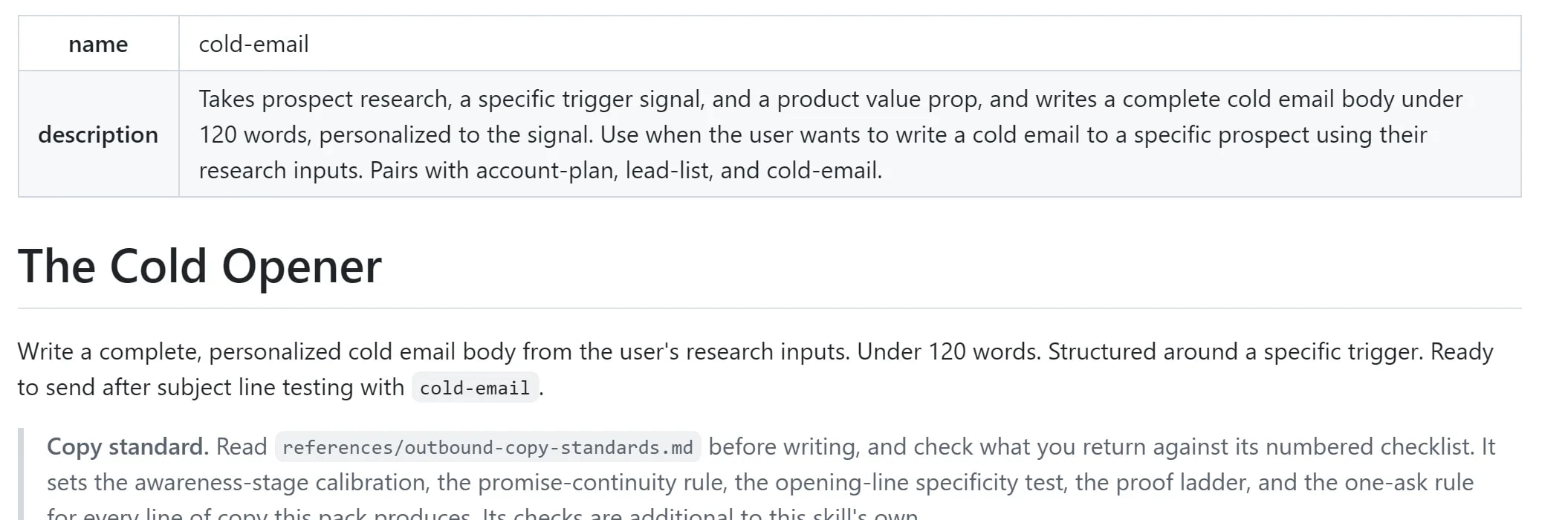
A file is the whole mechanism, and that is deliberately unglamorous. It is also how installable skills work: a skill is a folder with a markdown file in it stating the method, which means a rule you write once travels to every workflow that reads it and survives the person who wrote it leaving.
# rules.md - read this before any draft

## voice
- Never open with "I wanted to reach out" or "Hope this finds you well".
  Corrected 2026-08-14, third time. Open with the reason you are writing.
- No em-dashes. Spaced hyphen or two sentences.

## sources
- Do not name a customer in public content without a signed reference.
  Corrected 2026-08-22 after a draft used one from a private call.
- Enrichment data older than 90 days is a hint, not a fact. Say which it is.

## pipeline
- A deal with no inbound reply in 14 days is stalled, whatever the stage says.
  Corrected 2026-09-02 after three "active" deals had gone quiet for a month.
- Never treat a closed-lost account as cold. Say when and why it was lost.

## reporting
- A metric that moved less than 5% did not move. Do not write a paragraph
about it. Corrected 2026-09-09.The prompt that writes the first version for you, from corrections you have already given rather than rules you imagine you need.
Mine my corrections and turn them into rules.

Go through the last 20 exchanges where I rejected, rewrote or corrected something you produced. Ignore the ones where I just changed my mind about what I wanted.

Group what is left by what I was actually correcting: voice, a factual source, a definition, a formatting habit, a judgement call.

For each group, write one rule in this shape:
  - the rule, stated as an instruction, not a preference
  - the date I first corrected it
  - how many times I have corrected the same thing since

Sort by that last number. Anything I have corrected three times or more, I have been failing to write down for weeks, and that is the real finding.

Do not invent rules for things I have never corrected. A short honest file beats a long speculative one.The audit to run before you automate anything
Pick one recurring workflow that already wastes time. Weekly reporting, pipeline review, call follow-up, proposal drafting. Then answer six questions about that one workflow, in writing, before anything gets automated.
Workflow under audit: ____________________

1. Which sources does this workflow actually depend on?
   (name systems, not categories)

2. When two of them disagree, which one wins?
   (if nobody has written this down, that is the answer: none of them)

3. What context does it need every single time?
   (name fields. "The account history" is not a field)

4. What should it never see?

5. Which corrections do we give it repeatedly?
   (check the last ten outputs, not your memory)

6. How does one of those corrections become a standing rule?
   (name the file, and who edits it)

If three or more of these are blank, the workflow is not ready.
Fill them in first. It takes an afternoon and it saves the quarter.If you cannot answer those six for one workflow, you are not ready to automate it. Automating it anyway does not fix the mess. It runs the mess faster and puts a confident paragraph on top.
Most of our 292 GTM recipes are, underneath, one of these workflows with the six answers already filled in. The account research one is a good example: the value is not the automation step, it is that somebody decided the source hierarchy before anything ran.
Why this is worth the boring work
The gain people expect is time. The gain that actually matters is decision latency.
- A new rep is productive in days, not months. Onboarding is mostly transferring the retrieval rules that live in a senior person's head. Once they are written down, the transfer is a file rather than six weeks of shadowing.
- Nobody waits for the dashboard to be assembled. The question gets asked and answered in the same sitting, which changes which questions get asked at all.
- Corrections stop recurring. The same note given twice is a defect in the system, not a defect in the output.
- Handover stops being a risk event. The brain does not go on holiday, and it does not resign.
- You find out what you never decided. Most teams discover, filling in the source hierarchy, that four people held four different answers and none of them knew.
The teams that get value out of AI in go-to-market will not be the ones with the largest prompt library. They will be the ones whose retrieval layer is clean enough that an agent and a new hire both get the right six facts on the first try.
Capture the work. Retrieve the right context. Decide what wins. Protect what should not be used. Turn every correction into a rule.
That is the order, and the order is the whole method. If you want the customer-data layers handled rather than assembled, that is the thing we build: agentic GTM software for teams that refuse to hire their way to scale.