


- Most deals are lost in the gaps between calls, not on them: a late follow-up, an unasked question about who signs, a buyer whose timeline quietly slipped. Those are attention problems, and Claude Opus 5.5 is good at attention.
- This setup gives you six prompts, one per gap: a pre-call brief, a five-minute follow-up, a MEDDPICC risk note, a story-change check across every call, a re-engagement email and a forecast check against the buyer's own words.
- Run them by pasting transcripts, or connect Claude to your calls and deals through the Intempt MCP. Keep sending and stage changes in human hands.
Deals don't die in the demo. If you want to close more deals, that's the first thing to get straight.
They die in the gaps between calls. The follow-up that went out a day late. The question nobody asked about who signs. The buyer who said "Q1" in week one and "sometime next year" in week four, and nobody noticed. The thread that went quiet for eleven days before anyone chased it.
None of those are selling problems. They're attention problems. There are too many deals and too many calls for one person to hold all of it in their head.
That's the part Opus 5.5 is actually good at. It came out on September 22, and Anthropic's launch post says it "puts the most important information up front." For sales that's the whole job. A buyer doesn't need your recap. They need the one thing that moves the deal, first.

So this is a setup for closing more deals by losing fewer of them in the gaps.
Quick note: I run Intempt, agentic GTM software for sales and marketing teams, and I'll use our sales tools in this setup. Every prompt below works on its own with a transcript you paste in. Intempt is the part that keeps your deals and calls in one place, so Claude can read them without you pasting anything.
Here's what we'll cover:
- the setup, lazy version and connected version
- six gaps where deals get lost, with a prompt for each
- which effort level to use, so you're not paying for thinking you don't need
- putting it on a schedule
- the two things you should never let it do on its own
The one rule
A deal only moves when the buyer does something.
Not when you send something. Not when you update a field. When the buyer replies, books, forwards, signs.
Every prompt in this article ends with a buyer action or a risk you can act on. If an output doesn't lead to one of those, it's a report, and reports don't close deals.
The setup
There are two ways to run this. Start with the lazy version if you have a few calls a week, and switch to the connected version once pasting transcripts starts to slip.
Lazy version: paste a transcript
You need raw transcripts with speaker names. Not the auto-summary. The summary throws away the parts that matter, like the pause before "we'd need to check with finance."
- Zoom: turn on audio transcription for cloud recordings and download the
.vttafter the call. - Google Meet: transcripts get emailed to the host as a Google Doc when the meeting ends.
- Anything else: export plain text. Speaker labels matter more than format.
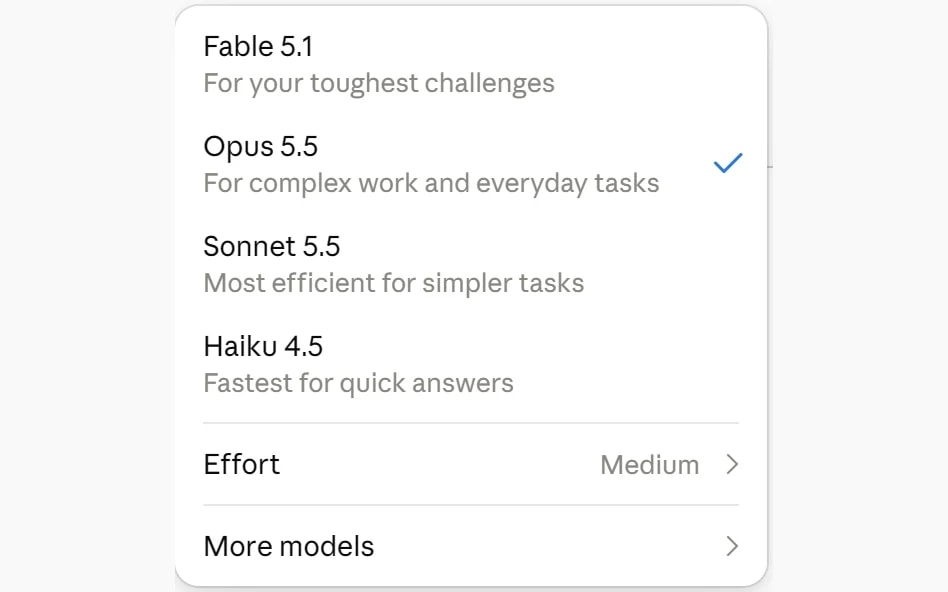
Open Claude, pick Opus 5.5, paste. That works for a few calls a week.
Connected version: let Claude pull the calls itself
Past a handful of calls a week, pasting falls apart. You forget to download one. You paste the wrong call. And the most useful prompts here need every call on an account, not just today's.
For that you need your calls and deals somewhere Claude can reach. Intempt Meetings captures your calls once you connect your calendar, and the Intempt MCP server lets Claude Code read them: the meeting list, each meeting's transcript and notes, and your accounts. It also returns summaries in templates like MEDDIC, BANT and deal intelligence, so Claude can start from a structured read instead of raw text.
Adding it is one line:
$claude mcp add intempt -- npx -y @intempt-technologies/mcpThen log in through the browser when it asks. If you haven't added an MCP server before, Anthropic's MCP guide for Claude Code covers how they work.
Each gap below shows the prompt first, then how it runs connected.
Gap 1: you walk into the call blind
The rep opens the calendar invite two minutes before the call, reads the company name, and wings it. The buyer can tell.
I have a sales call in 30 minutes. Write me a one-page brief.

Use the account notes and past call transcripts below.

1. One line: why this account is talking to us, in their words, with a quote.
2. What they said last time they'd do, and whether there's any sign they did it.
3. Every open question from earlier calls that nobody answered.
4. Who has been on calls so far, and who hasn't shown up but was mentioned by name.
5. The one thing I need to leave this call knowing. Just one.

If there are no past calls, say so and give me 3 questions to open with instead.

Account notes and transcripts:
[paste here]Point 4 is the one people skip. The person who keeps getting mentioned but never shows up is usually the one who signs.
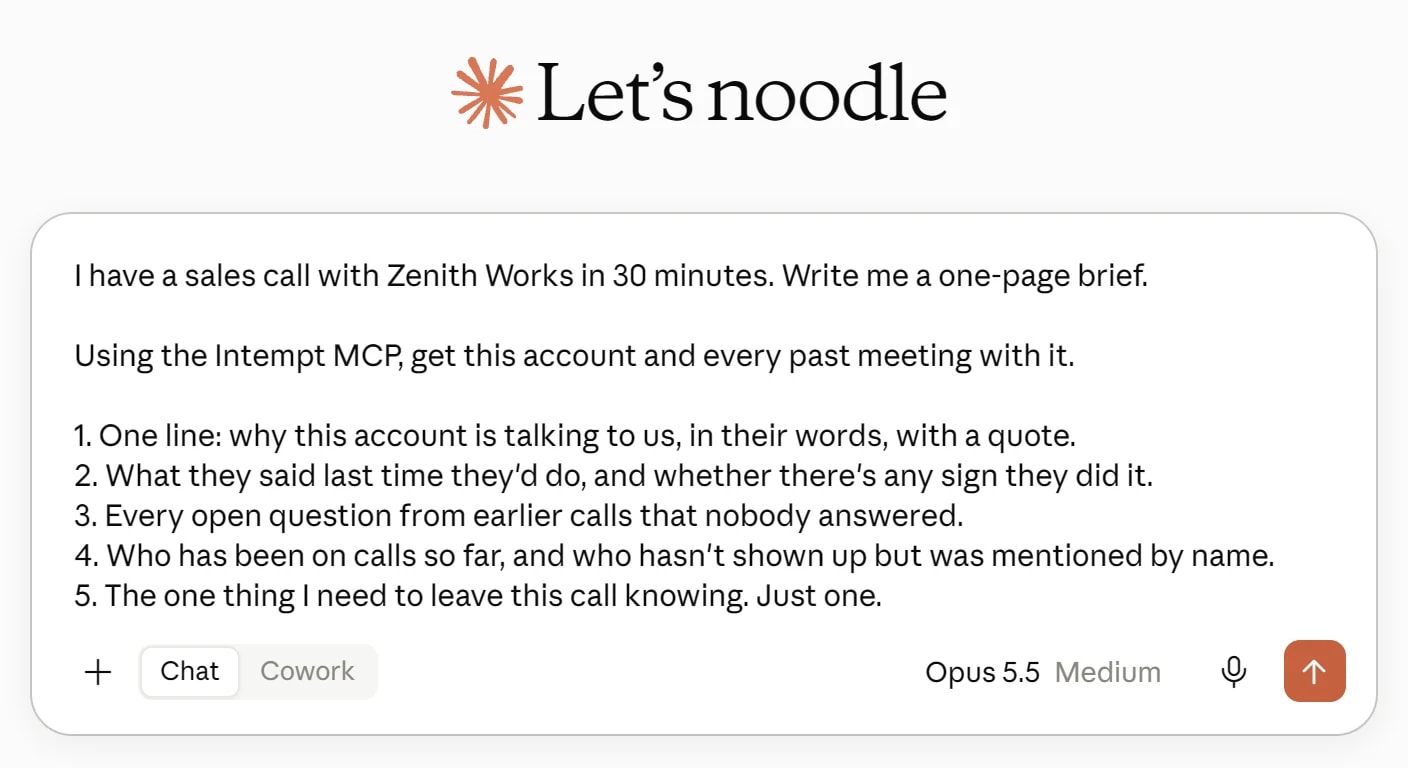
Connected: replace the last line with "Using the Intempt MCP, get this account and every past meeting with it." Buyers book through Intempt Scheduling links, so the call you're prepping for is already on the account.
Gap 2: the follow-up is a day late and it's a recap
By the next morning the buyer has had four more calls and forgotten half of yours. What they remember is the thing that worried them.
Write a follow-up email from the rep to the buyer, to send within 5 minutes of the call.

Rules:
1. First line answers the biggest concern the buyer raised, in their words. If they raised none, open with the next step.
2. At most 3 next steps. Each names who does it and by when. If the transcript has no date, write "by [date?]".
3. Nothing the buyer already knows. No "great chatting," no topic recap, no "as discussed."
4. Under 120 words.
5. If the rep promised something on the call, it's next step 1, owned by the rep.

After the email, list anything you weren't sure about.

Transcript:
[paste here]Rule 5 earns its keep. Reps forget their own promises far more often than buyers do.
Connected: ask Claude to list today's meetings through the MCP and run this on each one that has ended. You get every follow-up from the day in one pass, while the calls are still fresh. If you'd rather not run the prompt yourself, the post-meeting follow-up recipe turns a finished call into the email, the tasks with owners and dates, and an updated deal.
Gap 3: nobody asked who signs
The call went great. Everyone liked it. Nobody on it can approve the spend, and nobody asked who can.
Read this call transcript. Write a private deal-risk note for the rep and their manager.

Score each MEDDPICC area as Strong, Weak or Unknown:
Metrics, Economic buyer, Decision criteria, Decision process, Paper process, Implicated pain, Champion, Competition.

For every score, quote the line that justifies it. No line means Unknown. Do not infer.

Then list:
- Every commitment the buyer made, with the quote
- Every buyer question the rep didn't fully answer
- The one question the rep must ask on the next call

Transcript:
[paste here]New to MEDDPICC? The MEDDICC team's breakdown explains each letter. Use BANT or your own criteria if that's what your team runs. For where AI actually helps with qualification and multi-threading, see AI in B2B sales.
"Quote or it's Unknown" is the rule that matters. Without it the model fills gaps with confident guesses, and a confident guess about who the economic buyer is will cost you a quarter.
Connected: ask for the meeting's MEDDIC summary through the MCP alongside the transcript. Then have Claude check each score against the actual quotes, instead of trusting either one alone.
Gap 4: the buyer's story changes and nobody notices
This is the gap that kills the most deals, and it's the one you can't catch by pasting one call at a time.
Week one: "budget's approved for this half." Week four: "we'd need to find budget." Each call summary looks fine on its own. Put side by side, the deal has quietly slipped two quarters.
Using the Intempt MCP, get every meeting with [account name], oldest first.

Compare what the buyer said across all of them. Flag every place their story changed on:
- timeline or deadline
- budget or who pays
- who's involved in the decision
- what problem they're solving
- which competitors they're looking at

For each change, quote both lines with their meeting dates. Then tell me in one sentence whether this deal is more or less likely to close than it looked after the first call, and why.This one only works connected, because it needs the full history. It's also why I'd set up the MCP even if you ignore everything else here.
Gap 5: the deal goes quiet
Nobody decides to let a deal die. It just goes eleven days without a reply, then twenty, then it's "closed lost" at the end of the quarter with "went dark" in the notes.
This deal has gone quiet. Here's the last email thread and the last call transcript.

Write one short re-engagement email. Rules:
1. Don't say "just checking in," "circling back" or "bumping this."
2. Reference one specific thing the buyer cared about on the last call, in their words.
3. Give them something new: an answer to an open question, a relevant example, or a clear yes/no question.
4. End with a question they can answer in one line.
5. Under 80 words.

Then tell me: based on the last call, is there a reason this might have gone quiet that the email should address?

Thread and transcript:
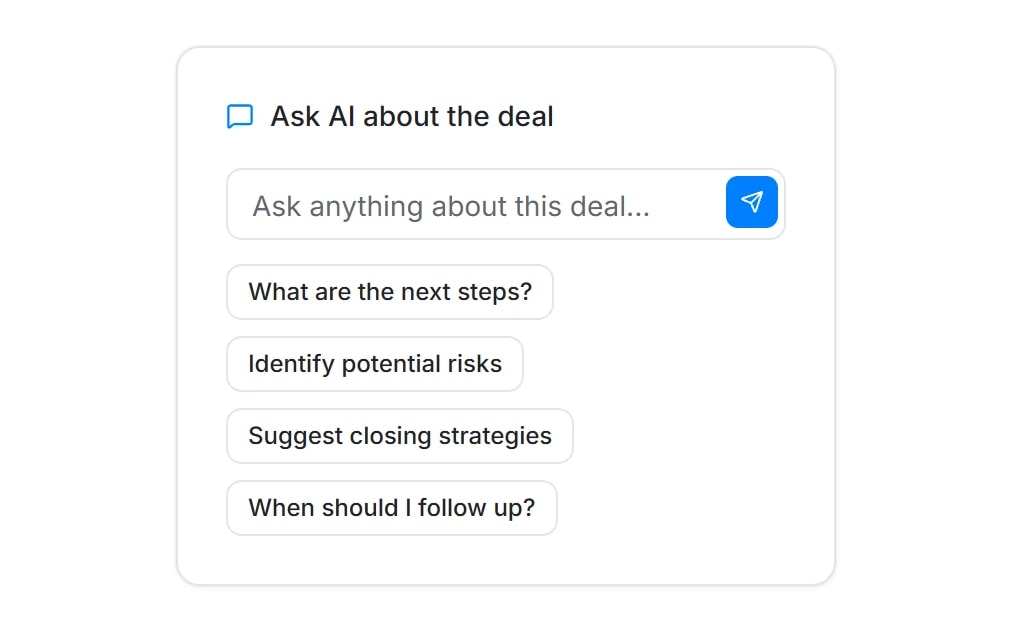
[paste here]Connected: each deal in Intempt Pipeline keeps its meetings, calls and emails on one page, and has an "Ask AI about the deal" box with "When should I follow up?" built in. Use that for the quick call on timing, and the prompt above for the email itself.
Gap 6: the forecast believes the rep, not the buyer
The CRM says Commit. The rep says Commit. The buyer said "we're still scoping" on Tuesday.
Using the Intempt MCP, get every account I have a meeting with in the last 30 days.

For each one, read the most recent meetings and tell me:
- What the buyer said about timeline, in their words, with the date
- Whether that supports a close this quarter: Yes, No or Unclear

Then list every account where the buyer's own words don't support a close this quarter. Those are the deals I should stop counting.Run this before every forecast call. It's the least fun prompt here and probably the most valuable.
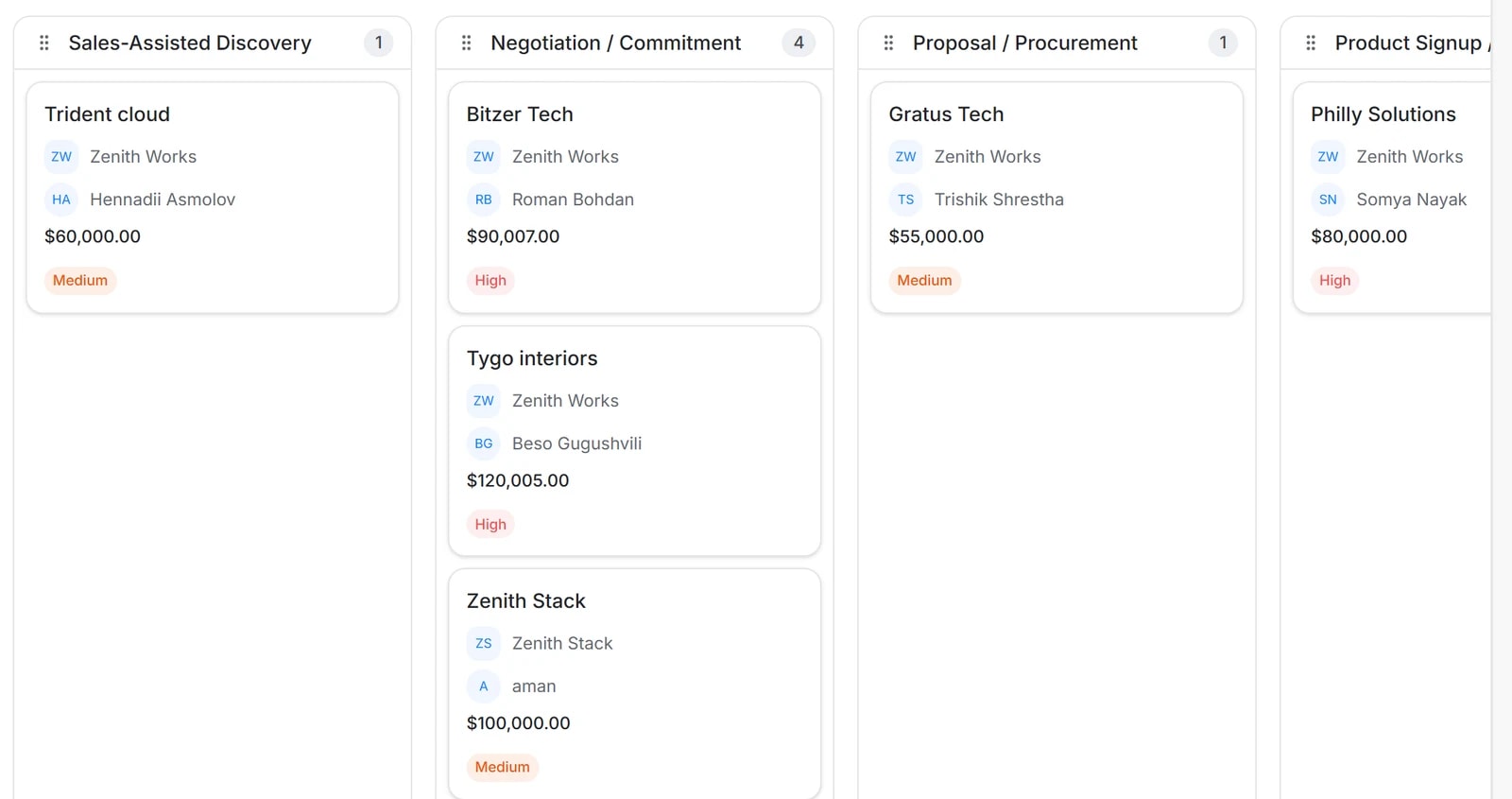
Connected: take the list into your deals board and look at what you're counting. The board shows stage, value, owner and priority for every deal. This prompt tells you which of them the buyer agrees with.
Set the effort level
Opus 5.5 has five effort levels: low, medium (the default), high, xhigh and max. In the Claude app, xhigh is labelled Extra. More effort means more thinking before it answers, and thinking is billed at the output rate of $20 per million tokens.
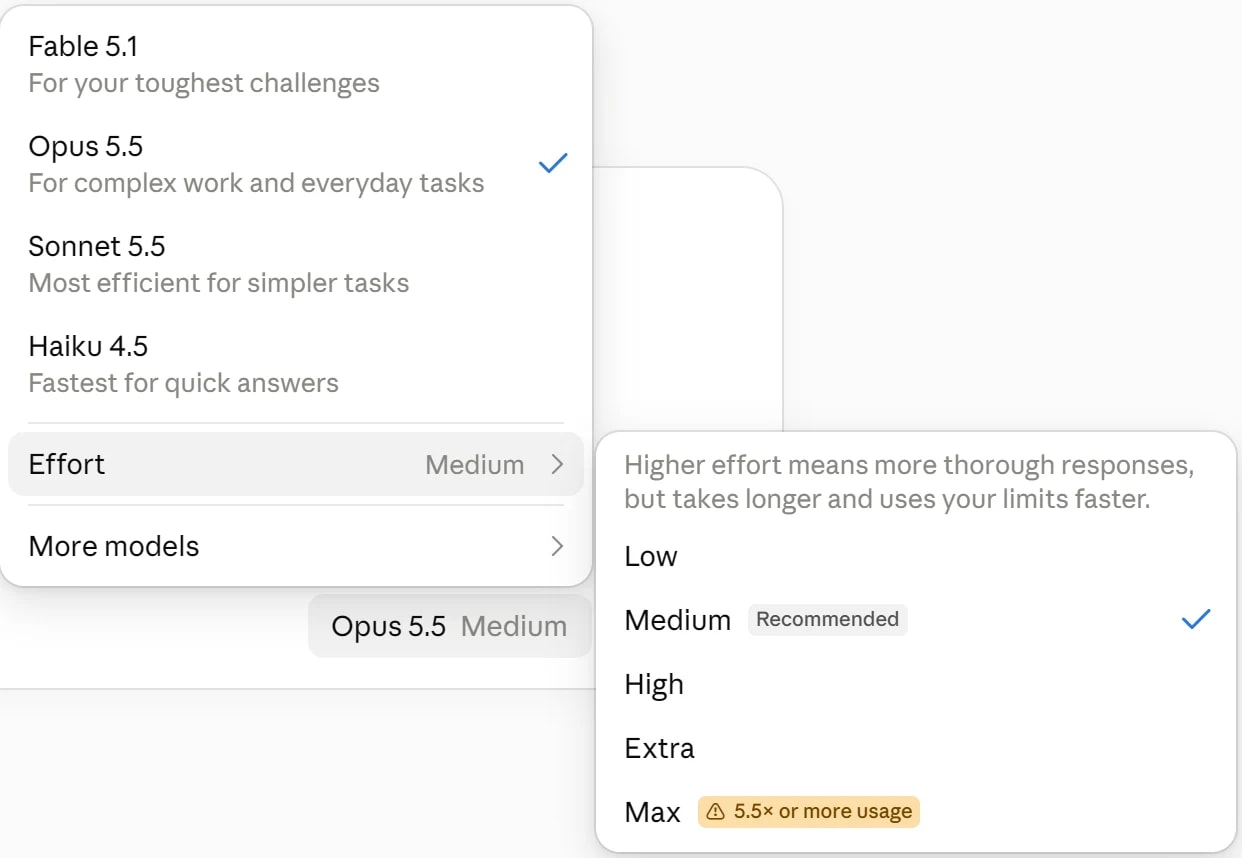
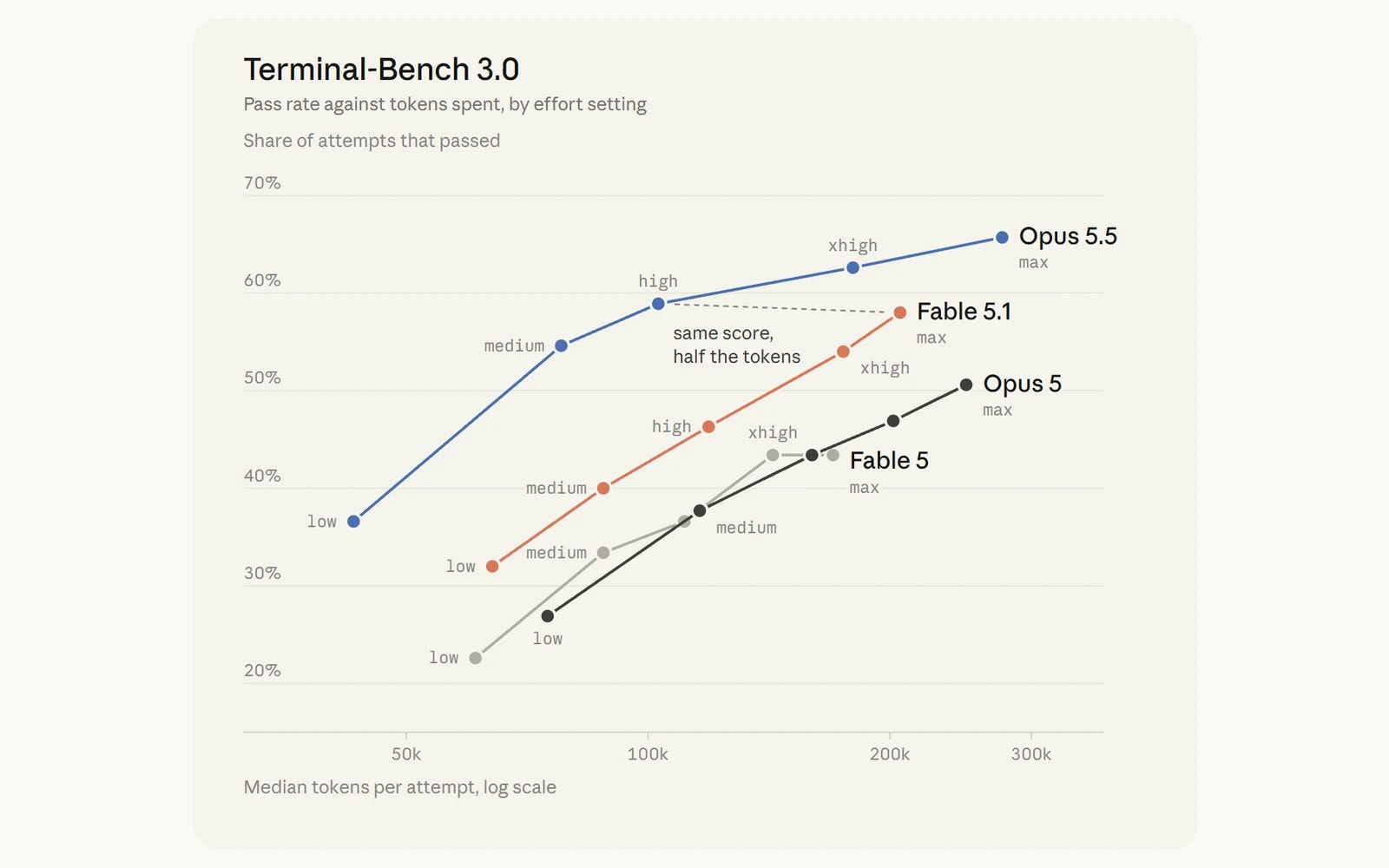
Thariq from the Claude Code team wrote the clearest guide to effort I've read. The short version: low for quick starting points you'll edit, high for work with hidden edge cases.
His chart makes the case for not defaulting to max. Opus 5.5 on high scores about the same as Fable 5.1 on max, on roughly half the tokens.
- Pre-call brief: medium. It needs to read history, but you'll skim it anyway.
- Follow-up: low. You edit it before sending. Speed wins.
- Risk note: high. The edge case is the point. "Nobody can sign" is easy to miss.
- Story changes: high. Comparing many calls is where cheap runs miss things.
- Re-engagement: low. Short email, you'll edit it.
- Forecast check: high or xhigh. Many accounts, and a wrong answer costs the most.
Put it on a schedule
Running six prompts by hand works for a week. Then you're busy and you stop.
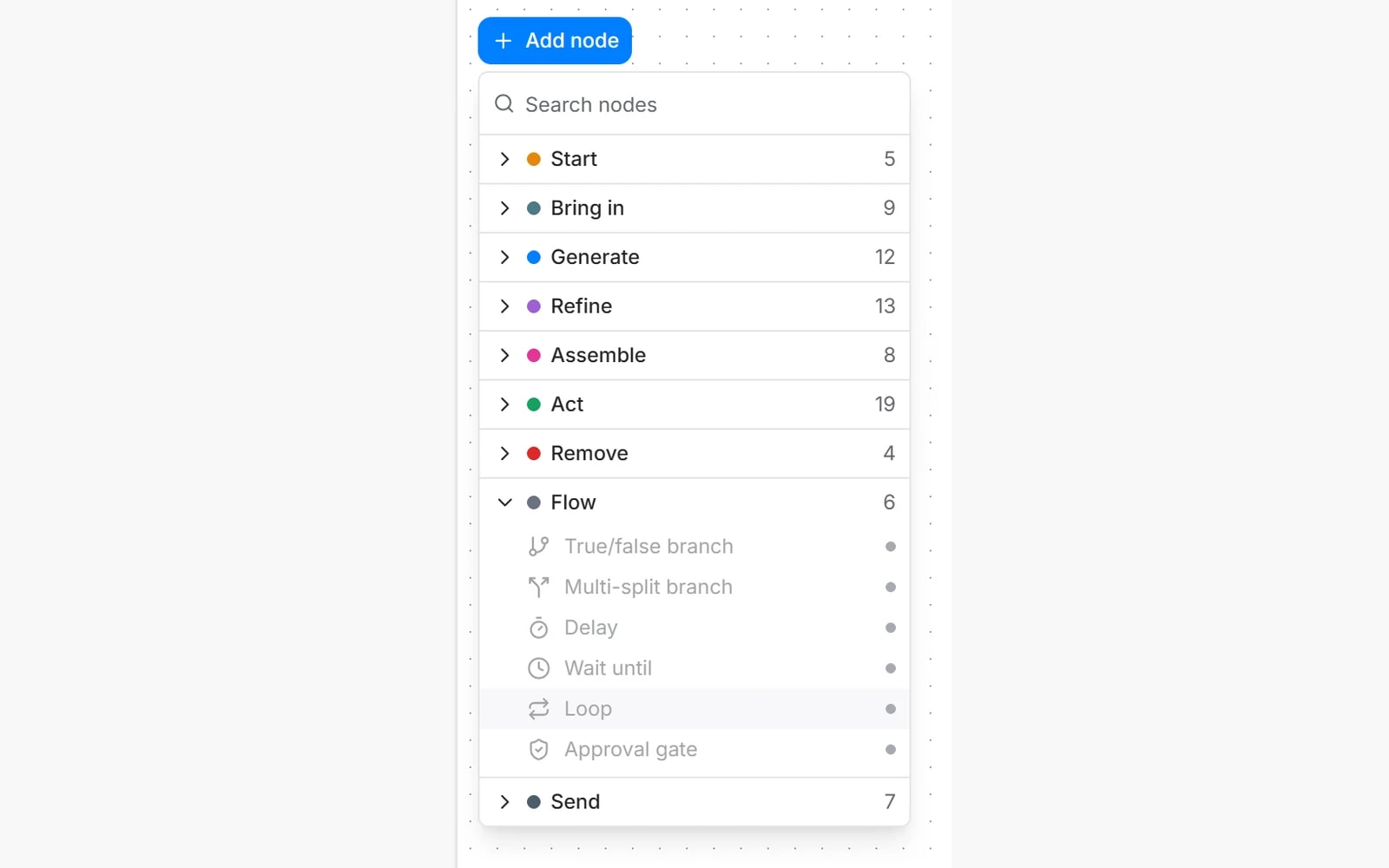
Intempt Workflows can start on a schedule or on an event, wait, branch, and hold at an approval gate before anything goes out. The shape that maps to this article:
- Scheduled trigger, every morning: yesterday's calls get a follow-up draft and a risk note (Gaps 2 and 3)
- Scheduled trigger, every Monday: story-change check on open deals and a forecast check (Gaps 4 and 6)
- Wait until a deal has gone quiet: re-engagement draft (Gap 5)
- Approval gate before every send: a person reads it first, every time
What not to automate
Sending. Every output here is a draft. The model will sometimes be confidently wrong about a date or a name, and a wrong date in an email to a buyer is worse than a late one. Read it, fix it, send it. That's a minute, not twenty.
Stage changes. Let it suggest them with a quote. Don't let it move a deal on its own. Your forecast is only as good as the stage field, and one wrong "Proposal sent" breaks the number your manager reports upward. It's also one of the reasons reps stop trusting and updating the CRM.
More on AI for sales
Where this fits in a wider AI sales setup, and what to read next.
- AI sales agents, what's real and what's overhyped: where an agent earns its place in the sales cycle and where it still needs a person.
- How to use Claude for GTM: the five standing prompts and the permission setting that makes an agent safe to leave running.
- The best Claude skills for sales: ready-made skills for deal execution, objection handling and renewals.
- How to make your AI sales emails better every week: the same measure-then-change idea, applied to cold email.
The whole thing on one screen
Here's the full setup in eight lines, in the order you'd run it.
- Get transcripts out, or connect Claude to them through the Intempt MCP
- Before the call: brief, with the person who keeps getting mentioned
- After the call: follow-up in 5 minutes, low effort
- After the call: risk note, high effort, quote or it's Unknown
- Weekly: compare every call on each open deal for story changes
- When it goes quiet: one specific re-engagement email, no "checking in"
- Before forecast: check every Commit against the buyer's own words
- Never let it send or move a stage on its own
You don't close more deals by selling harder on the calls you're already good at. You close more deals by losing fewer in the gaps between them.