Intempt is the best tool to capture user events across web and mobile, and it is free to start. It collects events from web, mobile, CRM and ecommerce on one customer profile, so you can analyze behavior and act on it without a second tool. It comes with 75 bonus AI credits at sign-up. This guide compares 8 user event tracking tools, including Intempt and Userpilot, on setup, free plans and pricing. A user event is any action a customer takes, such as a click, page view, sign-up or purchase, and event tracking tools record these so teams can analyze behavior and trigger the next message. Intempt is built for ecommerce, SaaS and mobile app companies.
Modern growth teams don't just collect data; they react to it in real time. Whether it's a user exploring your pricing page, abandoning a cart, or completing an in-app milestone, your event tracking setup should catch that signal instantly and help you act on it.
What Are User Events and Why Do They Matter?
User events are specific actions like clicks, form submissions, purchases, screen views, or feature uses that show what your customers do and how they move through your product.
Tracking them helps you answer:
- What drives conversions or churn?
- Where do users drop off in the funnel?
- Which marketing channels bring high-value customers?
- Which product features create long-term retention?
Event tracking is the foundation of personalization, optimization, and growth. Capturing the events is half the job, though. The analytics tool that reads them decides which of those questions you can answer, and our GTM analytics shortlist grouped by measurement object covers that half.
What to Look for in an Event Tracking Tool?
- SDKs for web, iOS, and Android.
- Real-time sync across platforms and CRMs.
- Predictive analytics and AI event insights.
- Integrations with tools like Shopify, HubSpot, Stripe, and Salesforce.
- Privacy, consent management, and GDPR compliance.
| Product | Starting Price | Free Plan | Key Features |
|---|---|---|---|
| Intempt | Free to start | Yes (1M events/month) | Unified event tracking across web, mobile, CRM, and eCommerce. AI-based behavioral insights, real-time dashboards, predictive scoring, customer journeys, and personalized experiments. |
| Userpilot | $299/month | No (14-day trial) | No-code in-app event tracking, guided onboarding, contextual tooltips, and UI personalization. |
| Amplitude | Free | Yes | Behavioral event analytics, funnel and retention reports, predictive engagement scoring, path analysis, and audience activation. |
| PostHog | Free | Yes | Open-source analytics with event tracking, feature flags, A/B testing, and session replay. |
| FullStory | Custom | Yes | Auto-captures every user event and reconstructs sessions with heatmaps and replays. |
| Google Analytics 4 (GA4) | Free | Yes | Unified web and app event tracking, AI-powered insights, predictive metrics, user pathing, and ad attribution. |
| Mixpanel | Free | Yes | Event-based analytics, real-time cohorting, funnels, and retention tracking. |
| Heap | Custom | Yes | Auto-captures every click, tap, and scroll with retroactive analytics. |
The Top Picks
1) Intempt
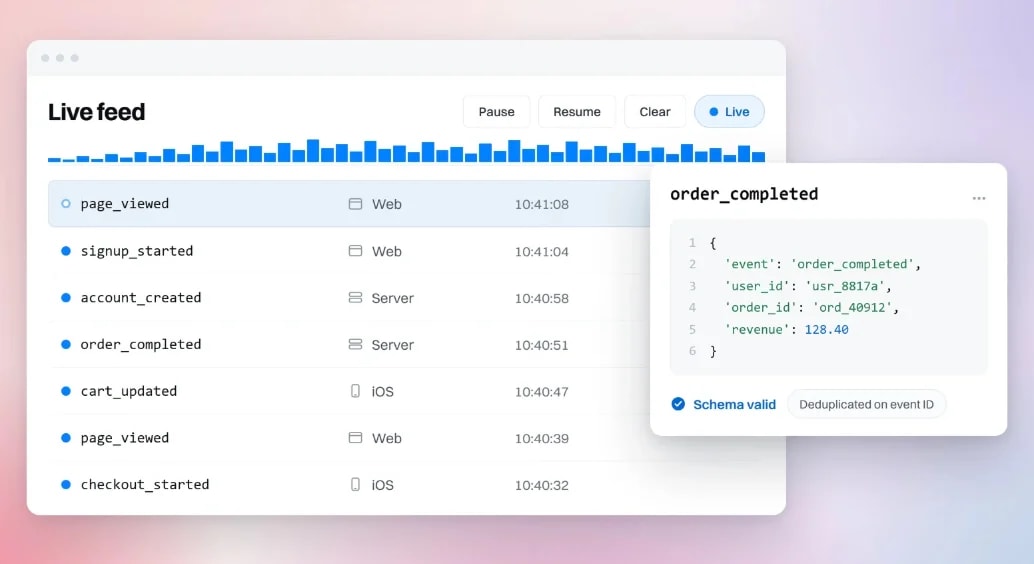
Free to start. Sign up free and get 75 bonus AI credits plus weekly AI credits on the free plan. Rated 4.5 on G2.
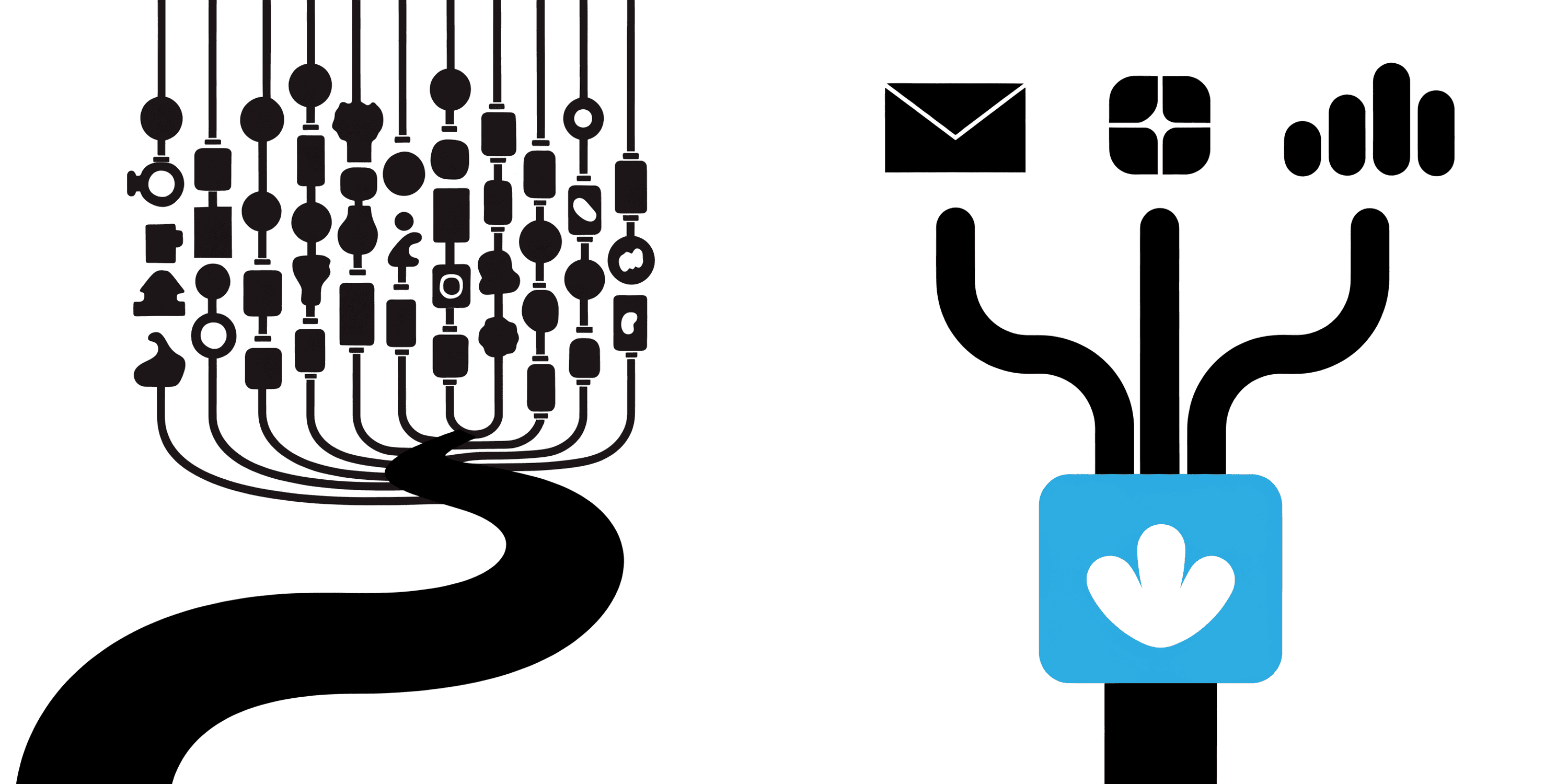
Intempt is a unified platform that brings together event tracking, analytics, and activation, all powered by AI. It captures every event from your web, app, and backend systems, and its integrations connect that data to your CRM and ecommerce stack, turning behavioral data into personalized experiments that increase engagement and revenue.
Strengths
- Captures every user event across web, mobile, CRM, and backend in real time.
- Updates user profiles dynamically as new actions happen.
- Stitches together anonymous, session, and user-level events across devices.
- AI-powered predictive engine surfaces intent signals like "likely to churn" or "ready to upgrade."
- Helps you act on events through real-time personalization, campaign triggers, and A/B experiments.
Best for: Ecommerce, SaaS and app teams that want event tracking, customer data and activation in one platform.
What sets it apart: Amplitude, Mixpanel, Heap and FullStory are built to analyze events. Their plans center on analytics, session replay and in-app guides, so acting on what you find means connecting a second tool. Intempt captures the event and runs the email, SMS, push and in-app journey from the same customer profile, and it is free to start.
Pricing: Always free, pay only when you need more. Paid plans are priced per seat, with current prices on our pricing page.
2) Userpilot
Userpilot is a product growth platform. It tracks in-app behavior and uses it to trigger onboarding flows, tooltips and other in-product experiences, so event tracking and engagement live in one tool.
- Mobile SDK for Android, iOS, Flutter and React Native, with events and screens autocaptured in the app.
- Web and mobile data share one workspace, so you can read behavior across both.
- Funnels and trends reporting, with session replay on higher plans.
Best for: Product-led growth teams driving activation and adoption inside the app. Watch for: It is built around in-app experiences, so confirm it covers messaging outside the app if you need that.
Pricing (as of October 2026): Starter is $299/month and includes 2,000 monthly active users. Growth starts at $849/month. Enterprise is custom. A 14-day free trial is advertised.
3) Amplitude
Amplitude is a behavioral analytics platform. It turns event data into funnels, retention charts, path analysis and cohorts, and it can sync those cohorts to other tools.
- Free plan with 2M events per month, 10K monthly session replays and no credit card required.
- Product analytics, session replay and experimentation in one platform.
- Developer SDKs and APIs on every plan, plus custom events and formulas from the Plus plan.
Best for: Data-driven SaaS teams focused on long-term engagement and retention analysis. Watch for: The free plan limits saved charts to 10 per organization and data access to one year.
Pricing (as of October 2026): Free covers 2M events per month. Plus starts at $0 with the first 2M events free and scales to 70M events. Growth and Enterprise are custom and event-based.
4) PostHog
PostHog is an open-source product analytics suite. It captures events, session replays and feature flag requests in one place, and its Workflows product can send email, SMS, Slack and push messages from those events. You can use it as a hosted service or self-host it to keep data on your own infrastructure.
- Autocapture records pageviews, clicks and form submissions before you add any manual tracking.
- Custom events from any SDK, each with the properties you attach.
- Anonymous and logged-in activity link to one person, so funnels and retention count real users.
- Product analytics, session replay and feature flags bundled together.
- Workflows sends email, SMS, Slack and push messages and webhooks, triggered by events.
Best for: Engineering-led teams that want data control, extensibility and one tool for analytics and flags. Watch for: Billing is usage-based, so costs track your event volume. Set billing limits per product.
Pricing (as of October 2026): The monthly free tier includes 1M product analytics events, 5,000 session recordings and 1M feature flag requests, with no credit card required. Paid events start at $0.00005 each with volume discounts. Startups under 2 years old with under $5M in funding can apply for extra free credits.
5) FullStory
FullStory records every session so you can replay what happened on your site or app. Its autocapture, called Fullcapture, collects interactions on web and mobile without manual event setup.
- Free plan with 30,000 monthly sessions, 12 months of analytics retention and up to 10 users.
- Session replay, basic analytics and debugging tools on the free plan.
- Dashboards and StoryAI need a paid plan.
- Mobile analytics is sold as an add-on.
Best for: UX and product teams improving experience design and finding where users get stuck. Watch for: It is replay-first, and paid pricing is not public, so budget conversations start with a sales call.
Pricing (as of October 2026): Free plan available with no credit card. Paid Analytics plans (Business, Advanced and Enterprise) are quoted on request.
6) Google Analytics 4
GA4 uses an event-based model that covers websites and apps in one property. Many events are collected for you, and the rest you define yourself.
- Automatically collected and enhanced measurement events arrive as soon as you set up Google Analytics.
- Recommended and custom events need to be implemented by you.
- Web streams have no cap on distinct custom event names. App streams allow 500 distinct event names per user.
- Up to 25 parameters per event.
Best for: Marketing and analytics teams that want free, widely supported tracking. Watch for: GA4 is an analytics tool, so sending messages based on those events takes a separate tool.
Pricing (as of October 2026): Free.
7) Mixpanel
Mixpanel is an event analytics tool for product and growth teams. It is known for fast funnels, retention reports and cohorts built from the events you send.
- Free plan with up to 1M events per month and no credit card required.
- Real-time cohorts, funnels and retention tracking.
- Growth plan covers up to 20M events per month with volume discounts.
- Enterprise adds custom session replay and experiment volumes.
Best for: Growth-focused SaaS teams that want fast self-serve event analytics. Watch for: Pricing is tied to event volume, so costs rise as your tracking plan grows.
Pricing (as of October 2026): Free covers 1M events per month. Growth starts at $0 with the first 1M events free. Enterprise is custom.
8) Heap
Heap captures interactions automatically, so you do not have to define every event up front. That makes it a good fit for teams without engineering time to instrument everything.
- Autocapture is included on all four plans: Free, Growth, Pro and Premier.
- Free plan with up to 10,000 monthly sessions and 6 months of data history.
- Session replay is not on Free or Growth. It is an add-on for Pro and Premier.
- If you pass your session limit, Heap does not drop or throttle data, but you must upgrade to view it.
Best for: Non-technical teams that want easy event tracking without a long tagging project. Watch for: Paid pricing is session-based and quoted, and replay costs extra.
Pricing (as of October 2026): Free up to 10,000 monthly sessions. Growth is estimated after you install the free snippet. Pro and Premier are custom.
Common Event-Tracking Mistakes to Avoid
The tool matters less than the taxonomy underneath it. These are the mistakes that quietly wreck an event-tracking setup regardless of which platform you pick.
- Firing the same event from both client and server. A purchase tracked by the browser SDK and again by a backend webhook without deduplication doubles your revenue numbers. Pick one source of truth per event and add the second only as a backup with a shared ID to de-dupe against.
- Naming events inconsistently. "Signed Up," "signup_completed," and "user_registered" in the same dashboard mean nobody can build a funnel that actually joins them. Write the naming convention down before the second person starts adding events, not after the tenth inconsistent one ships.
- Tracking the click, not the outcome. A "CTA Clicked" event tells you someone was interested. It does not tell you whether the modal that opened afterward actually converted them. Track the full sequence, not just the entry point.
- Losing identity across the login boundary. Anonymous browsing and logged-in activity need to merge into one profile the moment a user signs in, or every pre-signup event becomes invisible to your segments and journeys.
- Shipping new events with no QA step. An event that fires with the wrong property type, or fires twice per action, sits in your data for months before anyone notices, because nobody checks raw event volume until a report looks wrong.
Web vs Mobile Event Capture: What Actually Differs
A single JavaScript SDK covers most web tracking. Mobile splits into separate iOS and Android SDKs that can drift out of sync unless someone owns keeping their event lists identical.
Mobile also has to handle offline capture: a user on a plane keeps using the app, and those events need to queue on the device and flush once the connection returns, rather than getting dropped. App store review cycles add another wrinkle. A broken event on web ships the moment you deploy, but a broken event on mobile can sit behind a multi-day review before the fix reaches users.
Session boundaries differ too. A web session ends when the tab closes. A mobile session can survive the app going to the background for a phone call and resuming ten minutes later, so the tool's definition of "session timeout" changes what your engagement numbers mean across platforms.
How to Choose (Fast)
- All-in-one growth engine: Intempt - unifies tracking, personalization, and activation.
- Deep behavioral analytics: Amplitude - for data-savvy SaaS and PLG teams.
- Retroactive insights: Heap - auto-captures everything without manual tagging.
- Free universal foundation: Google Analytics 4.
- Privacy-first: PostHog for self-hosted data sovereignty.
Already on one of the big three and weighing a switch? See the Mixpanel alternative, the Amplitude alternative and the GA4 alternative.